What Is Appointment Scheduling Software and How Does It Work?
Appointment scheduling software is a tool that helps businesses let customers book time with them in a structured way. It replaces back-and-forth.
The HelloTime team
12 min read
On this page
Appointment scheduling software is a tool that helps businesses let customers book time with them in a structured way. It replaces back-and-forth emails, reduces manual admin, and keeps calendars, availability, and meeting details in one system.
It works by showing open time slots, collecting booking details, confirming the appointment, and updating calendars automatically. For many teams, it becomes a simple way to improve response time, reduce no-shows, and make booking easier for both staff and customers.
Key takeaways
- Appointment scheduling software helps businesses manage bookings without manual calendar coordination.
- It usually works by connecting availability, booking rules, confirmations, reminders, and calendar updates.
- It can support sales calls, service appointments, interviews, demos, consultations, and internal meetings.
- The main benefits are time savings, fewer errors, a better customer experience, and clearer team workflows.
- The best system for a business depends on team size, booking complexity, and how appointments fit into daily operations.
- Good scheduling software should be easy for customers to use and simple for teams to manage.
What is appointment scheduling software?
If you are asking what is appointment scheduling software, the simple answer is this: it is software that allows people to book appointments based on real availability. It helps businesses control when meetings happen, who they happen with, and what information gets collected before the meeting starts.
In the past, many businesses handled scheduling by phone, email, or spreadsheets. That approach still works for very small teams, but it creates delays and mistakes as volume grows. Someone has to check calendars, suggest times, wait for replies, and update records by hand.
Appointment scheduling software solves this by automating the process. Instead of asking, “What time works for you?” a business can offer available slots directly. The customer chooses a time, adds their details, and receives confirmation. The team sees the booking in the right place without doing each step manually.
This type of software is used across many industries. Healthcare clinics use it for patient visits. Professional services firms use it for consultations. Sales teams use it for discovery calls and demos. Recruiters use it for interviews. Education providers use it for advising sessions or classes. Service businesses use it for on-site or virtual appointments.
The software is not only about choosing a time on a calendar. It also supports the business rules around the appointment. For example, it may limit booking windows, add buffers between meetings, route appointments to the right person, or request specific customer details before confirming a slot.
That is why appointment scheduling software is often more valuable than a basic shared calendar. A calendar shows when time is busy or free. Scheduling software turns that availability into a controlled booking experience.
Why businesses use it now
Customer expectations have changed. People want to book quickly and often outside normal working hours. They do not want to wait for a reply just to secure a simple appointment. Businesses also want to reduce admin and create a more reliable process.
A modern scheduling system helps on both sides. Customers get a faster path to a meeting. Teams get more structure and less repetitive work. That combination is why scheduling software has become common in both small businesses and larger organisations.
How does appointment scheduling software work?
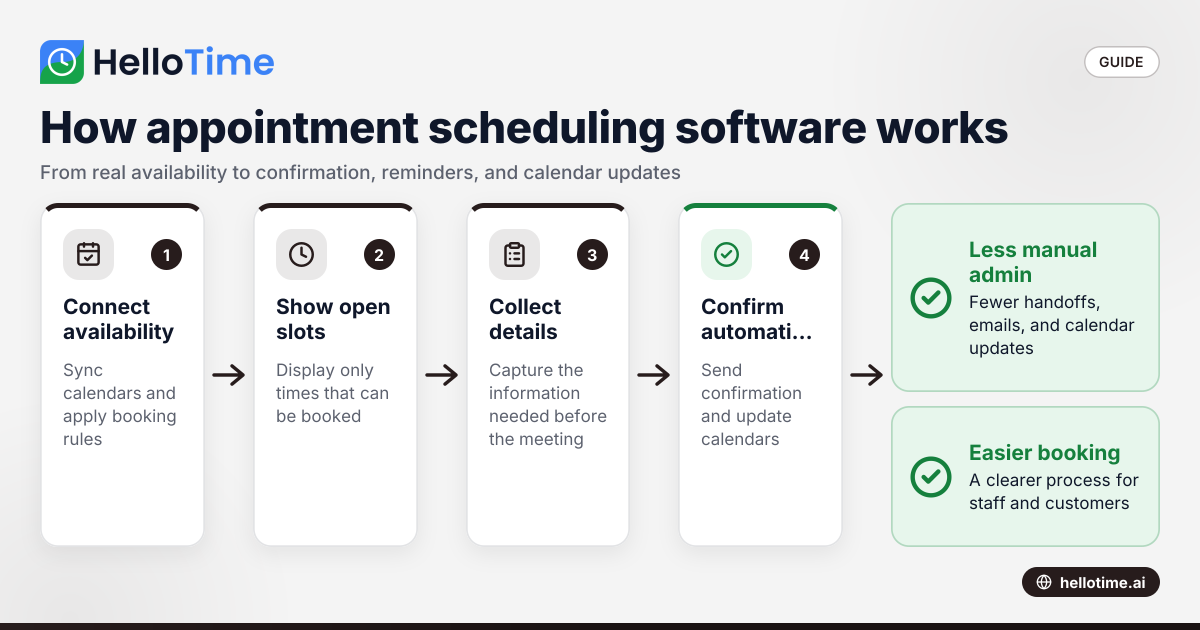
Most appointment scheduling software follows a clear process. The details vary by provider, but the core steps are usually similar.
1. It connects to calendars and availability
The software starts by identifying when a person, team, or resource is available. This may come from one or more connected calendars. The system checks existing commitments and avoids offering times that are already blocked.
Availability can also include rules. A business may allow appointments only on certain days. It may set working hours for each team member. It may prevent bookings too far in advance or too close to the current time.
This matters because availability is rarely as simple as “free or busy.” Real businesses need control. They may need travel time between appointments, setup time before meetings, or limits on how many bookings can happen in one day.
2. It displays bookable time slots
Once availability is defined, the software presents open time slots to the customer or internal user. This usually happens through a booking page or embedded booking form.
The user sees times that match the business rules. They do not see unavailable or blocked periods. This removes guesswork and reduces the need for manual coordination.
The booking experience often includes time zone handling as well. That is important for remote teams, international customers, and distributed workforces. It helps avoid one of the most common scheduling problems: people joining at the wrong time.
3. It collects booking details
Before confirming an appointment, the software may ask for key information. This can include a name, email address, phone number, reason for the meeting, preferred location, or other details relevant to the service.
This step improves preparation. The business gets the context it needs before the appointment starts. It can also help with qualification, routing, and follow-up.
For example, a sales team may ask what product the prospect wants to discuss. A service business may ask for the site address. A consultant may ask about the client’s goals. These questions help turn a simple booking into a better working process.
4. It confirms the booking automatically
After the user selects a slot and submits details, the software confirms the appointment. It sends confirmation messages and updates the connected calendars.
This is where automation saves time. Staff do not need to send individual emails, create calendar invites by hand, or copy details between systems. The booking is recorded once and shared where needed.
Automatic confirmation also gives the customer confidence. They know the appointment is secured. They have a written record of the time, date, and any joining or location details.
5. It sends reminders and updates
Many scheduling systems support reminder messages before the appointment. These reminders help reduce no-shows and last-minute confusion. They also give customers a chance to reschedule if needed.
If an appointment changes, the system can update records and notify the right people. That means fewer missed messages and less manual chasing by staff.
Reminders are especially useful for businesses with high appointment volume. Even a simple reminder process can improve attendance and reduce wasted time in the calendar.
What features are commonly included?
Appointment scheduling software can vary from basic to advanced. Still, most tools share a common set of useful features.
Booking pages and forms
A booking page lets customers choose a time without contacting the business first. Forms collect the details needed to complete the appointment. Together, these features create the front end of the scheduling process.
The best booking pages are simple and fast. They should not make users click through unnecessary steps. Clear design matters because every extra step creates drop-off risk.
Calendar sync
Calendar sync ensures appointments appear in the right place. It also helps avoid double booking. If a meeting is added elsewhere, the scheduling system should reflect that change.
This is one of the most important features for trust. If calendar data is wrong, the whole booking experience suffers.
Availability rules
Availability rules help businesses control when bookings can happen. This may include office hours, meeting duration, breaks, lead time, notice periods, and booking limits.
These rules turn scheduling into an operational system, not just a calendar display. They help businesses protect staff time and maintain service quality.
Notifications and reminders
Notifications tell staff and customers that a booking has been made or changed. Reminders help people show up on time and prepared.
The exact delivery method can vary, but the purpose stays the same: clear communication with less manual effort.
Rescheduling and cancellation handling
Appointments change. Customers need a simple way to reschedule or cancel when plans shift. Businesses need those changes reflected accurately across calendars and workflows.
Without this, staff often end up managing changes manually. That brings back the same admin work the software is meant to reduce.
Team scheduling options
Some businesses schedule one person at a time. Others need round-robin assignment, pooled availability, or booking based on team role or location. Team scheduling features help distribute demand in a structured way.
This is especially important for sales, support, and service operations where multiple people can handle similar appointments.
What are the main benefits for businesses?
The value of scheduling software is not only convenience. It affects operations, customer experience, and team efficiency.
Less manual admin
Manual scheduling creates repeated low-value work. Staff check calendars, send options, wait for replies, issue confirmations, and update records. That time adds up.
Appointment scheduling software removes many of those steps. Teams can focus on the meeting itself rather than the effort required to arrange it.
Faster booking for customers
Customers want speed. If booking takes too long, they may delay, choose a competitor, or stop responding. A self-service booking flow shortens that path.
This is useful in sales and service environments. If a prospect is ready to speak now, a fast booking option can help capture that intent.
Fewer scheduling errors
Manual processes increase the chance of mistakes. Double bookings, missed emails, wrong times, and incomplete records are common problems. Software reduces these risks by keeping availability and booking records aligned.
It also creates a more consistent process. Everyone follows the same rules rather than relying on personal habits or workarounds.
Better use of team time
Structured scheduling helps teams protect time for focused work. Buffers, limits, and controlled availability stop calendars from becoming chaotic. Managers also gain better visibility into how appointment time is being used.
That can improve planning, staffing, and service delivery over time.
A more professional booking experience
A clear booking process signals that the business is organised and easy to work with. Customers get confirmations, reminders, and a smoother path to the appointment.
That experience matters. Scheduling is often one of the earliest interactions a customer has with a business. It sets expectations for everything that follows.
Who should use appointment scheduling software?
Many people assume this software is only for salons, clinics, or consultants. In reality, it fits any organisation that books time as part of its work.
Common business use cases
Here are some common examples:
- Sales teams use it for discovery calls, product demos, and follow-up meetings.
- Customer success teams use it for onboarding sessions, reviews, and support calls.
- Professional services firms use it for consultations, workshops, and advisory sessions.
- Recruitment teams use it for screening calls and interview coordination.
- Healthcare and wellness providers use it for patient, client, or member appointments.
- Field service businesses use it for site visits, inspections, and service windows.
- Education teams use it for tutoring, advising, and parent meetings.
If a business repeatedly coordinates appointments, there is a good chance scheduling software can help.
Signs your business needs it
A business should consider appointment scheduling software if any of these are true:
- Staff spend too much time arranging meetings.
- Customers wait too long for confirmation.
- Calendars are often overbooked or inconsistent.
- Teams need a standard booking process.
- Missed appointments are affecting productivity.
- Different departments handle scheduling in different ways.
Even if the volume is moderate today, standardising the process early can make growth easier later.
How to choose the right appointment scheduling software
Not every business needs the same setup. The right choice depends on how your appointments actually work.
Start with your booking process
Before comparing tools, map your current process. Look at how appointments are requested, approved, assigned, confirmed, and changed. Note which steps are manual and where errors happen.
This helps you separate real requirements from nice-to-have features. It also makes product evaluation more practical.
Ask these key questions
Use these questions as a shortlist:
- Who is booking the appointment? Customers, staff, or both?
- How complex is availability? One calendar or many people, locations, and resources?
- What information must be collected before booking?
- How often do appointments need to be changed?
- Do different teams need different booking rules?
- How important is the customer booking experience?
- What existing systems need to stay aligned?
The goal is to choose software that fits the business process without making the process harder.
Prioritise ease of use
A powerful tool that nobody enjoys using will not solve much. Customers need a simple booking journey. Staff need clear controls and low maintenance. Admins need confidence that the system reflects reality.
Ease of use matters at every stage. If setup is confusing, booking pages are unclear, or changes are difficult to manage, adoption will suffer.
Think beyond launch
It is easy to focus only on setup. But long-term management matters just as much. Consider how the tool will work as the team grows, new services are added, or booking rules change.
A good scheduling setup should support today’s needs without becoming a burden later.
Common misconceptions about appointment scheduling software
Some buyers underestimate what this software does. Others expect it to solve problems that are really process issues.
“It is just an online calendar”
This is a common misunderstanding. A calendar shows time. Scheduling software manages how time can be booked. That includes rules, communication, data collection, and workflow control.
The difference matters because businesses do not just need visibility. They need an operating system for appointments.
“It only helps large teams”
Small businesses often gain value quickly because they have less admin capacity to spare. A solo consultant, a clinic, or a small sales team can all benefit from a smoother booking flow.
In many cases, the need appears before the business feels “large.”
“It removes the human touch”
Good scheduling software does not replace relationships. It removes friction before the relationship begins. Teams still control how they run meetings and serve customers. The software simply makes it easier to get the right people into the right slot.
That can actually improve the experience because less time is spent coordinating logistics.
Where HelloTime fits
For businesses reviewing scheduling tools, the key question is not just “Can people book time?” It is “Does the booking process support how our team works?” That includes availability control, a smooth customer experience, and less admin for staff.
HelloTime is designed for businesses that want a more organised and efficient way to manage appointment booking. When you are evaluating options, it helps to look for a solution that keeps scheduling simple for customers while giving your team the structure it needs behind the scenes.
Keep reading
Related articles
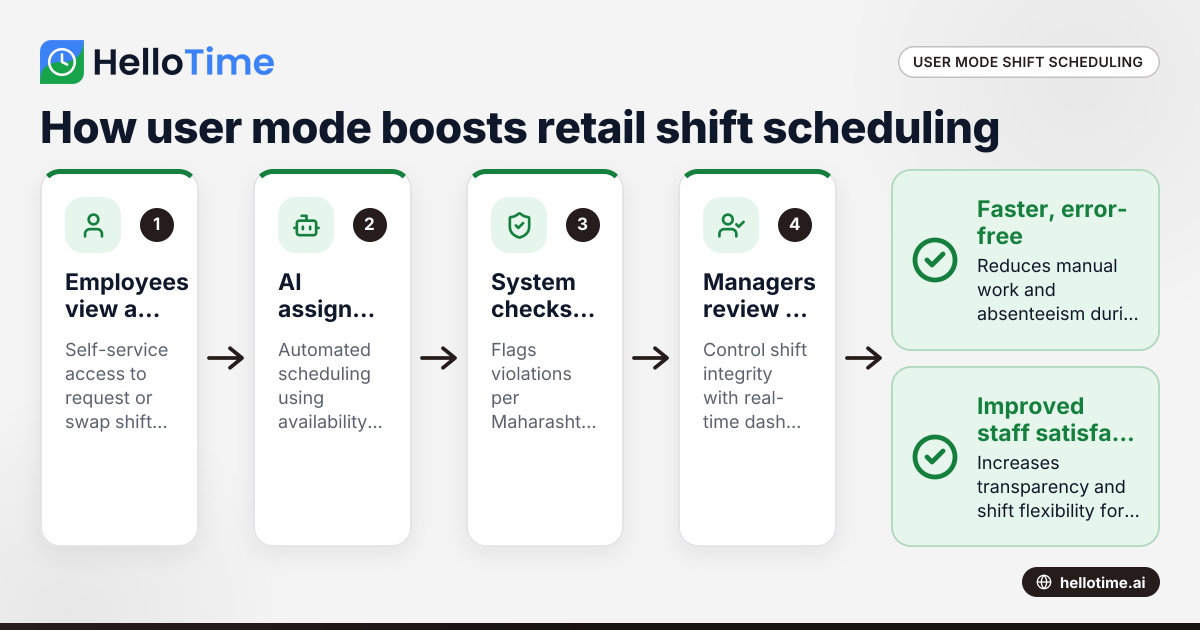
How User Mode Enhances Shift Scheduling Efficiency for Retail Stores in Mumbai, India
User mode shift scheduling in Mumbai retail stores means giving employees controlled access to view, request, or swap shifts themselves, while.
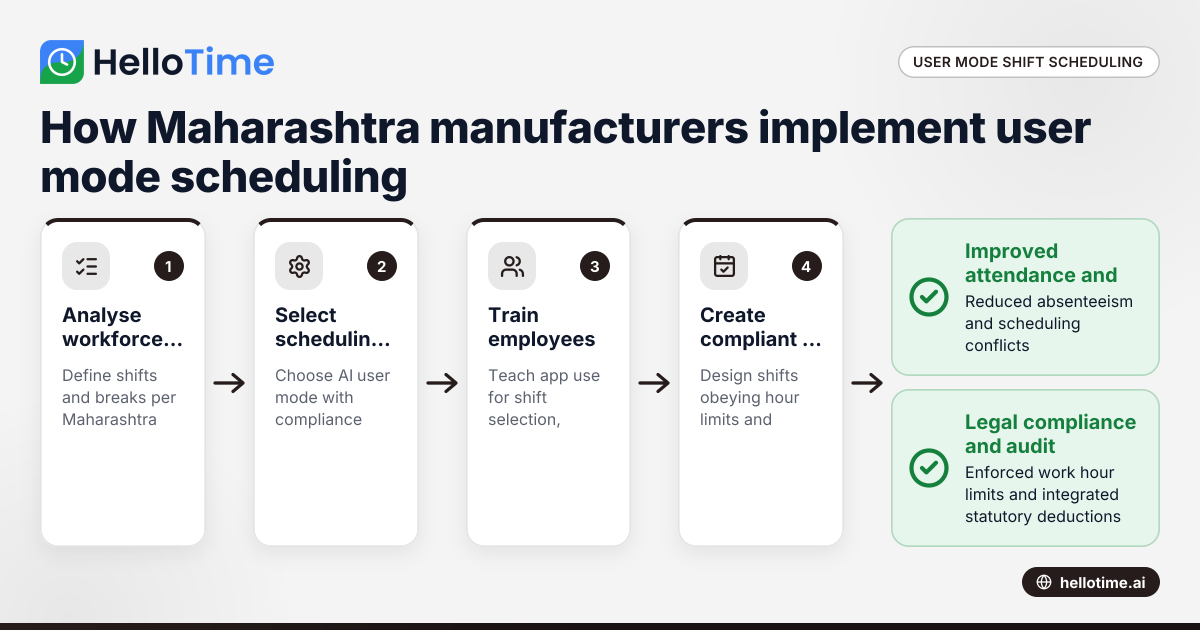
How User Mode Simplifies Shift Scheduling for Manufacturers in Maharashtra, India
User mode shift scheduling lets manufacturers in Maharashtra give workers control to pick or swap shifts via an app. This improves attendance.
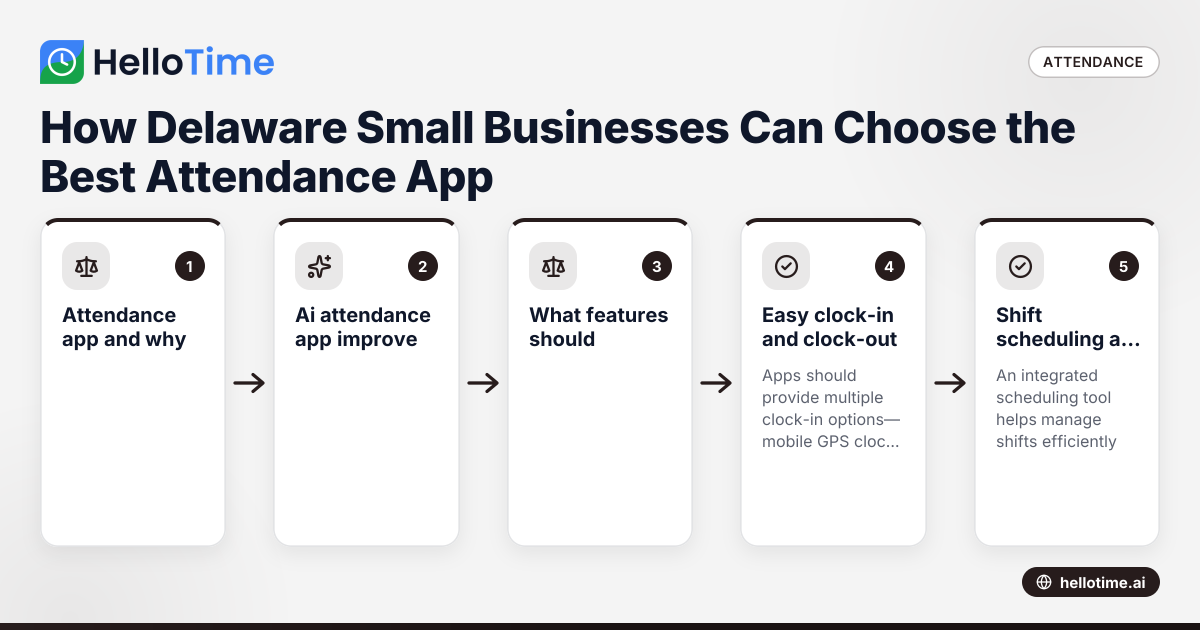
How Delaware Small Businesses Can Choose the Best Attendance App to Improve Workforce Management
How Delaware Small Businesses Can Choose the Best Attendance App to Improve Workforce Management Tracking employee attendance is essential for.