Agency Timesheet Software in the United States: What Creative and Client-Service Teams Should Look For Before Leaving Excel
Agency timesheet software in the United States helps creative, account, project, and client-service teams capture hours accurately without chasing.
The HelloTime team
12 min read
On this page
Agency timesheet software in the United States helps creative, account, project, and client-service teams capture hours accurately without chasing spreadsheets. The best tools do more than log time. They turn hours into cleaner approvals, faster billing, better capacity planning, and clearer project profitability.
Key takeaways
- Excel works at first, but it breaks when your agency needs accurate billable hours, approvals, and reporting.
- Good agency timesheet software in the United States should fit how agencies actually work across clients, projects, retainers, and internal time.
- Look for one-click time tracking, easy approvals, leave visibility, billable hour invoicing, and profitability reports.
- Adoption matters as much as features. If time entry is slow or confusing, your data will stay incomplete.
- US agencies should also think about buyer expectations, data access, and finance workflows such as QuickBooks and Stripe.
- A structured rollout beats a rushed switch. Start with one team, one approval flow, and a clean client-project setup.
Why agencies outgrow Excel for timesheets
Excel usually starts as the fastest option. It feels flexible, familiar, and cheap. For a five-person shop, that can work for a while.
Then the agency grows. You add designers, media buyers, copywriters, strategists, and account managers. Work spreads across many clients. Some projects are fixed fee. Others are hourly. Some teams need daily time tracking. Others enter time at the end of the week. Soon, the spreadsheet becomes a weak point.
The first problem is missing time. People forget what they worked on. They enter broad blocks like “client work” instead of the real task. Billable hours slip away. Internal work gets mixed into client work. No one trusts the totals.
The second problem is approvals. A team lead may review one version. Finance may use another. Account managers may ask for changes over email or Slack. By invoice time, no one is sure which sheet is final.
The third problem is reporting. Excel can total hours, but most agencies need more than totals. They need to know:
- Which clients are over budget
- Which teams are overloaded
- Which projects are still profitable
- Which retainers are underused
- Which employees are logging too much non-billable time
That is where dedicated agency timesheet software united states buyers look for becomes valuable. It replaces manual cleanup with a repeatable process.
What does agency timesheet software need to do?
It should make daily time entry fast, route approvals clearly, and turn approved hours into useful financial and operational data. For a US agency, it should also fit common workflows around invoicing, QuickBooks, Stripe, and client reporting without adding admin burden.
Under that simple goal, there are several practical requirements.
Fast time capture for busy teams
Agencies live on context switching. A project manager may jump between a Chicago client kickoff, internal planning, and urgent revisions for a Houston campaign in one day. If your system takes too many clicks, people delay entries.
Look for:
- One-click timers
- Manual time entry for teams that work in blocks
- Daily and weekly views
- Clear client and project selection
- Notes fields for task details
- Billable and non-billable tagging
The right system reduces friction. It should support how creatives and client-service teams already work, not force them into a rigid process.
Clean approvals
Approvals are where many agencies lose control. Time should move from employee to manager to finance in a clear path. Everyone should know what is pending, approved, or rejected.
A good workflow helps you:
- Set who approves each team or project.
- Review time before invoicing.
- Send entries back for correction.
- Lock approved periods.
- Keep an audit trail of changes.
That structure matters when a client questions billed hours. It also matters at month end, when finance needs a reliable source of truth.
Separate client work from internal work
Not every hour should hit an invoice. Agencies spend time on pitches, training, admin, and internal meetings. That time still matters. It affects staffing, utilization, and margin.
Software should let you distinguish:
- Billable client hours
- Non-billable client support
- Internal operations
- Business development
- Leave and time off
Without that split, reports become misleading. A team can look fully utilized while actually spending too much time on unbilled work.
Which features matter most for creative and client-service teams?
For most agencies, the priority list is simple: easy time entry, approvals, client and project structure, billable invoicing, and profitability reporting. Scheduling and leave visibility also help, especially when account and delivery teams need to plan around PTO and deadlines.
Client, project, and task structure
Agencies do not just track people against one cost center. They track work across multiple layers. A healthy setup often includes:
- Client
- Project or retainer
- Task or service line
- Team member
- Billable status
This helps teams answer practical questions. Did your Detroit branding project exceed estimated design hours? Is the monthly retainer underused? Are account managers spending too much time on client admin?
If the structure is too flat, reporting becomes vague. If it is too complex, users stop entering time correctly. The best tools strike a balance.
Invoicing from billable hours
For hourly agencies, time data should flow directly into billing. That reduces rework and billing leakage.
Look for software that can:
- Mark hours as billable
- Keep approved hours separate from drafts
- Support invoicing from billable time
- Help finance review before sending invoices
This is especially useful when project leads and finance teams need one clean handoff. It shortens the path from work completed to invoice sent.
Project profitability reporting
Revenue alone does not show performance. Agencies need to compare billable hours, labor effort, and project progress to see what is actually profitable.
Profitability reporting helps you spot:
- Clients that demand too much support
- Projects that are under-scoped
- Teams that are overloaded
- Services with weak margins
- Estimates that need updating
For agencies trying to grow, this can be more valuable than the timesheet itself. Time tracking is the input. Better decisions are the output.
Leave and capacity visibility
Deadlines slip when managers cannot see who is available. A designer on PTO can create a hidden bottleneck. An account manager with too many active clients can miss approvals and updates.
Leave management and team scheduling are useful because they give context to timesheet data. You are not just seeing hours worked. You are seeing whether the agency had the capacity to deliver.
Can an ai agency timesheet actually help your team?
Yes, if it reduces manual effort instead of adding novelty. An ai agency timesheet should help with cleaner entries, faster review, and better visibility. It should not replace manager judgment or project scoping.
A lot of “AI” messaging in software is vague. Agencies should stay practical. Ask what the tool actually improves in day-to-day operations.
Useful AI support may help teams:
- Prompt for missing time
- Suggest likely project selections
- flag inconsistent entries
- summarize patterns for managers
- speed up approval review
The key test is simple. Does it help your team submit accurate time faster? If not, it is just marketing.
Creative teams especially need flexibility. They may work in bursts, switch contexts often, and collaborate across accounts. Any AI feature should respect that reality. It should reduce cleanup, not over-automate nuanced work.
What should US agencies ask before switching?
Ask how the tool handles approvals, billing, reporting, user permissions, and finance handoff. Also ask where your data lives, who can access it, and how the vendor supports common US agency workflows such as QuickBooks, Stripe, and client-ready invoicing.
Once you move beyond feature checklists, the real evaluation begins.
1. Will our team actually use it?
This is the biggest question. The best software fails if the team avoids it.
Ask for a trial workflow using real agency examples:
- A retainer client
- A fixed-fee project
- Internal marketing time
- Manager approval
- Invoice preparation
Watch how many clicks it takes. Look at the mobile and desktop experience. Check whether employees can enter a week of time in minutes, not half an hour.
2. Can we model our real approval process?
Some agencies approve by department head. Others approve by account lead or project manager. The software should not force a generic flow if your billing depends on a more specific review path.
Map your current process first. Then test whether the software matches it with less admin.
3. Will the reports answer management questions?
A nice dashboard is not enough. Ask for reports that reflect real agency decisions:
- Billable vs non-billable by employee
- Hours by client and service line
- Project profitability
- Retainer usage
- Team utilization
- Approval status by period
If you cannot get those answers easily, you may still end up exporting data back to Excel.
4. Does it fit buyer and finance expectations?
Many US agencies sell to larger clients that expect disciplined systems and clean documentation. Some buyers ask about controls, data handling, and vendor maturity. Some finance teams want clean exports and predictable workflows.
This is not legal or tax advice, but if your process touches contracts, recordkeeping, invoicing, or employee data, review your needs carefully with internal stakeholders. If enterprise buyers ask about controls, your software choice becomes part of your credibility.
Common mistakes agencies make when replacing Excel
The biggest mistake is treating the switch as a software purchase instead of a process change. If your client list, project names, billable rules, and approvers are messy today, the mess will carry over.
Migrating bad structure
Before you import anything, clean up:
- Inactive clients
- Duplicate project names
- Old billing codes
- Unclear task labels
- Missing billable rules
If “Website Redesign” appears six different ways, your reports will stay unreliable.
Making time entry too detailed
Agencies often overbuild categories. They create too many tasks, service lines, and subcodes. That slows adoption.
Start simple. Add more detail only when it helps billing or reporting.
Ignoring manager habits
Managers drive compliance. If managers do not review time on schedule, approvals will lag and invoicing will slip. Build a clear routine for weekly review.
Failing to explain the why
Teams resist timesheets when they think the goal is surveillance. Explain the business value in plain language:
- More accurate billing
- Better staffing decisions
- Fewer end-of-month scrambles
- Clearer project health
- Less manual admin
That message matters for adoption.
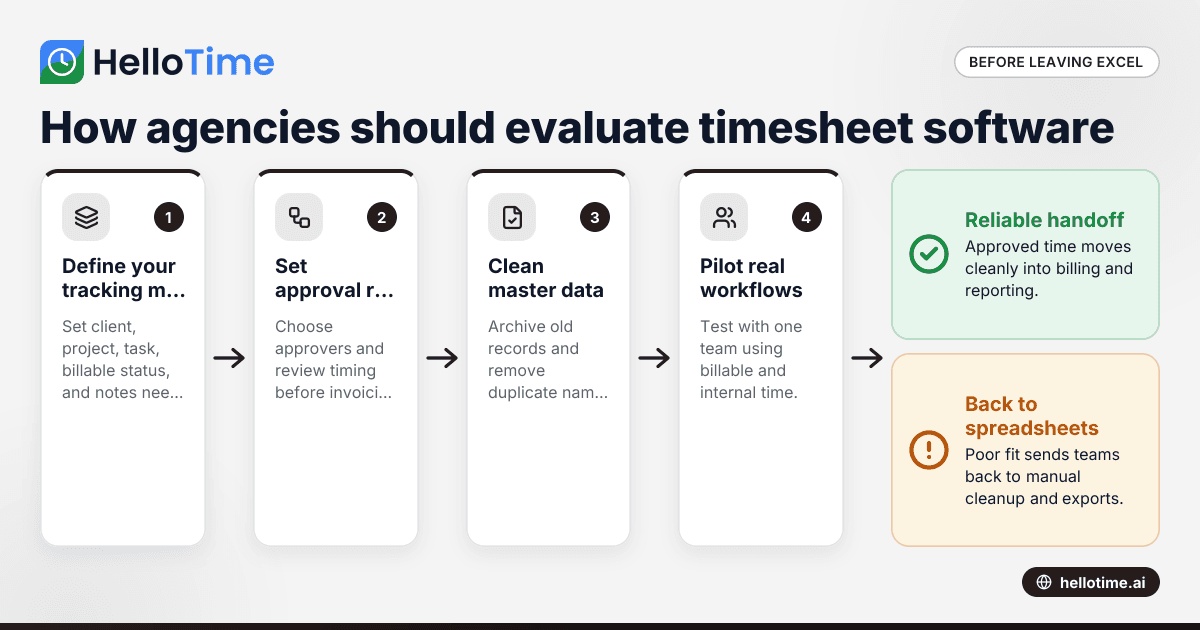
A practical rollout plan for a US agency
A phased rollout is usually safer than a company-wide switch. It lets you test your structure, train managers, and fix confusion before month end.
Step 1: Define your tracking model
Decide what every time entry needs:
- Client
- Project or retainer
- Task or service line
- Billable or non-billable status
- Notes requirement, if any
Keep it simple enough for daily use.
Step 2: Set approval rules
Choose who approves each team and when. Most agencies do well with weekly approvals. Make the deadline clear.
Step 3: Clean master data
Review active clients, projects, and internal codes. Archive anything old. Remove duplicate names.
Step 4: Pilot with one team
Start with a group that has both billable and internal time. This gives you a realistic test. A client-service team is often a good pilot.
Step 5: Train for real workflows
Show people exactly how to:
- Start and stop a timer
- Add manual entries
- Correct mistakes
- Submit timesheets
- Approve entries
- Review billable hours before invoicing
Avoid generic training. Use real examples from your agency.
Step 6: Review after two weeks
Look for missing time, approval delays, and reporting gaps. Fix naming conventions and permissions early.
Where HelloTime can help
If your agency needs one-click time tracking, approvals, leave management, billable-hour invoicing, and project profitability reporting in one place, HelloTime is designed to reduce manual admin. It is especially useful for teams moving away from paper, spreadsheets, and disconnected workflows.
For agency operations, the value is not just the timer. It is the full path from time captured to time approved, billed, and analyzed. That helps owners and operations managers spend less time chasing entries and more time improving delivery.
US readers who want a local overview can see HelloTime in the US. If you are comparing options, focus on whether the system fits your agency’s real structure and whether your team will use it consistently.
How to choose the right agency timesheet software in the United States
The best choice is the one your team will use every day and your managers can trust at billing time. It should match your agency structure, support clear approvals, and produce reports that improve decisions without forcing constant spreadsheet cleanup.
Use this shortlist during evaluation:
- Time entry is fast on desktop and mobile
- Client, project, and task structure fits your work
- Billable and non-billable time are easy to separate
- Approval workflow is clear
- Leave visibility supports planning
- Invoice prep from billable hours is simple
- Profitability reporting is useful
- Permissions and access are sensible
- Finance handoff is clean
- Setup is not too complex for your team
If a tool performs well in a demo but creates friction in real daily use, keep looking. Agencies need software that supports momentum, not more admin.
If you want to see how HelloTime handles time tracking, approvals, scheduling, leave, invoicing, and reporting, explore the features or compare plans on the pricing page.
Frequently asked questions
Is agency timesheet software only useful for agencies that bill by the hour?
No. Fixed-fee agencies also benefit because time data shows whether projects are profitable. It also helps with staffing, workload planning, and understanding how much non-billable effort supports each client.
How often should agency employees submit timesheets?
Weekly is the most common rhythm because it balances accuracy and admin. Some agencies prefer daily entry with weekly approval, especially when people switch between many clients and tasks.
Should creative teams track every task in detail?
Not always. Track enough detail to support billing, profitability, and management decisions. If the structure is too detailed, people will enter time late or inaccurately.
Can timesheet software help with invoicing?
Yes. Good systems can turn approved billable hours into cleaner invoice preparation. That reduces manual copying and lowers the risk of missed or disputed billable time.
What should a small agency in the United States prioritize first?
Start with ease of use, approvals, and reporting. If your team can capture time quickly and managers can review it consistently, you will already solve most of the problems that Excel creates.
Keep reading
Related articles
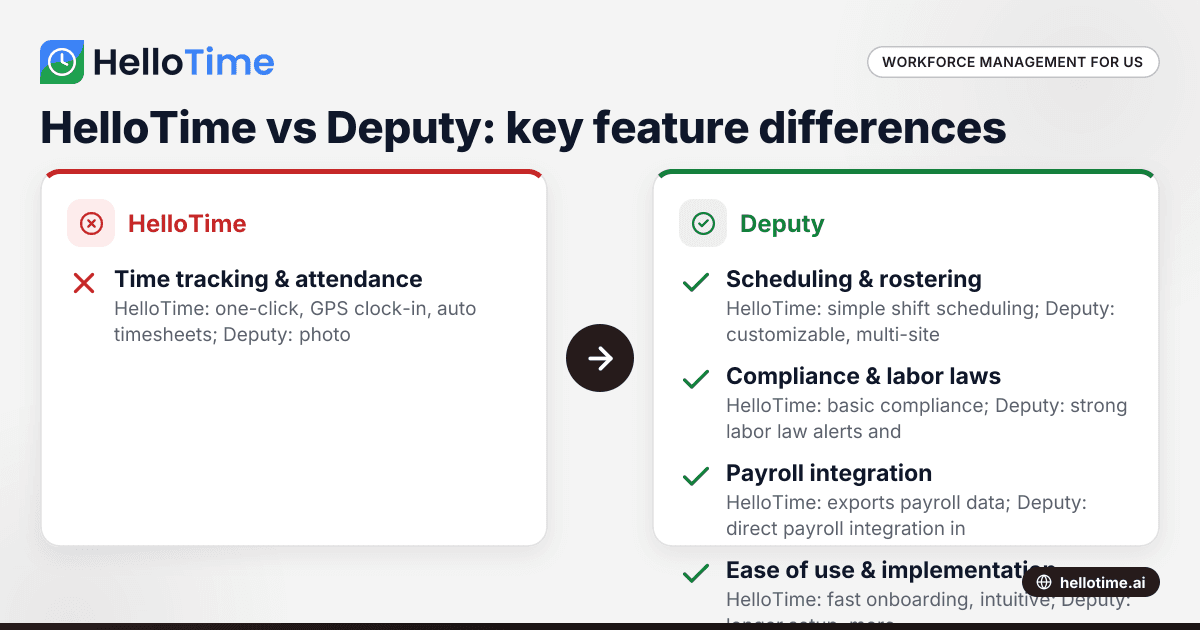
HelloTime vs Deputy: Which Workforce Management Software is Best for United States Small Businesses?
HelloTime and Deputy are popular workforce management tools offering employee scheduling, time tracking, and attendance solutions for US small.
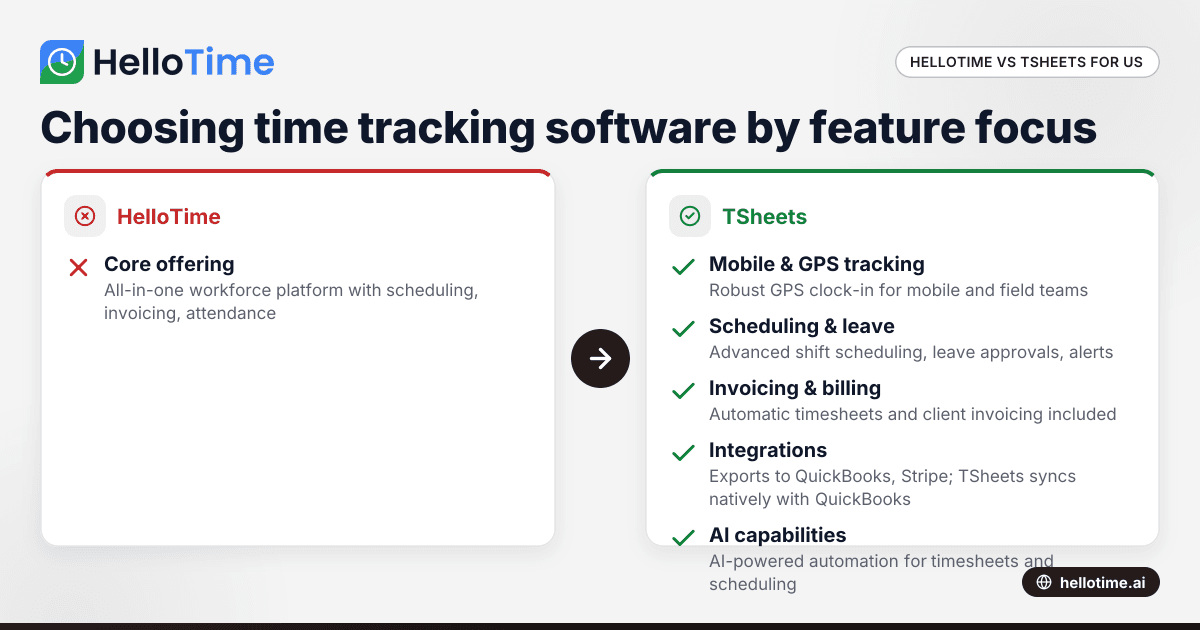
HelloTime vs TSheets: Choosing the Best Time Tracking Software for United States Agencies
HelloTime and TSheets are popular time tracking solutions for agencies and professional services in the United States. Comparing HelloTime vs TSheets.
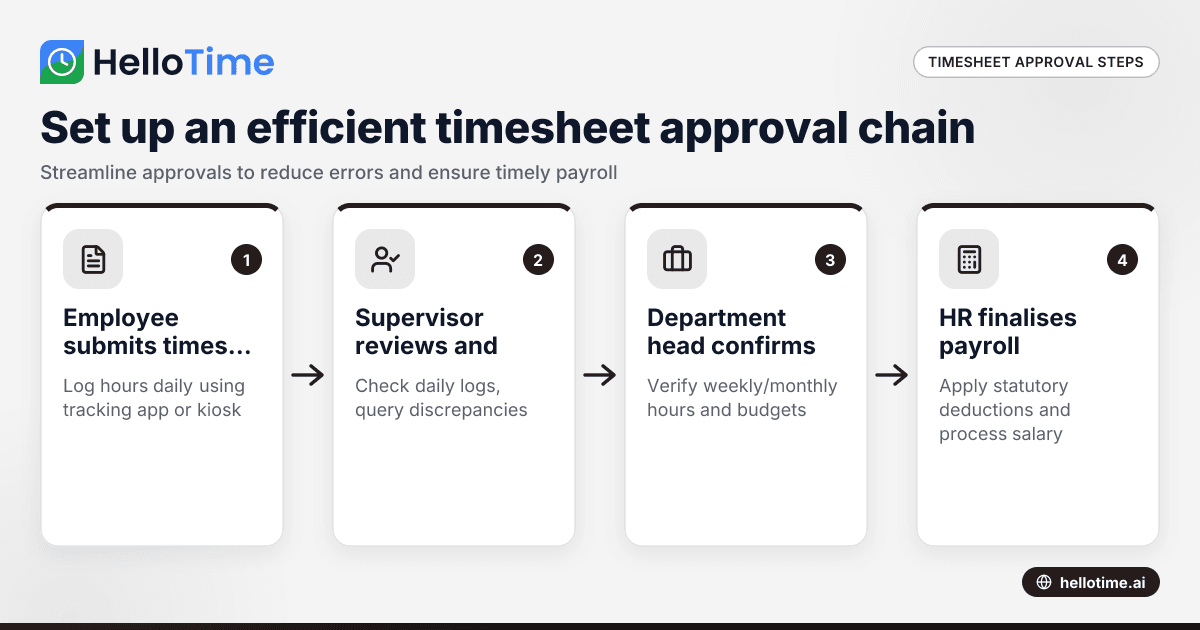
How to Set Up an Efficient Timesheet Approval Chain for Indian SMEs
How to Set Up an Efficient Timesheet Approval Chain for Indian SMEs This guide is for owners, HR, and operations managers at Indian small and.