Face Recognition Time Clock in United States: What Small Businesses Should Check Before Switching from Punch Cards
A face recognition time clock is an attendance system that verifies who is clocking in by matching a live face scan to an enrolled employee photo. For
The HelloTime team
12 min read
On this page
A face recognition time clock is an attendance system that verifies who is clocking in by matching a live face scan to an enrolled employee photo. For small businesses in the United States, it can reduce buddy punching, speed up clock-ins, and clean up timesheets, but only if you check privacy, consent, device setup, and day-to-day usability before you switch from punch cards.
Key takeaways
- A face recognition time clock can cut buddy punching and make shared kiosk clock-ins faster.
- The biggest checks are privacy, employee notice, consent, data storage, and state biometric rules.
- Good rollout matters as much as the device. Clear policies, training, and backup clock-in methods prevent issues.
- The best fit is often a tablet kiosk at a fixed entrance with attendance rules, shift schedules, and manager approvals.
- You should test lighting, camera placement, internet reliability, and exception handling before going live.
- Small businesses should compare total workflow impact, not just hardware cost.
Why small businesses in the United States are looking at face recognition time clocks
Punch cards and paper sign-in sheets create simple problems that turn into expensive ones. Employees forget cards. Cards get swapped. Supervisors spend time fixing bad punches. Payroll hours need manual cleanup. If you run a restaurant in Chicago, a retail store in Houston, or a small manufacturing shop near Detroit, those errors add up every pay period.
A face recognition time clock is attractive because it removes the card, PIN, or shared login from the process. The employee walks up, the system checks identity, and the punch goes into the timesheet. That can reduce lineups at shift change and make audit trails stronger.
For many small businesses, the goal is not fancy technology. The goal is cleaner attendance data. If your current process lives in spreadsheets, punch cards, or paper sheets taped to a wall, a kiosk with face matching can be a practical upgrade.
Still, not every setup is worth switching to. A small team of five salaried office staff may not need it. A 40-person restaurant, clinic, warehouse, or field team with frequent clock-ins probably gets more value.
What is a face recognition time clock?
A face recognition time clock is a time and attendance system that uses a camera to confirm an employee’s identity at clock-in and clock-out. It usually runs on a tablet or dedicated device placed at an entrance, break room, or shop floor access point.
Most systems follow a similar flow:
- The employee enrolls with a photo or face scan.
- The device captures a live image at clock-in.
- The software compares that live image to the stored enrollment.
- If there is a match, the time punch is recorded.
- Managers review exceptions, missed punches, and approvals later.
This is different from a standard kiosk that only uses a name, PIN, or badge. Those methods are easier to share. Face matching adds another identity check.
For small businesses, the real benefit is not just fraud prevention. It is cleaner attendance data from the start. When the right person clocks in at the right time on the right device, downstream tasks become easier. Timesheets need fewer edits. Overtime questions are easier to review. Supervisors spend less time investigating who was actually on site.
Is a face recognition time clock legal in the United States?
It can be legal, but the rules depend on where you operate and how you collect, store, and use biometric data. Because biometric privacy laws vary by state and can change, this is general information, not legal advice.
Before rollout, check these points with your legal or HR advisor:
State biometric privacy laws Some states have specific rules around collecting biometric identifiers or biometric information. These rules can affect notice, consent, retention, and deletion practices.
Written notice and consent Even where not explicitly required, giving clear written notice is a smart practice. Employees should understand what data is collected, why it is used, how long it is kept, and who can access it.
Limited purpose Use the system only for attendance and related workforce management tasks. Avoid broad or vague uses that employees would not expect.
Retention and deletion Do not keep biometric data forever. Set a written retention schedule and a deletion process tied to employment status or business need.
Security controls Restrict access to enrollment data and attendance records. Use role-based permissions and documented internal processes.
If you operate across several states, do not assume one policy covers every location. Review each location’s requirements before launch.
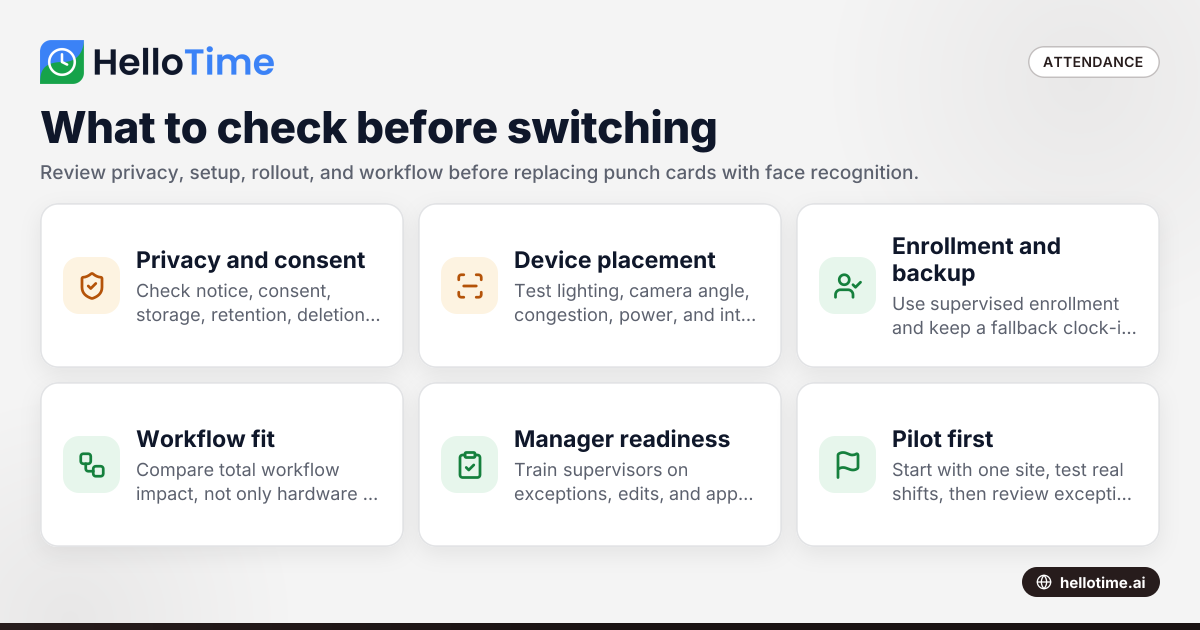
What should you check before switching from punch cards?
Start with privacy, policy, and workflow. A face recognition time clock helps only when the system is easy to use, employees understand it, and managers can handle exceptions fast.
Below are the practical checks that matter most.
1. Your real problem
Define the problem in one sentence before you buy anything. Is it buddy punching? Long lines at shift change? Missed punches? Payroll cleanup? Lack of proof when attendance is disputed?
That answer determines whether face recognition is the right fix. If your biggest issue is employees forgetting to clock out, manager reminders and approval workflows may matter more than biometric verification alone.
2. Where the device will sit
Placement changes accuracy and speed. Test the actual location before rollout.
Check for:
- Poor lighting at the entrance
- Direct sunlight on the camera
- Congestion during shift start
- Tablet height for different workers
- Reliable power and internet
- Indoor versus outdoor use
A bad location causes delays and frustration. That can make even a good system feel broken.
3. Enrollment process
Enrollment should be quick and supervised. If enrollment is rushed, matching quality drops later.
Use a simple process:
- Verify the employee’s identity.
- Capture a clear enrollment image.
- Confirm the employee can complete a live clock-in.
- Explain the backup process if recognition fails.
A clean start reduces support tickets in week one.
4. Backup clock-in method
No attendance system is perfect. You need a fallback for camera issues, lighting problems, internet interruptions, or changes in appearance.
Good backup options include:
- Manager-assisted punch
- PIN plus supervisor approval
- Temporary manual correction with audit trail
The key is control. A backup should solve real exceptions without reopening the same abuse you were trying to stop.
How does ai face recognition help with attendance?
It helps verify that the person at the kiosk is the enrolled employee, which can reduce buddy punching and speed up shared clock-ins. The benefit is strongest in shift-based workplaces where many employees clock in at the same location.
In practice, ai face recognition is useful when your attendance process has a physical clock-in point. A front desk, break room, warehouse entry, or shop floor kiosk gives the system a consistent environment.
That consistency matters. If employees clock in from anywhere on personal devices, a kiosk-based setup may not fit your workflow. But if staff already enter through one or two controlled points, face matching can make the process faster and harder to game.
It also helps managers after the fact. When a disputed punch comes up, there is a clearer record of who clocked in and when. That can reduce back-and-forth and shorten payroll review time.
What does it cost?
Cost depends on hardware, setup, training, and the time you save on payroll cleanup and attendance disputes. For small businesses, the better question is total operating impact, not just the price of a tablet or subscription.
Look beyond purchase price. Include these cost areas:
Hardware and setup
You may need:
- A tablet or supported kiosk device
- A stand or wall mount
- Power and secure placement
- Reliable Wi-Fi
- A backup device plan
A cheap device in a poor location often creates more labor than it saves.
Admin time
The first month includes enrollment, policy communication, and supervisor training. Plan for that. A rushed rollout creates mistrust and support issues.
Ongoing exception handling
No system removes all exceptions. Someone still handles:
- Missed punches
- Late arrivals
- Device downtime
- Employee transfers between locations
- New hire enrollment
- Termination cleanup
The right software reduces this admin load by pushing approved punches into timesheets automatically.
Savings and payback
Measure savings in hours, not promises. Track:
- Fewer attendance corrections
- Less buddy punching
- Shorter payroll review time
- Faster shift-start clock-ins
- Better visibility into late arrivals
If you can save a few manager hours every week and tighten attendance controls, the payback may be clear even for a small team.
Privacy and employee trust matter more than the hardware
Small businesses sometimes focus too much on the device and not enough on employee acceptance. That is a mistake. If employees feel the system is unclear or intrusive, adoption suffers.
Build trust with simple communication:
- Explain why you are changing the process.
- Describe what data is collected.
- Explain who can access it.
- State how long it is kept.
- Explain the backup method.
- Share a point of contact for questions.
Use plain language. Avoid vague statements like “for security purposes” if the real use is attendance. Be specific.
Write a short internal policy
Your policy should cover:
- Business purpose
- Enrollment steps
- Attendance use only
- Access controls
- Retention and deletion
- Employee questions and support
- Process for errors or disputes
A short, readable policy is better than a long one nobody understands.
Think about edge cases
Plan for employees who have trouble with the kiosk for practical reasons. The issue may be lighting, glasses glare, a changed appearance, or simple camera positioning. Managers should know what to do without embarrassing the employee or delaying the line.
Where face recognition time clocks work best
A face recognition time clock is strongest in shared-device environments with predictable shift starts.
Good fits include:
- Restaurants and quick-service stores
- Retail stores
- Warehouses
- Manufacturing shops
- Construction site trailers
- Clinics and care facilities
- Hotels and hospitality teams
These workplaces often have several employees arriving at once. They also tend to care about attendance discipline, labor visibility, and simple on-site verification.
When a standard kiosk may be enough
You may not need face recognition if:
- Your team is very small
- Everyone already uses a supervised front desk
- Attendance abuse is rare
- You mostly need digital timesheets, not identity verification
In those cases, a basic kiosk, mobile clock-in, or scheduled attendance workflow may solve most of the problem at lower complexity.
How should you roll it out without disrupting shifts?
Start with one location, one shift, and one clear policy. Test the device in real conditions, train supervisors first, and keep a backup punch method during the first few weeks.
A phased rollout works better than a full switch on Monday morning. Use this plan:
Step 1: Pilot one site
Pick a location with stable internet and a manager who gives strong feedback. Avoid launching at your busiest site first.
Step 2: Test real conditions
Run tests during actual clock-in peaks. Check speed, camera angle, line length, and exception rates.
Step 3: Train supervisors before employees
Supervisors need to know:
- How enrollment works
- How to resolve failed matches
- How to approve edits
- When to use the backup method
- How to answer basic employee questions
Step 4: Communicate early
Tell employees what changes on a specific date. Give them a simple one-page explanation. Show them where the kiosk sits and how long clock-in should take.
Step 5: Review the first two pay periods
Watch exception trends. If one shift has many failures, the issue may be environment or process, not the employee.
Features that matter more than face matching alone
Do not judge a system only on whether it recognizes a face. Attendance software needs to support the full workflow after the punch is created.
Look for these practical capabilities:
Auto-built timesheets
Clock-ins should flow into timesheets automatically. That removes manual re-entry and reduces payroll prep time.
Manager approvals
A good approval layer catches edits, missed punches, and overtime issues before payroll review.
Shift scheduling and rosters
If your team works by shift, schedules should connect to attendance. That makes late arrivals and no-shows easier to spot.
Leave management
Attendance gets messy when leave sits in a separate spreadsheet. Connected leave records reduce confusion.
GPS or geofenced options for mobile teams
If some employees work in the field while others use a kiosk, mixed attendance methods may be useful.
Reporting
You should be able to review attendance trends, tardiness, and exceptions by employee, shift, or location.
HelloTime is useful here because it combines tablet kiosk attendance with face recognition, time tracking, scheduling, leave management, approvals, and reporting in one system. If you want to see how those pieces fit together, you can review the features page.
Common mistakes small businesses make
Switching from punch cards sounds simple, but several rollout mistakes show up again and again.
Buying for fraud control only
Buddy punching matters, but it is not the whole story. If your manager still fixes timesheets manually every Friday, your core problem may be workflow, not just identity verification.
Skipping policy review
Technology does not replace policy. You still need notice, consent steps where appropriate, retention rules, and internal access controls.
Ignoring line speed
A system that is accurate but slow will frustrate employees at shift start. Test throughput with actual traffic.
No backup plan
Every system needs an exception process. Without one, supervisors create inconsistent workarounds on day one.
Launching everywhere at once
A pilot helps you fix small issues before they spread across locations.
How to decide if a face recognition time clock is right for your business
Use a simple decision checklist. If you answer yes to most of these, the switch may make sense.
- Do multiple employees clock in at the same physical location?
- Do you have buddy punching or identity-sharing issues?
- Do supervisors spend too much time fixing punches?
- Do you need a better audit trail for attendance disputes?
- Can you support a clear privacy policy and enrollment process?
- Do you have a backup method for exceptions?
If the answer is mostly no, start with digital time tracking and approvals first. If it is mostly yes, a face recognition time clock may be the right next step.
If you want to see the product set up for American businesses, you can visit HelloTime in the US. You can also explore the pricing page when you are ready to compare options.
Frequently asked questions
Is a face recognition time clock better than punch cards?
For many shift-based businesses, yes. It removes lost cards and can reduce buddy punching. It also creates cleaner digital records than paper punch systems.
Keep reading
Related articles
How Delaware Small Businesses Can Choose the Best Attendance App to Improve Workforce Management
How Delaware Small Businesses Can Choose the Best Attendance App to Improve Workforce Management Tracking employee attendance is essential for.
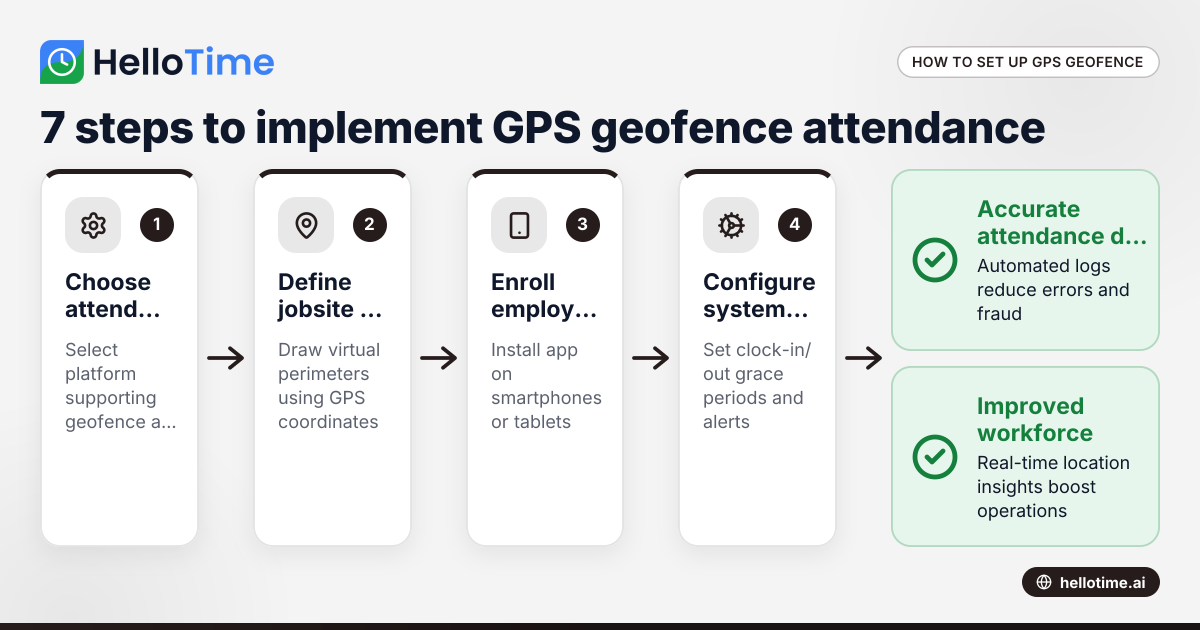
How United States Businesses Can Use GPS Geofence Attendance to Improve Field Staff Management
GPS geofence attendance uses location-based technology to track when field employees enter or leave a designated work zone. This method automates.
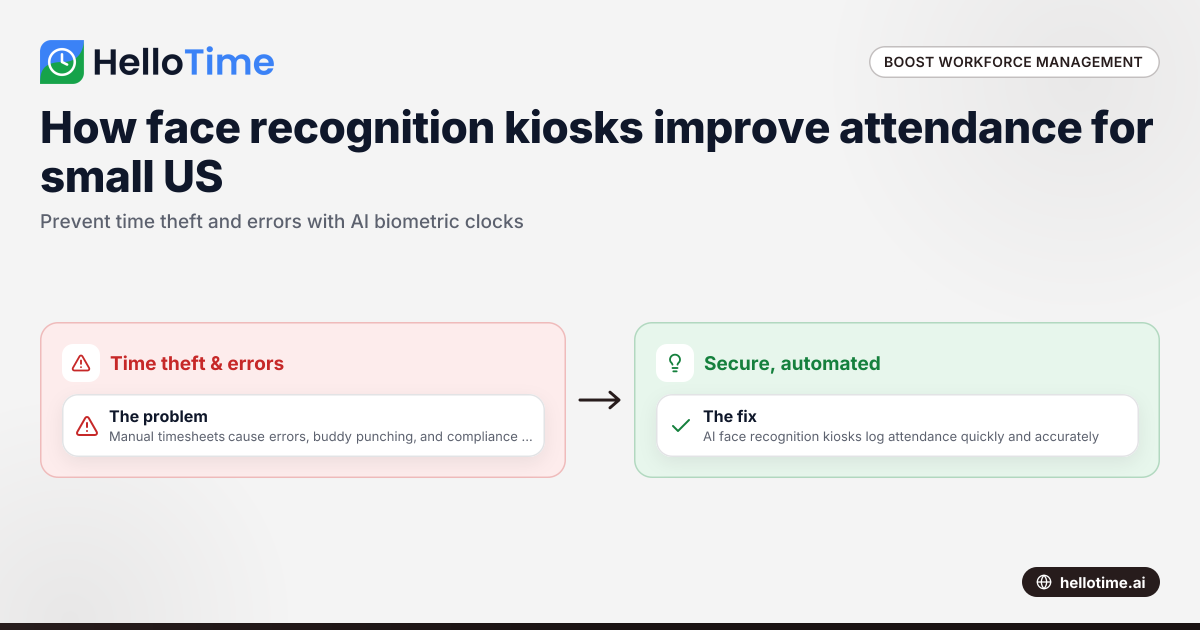
How Biometric Attendance Kiosks with Face Recognition Improve Workforce Management for United States Small Businesses
Biometric attendance kiosks with face recognition use AI technology to capture employee attendance quickly and accurately without physical contact.