GPS Time Clock App for Field Service Teams in United States: How to Verify Jobsite Attendance Without Paper Timesheets
A GPS time clock app for field service teams helps you verify who arrived at a jobsite, when they arrived, and where they clocked in from. In the.
The HelloTime team
12 min read
On this page
A GPS time clock app for field service teams helps you verify who arrived at a jobsite, when they arrived, and where they clocked in from. In the United States, it replaces paper timesheets with location-based attendance records, faster approvals, and fewer disputes over hours, travel, and billable work.
Key takeaways
- A GPS time clock app gives field service teams a cleaner way to verify jobsite attendance than paper timesheets.
- GPS, geofencing, and mobile clock-in can reduce buddy punching, missed punches, and manual payroll edits.
- The best setup balances accountability with privacy by collecting work-related location data only when needed.
- Clear policies matter. Employees should know when location is captured, how it is used, and who can see it.
- Good field attendance systems connect time tracking, schedules, leave, timesheets, approvals, invoicing, and profitability reports.
- For U.S. businesses, this is general information, not legal advice. State and local rules can differ.
Why field service teams outgrow paper timesheets
Paper timesheets usually fail in the same places field service work gets messy. Crews move between jobs. Supervisors work from trucks. Managers approve hours days later. Handwritten notes are hard to read. Small mistakes turn into payroll corrections, billing delays, and frustrated customers.
A plumbing company in Houston may have technicians visiting six homes in one day. An HVAC team in Chicago may start at a warehouse, stop at two commercial sites, and finish with an emergency call. If every time entry depends on memory, the record is weak before it even reaches payroll or billing.
That is why many businesses switch to a gps time clock app for field service teams. The goal is not only to collect hours. It is to verify attendance at the right place, reduce back-and-forth with crews, and create records managers can trust.
When hours are tied to location, job, and shift, several problems get easier to manage:
- Late arrivals are easier to spot.
- Off-site clock-ins are easier to review.
- Job costing becomes more accurate.
- Billable time is easier to support.
- Approval workflows move faster.
Paper also slows down office work. Someone must collect sheets, decode handwriting, re-enter data, fix missing fields, and chase signatures. With mobile time tracking, crews clock in from their phones or a kiosk, and timesheets build automatically.
What is a GPS time clock app for field service teams?
A GPS time clock app for field service teams is a mobile attendance tool that records work hours along with the employee’s location when they clock in and out. It helps service businesses confirm jobsite attendance without relying on handwritten timesheets or phone calls.
At a practical level, the app gives each employee a simple way to start and stop work from a phone or assigned device. The system logs the time entry, connects it to a person, and captures location data at the moment of the punch. Some systems also use geofences, which are virtual boundaries around a customer site, warehouse, or service area.
For field service businesses, that changes the quality of the attendance record. Instead of “Mike says he got there at 8:00,” you have “Mike clocked in at 7:58 at the customer location.” Managers can review exceptions instead of rebuilding the whole day from texts and voicemail.
This matters for many types of teams:
- HVAC and plumbing crews
- Electrical contractors
- Landscaping teams
- Pest control companies
- Property maintenance vendors
- Telecom installers
- Appliance repair teams
- Field inspection teams
A good system should work for real field conditions. That means fast clock-in, low friction, clear timesheets, and useful approvals. If the process is slow, crews will bypass it.
How does a GPS time clock app verify jobsite attendance?
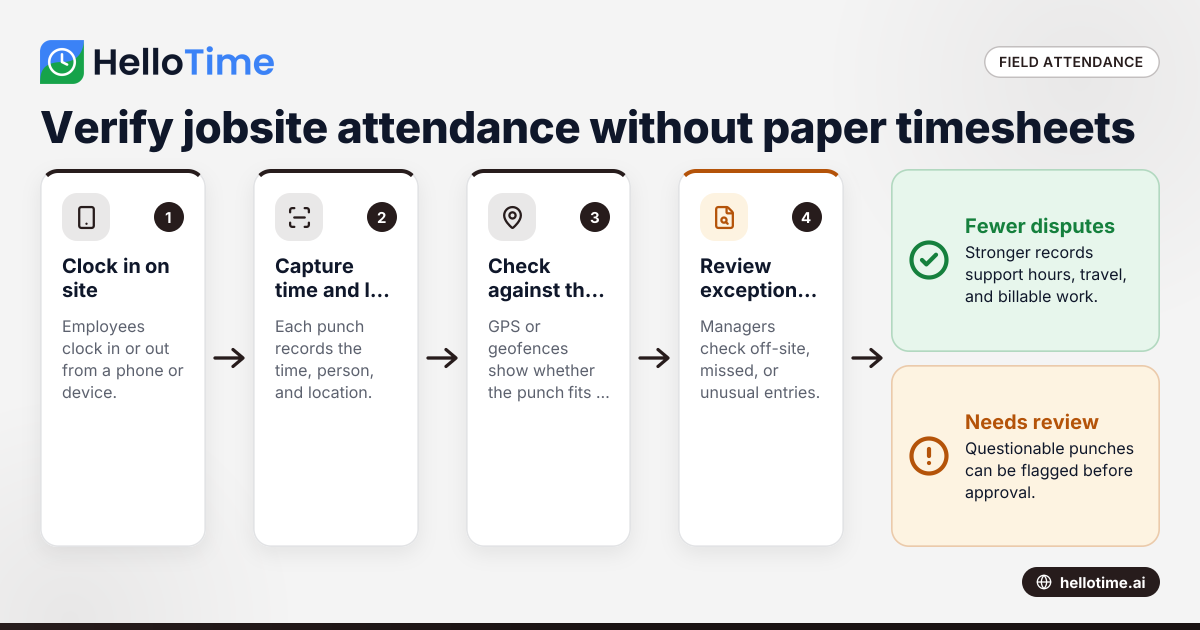
It verifies attendance by combining a clock-in event with location data and, in some cases, a geofence around the jobsite. Managers can then see whether an employee clocked in from the expected place and time instead of relying on paper notes.
There are a few common methods.
1. GPS capture at clock-in and clock-out
The app records the device location when the employee starts or ends work. This is the most common setup. It gives you a location stamp tied to each punch.
This method is often enough for many service businesses. It answers a basic but important question: where was the employee when they said they started work?
2. Geofenced jobsite attendance
A geofence creates a virtual perimeter around a service address, office, warehouse, or customer property. When a worker tries to clock in, the app checks whether they are inside the allowed area.
This helps reduce early punch-ins from the parking lot down the street or from home before departure. It is useful for recurring service routes and fixed customer locations.
3. GPS trails or visit history
Some teams need more than arrival proof. They need to know which sites a technician visited during the day. In those cases, location history or visit records can help support dispatch, audits, and customer disputes.
Businesses should be careful here. More data is not always better. Collect only what you truly need for operations.
4. Device-based controls
Some employers combine GPS with tablet kiosk attendance, face recognition, or manager approvals. That can help on larger sites where many workers arrive at one entrance or clock in from a shared device.
For example, a construction subcontractor in Detroit may use a kiosk at the gate for morning attendance and mobile GPS punches for off-site service calls later in the day.
What features matter most for field service teams?
For field teams, the essentials are GPS clock-in, geofences, automatic timesheets, approvals, and job-level reporting. The right setup should help managers verify attendance fast without adding friction for technicians in the field.
Once those basics are covered, look deeper at how the workflow actually works day to day.
Mobile clock-in that takes seconds
Field staff should be able to clock in quickly. If the app requires too many taps, adoption drops. A one-click flow is best, especially for crews moving between sites.
Automatic timesheets
Manual timesheet assembly wastes office time. A strong system turns clock-ins, breaks, and clock-outs into ready-to-review timesheets.
That matters if your office manager is processing hours for 20 technicians every Friday. The less re-entry required, the fewer mistakes you will have.
Approval workflows
Hours should not go straight from the field to payroll or billing without review. Supervisors need a simple way to check exceptions, approve regular hours, and flag unusual entries.
Shift scheduling and rosters
Many field service teams still run on texts, spreadsheets, and whiteboards. Scheduling and attendance work better together. If the roster lives in the same system, managers can compare planned shifts against actual attendance.
Leave tracking
Attendance is easier to trust when approved time off is visible. Otherwise, no-shows and planned absences can look the same in reports.
Job and project tagging
If your team bills by the hour, time entries should connect to the correct customer, work order, project, or service type. This supports invoicing and helps you understand job profitability.
Exception alerts
Managers should not have to inspect every punch. The system should highlight issues like missed punches, off-site clock-ins, very early starts, or extra-long shifts.
Support for ai gps time use cases
Some businesses use the phrase ai gps time to mean smarter review of location-based attendance data. In practice, that can mean flagging exceptions faster, spotting unusual patterns, and helping managers focus on records that need attention.
How do you roll out a GPS time clock app without upsetting your team?
Roll it out as a fairness and accuracy tool, not a surveillance project. Explain when location is collected, why it is needed, and how it helps employees get paid correctly and avoid time disputes.
Change management matters as much as software. If the rollout feels secretive, people assume the worst. If it feels practical and transparent, adoption is much easier.
Start with the business problem
Explain what is broken today. Use real examples:
- Lost paper timesheets
- Missing signatures
- Wrong job codes
- Long payroll corrections
- Customer disputes about arrival times
- Supervisors spending hours chasing records
When employees see the reason, they are more likely to cooperate.
Write a simple policy
Your policy should cover:
- Who must use the app
- When clock-in and clock-out are required
- Whether geofencing is enabled
- Whether location is captured only at punch time or during work activity
- Who can review location data
- How long records are kept
- What to do if a phone fails or service is unavailable
Use plain English. Avoid vague language.
Train managers first
Supervisors set the tone. If they do not understand the process, they will create side rules in the field. Train them on clock-ins, edits, approvals, missed punches, and employee questions.
Pilot with one team
Start with a manageable group. A five-person maintenance crew is easier than the whole company. Review exceptions, improve the policy, and fix friction before full rollout.
Give employees a backup method
Phones die. Signals drop. Screens crack. Have a simple backup process, such as supervisor-confirmed edits or a shared kiosk at the yard.
Best practices for verifying attendance without crossing the line
Location-based attendance can be useful without becoming invasive. The key is restraint. Collect the minimum data needed to verify work attendance and manage operations.
Be specific about when location is captured
Many U.S. employers choose to capture location at clock-in and clock-out rather than all day. That often gives enough proof for attendance while reducing privacy concerns.
If your business needs more detail, document why. Tie it to dispatch, safety, route verification, or customer service needs.
Separate attendance from discipline when possible
Not every exception is misconduct. A weak GPS signal, an address mismatch, or a customer entrance on the far side of a property can all create imperfect location records.
Use the data as a review tool, not an automatic punishment system.
Keep corrections easy but controlled
Employees should be able to report missed or incorrect punches. Managers should be able to approve edits with an audit trail. This keeps payroll and billing accurate without opening the door to silent changes.
Tell employees what managers can see
Ambiguity creates distrust. Be clear about whether supervisors see only punch locations or more detailed movement. Employees should never have to guess.
Review state and local rules
Employment, privacy, wage, and reimbursement rules can vary by state and locality in the United States. If you are changing how you collect location or time records, get legal guidance for your situation.
A practical rollout plan for a U.S. field service business
The easiest way to adopt a GPS attendance system is to treat it like an operations project, not only a software project. Here is a practical rollout plan.
1. Map your current attendance workflow
Document how hours move today from the field to approval, payroll, and billing. List every handoff, spreadsheet, text message, and paper form.
This shows where delays and errors actually happen.
2. Define what must be verified
Decide what you need the system to prove:
- Arrival at a jobsite
- Start and end times
- Breaks
- Travel between jobs
- Job codes
- Overtime review
- Billable versus non-billable hours
Keep the scope tight at first.
3. Standardize jobsite locations
If service addresses are inconsistent, geofences will be messy. Clean up your customer and site data before launch. Make sure crews can pick the right job quickly.
4. Set rules for exceptions
Define what happens when:
- A technician is outside the geofence
- A punch is missing
- A shift runs long
- A phone has no battery
- A manager needs to edit a record
Write these rules before rollout, not after the first dispute.
5. Test on live jobs for two weeks
Use real shifts, not only office tests. Watch where employees get stuck. Review how long approvals take. Measure whether fewer corrections reach payroll.
6. Connect attendance to the rest of operations
Attendance data is most useful when it supports the full workflow. Time records can feed timesheets, approvals, invoicing from billable hours, and profitability reporting. That is where a platform like HelloTime can help, especially if you want one system for time tracking, schedules, leave, and field attendance. You can see the available features and learn more about HelloTime in the US.
Common mistakes to avoid
Many rollouts fail for process reasons, not technical reasons. Watch for these common mistakes.
Choosing surveillance over usability
If the app feels heavy-handed, employees resist it. Focus first on accurate clock-ins, clear approvals, and fair corrections.
Ignoring dispatch and scheduling
If attendance sits in one place and schedules live elsewhere, managers end up reconciling two systems manually. That defeats part of the value.
Not cleaning up customer locations
Poor address data causes false exceptions. Fix locations before blaming employees or the app.
Skipping policy communication
A silent rollout creates suspicion. A clear policy creates fewer conflicts.
Letting every exception become urgent
No system will be perfect. Managers need a simple review process that distinguishes real issues from harmless noise.
Can a GPS time clock app help with billing and profitability too?
Yes. When time entries are tied to the right job and customer, they support cleaner invoicing, better labor costing, and clearer profitability reports for each service call or project.
This is where many service companies see the biggest long-term value. Verified attendance is the starting point, not the end goal.
If you bill by the hour, accurate field time helps support invoices. If a customer disputes the number of hours on site, your records are stronger. If you quote fixed-price jobs, labor data helps you understand whether the work was profitable.
Over time, managers can answer better questions:
- Which customers consume the most unplanned labor?
- Which crews consistently overrun estimates?
- How much travel time is non-billable?
- Which service types create the highest margins?
Without reliable time and attendance data, those answers are mostly guesswork.
Choosing the right system for your team
The best system is the one your field team will actually use every day. That usually means simple mobile clock-ins, accurate location capture, fast approvals, and reports that help both operations and finance.
For U.S. small and mid-sized businesses, the buying checklist should be practical:
- Does it work well for field employees on mobile?
- Can it verify jobsite attendance with GPS or geofences?
- Does it auto-build timesheets?
- Are approvals simple for supervisors?
- Can it support scheduling and leave in the same workflow?
- Can billable hours flow into invoicing and profitability review?
- Is setup realistic for your office team?
Keep reading
Related articles
How Delaware Small Businesses Can Choose the Best Attendance App to Improve Workforce Management
How Delaware Small Businesses Can Choose the Best Attendance App to Improve Workforce Management Tracking employee attendance is essential for.
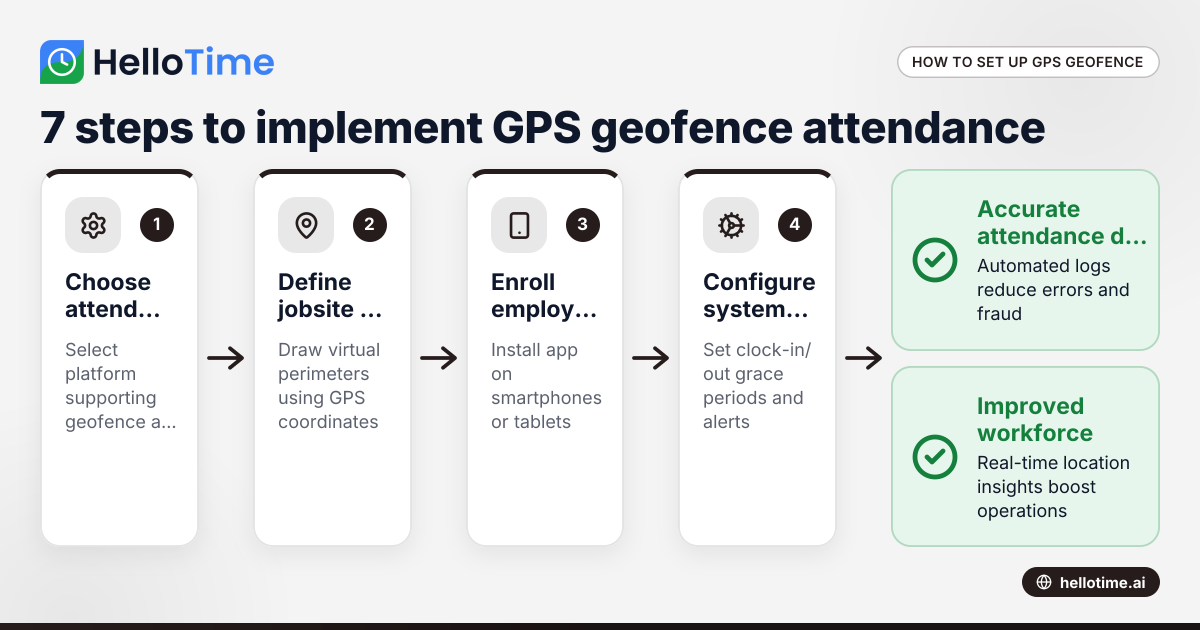
How United States Businesses Can Use GPS Geofence Attendance to Improve Field Staff Management
GPS geofence attendance uses location-based technology to track when field employees enter or leave a designated work zone. This method automates.
How Biometric Attendance Kiosks with Face Recognition Improve Workforce Management for United States Small Businesses
Biometric attendance kiosks with face recognition use AI technology to capture employee attendance quickly and accurately without physical contact.