HelloTime in the United States: What Small Businesses Can Use It For Beyond Basic Time Tracking
HelloTime helps small businesses in the United States do much more than start and stop a timer. It combines time tracking, scheduling, attendance.
The HelloTime team
12 min read
On this page
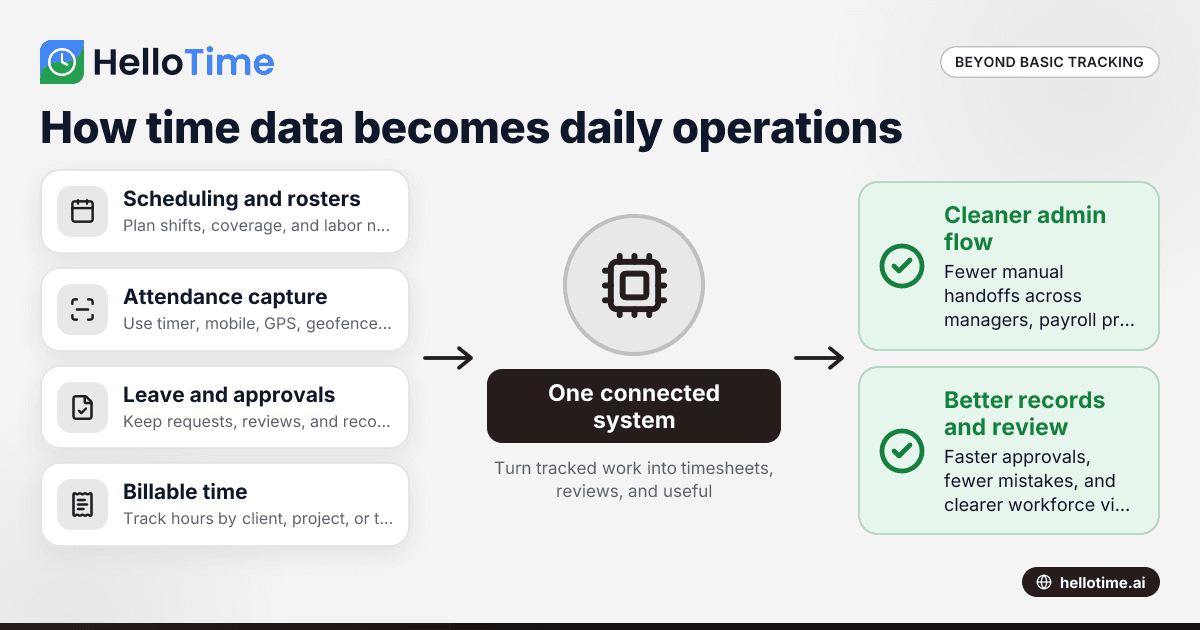
HelloTime helps small businesses in the United States do much more than start and stop a timer. It combines time tracking, scheduling, attendance, leave, approvals, billable hours, invoicing support, and workforce visibility in one place, so owners and managers spend less time fixing spreadsheets and chasing updates.
Key takeaways
- HelloTime is not just a timer. It supports scheduling, attendance, leave, approvals, billable hours, and profitability tracking.
- It fits two common US business models well: hourly project work and shift-based operations.
- Teams can track time through one-click timers, mobile clock-ins, GPS, geofences, and shared kiosk devices.
- Managers get cleaner timesheets, faster approvals, and fewer payroll and invoicing mistakes.
- US small businesses can use HelloTime to replace paper logs, punch sheets, and disconnected spreadsheets.
- If you are evaluating ai hellotime searches, the practical value is in better daily operations, not just automation buzzwords.
What HelloTime looks like in a US small business
For many small businesses in the United States, time tracking starts as a simple need. You want to know who worked, when they worked, and how many hours to pay or bill. Then reality gets messy.
A design agency in Chicago needs billable hours by client and project. A field service company in Houston needs technicians to clock in from job sites. A restaurant group in Detroit needs shift rosters, time-off visibility, and a clear attendance record. A small manufacturer needs supervisors to see who is on site and whether labor hours match production plans.
That is where basic timers stop being enough.
HelloTime is built for the next layer of work. It helps teams capture time accurately, route approvals, plan shifts, manage leave, and turn work hours into useful business records. Instead of treating time as an isolated task, it connects time to operations.
For a US small business, that often means fewer manual handoffs between managers, payroll prep, billing, and operations. It also means less rework at the end of the week.
What can small businesses use HelloTime for beyond basic time tracking?
Small businesses in the United States can use HelloTime for scheduling, attendance, leave management, shift planning, approvals, billable hours, invoicing support, and project profitability. It helps replace manual admin across the full workday, not just the clock-in moment.
The biggest gains usually come from removing duplicate work. Many businesses still enter hours in one spreadsheet, schedules in another, leave in email, and invoices in accounting software later. That setup creates delays and errors.
HelloTime brings those activities closer together. Here are the main jobs it can handle beyond a basic timer.
Shift scheduling and rosters
If your business runs on shifts, the schedule is where labor control begins. A roster tells employees when to work, but it also gives managers a plan for staffing levels, coverage, and labor cost.
With HelloTime, scheduling is part of the same workflow as attendance. That matters because you can compare what was planned with what actually happened. Did someone miss a shift? Did a team run overtime? Did a store manager call in extra help?
This is useful for:
- retail stores
- restaurants and cafes
- hospitality teams
- service crews
- warehouses
- construction crews
- manufacturing operations
When scheduling and attendance live in different tools, those answers come late. When they live together, managers can act sooner.
Attendance with GPS, geofences, and kiosk options
Not every US business works from one office. Some teams move between job sites. Some clock in at a front desk. Some share devices on a shop floor.
HelloTime supports several attendance methods:
- mobile clock-in
- GPS-based tracking
- geofenced clock-in
- tablet kiosk attendance
- face recognition on kiosk setups
That flexibility matters because the right attendance setup depends on how your team works. A field service business may need location-aware clock-ins. A warehouse may want a shared kiosk at the entrance. A multi-location retail team may need a simple way to confirm who arrived for each shift.
Used well, these tools can reduce buddy punching, missed punches, and manual corrections.
Leave management
Leave requests often create more work than they should. Employees send an email or text. A manager replies. HR updates a spreadsheet. Then the schedule changes, but someone forgets to tell payroll or the supervisor.
HelloTime gives teams a clearer process. Employees request leave. Managers review it. The record stays tied to attendance and scheduling.
For a small business, that can help with:
- avoiding schedule conflicts
- reducing approval confusion
- keeping a visible leave history
- improving fairness across teams
If your team has grown beyond a handful of people, leave management usually needs a system, not a shared inbox.
Timesheets and approvals
The timer is only the first step. The real work often starts when managers need to approve hours.
HelloTime automatically builds timesheets from tracked time and attendance records. That means managers do not need to assemble hours manually at the end of the week. They can review, approve, and resolve exceptions faster.
That is especially helpful when businesses have:
- multiple supervisors
- different client projects
- shift premiums or overtime review
- remote or distributed staff
- both hourly and salaried teams
Cleaner approvals usually mean fewer downstream errors.
How does HelloTime help project-based businesses in the United States?
HelloTime helps project-based businesses track billable hours, organize time by client or project, approve timesheets faster, and use worked hours for invoicing and profitability review. That gives owners better control over margins without chasing every employee for updates.
For agencies, consultancies, IT services firms, and other professional-services teams, the challenge is not only recording time. It is making that time financially useful.
Billable hours by project or client
If your revenue depends on billed hours, each hour needs context. You need to know which client, project, task, or service the time belongs to.
HelloTime helps teams log hours in a structured way. That makes it easier to answer questions like:
- Which clients consume the most time?
- Which projects are close to budget?
- Which work is non-billable but still takes a lot of effort?
- Are senior staff spending too much time on low-value tasks?
Without that visibility, many businesses bill too little or discover margin issues too late.
Invoicing from billable hours
When billable time is already recorded and approved, invoicing gets easier. HelloTime supports invoicing from billable hours so teams can move from worked time to customer billing with fewer manual steps.
That can reduce:
- forgotten billable work
- disputed hours
- invoice delays
- manual copy-paste from timesheets to finance records
This is especially useful if your team already relies on tools like QuickBooks or Stripe in the broader finance workflow and wants cleaner source data before billing.
Project profitability reports
Revenue alone does not tell you whether a project is healthy. You also need to understand labor cost and effort.
HelloTime includes project profitability reporting, which helps managers compare time spent with project value. For a small US business, this can change how future work is priced.
For example, a marketing agency may discover that a fixed-fee client project is taking far more account management time than expected. A software consultancy may see that implementation work is profitable, but support follow-up is eroding margins.
That kind of insight helps owners make better decisions on pricing, staffing, and scope.
Why do shift-based teams need more than a clock-in app?
Shift-based teams need more than a clock-in app because labor management includes schedules, attendance, time-off, approvals, and exceptions. A simple app records hours, but it does not help managers run the shift, fix gaps, or see patterns across locations.
In shift-based businesses, labor problems rarely come from one missing timestamp. They come from breakdowns across the whole operating process.
Better control over planned versus actual labor
A roster tells you what should happen. Attendance tells you what did happen. The difference between those two numbers is where managers spend their time.
With HelloTime, supervisors can better monitor:
- absences
- late arrivals
- early departures
- unplanned overtime
- coverage gaps
- extra shifts
That visibility matters in labor-heavy businesses where a few missed shifts can affect service, output, or customer experience.
Stronger records for compliance and internal review
US labor rules vary by state and situation, and businesses should get legal advice for specific requirements. This article is general information, not legal or tax advice.
That said, clear time and attendance records are simply good business practice. They help support wage calculations, manager review, internal audits, and dispute resolution. Even when a rule does not require a specific app, reliable records reduce risk.
For many small businesses, paper records and text-message approvals are too fragile once the team grows.
Easier coordination between managers and HR
A common issue in small businesses is fragmented responsibility. The floor manager handles shift changes. HR tracks leave. Finance prepares wage inputs. Nobody has the full picture.
HelloTime helps centralize those records so operational decisions are not trapped in separate messages or spreadsheets. That saves time, but it also improves accountability.
Where HelloTime fits into the daily workflow
HelloTime works best when it becomes part of the normal workday instead of an extra admin step. That means employees know how to clock in, managers know how to review exceptions, and leaders know which reports to check each week.
A simple workflow for project-based teams
Here is a common setup for hourly service businesses:
- Employees track time by client, project, or task.
- Managers review and approve timesheets.
- Billable hours feed invoicing preparation.
- Owners or finance teams review project profitability.
- Team leads use the data to improve staffing and pricing.
This setup helps connect daily work to revenue.
A simple workflow for shift-based teams
Here is a common setup for operations-heavy businesses:
- Managers publish schedules and rosters.
- Employees clock in using mobile, GPS, geofence, or kiosk methods.
- Supervisors review attendance exceptions.
- Leave requests are approved inside the same system.
- Weekly timesheets are reviewed before downstream payroll prep.
This setup helps connect planned staffing to actual attendance.
Which US small businesses get the most value from HelloTime?
US small businesses get the most value from HelloTime when they manage hourly work, multiple shifts, field teams, client billing, or frequent leave and attendance changes. The stronger the need for accurate records and manager approvals, the bigger the benefit.
In practice, the best fit usually includes one of these patterns.
Businesses that bill by the hour
Examples include:
- agencies
- consultancies
- design studios
- legal support teams
- IT services firms
- accounting and bookkeeping firms
These businesses need reliable billable hours, faster approvals, and better visibility into project margins.
Businesses with location-based attendance
Examples include:
- field service companies
- maintenance teams
- construction crews
- delivery operations
- cleaning services
These teams often benefit from GPS or geofenced attendance because time happens away from a desk.
Businesses with shared-device clock-ins
Examples include:
- warehouses
- factories
- restaurants
- clinics
- retail stores
Kiosk-based attendance can be easier than asking every worker to use a personal device.
Businesses outgrowing spreadsheets
This may be the biggest category of all. If your business still relies on manual timesheets, emailed leave requests, and hand-built schedules, the pain is usually already visible:
- payroll prep takes too long
- managers correct hours every week
- employees ask about missing entries
- billing is delayed
- labor reporting is inconsistent
That is the point where a system starts paying for itself in saved time and fewer errors.
What HelloTime does not need to be useful
A lot of software buying decisions get stuck because teams assume a tool must replace everything at once. That is not necessary.
HelloTime can still be useful even if you already use other systems for accounting, payments, or broader operations. Many US businesses already have parts of the stack in place, such as QuickBooks for accounting, Stripe for payments, or an ERP in manufacturing. The immediate value of hellotime is often operational clarity, not a total software reset.
You do not need a complex digital transformation plan to benefit from:
- cleaner attendance records
- easier scheduling
- simpler leave approvals
- better billable time capture
- faster timesheet review
Start with the problem that costs the most time today.
How to evaluate HelloTime for your business
If you are deciding whether HelloTime fits your team, focus on workflow, not feature lists alone.
1. Map your current process
Write down how time, attendance, leave, approvals, and billing work today. Include who touches each step.
2. Find the biggest bottleneck
Is the issue missed punches, slow approvals, scheduling confusion, or lost billable hours? Solve the biggest pain first.
3. Match tracking methods to your workforce
Choose the attendance method that fits the job:
- one-click timer for office teams
- mobile clock-in for remote teams
- GPS or geofence for field work
- kiosk for shared-location teams
4. Decide what managers must approve
Approval rules should be clear. Otherwise, a new tool just moves the confusion to a new screen.
5. Review the reports you actually need
Do not buy based on every possible dashboard. Focus on the records and insights your team will use weekly.
For US businesses that want a local overview, you can also review HelloTime in the US before going deeper into setup details.
HelloTime as an operations tool, not just a timer
The reason many small businesses keep searching for better time tracking is simple. The real issue is rarely time tracking alone. It is everything attached to it.
Hours affect payroll prep. Attendance affects staffing. Leave affects schedules. Billable time affects invoices. Labor hours affect project margins. Once you see those connections, a basic timer feels incomplete.
That is why hellotime is better understood as an operations tool for workforce-heavy and hourly-work businesses in the United States. It helps create cleaner records and smoother handoffs between employees, managers, operations, and finance.
If your team has outgrown paper logs, scattered spreadsheets, or disconnected apps, that broader approach is often what makes the difference.
If you want to see how HelloTime can support your workflow, explore the features or compare plans on the pricing page.
Frequently asked questions
Is HelloTime only for employee time tracking?
No. HelloTime also supports shift scheduling, attendance management, leave tracking, approvals, billable hours, invoicing support, and profitability reporting. It is useful for both project-based and shift-based businesses.
Can US field teams use HelloTime for location-based attendance?
Yes. Teams can use mobile clock-ins with GPS and geofenced attendance where that setup fits the business. This can help confirm on-site starts and reduce manual attendance correction.
Does HelloTime help with invoicing?
Yes. HelloTime supports invoicing from billable hours. That can make it easier for service businesses to turn approved work time into customer billing records.
Read next
This article covers one part of a bigger topic. For the complete picture, read our guide to https hellotime ai.
Keep reading
Related articles
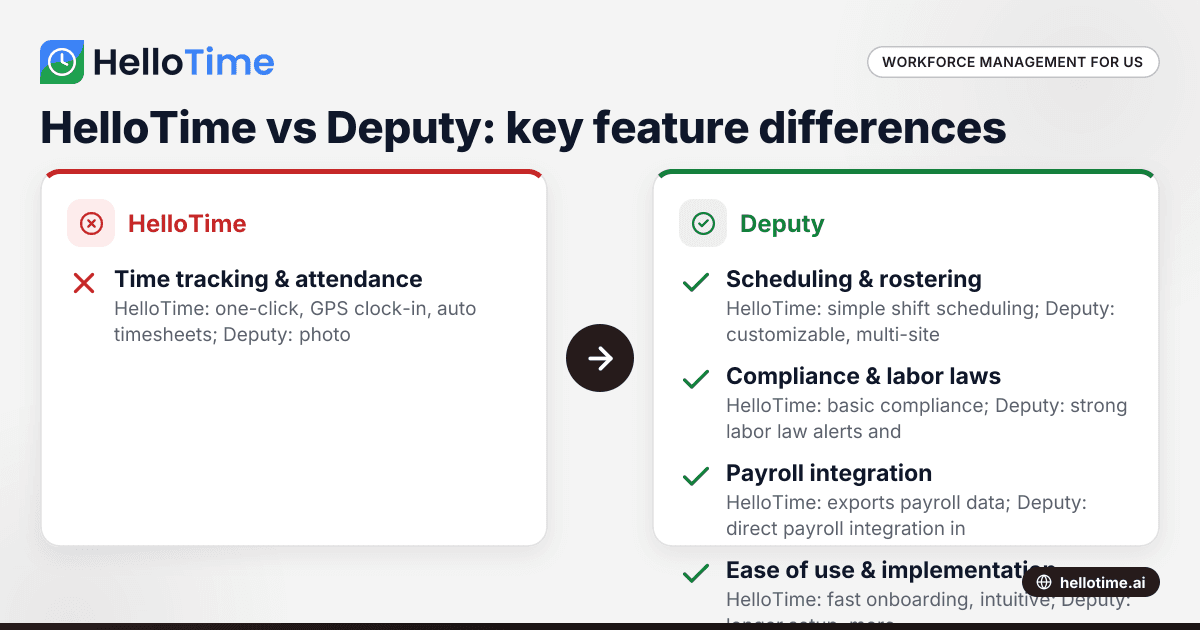
HelloTime vs Deputy: Which Workforce Management Software is Best for United States Small Businesses?
HelloTime and Deputy are popular workforce management tools offering employee scheduling, time tracking, and attendance solutions for US small.
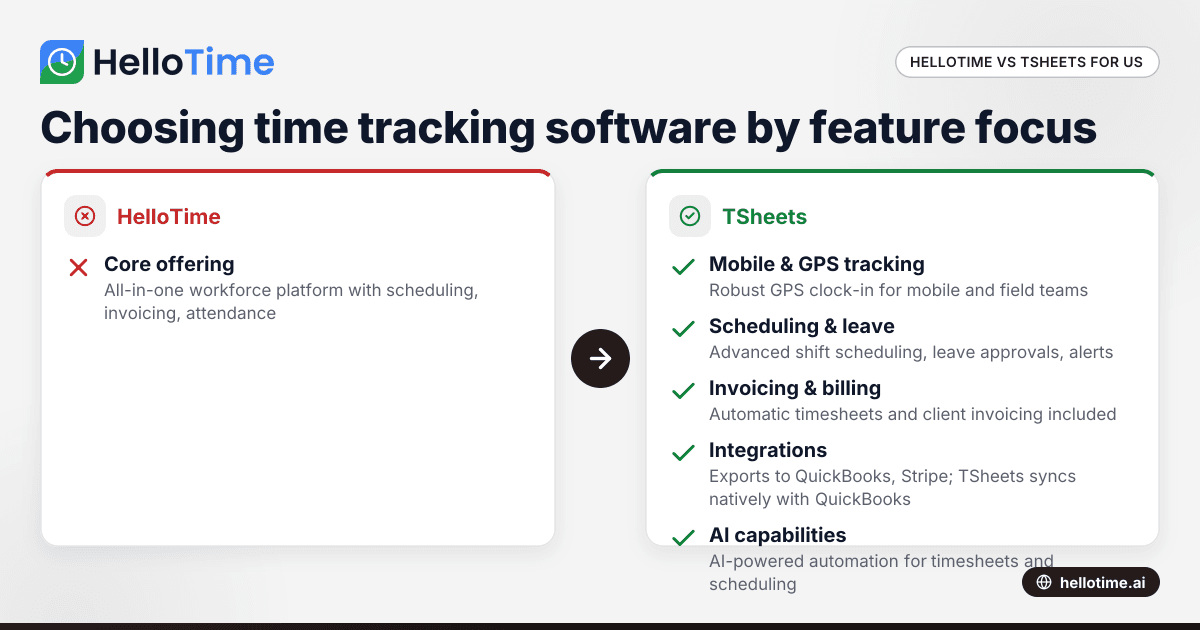
HelloTime vs TSheets: Choosing the Best Time Tracking Software for United States Agencies
HelloTime and TSheets are popular time tracking solutions for agencies and professional services in the United States. Comparing HelloTime vs TSheets.
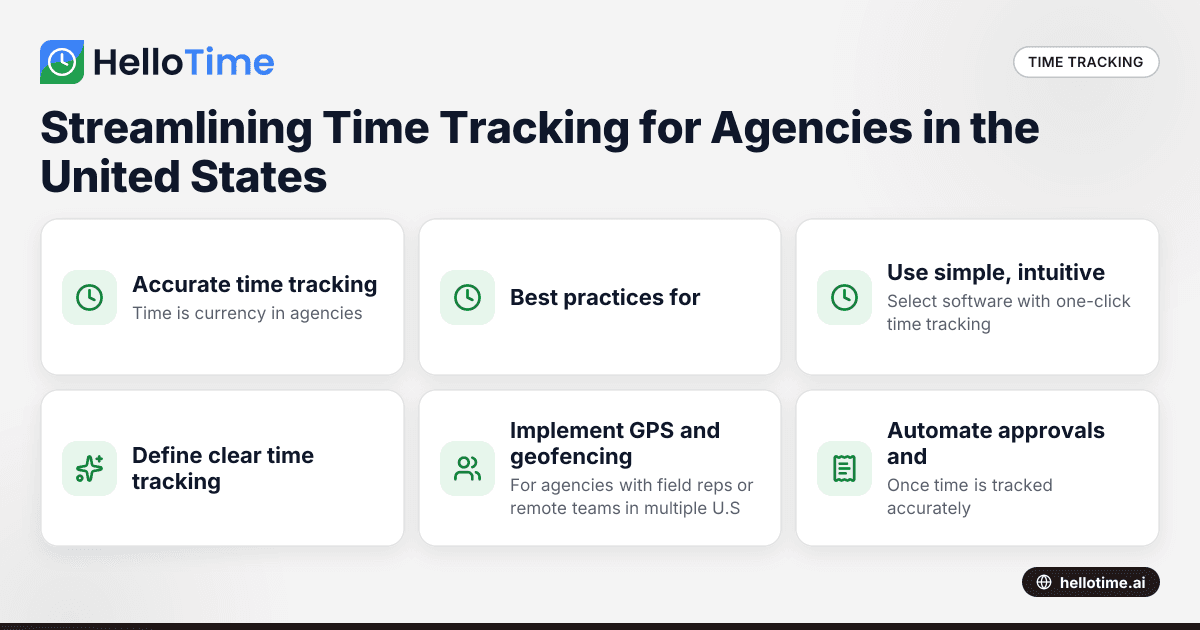
Streamlining Time Tracking for Agencies in the United States: Best Practices to Boost Client Billing Accuracy
Streamlining time tracking for agencies in the United States is essential for ensuring accurate client billing and maximizing profitability. By.