How to Run a Private Beta for Time Tracking Software in Canada: Best Practices for Small Businesses
Running a private beta for time tracking software in Canada helps small businesses gather valuable user feedback, test features, and fix bugs before a
The HelloTime team
7 min read
On this page
Running a private beta for time tracking software in Canada helps small businesses gather valuable user feedback, test features, and fix bugs before a wider launch. It involves inviting select users, managing expectations and data privacy, and iterating based on real-world use.
Key takeaways
- A private beta in Canada offers controlled testing to improve software suited to local business needs.
- Ensure compliance with Canadian privacy laws like PIPEDA and Quebec’s Law 25 when handling user data.
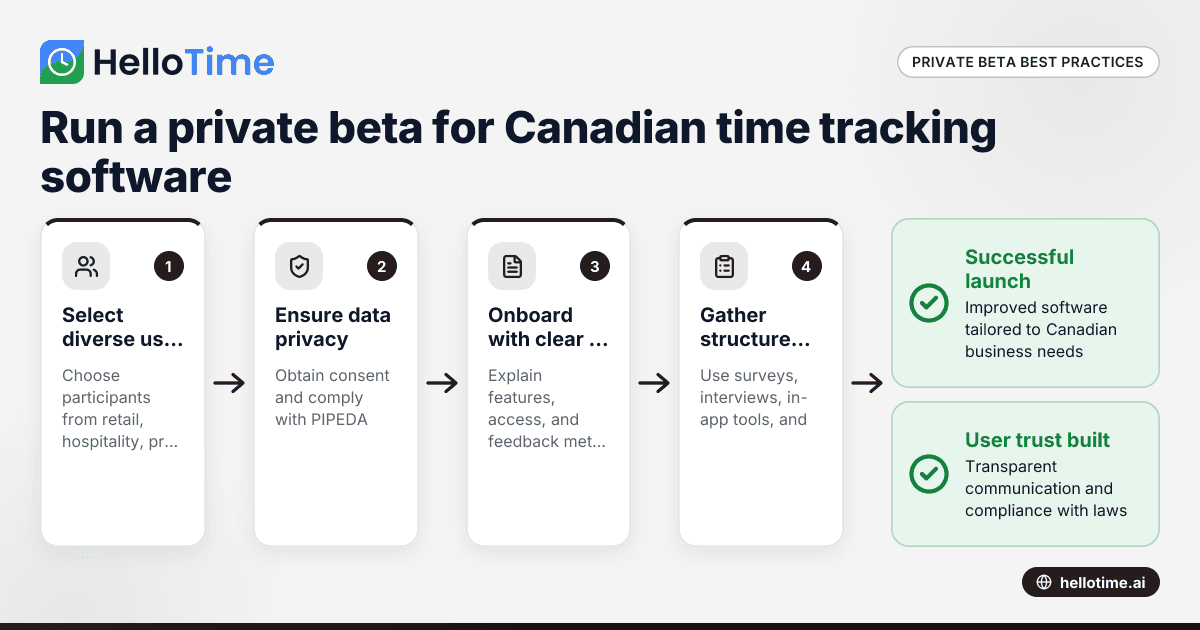
- Select diverse users from your target industries such as retail, hospitality, and professional services.
- Use structured feedback forms and direct communication to collect actionable insights.
- Manage timelines, user onboarding, and support carefully to maintain engagement.
- Plan for iterations and transparency about known issues to build user trust.
What is a private beta and why run one for time tracking software?
A private beta is a limited release of your software to invite-only users to test in real-life conditions. Unlike a public beta, it restricts access to a controlled group, which helps you focus on gathering deep, qualitative feedback while keeping risk low.
For time tracking software tailored to Canadian small businesses, a private beta lets you validate features like GPS clock-ins, shift scheduling, or invoicing with GST/HST in the wild. This phase helps you spot bugs, measure usability, and refine workflows specific to industries such as retail in Toronto or field service teams in Vancouver.
How do I comply with Canadian data privacy laws during a private beta?
A private beta must follow Canadian privacy laws like the Personal Information Protection and Electronic Documents Act (PIPEDA) and Quebec’s Law 25. These laws regulate how you collect, use, and store personal information from your participants.
Start by informing beta users in plain language how you will handle their data. Obtain explicit consent for data collection and processing, and limit data usage strictly to improving your software. Secure data storage and restrict access to only necessary team members. Offering bilingual privacy notices in English and French can enhance clarity for users across provinces.
How do I select users for a private beta in Canada?
Selecting the right participants is crucial. Choose a diverse mix of users that represent your target market: agencies, retail stores, hospitality companies, or construction firms in major Canadian cities like Montreal or Calgary.
Look for businesses that currently struggle with manual time tracking or outdated tools to get meaningful insights. Engage small- to mid-sized companies willing to provide feedback and involved in industries where your software’s features add real value. You can invite current clients or recruit via professional networks and local business groups.
How do I onboard participants in a private beta effectively?
Onboarding ensures participants know how to use the software and what’s expected of them. Start with a welcome email that covers:
- Purpose and scope of the beta.
- How to access and install the software.
- Key features to test, such as tablet kiosk attendance or invoicing from billable hours.
- Methods for reporting bugs and submitting feedback.
Provide clear, concise user guides in English and French and offer a live demo or Q&A session. Set up a help desk or dedicated email for prompt support during the beta.
How do I gather and use feedback during a private beta?
Collecting structured and informal feedback is key to improving your software. Use a mix of:
- Online surveys targeting specific features.
- User interviews or focus groups.
- In-app feedback tools to capture real-time comments.
- Analytics on usage patterns to spot abandoned features or bottlenecks.
Analyze feedback by prioritizing issues based on severity and frequency. Respond to users with updates and clarifications to build trust. For example, if beta users report GPS clock-ins are inaccurate in Montreal’s weather, investigate and refine geofencing thresholds.
How long should a private beta run for a Canadian small business?
A private beta typically lasts from 4 to 8 weeks, depending on the complexity of your software and the feedback cadence. This duration strikes a balance between giving users enough time to test thoroughly and keeping momentum and engagement high.
During this period, schedule regular check-ins and provide updates. Avoid extending the beta excessively to prevent participant fatigue or loss of interest.
What is “ai private beta” and how can AI improve the testing phase?
An “ai private beta” involves incorporating artificial intelligence features or using AI tools during your private beta to enhance testing processes. AI can automate bug detection, analyze user feedback sentiment, or adapt the interface based on usage patterns.
Integrating AI in your private beta, for example, can help identify workflow inefficiencies faster or predict which features Canadian users find most valuable. This insight allows targeted improvements, speeding up product readiness for the Canadian market.
How do I communicate issues and updates with beta testers?
Clear communication during your private beta builds goodwill and trust. Maintain a dedicated channel—email newsletters, Slack groups, or a beta portal—to share:
- Known issues and workarounds.
- Scheduled feature releases or fixes.
- Reminders about feedback deadlines.
- Thanks and recognition for participation.
Transparency about limitations reassures users and encourages continued involvement even if bugs arise.
What should I do after the private beta ends?
After concluding the private beta, analyze all feedback to create a roadmap for your official launch. Address the highest priority fixes and refine your software’s user experience.
Communicate results and next steps to beta participants, appreciating their contributions. If appropriate, offer them early access to the final product or launch discounts.
Document lessons learned to improve future betas. Use the insights gained to tailor your marketing messaging specifically for Canadian business needs.
Why is managing schedules and leave important during a time tracking beta?
For shift-based teams in Canada, accurate rosters and leave management are key pain points. Testing scheduling and leave features during your private beta helps ensure your software handles local statutory requirements, such as vacation entitlements and public holidays.
Include participants who manage these workflows in industries like hospitality in Toronto or manufacturing in Edmonton. Their feedback can uncover gaps and improve compliance with Canadian labour standards.
How does GST/HST invoicing work in the beta version?
Canadian businesses must handle GST, HST, or PST correctly when invoicing clients. Your beta should test generating invoices from billable hours with proper tax calculations based on province.
Validate that tax rules update automatically and reports include necessary tax breakdowns. This ensures small business users don’t face errors when billing and filing taxes.
How can HelloTime help with running a Canadian private beta?
HelloTime offers features suitable for Canadian small businesses in private beta testing, including shift scheduling, leave management, GPS clock-in, and invoicing with GST/HST support. Its one-click time tracking and automated timesheets simplify user onboarding and reduce errors.
Explore HelloTime’s features and compare plans at pricing to find the best fit for managing your private beta and beyond.
Frequently asked questions
What are the main privacy considerations for a private beta in Canada?
You must inform participants about data collection and use, obtain consent, and comply with PIPEDA and Quebec’s Law 25. Secure storage and limited access to personal data are essential.
How do I choose industries to invite for my time tracking beta?
Focus on industries with complex time tracking needs, such as retail, hospitality, construction, and professional services in Canadian cities. This ensures feedback relevance.
Can I run a private beta in both English and French?
Yes. Offering bilingual materials respects Canada’s linguistic diversity and improves participant experience, especially in Quebec.
How do I keep beta participants engaged?
Regular communication, prompt support, transparency about issues, and recognizing contributions encourage ongoing involvement.
Is AI useful during a private beta phase?
Yes. AI can streamline feedback analysis, detect bugs, and personalize user experiences, speeding up improvements.
When should I move from private beta to public launch?
Move after resolving critical issues identified during the beta and when users confirm the software meets key practical needs. Usually 4-8 weeks is suitable.
Read next
This article covers one part of a bigger topic. For the complete picture, read our guide to private beta.
Keep reading
Related articles
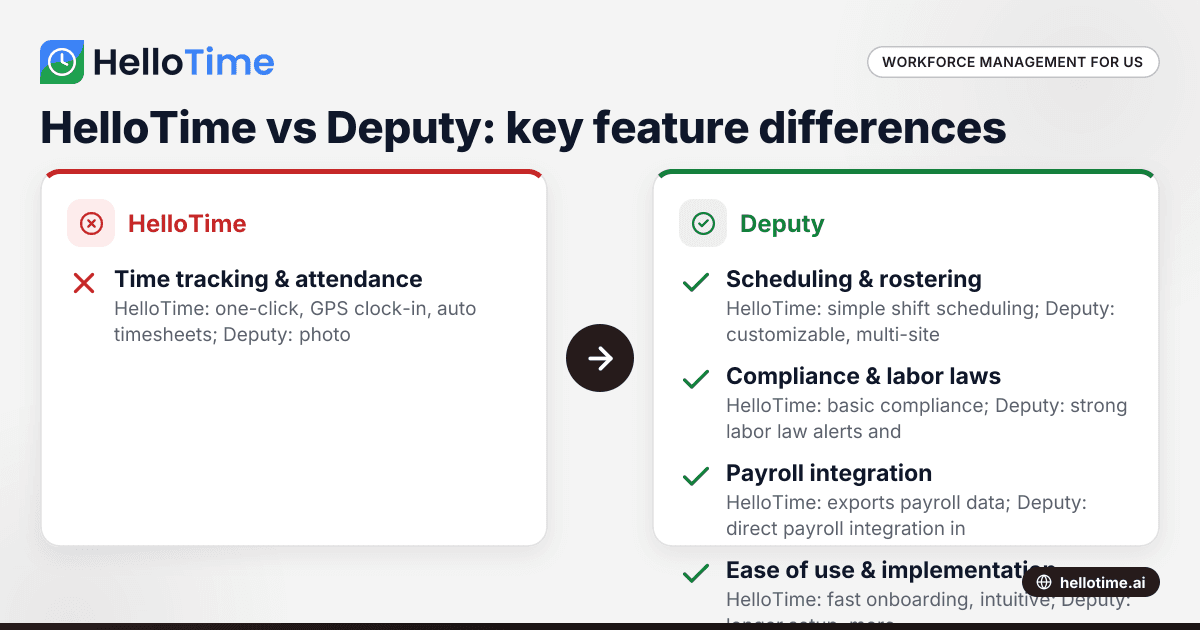
HelloTime vs Deputy: Which Workforce Management Software is Best for United States Small Businesses?
HelloTime and Deputy are popular workforce management tools offering employee scheduling, time tracking, and attendance solutions for US small.
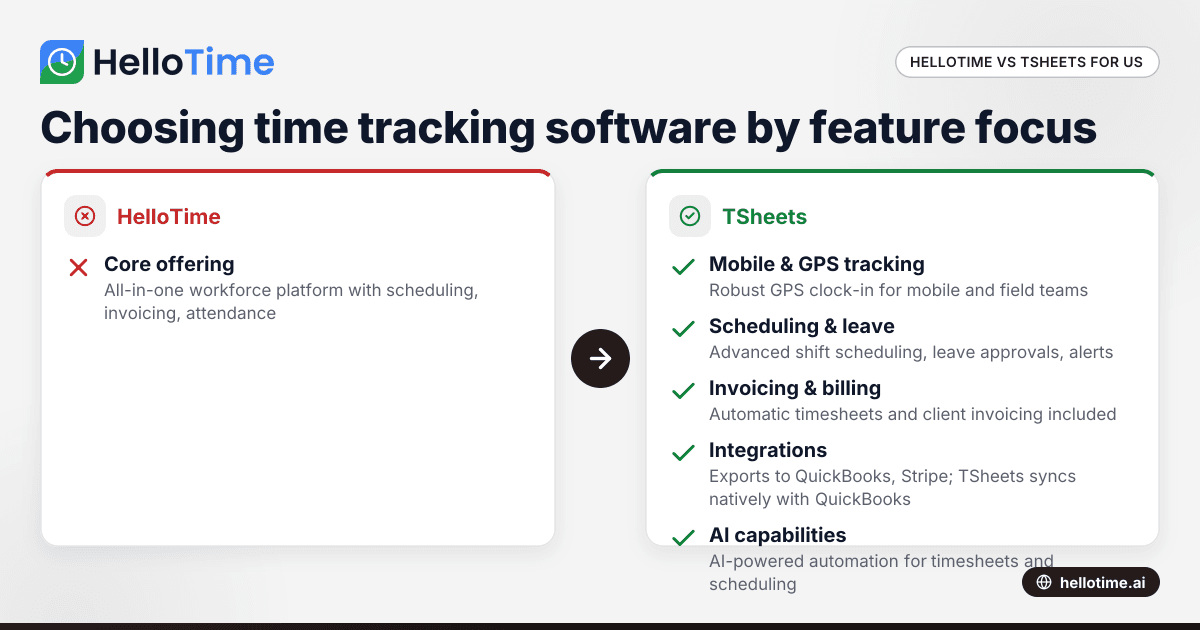
HelloTime vs TSheets: Choosing the Best Time Tracking Software for United States Agencies
HelloTime and TSheets are popular time tracking solutions for agencies and professional services in the United States. Comparing HelloTime vs TSheets.
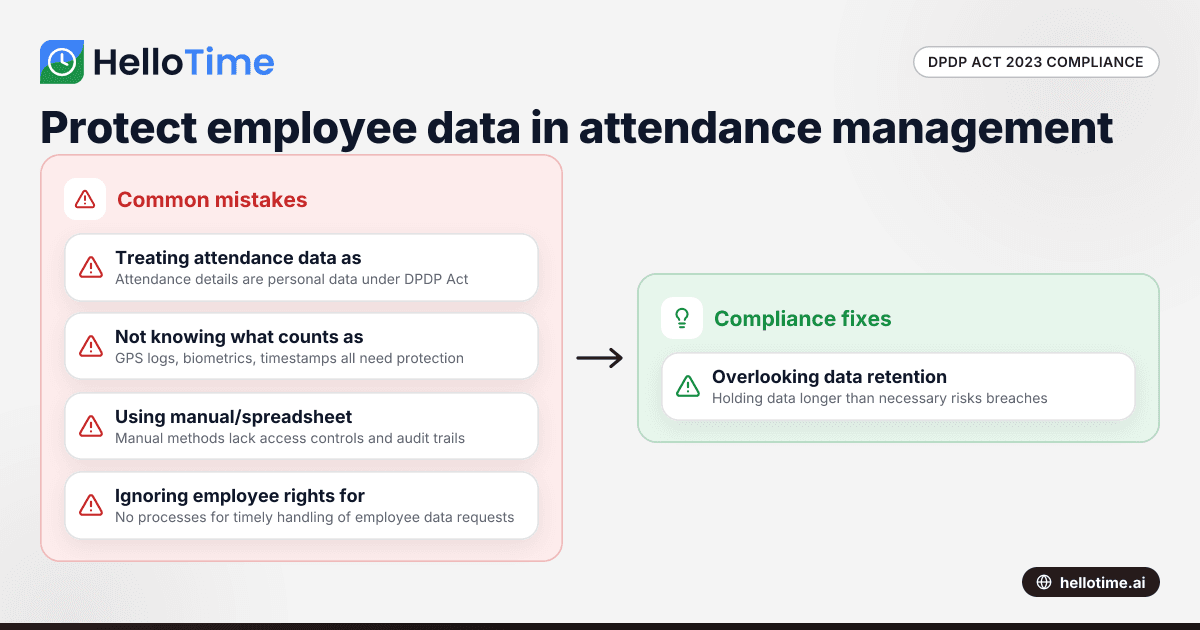
What Indian Businesses Need to Know About Data Protection Under the DPDP Act 2023 When Managing Attendance and Timesheets
Businesses tracking employee attendance and timesheets in India face growing risks if they overlook the DPDP Act 2023’s mandate for protecting.