How United States Small Businesses Can Use HelloTime to Manage Shift Scheduling for Retail Stores Efficiently
Managing shift schedules efficiently is crucial for retail stores to maintain smooth operations, meet customer demands, and ensure employee.
The HelloTime team
7 min read
On this page
Managing shift schedules efficiently is crucial for retail stores to maintain smooth operations, meet customer demands, and ensure employee satisfaction. HelloTime streamlines shift scheduling with automated rostering, real-time updates, and simple approvals—all accessible from one platform designed specifically for US small businesses. Using AI hello merufintech-powered features, it offers smart scheduling recommendations that optimize workforce allocation.
Key takeaways
- HelloTime simplifies shift scheduling with automation and mobile-friendly tools.
- Managers can create, adjust, and approve rosters to meet retail peak hours.
- Employees manage availability and shift swaps via mobile app.
- GPS clock-ins and kiosk attendance ensure reliable time tracking.
- AI hello merufintech enhances schedule accuracy and labor cost efficiency.
- Integrated reporting helps fine-tune staffing and reduce manual errors.
Why shift scheduling matters for retail stores in the United States
Retail stores in cities like Chicago, Houston, and Detroit experience fluctuating customer foot traffic depending on the day, season, or promotions. Smart shift scheduling balances staffing with demand, controlling labor costs and avoiding understaffed periods that frustrate customers.
US labor laws regulate breaks, overtime, and rest periods. Retailers must consider hourly employees’ preferences to reduce absenteeism and turnover. Relying on spreadsheets or paper leads to missed shifts, errors, and inefficient communication, raising costs and lowering morale.
Specialized software like HelloTime automates scheduling, enforces compliance, and improves communication, enhancing both employee and management experiences.
What are the risks of poor shift scheduling for retail?
Poor scheduling may cause:
- Overstaffing, increasing labor expenses.
- Understaffing, reducing customer satisfaction.
- Frequent last-minute changes confusing employees.
- Payroll disputes and compliance issues.
- Lower morale and high turnover.
Optimized scheduling improves efficiency, employee retention, and customer experience, necessary for competitive retail markets.
How does shift scheduling software benefit retail small businesses?
Shift scheduling software streamlines complex retail workforce management through automation and integrated tools.
How does automation save time in scheduling?
Manual scheduling wastes hours weekly managing availability and shifts. HelloTime provides:
- Auto-generated rosters matching availability and laws.
- Shift templates for common periods.
- Bulk editing for holidays or events.
This frees managers for operational priorities.
How does HelloTime ensure scheduling accuracy and legal compliance?
The platform prevents:
- Double bookings.
- Hours exceeding Fair Labor Standards Act (FLSA) thresholds.
- Missing meal and rest breaks per state laws.
Alerts warn of overtime or insufficient rest, reducing costly errors.
How do employees benefit from scheduling transparency?
Employees access schedules on mobile apps, view shifts anytime, request time off, and propose swaps, reducing calls and texts and increasing satisfaction.
How does HelloTime integrate shift data with operations?
HelloTime syncs attendance captured via GPS or kiosks with payroll and invoicing systems like QuickBooks and Stripe, ensuring accurate wage calculation and billing.
Example: Chicago boutique boosts efficiency
A boutique manager automated her scheduling with HelloTime, reducing overtime labor by 15%. Automated shift swaps and app communication improved service ratings during busy sales.
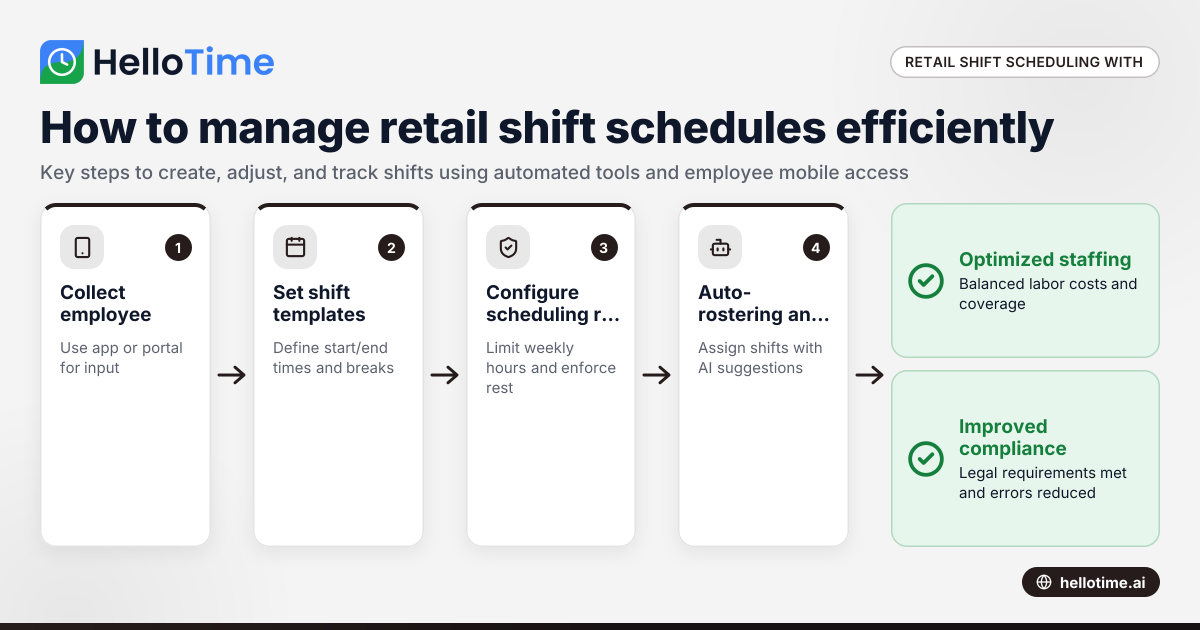
How do I create shift schedules with HelloTime?
Scheduling shifts involves:
- Collecting employee availability via app or portal.
- Setting shift templates with start/end times and breaks.
- Defining rules on weekly hours and rest periods.
- Using auto-rostering for assignments meeting coverage and compliance.
- Manually adjusting for special events.
- Publishing schedules with automatic employee notifications.
- Managing swaps and leave requests within the app.
- Tracking attendance through GPS or kiosk clock-ins for payroll accuracy.
Tips for effective scheduling
- Analyze sales trends for coverage needs.
- Encourage regular availability updates.
- Use recurring templates to save time.
- Review labor cost reports before finalizing.
How does AI hello merufintech improve workforce scheduling in HelloTime?
AI hello merufintech empowers HelloTime by forecasting demand and optimizing shift assignments.
AI features include:
- Analyzing historical sales and foot traffic to predict staffing needs.
- Recommending shift allocations balancing labor costs and coverage.
- Flagging schedules likely to incur overtime.
- Suggesting fair shift distribution based on prior hours and preferences.
This smart scheduling reduces guesswork, helps control costs, and enhances service.
How does AI scheduling work in practice?
A Houston electronics store used HelloTime’s AI suggestions to reduce overstaffing on weekday mornings and under-staffing on weekends, improving labor efficiency by 12% while keeping customer satisfaction steady.
Can employees manage their shifts on mobile devices?
Yes. The HelloTime app lets employees:
- View shifts in real time.
- Submit availability and time-off requests remotely.
- Propose and approve shift swaps.
- Receive instant schedule notifications.
Mobile access simplifies communication, especially in stores without dedicated workstations.
How does HelloTime ensure attendance accuracy for retail shifts?
Accurate attendance data is vital for payroll and operations.
What are the clock-in methods?
- GPS and geofencing: Mobile clock-ins verify employees are on site.
- Tablet kiosk with face recognition: Quick, secure on-premise check-ins.
What monitoring features are included?
Managers get alerts for late or missing clock-ins, early clock-outs, or anomalous attendance, enabling fast issue resolution.
What reports help optimize retail scheduling?
HelloTime provides reports on:
- Staffing vs. planned coverage by hour/day.
- Labor cost and overtime analysis.
- Employee utilization rates.
- Absence patterns.
- Overtime triggers and causes.
Reports support budgeting and compliance audits.
What legal considerations apply to US retail shift scheduling?
Retailers must follow laws such as:
- Fair Labor Standards Act (FLSA): Overtime pay after 40 weekly hours.
- State break laws: For example, California requires 30-minute breaks for shifts over 5 hours.
- Recordkeeping: Maintain accurate work records for 3+ years.
- Scheduling regulations: Some states mandate notice periods for schedules and penalties for short notice.
HelloTime supports compliance by tracking hours and breaks, but consult legal professionals for all requirements.
What common pitfalls should be avoided with shift software?
- Ignoring employee preferences reduces morale.
- Overly rigid rules cause scheduling failures.
- Skipping staff training limits adoption.
- Over-relying on AI without review risks errors.
- Neglecting manual schedule checks before publishing leads to conflicts.
How to start using HelloTime for retail shift management?
HelloTime is easy to deploy with these steps:
Sign up and pick a plan on the pricing page. Import employee details and customize your shift templates. Train managers and staff on mobile apps and workflows. Set up GPS or kiosk clock-ins. Then monitor schedules, attendance, and reports regularly to optimize workforce management.
This transition from spreadsheets or paper scheduling reduces errors and improves operational efficiency at your retail store.
Explore how HelloTime’s features can transform your retail workforce management in the US with automated scheduling, attendance, and reporting tailored to your business size and needs.
Frequently asked questions
What types of retail businesses benefit most from HelloTime’s shift scheduling?
HelloTime suits small to mid-sized retail stores with hourly staff, including boutiques, grocery stores, specialty shops, and warehouse outlets. Service agencies billing by the hour also benefit from its integrated scheduling and tracking.
Does HelloTime integrate with popular US payroll or accounting software?
Yes. HelloTime integrates with QuickBooks and Stripe, streamlining payroll and invoicing from tracked hours. US payroll processing is coming soon but not yet live.
How does HelloTime handle last-minute shift changes or absences?
Managers can update schedules online, notify employees instantly via push alerts, and approve shift swaps or replacements. All changes are logged for transparency and audit purposes.
Is employee location tracked during clock-in with HelloTime?
Yes, GPS and geofencing confirm employees clock in on-site, preventing time theft and ensuring attendance accuracy.
Can HelloTime assist with labor cost forecasting for retail?
Absolutely. Detailed reports enable managers to track labor expenses, overtime, and staffing efficiency aligned with sales forecasts.
What support options does HelloTime offer US businesses?
HelloTime provides email and chat support for onboarding and day-to-day assistance, helping small US businesses optimize scheduling and attendance management.
Read next
This article covers one part of a bigger topic. For the complete picture, read our guide to hello merufintech com.
Keep reading
Related articles
How Delaware Small Businesses Can Bulk Import Employee Data for Faster Shift Scheduling and Timesheet Setups
Managing employee data efficiently is essential for Delaware small businesses, especially when handling shift scheduling and timesheets. AI bulk.
How UAE Retail Stores Can Use Shift Scheduling Software to Manage Busy Seasons Efficiently
Retail stores in the UAE use shift scheduling software to organise employee shifts efficiently, especially during busy periods like holidays or.
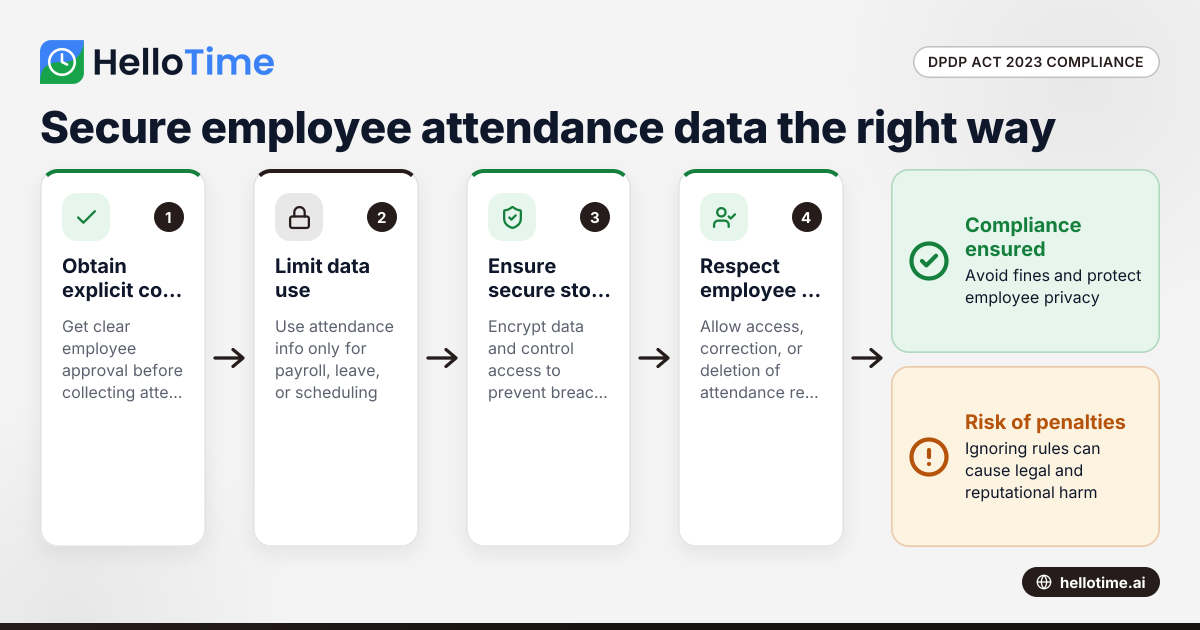
How the DPDP Act 2023 Impacts Employee Attendance and Timesheet Data Management in Indian SMEs
The Digital Personal Data Protection (DPDP) Act 2023 is India’s law regulating how personal data, including employee attendance information, must be.