Biometric Time Clock Kiosk for Manufacturing in United States: What Plant Managers Should Check Before Replacing Badge Swipes
A biometric time clock kiosk is a shared attendance device that verifies the worker at clock-in and clock-out using a biometric signal, such as a face
The HelloTime team
12 min read
On this page
A biometric time clock kiosk is a shared attendance device that verifies the worker at clock-in and clock-out using a biometric signal, such as a face scan, instead of a badge swipe alone. For manufacturing plants in the United States, the right kiosk can reduce buddy punching, speed up shift changes, and improve payroll inputs, but only if you check privacy, line speed, hardware durability, and your state law requirements before rollout.
Key takeaways
- A biometric time clock kiosk can cut badge sharing and missed punches in busy plants.
- Plant managers should test clock-in speed during shift change, not just in a quiet demo.
- Privacy notices, consent rules, retention settings, and vendor contracts matter as much as hardware.
- The best setup connects attendance to schedules, exceptions, overtime review, and payroll exports.
- Face recognition kiosks should be evaluated for lighting, PPE, gloves, and high-traffic entry points.
- In the United States, biometric rules can vary by state, so review your rollout with counsel.
Why manufacturing plants are moving beyond badge swipes
Badge swipes are simple, but they create familiar problems on the shop floor. Workers forget badges. Supervisors chase missing punches. Shared badges make buddy punching possible. Damaged cards and worn readers slow the line at the exact moment everyone is arriving at once.
A biometric time clock kiosk solves a different problem than a normal time clock. It is not just about recording time. It is about verifying that the right employee is present at the right place and time. In manufacturing, that matters for attendance, labor cost control, safety procedures, and shift handoff discipline.
Plants in cities like Detroit and Houston often deal with multiple shifts, temporary labor, and several entrances. In that setting, a shared kiosk can be easier to control than a mobile-first approach. Workers clock at a known point. Managers get a cleaner audit trail. HR gets fewer disputes later.
That said, replacing badge swipes with biometrics is not only a hardware decision. It affects employee communications, legal review, IT security, and payroll workflows. If you skip those checks, the project can create more friction than it removes.
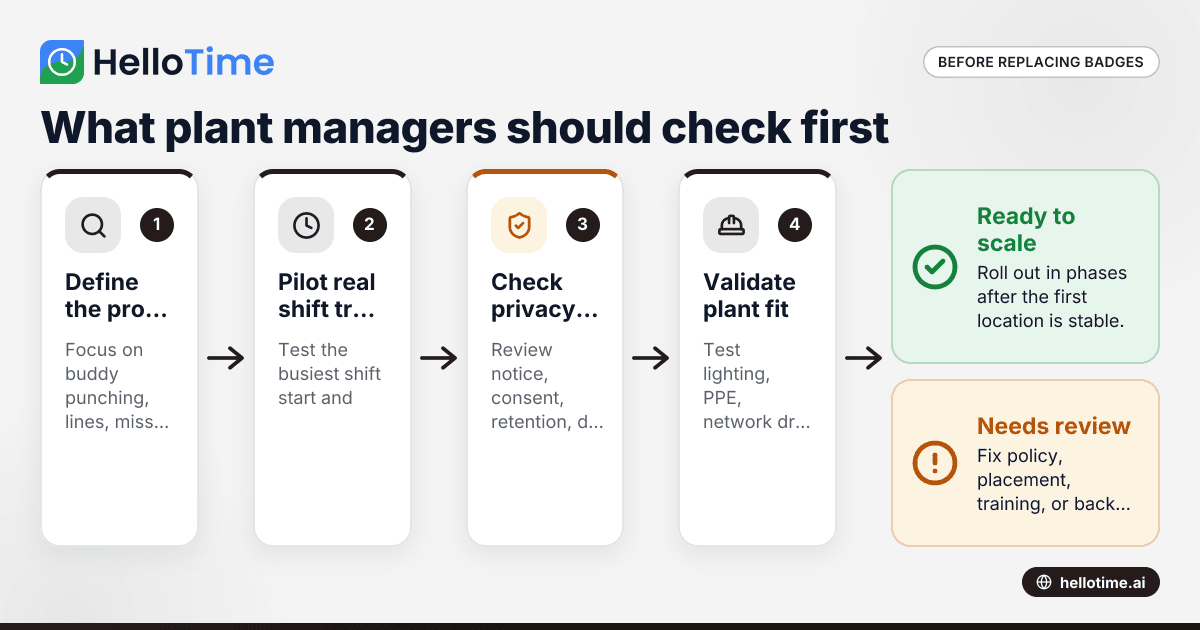
What should plant managers check first?
Start with clock-in speed, accuracy, privacy rules, and how the kiosk fits your shift flow. If the device slows entry, struggles with PPE or lighting, or creates legal and employee-relations issues, it will fail even if the technology looks good in a demo.
Before you compare brands or features, define the problem you are trying to solve. Most plants are usually dealing with one or more of these:
- buddy punching
- long lines at shift start
- missed punches and manual edits
- poor visibility into attendance by department
- weak controls at multiple entrances
- payroll corrections caused by bad time data
A good buying process begins with a short checklist of outcomes. For example:
- Cut clock-in queues to under a set number of minutes.
- Reduce manual timesheet edits.
- Lower attendance disputes.
- Improve reporting by line, shift, or cost center.
- Create a clear audit trail for approvals.
Once those goals are clear, you can test whether a biometric time clock kiosk really fixes them better than badges, PINs, or mobile punches.
What is a biometric time clock kiosk?
A biometric time clock kiosk is a shared device that lets employees clock in and out using a biometric identifier, usually a face scan. In manufacturing, it is often mounted at entrances, break areas, or shop-floor access points and connects attendance data to timesheets, reports, and payroll workflows.
The term covers several setups. Some plants use a tablet kiosk with a camera and face recognition. Others use dedicated wall-mounted hardware. The best option depends on traffic volume, environmental conditions, and whether the kiosk needs to work in one area or several.
For plant managers, the key question is not the label. It is whether the device works reliably in your real environment. A polished front-office demo is not enough if your plant has:
- poor or changing lighting
- workers wearing safety glasses
- dirty hands or gloves
- noise and crowding during shift change
- multiple employees approaching together
- network dead zones near entrances
This is also where newer systems start to matter. Some teams search for ai biometric time options because they want faster recognition, fewer false matches, and cleaner handling of real-world conditions like movement and variable lighting. That can help, but you still need a live trial on your own floor.
How is a manufacturing kiosk different from an office attendance device?
A plant kiosk must handle volume, dust, changing light, PPE, and shift-change bottlenecks better than an office device. Manufacturing also needs stronger exception handling, supervisor review, and reporting by shift, line, or department.
An office attendance tool may work fine with low daily traffic and stable lighting. A manufacturing kiosk has to do more. It needs to process a crowd quickly without causing delays at the start of a shift. It may need a rugged mount, better camera placement, and a backup process if the line forms too fast.
It also needs to fit your labor process. Manufacturing attendance is tied to overtime review, agency labor controls, and cost tracking by work center or line. A kiosk is useful only if it helps downstream.
Practical checks for plant conditions
When you evaluate a kiosk, test these conditions in person:
Shift-start surge Run a pilot during the busiest 10 to 15 minutes of the day. Count how many workers can clock in per minute.
Lighting changes Test before sunrise, in bright afternoon light, and under mixed indoor lighting.
PPE and appearance changes Check performance with glasses, caps, and common plant gear that does not prevent use.
Network resilience Ask what happens if connectivity drops. Will punches queue locally and sync later?
Cleaning and maintenance Confirm how often the device needs cleaning, updates, or physical checks.
Backup process Define what supervisors do if the kiosk is unavailable at shift start.
The legal and privacy checks that matter in the United States
Biometric attendance data needs extra care. In the United States, some state laws place specific requirements on notice, consent, retention, or handling of biometric identifiers. This is general information, not legal advice, and you should review your rollout with qualified counsel.
This is where many manufacturing buyers focus too late. The device may work well, but your process may still create risk if employee communications and data handling are weak.
Questions to ask your vendor and internal team
Ask these questions before signing anything:
- What biometric data is collected?
- Is the system storing an image, a template, or both?
- Where is that data stored?
- How long is it retained?
- Can you set deletion rules?
- Who can access the data?
- Is data encrypted in transit and at rest?
- What does the contract say about use, storage, and deletion?
- What employee notices and consent steps are recommended?
- Can biometrics be disabled for specific groups if needed?
You should also document your internal process. That includes who can review exceptions, who handles employee requests, and how offboarding triggers deletion where required by policy or law.
Do not treat privacy as only an HR issue
In manufacturing, attendance touches HR, operations, IT, and payroll. That means privacy and retention settings need shared ownership. A plant manager may own the rollout, but the policy should not sit in a vacuum.
If your customers ask security questions during procurement, your attendance process can come up there too, especially for larger manufacturers and suppliers with strict vendor reviews. Buyers in the United States often expect clear controls even when the product is not their core procurement system.
Will face recognition slow down shift changes?
It should not, if the kiosk is placed well and tested under real traffic. The right setup can be faster than badge swipes, but a poor layout, bad lighting, or weak network connection can create lines immediately.
The biggest risk in a plant rollout is not recognition quality in isolation. It is throughput. A kiosk that works well for one person at a time may still fail when 60 people arrive in a tight window.
How to test throughput before rollout
Use a structured pilot. Do not rely on a conference-room demo.
Pick one entrance and one shift Start with the busiest predictable period.
Measure queue time Record total wait time, not just recognition time.
Track exception rate Count retries, supervisor overrides, and missed punches.
Watch employee flow Check whether workers know where to stand and when they are done.
Compare to your current method A new system should improve control without making entry slower.
Run the test for at least several days Day one behavior is not enough. Workers learn. Conditions change.
Placement matters more than many teams expect. A kiosk near a narrow doorway may create a choke point. Camera angle matters. Screen prompts matter. Even floor markings can help people approach in a way that keeps the line moving.
The hardware questions plant managers should ask
When replacing badge swipes, the visible part is the kiosk. That makes hardware decisions feel central. They are important, but only in context.
Check the physical environment
Manufacturing sites vary widely. Some are clean and climate-controlled. Others are dusty, humid, or subject to vibration. Ask whether the kiosk, mount, power setup, and camera placement suit your environment.
Look at:
- mounting height and angle
- screen visibility in bright light
- cable protection
- power backup options
- device stability in busy walkways
- cleaning instructions for industrial settings
Check enrollment and re-enrollment effort
Every biometric system needs an initial setup. Ask how workers are enrolled. How long does it take? Who performs it? What happens if someone changes appearance enough to need an update?
If you have high turnover or seasonal labor, enrollment speed matters. A system that takes too long to set up for each new hire will frustrate supervisors.
Check multi-location support
If you run more than one plant or warehouse, ask whether each site can have its own kiosk rules, managers, and reports. A Chicago plant may have a different shift pattern than a smaller facility elsewhere. You want consistent controls with enough local flexibility.
How the kiosk should connect to attendance and payroll workflows
A biometric time clock kiosk is only the first step. The real value comes after the punch is captured. You need clean timesheets, exception review, approvals, and a reliable export to the rest of your finance stack.
For many small and mid-sized manufacturers, this means attendance data should flow into overtime review and then into payroll prep or accounting tools. If your team uses QuickBooks, for example, the question is not whether the kiosk looks modern. It is whether the time data reduces manual work downstream.
What to look for in workflow
Your system should help with:
- auto-built timesheets from kiosk punches
- manager review of missed or unusual punches
- approval workflows by shift lead or supervisor
- leave visibility alongside attendance
- labor reports by employee, shift, or location
- billable or job-based tracking where relevant
- payroll-ready exports or handoff support
This is where a broader workforce platform can help. HelloTime offers kiosk attendance with face recognition, time tracking, approvals, scheduling, leave management, and reporting in one place. If you want to see how those pieces fit together, you can explore the features.
What rollout mistakes cause the most trouble?
Most problems come from poor pilot testing, weak employee communication, and no backup process. Plants also run into trouble when they buy for hardware specs alone and ignore policy, line flow, supervisor training, and exception handling.
A successful rollout is operational, not just technical. The steps below help avoid common mistakes.
A practical rollout plan
Review legal requirements Confirm your notice, consent, retention, and policy approach before launch.
Choose one pilot group Use one entrance, one shift, and one department first.
Train supervisors They need to know overrides, exception review, and the backup method.
Explain the change clearly Tell employees what data is collected, why it is used, and how it is handled.
Measure for two weeks Track queues, missed punches, edits, and employee questions.
Refine setup Adjust signage, camera angle, staffing, and placement before wider rollout.
Scale in phases Add plants or entrances only after the first location is stable.
Do not forget the human side
Some employees will worry that biometrics means surveillance beyond attendance. Clear communication matters. Be direct. Explain the purpose, the process, and the safeguards. Confusion creates resistance faster than almost anything else.
Also make sure your supervisors know what to say when a worker asks, “What if it doesn’t recognize me?” A calm, consistent answer builds trust.
When a biometric time clock kiosk is the right fit
A biometric time clock kiosk is a strong fit when you have shared entrances, repeated buddy-punching issues, or large shift-change volumes that make badge control messy. It is especially useful when you want a cleaner audit trail without relying on every employee to carry and protect a badge.
It may be less attractive if your plant has highly variable access points, very low employee counts, or a workforce pattern that is easier to manage through other methods. The right decision depends on your process, not just the technology trend.
For manufacturers in the United States, the best choice is usually the one that balances speed, reliability, employee acceptance, and defensible data handling. If you can achieve that, replacing badge swipes can be a meaningful upgrade instead of just a new device on the wall.
If you want to evaluate a system built for time tracking, attendance, kiosks, approvals, and workforce management, take a look at HelloTime in the US and compare it to your current process.
Explore the full features or compare plans on pricing to see whether HelloTime fits your plant’s attendance setup.
Frequently asked questions
Is a biometric time clock kiosk better than a badge swipe system?
It can be better when buddy punching, badge sharing, and missed swipes are frequent problems. The main advantage is identity verification at the point of punch. The tradeoff is that rollout requires more care around privacy, policy, and employee communication.
Can a face recognition kiosk work in a manufacturing plant?
Yes, if it is tested in real plant conditions. Lighting, traffic flow, camera placement, and common PPE all affect results. A pilot during live shift changes is the best way to see if it will work at your site.
Keep reading
Related articles
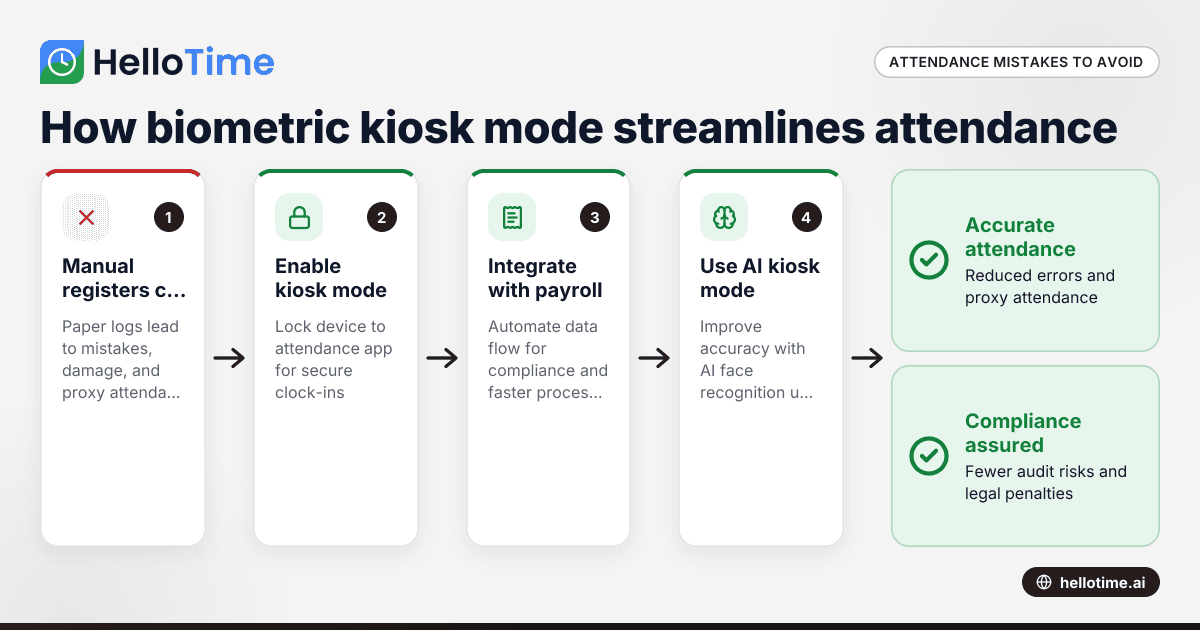
How Biometric Attendance Kiosk Mode Can Streamline Workforce Management for Indian Manufacturing Units
Manufacturing units in India often struggle with managing workforce attendance accurately and efficiently. Errors in attendance tracking lead to.
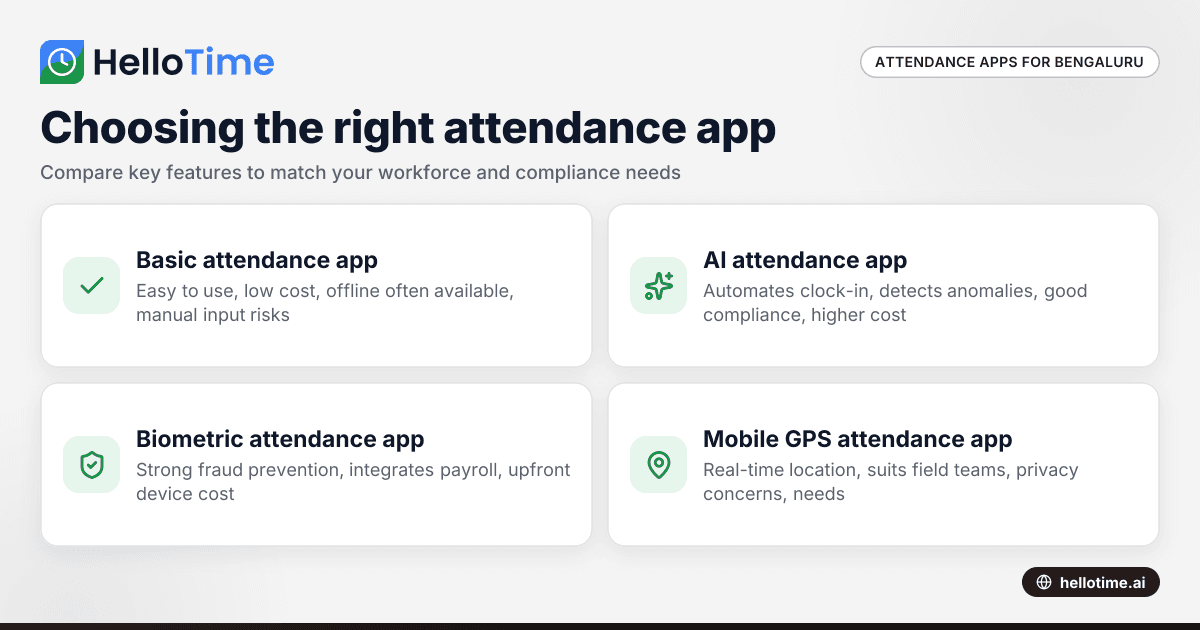
Choosing the Right Attendance App for Small Businesses in Bengaluru
Choosing the Right Attendance App for Small Businesses in Bengaluru ===================================================================== If you run.
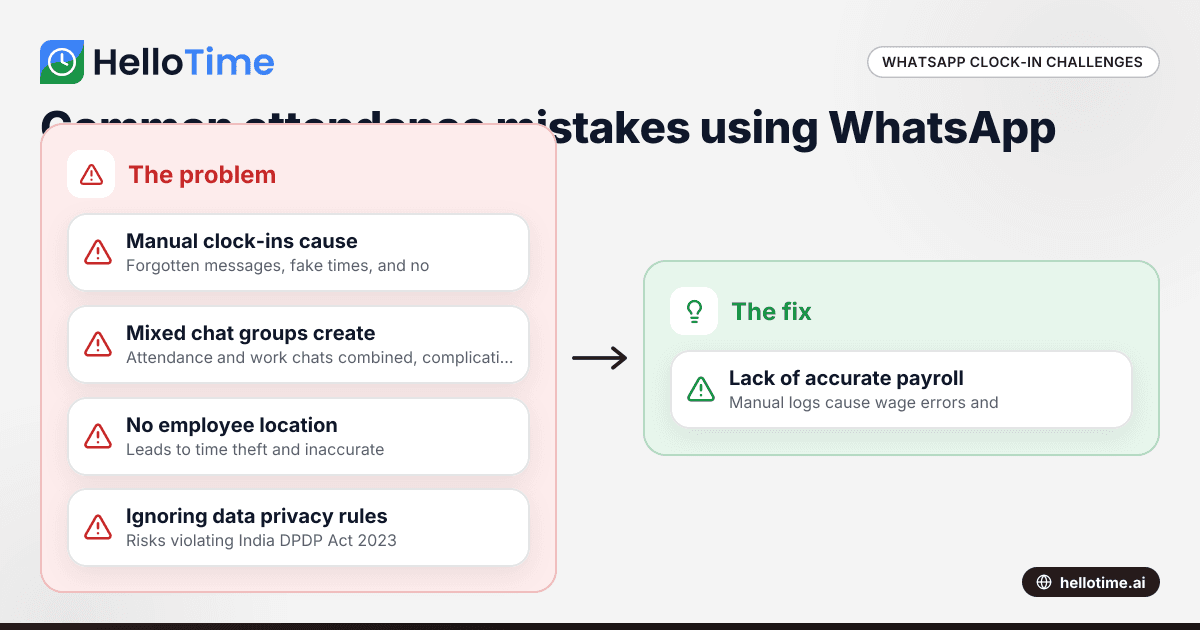
Using WhatsApp for Clock-In and Attendance Tracking in Indian Small Businesses
Using WhatsApp for Clock-In and Attendance Tracking in Indian Small Businesses The cost of managing attendance poorly can be high for small.