Using WhatsApp for Clock-In and Attendance Tracking in Indian Small Businesses
Using WhatsApp for Clock-In and Attendance Tracking in Indian Small Businesses The cost of managing attendance poorly can be high for small.
The HelloTime team
6 min read
On this page
Using WhatsApp for Clock-In and Attendance Tracking in Indian Small Businesses
The cost of managing attendance poorly can be high for small businesses in India. Errors in time tracking lead to inaccurate payroll, employee dissatisfaction, and compliance risks with labour laws like the Shops and Establishments Act. Manual registers or spreadsheets waste time and invite mistakes, making it tough to know who actually worked and when. For businesses relying on WhatsApp, an ubiquitous tool in Indian teams, leveraging it for clock-in and attendance can be both a convenience and a challenge.
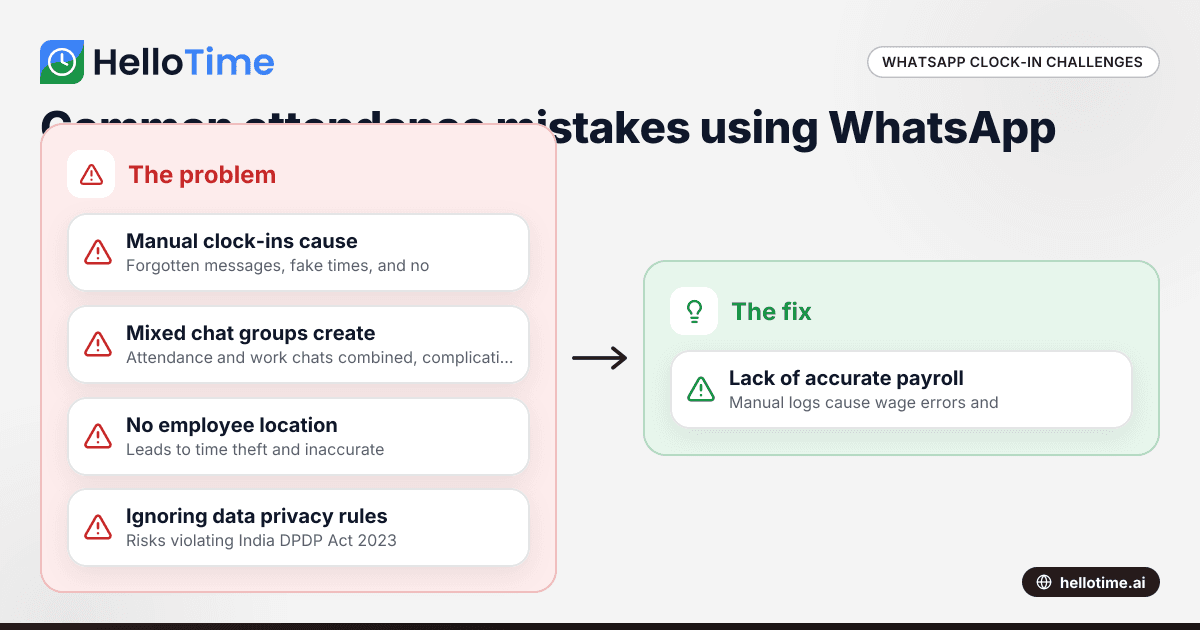
Mistake 1: Relying entirely on manual WhatsApp clock-in messages
Many small firms ask staff to message their “in” and “out” times on WhatsApp groups or to a manager’s number. While simple, this manual approach invites problems like forgotten messages, fake timestamps via screenshot manipulation, or overlooked entries in busy chat groups. Tracking attendance this way consumes ample management time and offers no automatic reporting, approval, or error-checking.
Why it happens: WhatsApp is familiar and requires no onboarding or app installation beyond a smartphone, making it the immediate go-to for SMEs that cannot afford specialized software.
The fix: Use a dedicated WhatsApp clock-in integration that automates attendance capture from employee messages. Bots powered by AI can recognise clock-in formats, timestamps and locations, reducing errors and the manager's workload. This is what an ai whatsapp clock-in system offers—instant, accurate logging without manual hunting through chats.
Mistake 2: Mixing attendance and operational chats on a single WhatsApp group
Many businesses use one or two WhatsApp groups for all communication: attendance, client updates, work instructions, and social chat alike. This hash creates confusion and makes it harder to separate attendance data later for payroll or compliance.
Why it happens: Convenience and lack of alternative tools lead managers and staff to cluster discussions in fewer groups.
The fix: Create a dedicated WhatsApp group or chat channel exclusively for clock-ins and attendance entries. Use structured message templates, and consider a bot that automatically parses and archives attendance data separate from operational chatter. This separation simplifies tracking attendance trends or flagging missing entries rapidly.
Mistake 3: Not verifying employee location during clock-ins
For field teams in cities like Mumbai, Bengaluru, or Pune, verifying location during clock-in reduces time theft and “buddy punching.” Simply accepting a WhatsApp message without confirming the employee's location can cause inaccuracies.
Why it happens: Manual methods lack GPS capabilities and not all businesses have the budget for complex hardware or software.
The fix: Use WhatsApp clock-in solutions that integrate GPS or geofencing technology, so the system records employee location along with the clock-in time. This ensures authenticity and compliance with time tracking norms.
Mistake 4: Ignoring data privacy and the DPDP Act 2023 requirements
WhatsApp chats contain personal data like phone numbers and timestamps. Mishandling this data or keeping it in unencrypted chats may violate the India DPDP Act 2023 and employee privacy rights.
Why it happens: Lack of awareness or technical means to secure attendance data.
The fix: Choose attendance tools that store WhatsApp clock-in data securely on servers compliant with Indian data protection regulations. Inform employees about data usage and obtain consent where necessary. Automate data archival and deletion policies aligned with legal retention requirements.
Mistake 5: Failing to generate accurate reports for payroll and compliance
Many SMEs struggle to translate WhatsApp attendance messages into clean timesheets, leaving payroll prone to errors and delays in tax deductions (TDS), PF, or ESI calculations. This impacts employee trust and risks statutory penalties.
Why it happens: Manual compilation from chat logs is tedious and often inconsistent.
The fix: Adopt automated attendance software that extracts clock-in data from WhatsApp, generates timesheets, and integrates with payroll modules. Such tools help calculate wages with statutory deductions and prepare Form 24Q submissions seamlessly.
How can I implement WhatsApp clock-in without disrupting my existing workflows?
You can start by creating a dedicated WhatsApp attendance group and setting clear clock-in/out message formats for your employees. Then, add an AI-powered WhatsApp clock-in bot that processes these attendance messages automatically. This setup reduces manual work but fits within your current routine.
Expanding on this, the AI bot extracts attendance data in real time and can integrate with payroll or accounting software, avoiding double entry. Start with one team to test and refine before rolling out company-wide, ensuring minimal disruption and faster acceptance.
What about employees who don’t have smartphones or use feature phones?
Workers without smartphones cannot use WhatsApp clock-in, but you can complement this with other attendance methods. Biometric tablets, call-in systems, or traditional punch cards work well alongside WhatsApp for a mixed workforce.
Many workforce management tools combine WhatsApp clock-in data with these alternative methods, giving a complete attendance picture. If budgets allow, issuing basic smartphones or tablets to key employees can further improve tracking consistency.
A simple routine to avoid attendance mistakes using WhatsApp clock-in
- Every Monday, review the previous week’s WhatsApp clock-in data via your attendance software dashboard.
- Identify any missing or inconsistent entries and send reminders to employees through the attendance group.
- Approve weekly attendance timesheets generated automatically for payroll calculations.
- Archive data weekly to protected storage complying with data privacy rules.
- Conduct monthly cross-checks with shift schedules or project timesheets to spot discrepancies early.
- Update employees quarterly on attendance policy changes and data privacy measures.
- Backup attendance and payroll data before each statutory filing deadline.
Using WhatsApp for employee clock-in and attendance tracking taps into the most familiar app in Indian business communication. However, manual or unstructured use invites errors, compliance risks, and inefficiencies that small businesses can ill-afford. By shifting to AI-powered WhatsApp clock-in tools and enforcing clear routines, SMEs in retail, hospitality, professional services, and field teams can save time and cost while improving accuracy and employee trust. Explore the features of integrated attendance systems and compare plans at pricing to find the best fit for your business needs.
Related reading
- time tracking software in India
- What SOC 2 Type II Compliance Means for United States Small Businesses Using Time Tracking Software
- Benefits of Using Biometric Attendance Kiosks for Small Businesses in the United States
Read next
This article covers one part of a bigger topic. For the complete picture, read our guide to whatsapp clock-in.
Keep reading
Related articles
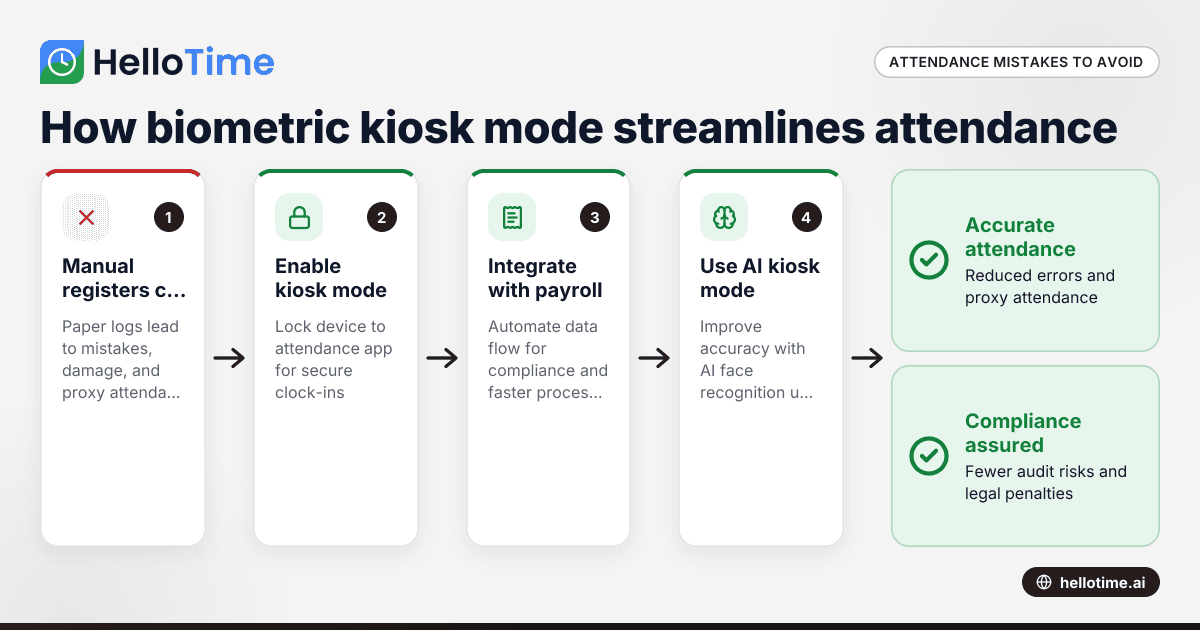
How Biometric Attendance Kiosk Mode Can Streamline Workforce Management for Indian Manufacturing Units
Manufacturing units in India often struggle with managing workforce attendance accurately and efficiently. Errors in attendance tracking lead to.
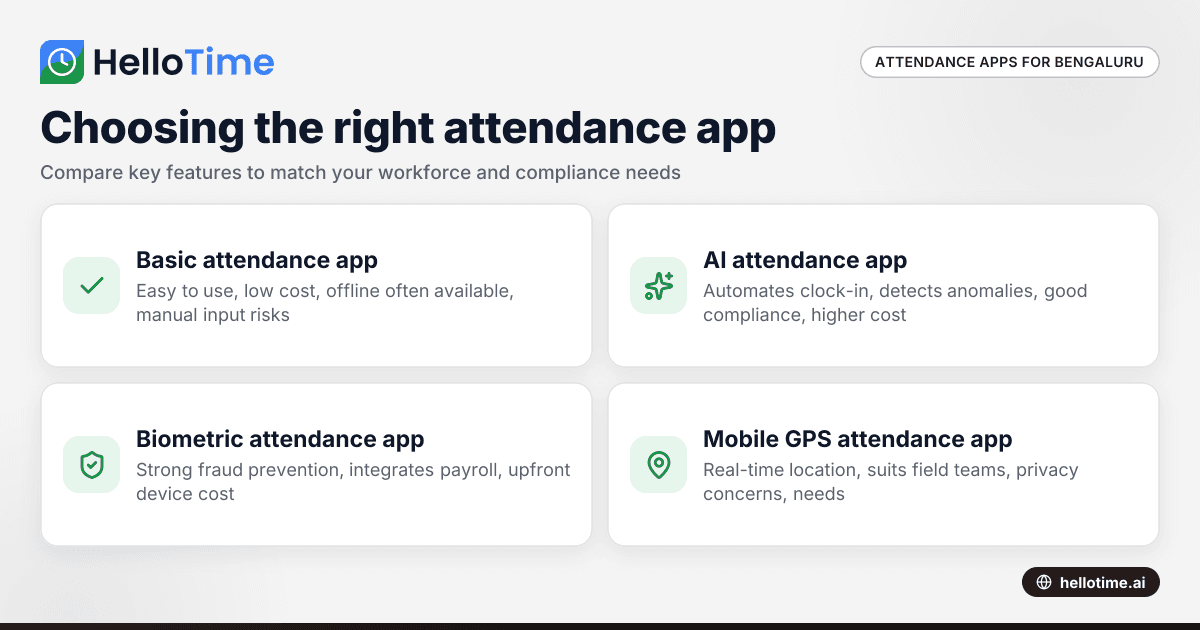
Choosing the Right Attendance App for Small Businesses in Bengaluru
Choosing the Right Attendance App for Small Businesses in Bengaluru ===================================================================== If you run.
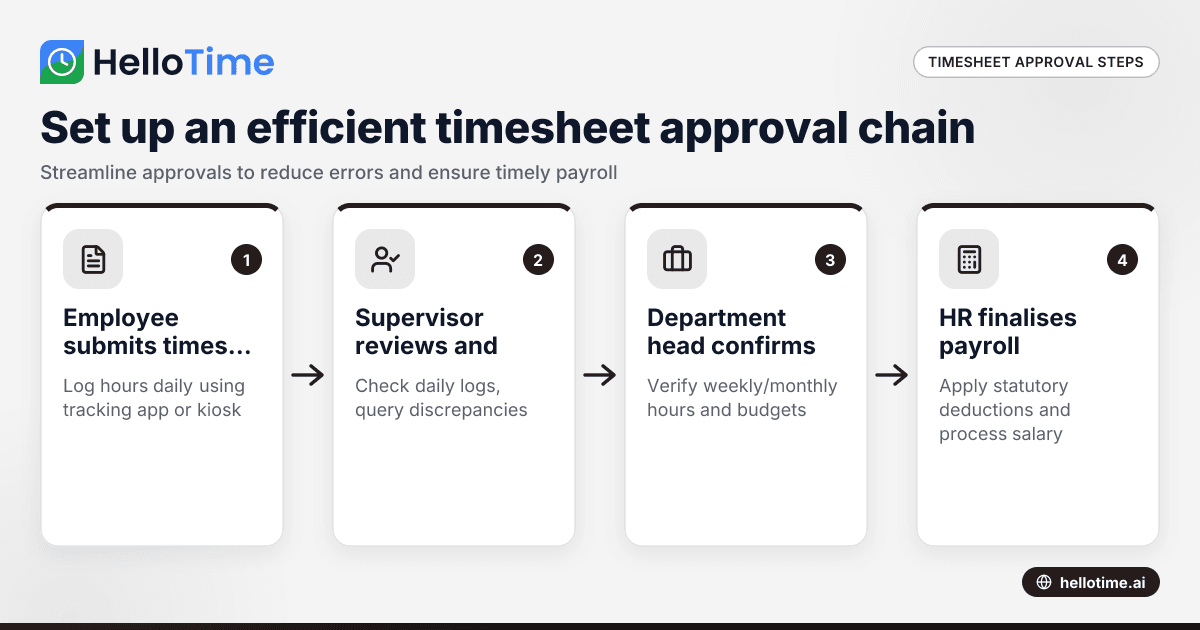
How to Set Up an Efficient Timesheet Approval Chain for Indian SMEs
How to Set Up an Efficient Timesheet Approval Chain for Indian SMEs This guide is for owners, HR, and operations managers at Indian small and.