Face Recognition Attendance System for Small Businesses in United States: How to Run Faster, Cleaner Clock-Ins at Shared Entrances
A face recognition attendance system helps small businesses speed up clock-ins at shared entrances, reduce buddy punching, and keep cleaner attendance
The HelloTime team
12 min read
On this page
A face recognition attendance system helps small businesses speed up clock-ins at shared entrances, reduce buddy punching, and keep cleaner attendance records without paper sheets or crowded sign-in lines. In the United States, it is most useful where many employees start shifts at the same door, at the same time, and managers need a reliable record of who arrived and when.
Key takeaways
- A face recognition attendance system can shorten entry lines and reduce manual corrections at busy shift changes.
- It works best at shared entrances in retail, hospitality, construction, manufacturing, and field service depots.
- Small businesses should set clear clock-in rules, good camera placement, and a backup method before going live.
- In the United States, biometric attendance data needs careful handling, clear notice, and legal review for state and local requirements.
- The biggest gains usually come from fewer timecard disputes, less buddy punching, and faster payroll preparation.
- Tablet kiosk attendance with face recognition is often the simplest setup for small businesses with one main entrance.
What is a face recognition attendance system for small business United States?
A face recognition attendance system for small business United States is a time and attendance setup that lets employees clock in or out by standing in front of a camera, usually on a tablet kiosk near an entrance. The system matches the face to an enrolled employee record and logs the time automatically.
For a small business, the appeal is simple. You remove paper sign-in sheets. You reduce PIN sharing. You avoid a manager standing at the door fixing missed punches every morning. And you get a cleaner attendance trail when several people enter through the same door within a few minutes.
This setup is especially useful at shared entrances. Think of a Chicago retail store with stockroom and sales staff entering through one back door before opening. Or a Houston field service yard where crews report to one gate before loading trucks. Or a Detroit machine shop where operators arrive for the first shift within a short window. In each case, traffic bunches up. Manual clock-ins become slow and messy.
A face-based kiosk can help because the employee does not need to remember a password, carry a badge, or touch a shared device for each punch. That can make entry smoother when teams clock in together.
Why do shared entrances create attendance problems?
Shared entrances create bottlenecks. Everyone reaches the same door at once. One slow clock-in process can hold up the whole line.
That delay creates other issues:
- Employees skip clocking in and ask for edits later
- Supervisors make manual time corrections from memory
- Badge swapping or buddy punching becomes easier
- Handwritten logs become hard to verify
- Entry crowds block operations at shift start
Small businesses often feel these problems most because they do not have a dedicated timekeeping administrator. The store manager, shift lead, office manager, or owner ends up handling disputes. That means attendance errors become a daily distraction, not just an admin task.
A face recognition attendance system solves only part of the problem. It cannot fix bad staffing plans or unclear shift rules. But it can make the actual moment of clock-in much faster and more consistent.
How does ai face recognition help at the door?
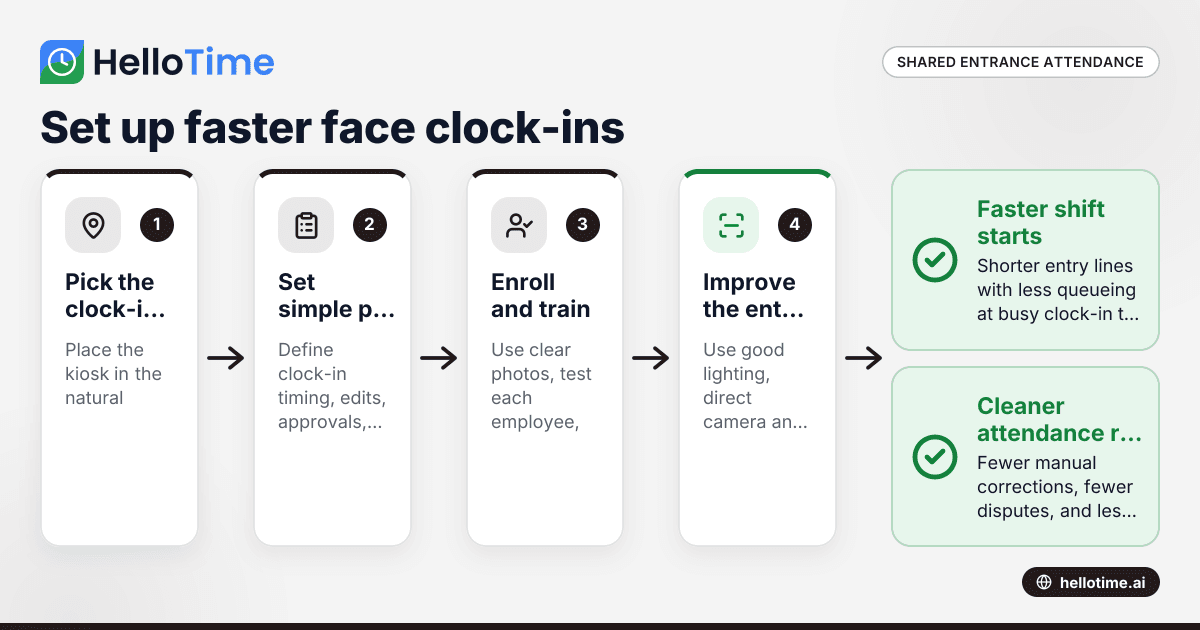
It lets employees verify identity quickly at a kiosk, so clock-ins happen with less tapping, less queueing, and fewer manual edits. At a shared entrance, that means smoother shift starts and a more reliable record of who actually arrived.
In practice, ai face recognition is useful because it removes several small steps that slow people down. An employee does not need to type an ID, search a list of names, or borrow a badge. They approach the kiosk, the system identifies them, and the attendance event is recorded.
That speed matters when ten or twenty people arrive within the same five-minute window. Even a short delay per person can create a line. A faster check-in flow helps managers avoid a cluster of employees around one device.
There is another benefit. A face-based match is tied to the person standing at the device. That makes it harder for one employee to clock in for another. For small businesses dealing with recurring buddy punching, this alone can justify the change.
Still, success depends on setup. Poor lighting, bad camera angle, and weak enrollment photos can reduce accuracy. The technology helps most when the physical entrance and the process around it are well designed.
Where does this work best in a small business?
The best fit is a business with three conditions:
- Employees share one or two main entrances.
- Many workers start and end shifts at similar times.
- Managers currently spend real time correcting attendance.
Common examples include:
Retail stores
A store with a back-of-house employee entrance can use a tablet kiosk to handle opening, shift change, and closing traffic. This works well when cashiers, stock staff, and supervisors all report through the same door.
Hospitality venues
Restaurants, cafés, and hotels often have a staff entrance or service corridor. A face recognition attendance system can reduce lines before breakfast service, lunch rush prep, or evening handoff.
Manufacturing and light industrial sites
Small plants and workshops often run fixed shifts. Operators and warehouse staff arrive in groups. A kiosk near the time office or entrance can capture attendance without paper logs.
Construction yards and service depots
Field teams often gather at one location before heading to job sites. A face-based clock-in point can create a clear record before trucks leave the yard.
Clinics, offices, and agencies with shared access points
Not every use case is shift-heavy. Some small offices also benefit if many employees arrive through one lobby and the business wants cleaner attendance without manual sign-in.
What should you set up before launch?
Set one entrance, one device, one policy, and one backup method first. Keep the rollout narrow. If the first location runs smoothly, then expand to other doors, shifts, or teams.
Before you switch on the system, define the rules around it. This matters more than the hardware.
1. Choose the exact clock-in point
Do not place the kiosk where people pause to chat, drop bags, or wait for a supervisor. Put it in the natural flow of entry. The best spot is after the employee enters but before they spread into different work areas.
2. Set a clear punch policy
Write down simple rules:
- When employees can clock in
- Whether early clock-ins are allowed
- How missed punches are corrected
- Who approves edits
- What the backup process is if the device fails
This should match your existing attendance policy. The technology should support the rule, not replace it.
3. Create a backup option
Every attendance system needs a fallback. The camera may fail. The network may go down. A worker may not be recognized on the first try. Use a manager override, PIN option, or manual review process so entry does not stop.
4. Enroll employees carefully
Enrollment quality affects daily performance. Use clear photos. Good lighting helps. Make sure names and profiles are correct. Do a test pass with each employee before go-live.
5. Train supervisors first
Managers should know how to review punches, resolve exceptions, and explain the process. If employees have questions on day one, the supervisor needs answers right away.
How do you make clock-ins faster and cleaner?
Use a dedicated kiosk, strong lighting, and a simple queue path. Most delays come from bad placement, crowded approach space, or unclear employee instructions, not the recognition step itself.
Once the basics are in place, the next gains come from physical layout and process design.
Improve camera and kiosk placement
Mount the device at a practical height for most workers. Keep the camera facing the employee directly. Avoid strong backlight from windows or doors behind the person. If the entrance is dim, add steady lighting.
Reduce congestion around the device
If bags, jackets, or safety gear slow people down, place hooks, lockers, or storage beyond the clock-in point. If possible, mark a waiting line on the floor. Even simple visual guidance can keep the entrance moving.
Use one clear instruction
Do not post a long policy sheet next to the device. Use one short instruction near eye level, such as: “Stand in front of the screen and wait for confirmation.” Keep the detailed policy elsewhere.
Review exceptions daily
Even a good system will produce a few exceptions. Maybe an employee turned away too soon. Maybe the shift was edited. Review those items daily while the rollout is new. Small corrections early prevent bigger payroll problems later.
Pair attendance with schedule rules
If your team uses shift scheduling, compare scheduled start times with actual clock-ins. That gives managers a clearer picture of lateness, early arrival, and no-shows. A better attendance process is most useful when tied to the roster.
What should small businesses watch for in the United States?
Small businesses in the United States should be careful with biometric privacy, employee notice, consent where required, retention practices, and secure handling of attendance data. State and local rules can differ, so legal review is important before rollout.
This is general information, not legal advice. Biometric data can trigger specific obligations under certain state or local laws. Requirements can change, and they are not uniform across the United States. Before you launch a face recognition attendance system, ask employment counsel to review your process for the states and cities where you operate.
From an operations standpoint, focus on a few practical safeguards:
Keep your purpose narrow
Use the system only for attendance and access-related workflow if that is your stated purpose. Avoid collecting more than you need.
Give clear written notice
Employees should know what the system does, what data is used, how it supports attendance, and whom to contact with questions.
Limit access
Attendance and biometric-related records should be available only to people who need them, such as HR, payroll admins, or designated managers.
Define retention and deletion rules
Do not keep records forever by default. Set a reasonable retention schedule based on business need and legal guidance.
Document your backup and dispute process
If an employee challenges a punch or the system fails to recognize them, there should be a consistent review path.
Many buyers in the United States also expect thoughtful security practices from software vendors. Even small companies are now asked about data handling, access controls, and vendor maturity during procurement.
How do you roll this out without upsetting employees?
Start with the problem you are solving, not the technology. Employees usually accept a new attendance process more easily when they understand that it reduces lines, cuts payroll errors, and applies the same rules to everyone.
Here is a practical rollout plan.
1. Explain the business reason
Tell employees what is changing and why. For example: “We are replacing paper sign-ins at the staff entrance because the current process creates delays and timecard errors.”
2. Show the exact workflow
Demonstrate how to clock in and out. Keep it visual and short. A one-minute live demo often works better than a long memo.
3. Run a pilot with one team
Start with one entrance or one shift. This lets you catch lighting issues, traffic flow problems, and supervisor questions before a full rollout.
4. Keep corrections easy at first
For the first few weeks, expect exceptions. Make it simple for workers to report a missed or incorrect punch. That reduces frustration and helps you spot setup issues quickly.
5. Measure a few outcomes
Track line length, number of manual edits, missed punches, and supervisor time spent on attendance fixes. These are the clearest signs that the new system is working.
What does a good system include for a small business?
A good system for a small business is easy to deploy, simple for employees to use, and connected to everyday attendance work. The goal is not just recognition. The goal is faster entry, cleaner records, and less admin after the shift starts.
Look for these basics:
Tablet kiosk attendance
A tablet at the entrance is usually the easiest format for small businesses. It is simple to place, easy to supervise, and practical for one main clock-in point.
Face recognition with attendance records
Recognition alone is not enough. The system should create clear time entries that managers can review and approve.
GPS and geofencing where needed
If some employees are mobile and others use the entrance kiosk, it helps to manage both attendance patterns in one system.
Leave and scheduling support
Attendance works better when managers can compare punches with scheduled shifts and approved time off. Otherwise, they still spend time checking separate tools.
Export-ready timesheets
If you still process payroll in accounting software or send hours to a provider, clean timesheets matter. Fewer manual edits means fewer payroll surprises.
HelloTime includes tablet kiosk attendance with face recognition, along with time tracking, scheduling, leave, and approvals. If you want a broader view of what that looks like in practice, you can explore the features available for attendance and workforce management in the United States through HelloTime in the US.
Common mistakes to avoid
Small businesses often buy the device before fixing the process. That leads to a messy rollout.
Avoid these mistakes:
Putting the kiosk in the wrong place
If employees have to step out of the normal flow to clock in, they will bunch up, skip the step, or ask for later edits.
Launching at every location at once
A phased rollout is safer. One entrance teaches you more than a company-wide launch ever will.
Ignoring edge cases
New hires, hats, safety gear, poor lighting, and network interruptions all matter. Plan for them.
Letting exception queues pile up
If managers do not review missed punches and edits quickly, trust in the system drops.
Treating it as only a security project
This is an attendance process change. HR, operations, and front-line managers should be involved, not just IT.
Is it worth it for a small business?
It is worth it when shared entrances create regular delays, timecard edits, or buddy punching. If only a few people clock in at different times, the gain may be small. But if many employees enter together, the time saved and record quality can be meaningful.
The strongest case is not “new technology.” It is operational clarity. A cleaner clock-in process means less confusion at shift start, fewer arguments about hours, and less manager time spent reconstructing who was there.
Read next
This article covers one part of a bigger topic. For the complete picture, read our guide to face recognition.
Keep reading
Related articles
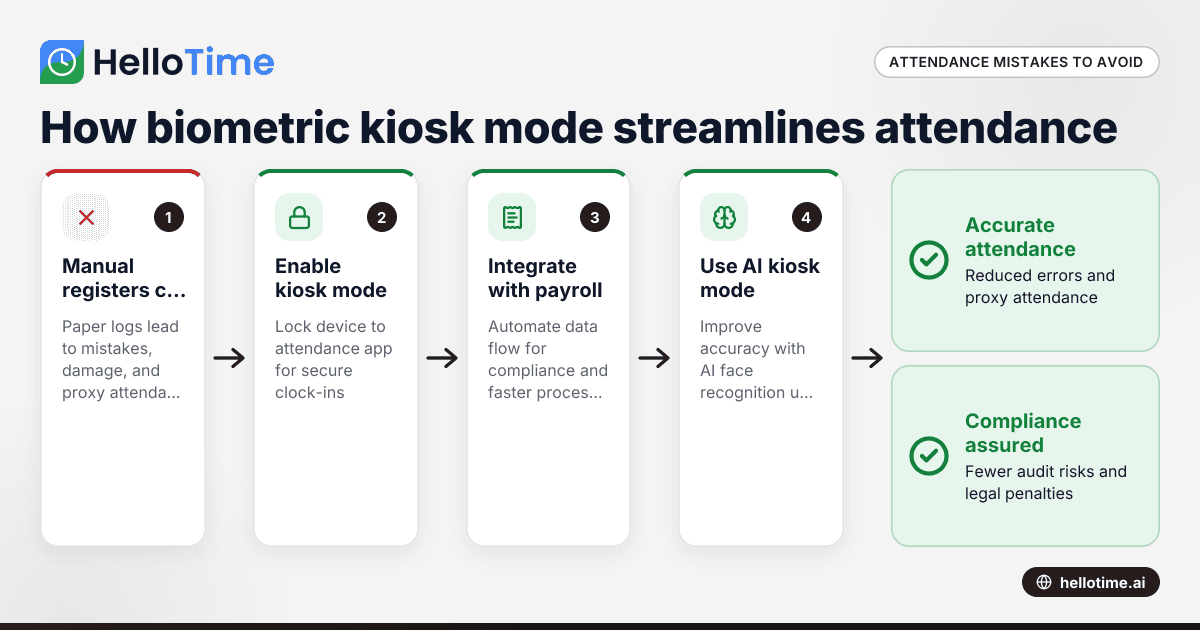
How Biometric Attendance Kiosk Mode Can Streamline Workforce Management for Indian Manufacturing Units
Manufacturing units in India often struggle with managing workforce attendance accurately and efficiently. Errors in attendance tracking lead to.
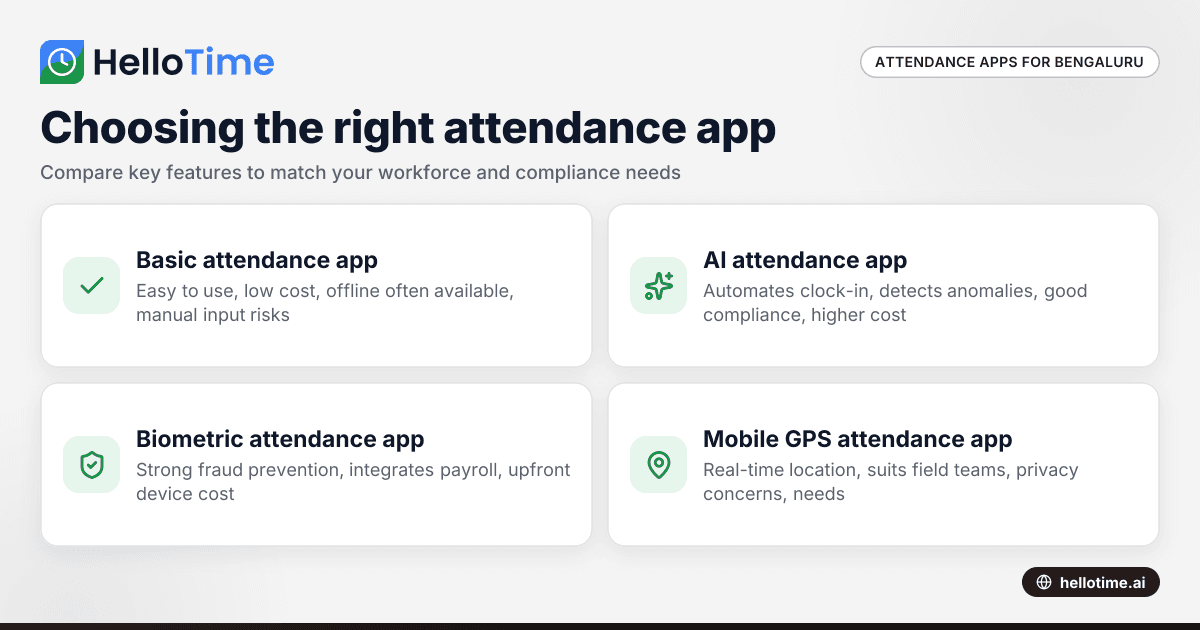
Choosing the Right Attendance App for Small Businesses in Bengaluru
Choosing the Right Attendance App for Small Businesses in Bengaluru ===================================================================== If you run.
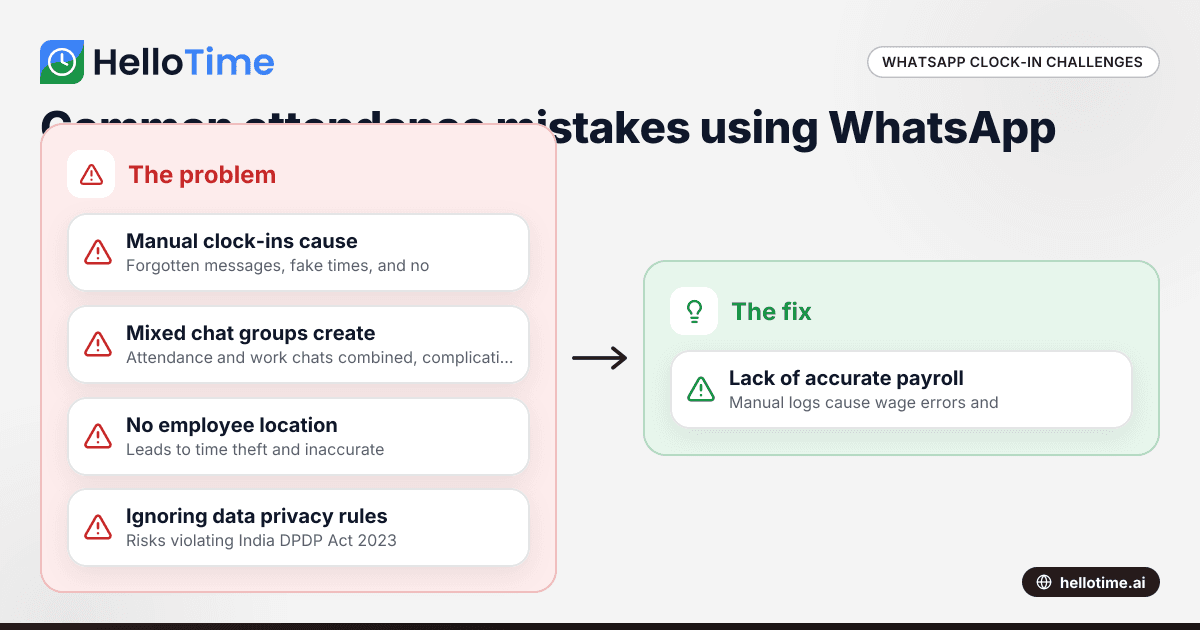
Using WhatsApp for Clock-In and Attendance Tracking in Indian Small Businesses
Using WhatsApp for Clock-In and Attendance Tracking in Indian Small Businesses The cost of managing attendance poorly can be high for small.