HelloTime vs Adapt in the United States for Field Service Attendance: Which Is Better for GPS Clock-Ins, Geofences, and Timesheet Approval?
If you need better field attendance control in the United States, the right choice comes down to how your team actually clocks in and how managers.
The HelloTime team
12 min read
On this page
If you need better field attendance control in the United States, the right choice comes down to how your team actually clocks in and how managers approve hours. For businesses that need GPS clock-ins, geofenced attendance, mobile timesheets, and a clear approval flow without paper or spreadsheet cleanup, HelloTime is the stronger fit for most small and mid-sized field teams.
Key takeaways
- HelloTime is a better match when you want GPS clock-ins, geofences, mobile attendance, and fast manager approvals in one system.
- Adapt may be worth reviewing if your needs are narrow, but many field teams need broader daily workforce controls than simple attendance capture.
- For field service businesses in the United States, the real test is whether crews can clock in correctly from the job site and whether supervisors can approve hours without chasing people by phone.
- Geofencing matters most when you want to reduce buddy punching, missed punches, and “I forgot to clock out” disputes.
- Timesheet approval should connect attendance, schedules, leave, and billable work so payroll prep and invoicing are easier later.
- If you are comparing tools under the search phrase “HelloTime vs Adapt United States,” focus less on feature lists and more on how the system works during a real workday.
HelloTime vs Adapt in the United States: the short answer
For field service attendance in the United States, HelloTime is generally the better option if you need reliable mobile clock-ins, location-based rules, and a practical approval workflow. It fits businesses that manage technicians, installers, cleaners, maintenance crews, service contractors, and other mobile teams who start work at customer sites, warehouses, or changing job locations.
That matters because field attendance is not just about recording hours. It is about proving where the work started, checking whether crews were on site, reviewing exceptions quickly, and turning approved time into payroll inputs or billable records. A tool that only captures hours but creates extra admin work later often costs more in the long run.
For a business in Chicago, Houston, or Detroit, the daily problem usually looks the same. Workers are spread across multiple jobs. Supervisors are moving between sites. Office staff still need accurate timesheets by the end of the week. If attendance data comes in late, incomplete, or without location evidence, every payroll cycle becomes harder.
Which is better for field service attendance in the United States?
For most field service teams in the United States, HelloTime is better when you need GPS clock-ins, geofences, and manager approvals in one workflow. It is built to reduce manual follow-up and help supervisors review real attendance records instead of fixing paper logs after the fact.
The reason this question matters is simple. In field service, attendance errors are rarely small. A missed clock-in can affect payroll, job costing, customer billing, and overtime review. If a technician forgets to clock in at an HVAC job in Houston, someone in the office has to reconstruct the day from texts, calls, and memory. That wastes time and creates disputes.
HelloTime is better suited to this environment because attendance is connected to the wider workflow. Time capture, shifts, approvals, and reporting sit together. That gives operations and HR teams one place to review exceptions and close the week faster.
What field service teams usually need from attendance software
Most field service businesses do not need a flashy app. They need a system that makes everyday attendance harder to get wrong. In practice, that usually means:
- Mobile clock-in and clock-out
- GPS location capture
- Geofenced job-site controls
- Clear shift assignments
- Break and overtime visibility
- Manager review before timesheets are finalized
- A simple audit trail for edits and exceptions
These needs apply across many U.S. industries. Think plumbing contractors, electrical service teams, landscaping businesses, pest control operators, security patrols, cleaning services, repair companies, and construction subcontractors. They all need dependable records from people who are rarely at a desk.
Why GPS clock-ins are not enough on their own
A lot of buyers stop at “Does it have GPS?” That is a useful starting point, but it is not enough. GPS alone tells you a location at clock-in. It does not automatically tell you whether the employee was in the right place according to your attendance rule.
That is where geofences become more useful. A geofence lets you define an approved work area around a job site, office, yard, or customer location. When someone clocks in, the system can check whether they were within that boundary. This gives managers a cleaner attendance signal and fewer arguments about where work started.
For example, a field service company in Detroit may send technicians to five sites in one day. GPS records can show where a punch happened. Geofences make those punches easier to validate against the assigned job. That reduces admin time and improves confidence in the approved timesheet.
How do GPS clock-ins and geofences actually help managers?
They help managers confirm whether a worker clocked in at the expected location and reduce manual attendance disputes. In field service, that means fewer calls to verify arrivals, cleaner timesheets, and faster end-of-week approvals.
The practical value shows up in three places.
First, they improve attendance accuracy at the moment of clock-in. Instead of relying on memory later, the system records the location when work begins. That is useful when employees travel directly to a customer site or move between jobs.
Second, they reduce avoidable payroll questions. If someone claims they started at 7:00 AM, but the attendance record shows a later job-site arrival, the supervisor can review the record quickly. This does not replace a manager’s judgment, but it gives them better facts.
Third, they help with accountability across multiple supervisors. In many field teams, one dispatcher assigns jobs, another supervisor checks work quality, and payroll or HR closes the week. Location-backed attendance gives everyone a shared record.
Where HelloTime stands out for GPS and geofenced attendance
HelloTime includes GPS and geofenced clock-in features designed for real-world attendance control. That is especially useful for businesses with multiple crews, changing job locations, and supervisors who need to review exceptions quickly.
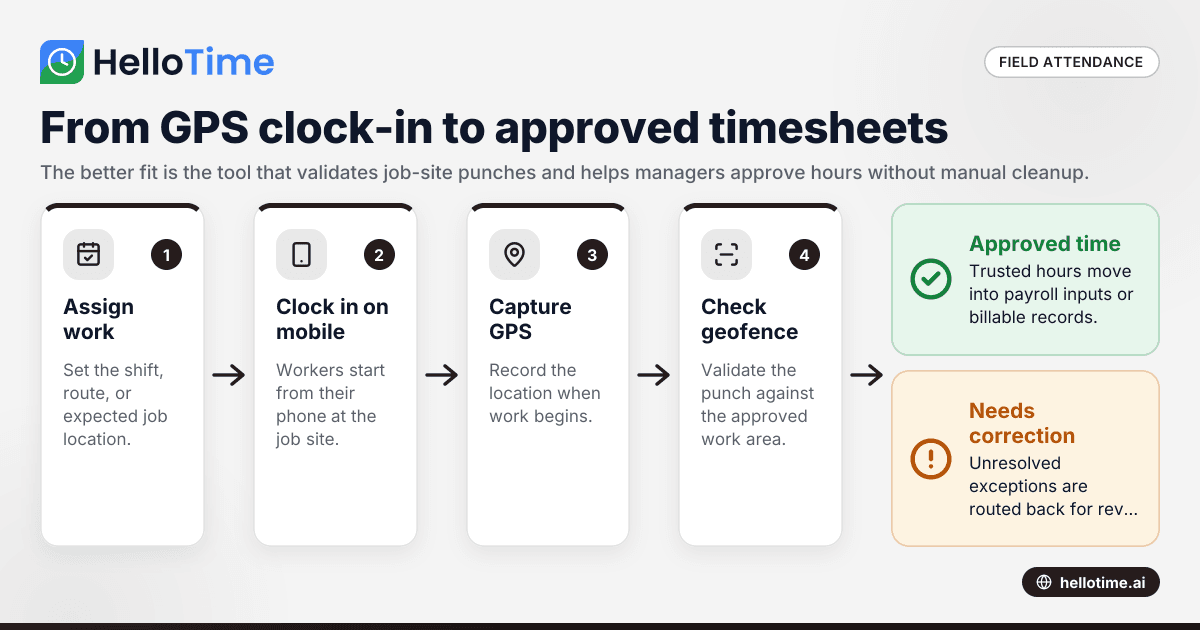
A strong field attendance process usually includes these steps:
- Assign the worker to a shift, route, or expected job location.
- Let the worker clock in from their phone at the start of the job.
- Capture GPS at clock-in.
- Check the punch against a geofence when location rules apply.
- Flag exceptions for review.
- Send the timesheet to the right manager for approval.
This flow is practical because it mirrors how field operations already work. The software should support the day, not force the team into awkward workarounds.
If you are researching ai hellotime vs comparison content, focus on this workflow. The better product is the one that makes attendance cleaner before payroll week, not the one that creates more exception handling.
Is timesheet approval just an admin step, or does it really matter?
It really matters because approvals are where raw attendance becomes usable payroll and billing data. If approvals are slow or unclear, errors move downstream and become harder to fix.
Many businesses underestimate the cost of weak approvals. A technician may have all punches recorded, but the timesheet can still be wrong if a missed break, incorrect job code, or unauthorized extra hour is never reviewed. Approval is the checkpoint that turns captured time into trusted time.
For field service teams in the United States, this is especially important when billing customers by labor hours. Even if your payroll process is separate, approved time is still the basis for labor costing, job profitability review, and customer invoicing. If the approval process is messy, billing gets messy too.
What good timesheet approval looks like
A useful approval flow should be simple enough that supervisors actually use it. At minimum, managers should be able to:
- Review daily or weekly hours
- See location-backed clock-ins
- Catch missed punches
- Adjust records with a clear trail
- Approve or reject timesheets quickly
- Route unresolved exceptions back for correction
This helps both operations and finance. Approved hours are easier to trust. And trusted hours reduce disputes later.
HelloTime fits this need well because timesheets are built automatically from recorded time, then moved through approval. That removes much of the manual consolidation that spreadsheet-based teams still do every week.
Why this matters for payroll and billing accuracy
In the United States, timekeeping and pay practices can carry wage and hour risk. Rules differ by situation, and this article is general information, not legal or tax advice. The main operational point is clear: better records and approvals reduce confusion.
A field service company with billable technicians needs one version of the truth. If payroll uses one set of hours and invoicing uses another, trust breaks down fast. HelloTime helps by keeping attendance and timesheets in one place, with approvals before those records are used downstream.
That is useful for service businesses that already rely on tools like QuickBooks and Stripe in the rest of the finance stack. Even without promising any specific integration beyond what is publicly named, the basic workflow still matters: cleaner approved time means less rework in accounting.
Comparing HelloTime and Adapt for day-to-day field use
When buyers compare attendance systems, they often think in terms of features. But field teams feel the difference in daily behavior. Does the app make clock-in easy? Can managers see what needs attention fast? Can the office close the week without chasing every exception?
On those practical questions, HelloTime has an advantage because it combines attendance controls with broader workforce management tools. This matters when your attendance issues are tied to scheduling, leave, shift coverage, or project hours.
1. Mobile attendance in the field
HelloTime is designed for teams that do not start the day in one office. Employees can clock in from the field, and managers can review those records with location context. For mobile teams, that is much more useful than a system built mainly around fixed-site attendance.
2. Geofence control for changing job sites
Field service often means temporary work locations. One day a crew is at a warehouse. The next day they are at a customer property across town. HelloTime’s geofenced attendance is better suited to this kind of moving work because it supports location-aware rules rather than just raw punch capture.
3. Timesheet building and approval
Automatic timesheet building saves admin time every pay period. HelloTime turns recorded attendance into timesheets that managers can review and approve. This is especially useful for businesses that still collect hours through calls, texts, or handwritten logs.
4. Broader workforce management
Attendance rarely stands alone. A manager may need to check a shift roster, confirm approved leave, and review who actually showed up. HelloTime covers time tracking, scheduling, attendance, leave, and approvals in one platform. That makes it more practical for growing service businesses than a narrower tool.
What should you check before choosing between HelloTime and Adapt?
Check whether the product matches your actual attendance workflow, not just your buying checklist. For field service teams, the best tool is the one employees use correctly in the field and managers can approve quickly at week’s end.
Use a short evaluation process:
- Map your current clock-in process.
- List your problem cases, such as off-site punches or missed clock-outs.
- Test mobile clock-in on a real job site.
- Test geofences at one office and one customer location.
- Run one full approval cycle with a supervisor.
- Review how easily the office can finalize weekly hours.
This kind of test reveals more than a demo does. It shows whether the software works when technicians are busy, sites are changing, and supervisors are short on time.
Questions to ask during your review
When comparing HelloTime vs Adapt United States options, ask:
- Can workers clock in reliably from the field?
- Can we enforce geofenced punches where needed?
- How are missed punches flagged?
- How long does manager approval take?
- Can we separate approved from unapproved time clearly?
- Will this still work when we add more crews or cities?
A company with 15 technicians today may have 40 next year. The attendance process should scale without adding a full-time admin burden.
When HelloTime is the better choice
HelloTime is the better choice when your attendance problems are operational, not just administrative. That means you are dealing with field crews, changing work sites, location disputes, slow supervisor approvals, or messy weekly timesheets.
It is also the better option when you want one system to support more than attendance. As your business grows, scheduling, leave, approvals, billable hours, and profitability reporting start to connect. Managing those in separate tools often creates more work, not less.
For many U.S. service businesses, that is the real advantage. HelloTime is not just a place to collect punches. It helps organize the chain from clock-in to approved time.
If you want a closer look at the product for American teams, see HelloTime in the US.
Frequently asked questions
Is HelloTime better than Adapt for small field service businesses in the United States?
For many small and mid-sized field service businesses, yes. HelloTime is especially strong when you need mobile attendance, GPS clock-ins, geofences, and a manager approval process that is easy to use every week.
Can geofencing stop every attendance issue?
No. Geofencing improves control, but it does not replace supervision or clear policies. It works best as part of a broader process that includes scheduling, exception review, and manager approvals.
Does HelloTime work only for field service teams?
No. It can also support office, retail, hospitality, construction, manufacturing, and mixed teams. But its GPS, geofenced clock-ins, and approval workflows make it a strong fit for mobile workforces.
Why does timesheet approval matter so much?
Approval is where attendance becomes trusted business data. It helps managers catch errors before hours are used for payroll prep, customer billing, or labor reporting.
Should I choose based only on GPS tracking?
No. GPS matters, but it is only one part of attendance control. You should also review geofences, timesheet approvals, scheduling, leave handling, and how quickly supervisors can close the week.
If you want to see how HelloTime handles attendance, scheduling, approvals, and field clock-ins, explore the features page or compare plans on pricing.
Read next
This article covers one part of a bigger topic. For the complete picture, read our guide to hellotime vs.
Keep reading
Related articles
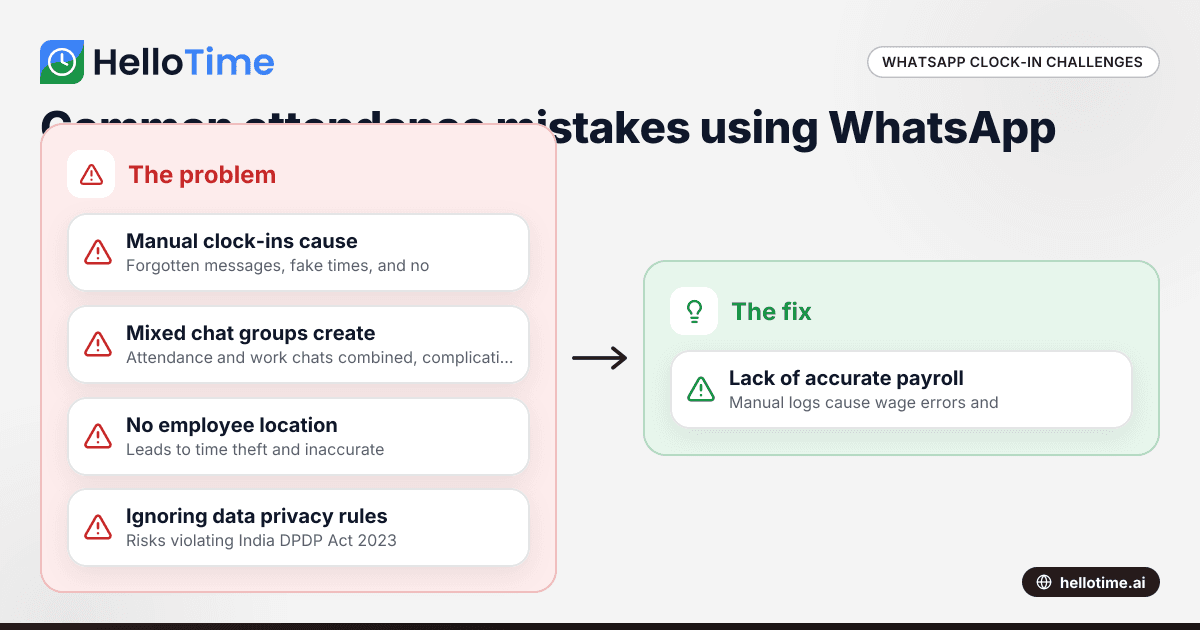
Using WhatsApp for Clock-In and Attendance Tracking in Indian Small Businesses
Using WhatsApp for Clock-In and Attendance Tracking in Indian Small Businesses The cost of managing attendance poorly can be high for small.
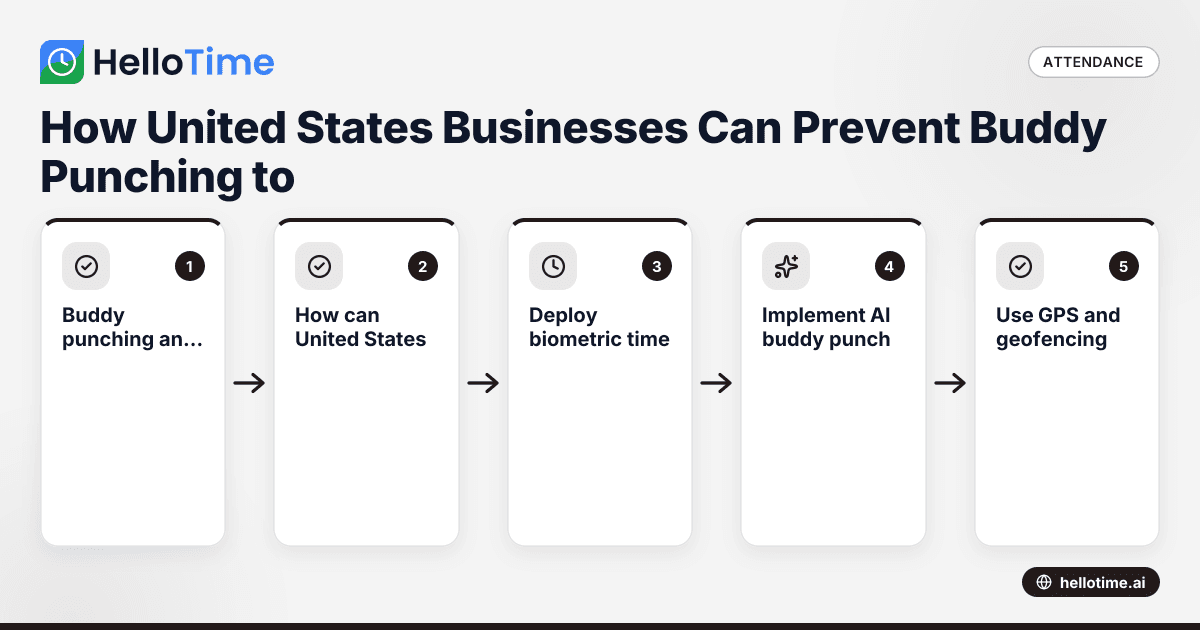
How United States Businesses Can Prevent Buddy Punching to Ensure Accurate Time Tracking
Buddy punching occurs when one employee clocks in or out for a coworker, undermining accurate time tracking and payroll. United States businesses can.
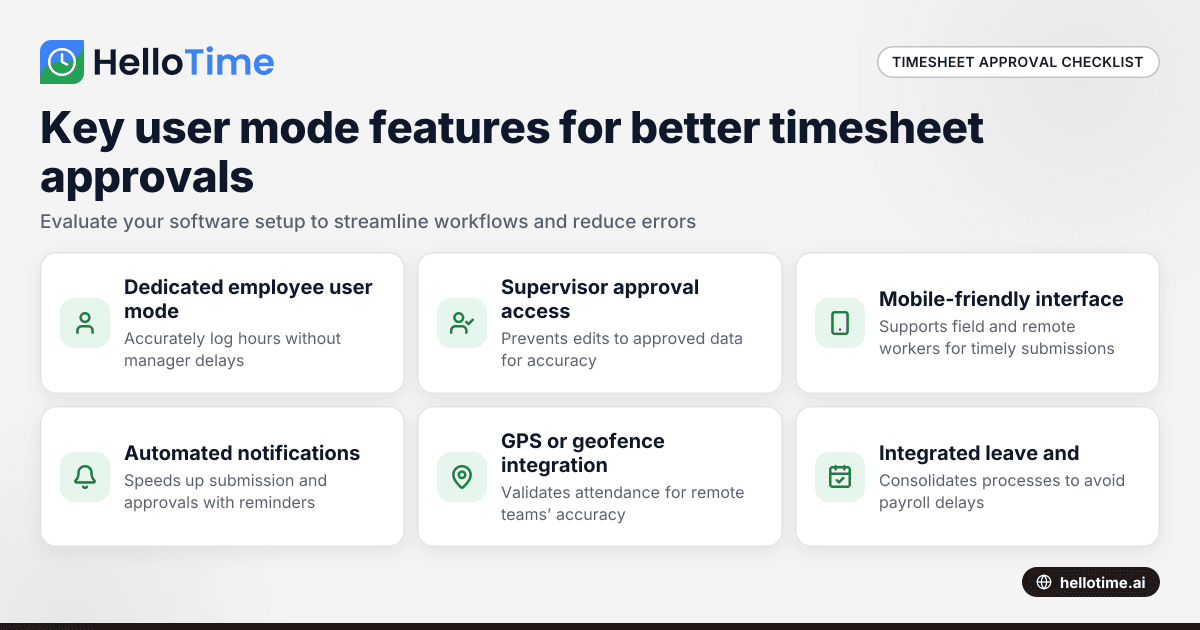
How User Mode Enhances Timesheet Approval Workflow for Indian Small Businesses
How User Mode Enhances Timesheet Approval Workflow for Indian Small Businesses.