HelloTime vs Excel Timesheets in the United States: Which Is Better for Faster Approvals, Cleaner Hours, and Less Payroll Rework?
If you are comparing HelloTime vs Excel timesheets in the United States, the short answer is this: Excel is flexible, but HelloTime is faster.
The HelloTime team
12 min read
On this page
If you are comparing HelloTime vs Excel timesheets in the United States, the short answer is this: Excel is flexible, but HelloTime is faster, cleaner, and easier to control once your team grows beyond a handful of people. Excel can still work for very small teams, but it usually creates slow approvals, manual corrections, and payroll rework that costs more than it first appears.
Key takeaways
- Excel timesheets are familiar, but they depend on manual entry, version control, and follow-up.
- HelloTime helps reduce missing hours, approval delays, and copy-paste payroll work.
- The biggest difference is not formatting. It is workflow, accountability, and auditability.
- Shift-based teams and billable-hours teams both outgrow spreadsheets once approvals start slipping.
- In the United States, cleaner time records matter for wage compliance, invoicing, and payroll accuracy.
- The best choice depends on team size, complexity, and how often managers fix timesheets by hand.
Why this comparison matters in the United States
For many businesses in the United States, Excel starts as the default timesheet system. It is already installed. Everyone knows the basics. A manager can make a weekly sheet in minutes.
But the problem is not creating the sheet. The problem is everything that happens after.
Someone forgets to enter hours. Another person edits the wrong cell. A supervisor approves an outdated version. Payroll gets totals that do not match schedules. Finance has to ask questions on Thursday afternoon. Then someone stays late fixing timesheets before payroll runs.
That is why the real comparison in hellotime vs excel timesheets is not “software vs spreadsheet.” It is structured workflow vs manual coordination.
For a small agency in Chicago, that might mean cleaner billable time and fewer invoice disputes. For a restaurant group in Houston, it might mean fewer attendance corrections before payroll. For a field service company in Detroit, it might mean less guessing about where and when employees clocked in.
This article gives general operational information for U.S. businesses, not legal or tax advice.
What is the real difference between HelloTime and Excel timesheets?
Excel is a blank grid for recording hours. HelloTime is a time tracking and workforce management system built to capture hours, route them for approval, and turn approved time into usable records.
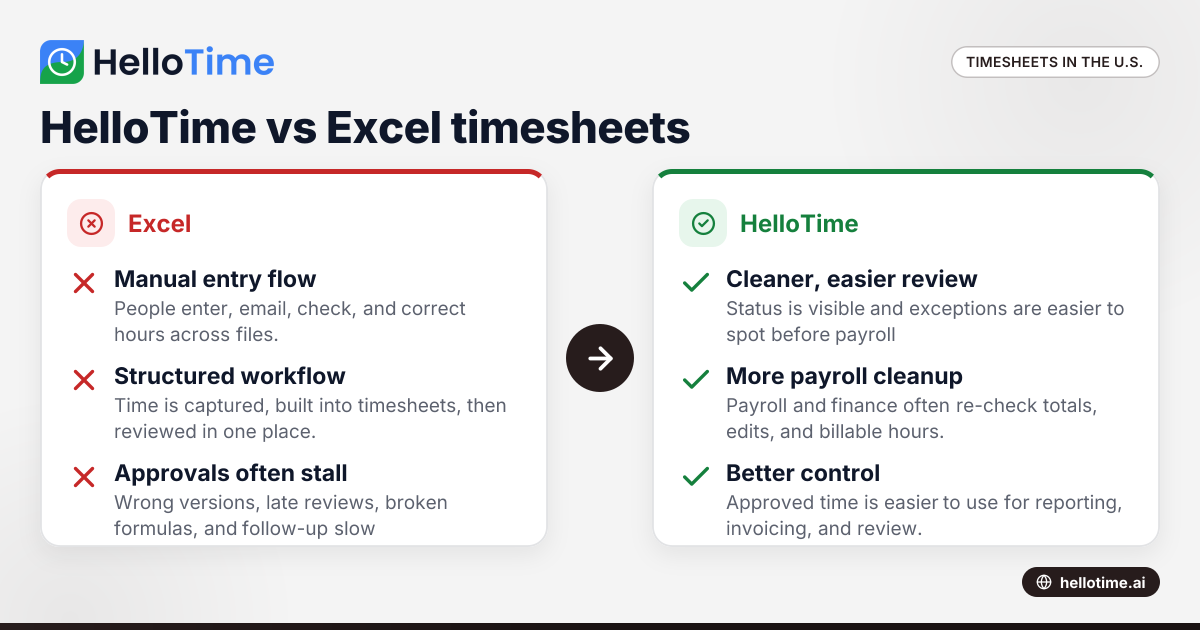
That difference shows up in daily work. Excel relies on people remembering, entering, emailing, checking, and correcting. HelloTime is designed to reduce those steps.
With Excel, most controls are manual:
- Employees type in start and end times
- Managers review cells and formulas
- HR checks for missing or odd entries
- Payroll re-enters or imports totals
- Finance may rebuild billable hours for invoices
With HelloTime, the workflow is more structured:
- Employees track time or clock in and out
- Timesheets are built automatically
- Managers review and approve in one place
- Teams can compare hours against schedules or attendance records
- Approved time is easier to use for invoicing and reporting
That is the core reason many teams move away from spreadsheets.
Which is better for faster approvals?
HelloTime is usually better for faster approvals because approvals happen inside the same workflow as time capture. Excel often slows down because entries, reviews, edits, and re-submissions happen across files, emails, and messages.
Approval speed matters because it affects everything downstream. If a supervisor approves one day late, payroll, invoicing, and project reporting all move with it.
Why Excel approvals often stall
Excel itself does not enforce a clean approval flow. You can create one, but someone still has to manage it.
Common delays include:
- Employees submit the wrong file version.
- Managers review sheets after the deadline.
- Formulas break when rows or columns change.
- Missing punches are fixed by message or phone, not inside the record.
- HR has to chase people for clarification.
These issues are common in both office teams and frontline teams. A design agency may wait for consultants to finish Friday entries. A retail chain may wait for store managers to confirm missed clock-ins from weekend shifts.
How HelloTime helps speed approvals
HelloTime is designed to keep the timesheet process moving. Instead of depending on emailed spreadsheets, managers can review time in a central system. That cuts down on hunting for attachments and reconciling different versions.
Speed usually improves because:
- Hours are collected continuously, not only at week end
- Timesheets are auto-built from tracked time
- Approval status is visible
- Managers can review by person, team, or period
- Exceptions are easier to spot before payroll day
For teams asking “ai hellotime vs spreadsheets for approvals,” the useful lens is simple: the faster system is the one with fewer manual handoffs.
Which is better for cleaner hours?
HelloTime is usually better for cleaner hours because it reduces free-form entry and gives managers more context for review. Excel can look neat on the screen while still containing errors, missing data, or inconsistent formatting.
“Cleaner hours” means more than tidy rows. It means records that are easier to trust.
What dirty timesheet data looks like in Excel
In many businesses, Excel timesheets become unreliable in small ways that add up:
- Rounded times that do not match reality
- Blank fields filled in later from memory
- Different formats across teams
- Duplicate rows
- Formula changes that alter totals
- Notes stored outside the sheet in email or text threads
A spreadsheet can still total correctly while the underlying entries are weak. That is a problem when payroll, client billing, or project profitability depends on accurate time.
How HelloTime improves data quality
HelloTime helps teams capture time closer to when work happens. That alone improves accuracy. It also gives businesses more structure around attendance and shift records.
Depending on how you use it, cleaner hours can come from features such as:
- One-click time tracking
- Auto-built timesheets
- Shift scheduling and rosters
- Leave management
- GPS and geofenced clock-in
- Tablet kiosk attendance with face recognition
For example, a construction subcontractor may want location-based clock-ins for site attendance. A hospitality group may prefer kiosk attendance at each venue. A consulting firm may care more about billable hours tied to projects.
Excel can store all of that after the fact. HelloTime helps capture it at the source.
Is Excel still good enough for a small business?
Yes, sometimes. Excel can still be good enough for a very small business with a stable schedule, low headcount, and one person who carefully reviews every sheet.
If your team has five people, one location, fixed hours, and no complex approvals, Excel may be workable for now. The cost of change may feel bigger than the pain of manual admin.
But “good enough” often ends sooner than owners expect. A business may outgrow Excel when it adds:
- More managers
- Multiple locations
- Shift changes
- Time-off tracking
- Billable project work
- Frequent payroll corrections
- Attendance disputes
- Client invoice support needs
The break point is usually operational, not technical. Once one person spends several hours each pay period cleaning data, spreadsheets stop being the simple option.
Signs your team has outgrown Excel timesheets
Look for these warning signs:
- Managers approve hours by email or text.
- Employees submit timesheets late every week.
- Payroll regularly asks for corrections.
- Teams debate which file is current.
- Missed breaks, attendance gaps, or leave days are tracked somewhere else.
- Billable hours need manual cleanup before invoicing.
- You cannot quickly explain who changed a time entry and why.
When those issues become normal, the spreadsheet is no longer saving time.
What does HelloTime change day to day?
HelloTime replaces scattered time entry and spreadsheet follow-up with a more direct workflow. Employees record time, managers review exceptions, and approved hours become easier to use across operations.
Day to day, that can mean fewer reminders, fewer edits, and less end-of-period scrambling.
For HR and operations managers
HR and operations teams often carry the hidden burden of spreadsheet timesheets. They send reminders. They verify leave. They reconcile attendance with schedules. They clean up records before payroll.
HelloTime can reduce that admin load by bringing time, attendance, leave, and schedules into one system. That does not remove oversight. It simply gives oversight a better starting point.
For finance and payroll teams
Payroll rework is one of the clearest differences in hellotime vs excel timesheets.
With Excel, payroll teams often receive totals that still need checking. They may need to confirm overtime assumptions, missed entries, leave days, or duplicate rows. If the company invoices clients from timesheets, finance may also need to separate billable and non-billable time.
HelloTime helps by making approved time easier to review and use. It can also support invoicing from billable hours and project profitability reporting. That is especially helpful for agencies and service teams that need cleaner records before they bill clients.
Important note: HelloTime does not currently offer live payroll for the United States. If your business wants to see the product’s availability by region, you can review HelloTime in the US.
For frontline supervisors
Supervisors usually care about one thing first: did people work the hours they were supposed to work?
Excel is weak here because it mainly captures reported hours. HelloTime adds more operational context. Supervisors can compare schedules, attendance, leave, and actual hours more easily than they can in a spreadsheet workflow.
That matters in restaurants, retail stores, warehouses, manufacturing plants, and field teams where timekeeping is tied to staffing coverage.
Where Excel still wins
Excel is not useless. It still has real strengths.
Excel is flexible
You can build almost any layout. If your process is unusual, a spreadsheet can mirror it quickly. That is attractive for small teams with simple needs.
Excel feels cheap
Many companies already have it. That makes the upfront decision easy. But low upfront cost is not the same as low operating cost. Manual approvals and payroll cleanup create hidden labor costs.
Excel can work for temporary or backup use
Some teams keep spreadsheets as a temporary fallback during a process change. That can be sensible. The issue is relying on spreadsheets as the permanent system when complexity keeps growing.
Where HelloTime usually wins
HelloTime usually wins when the business needs consistency, speed, and control across multiple people or locations.
Better workflow control
A purpose-built system creates a defined path from time capture to approval. That is hard to maintain in Excel without a lot of manual policing.
Better audit trail
Managers often need to understand changes, exceptions, and approvals later. Spreadsheets make that harder, especially when files move through email.
Better fit for mixed workforce needs
Many U.S. businesses have both office staff and hourly teams. HelloTime can support billable time tracking, schedules, leave, attendance, and location-based clock-ins in one environment.
Better reporting value
Spreadsheets can calculate totals. HelloTime is more useful when you want visibility into project profitability, billable hours, attendance trends, or manager approval delays.
If you are researching ai hellotime vs spreadsheet tools, this is where software usually separates itself. The value is not just recording hours. It is turning approved time into something the business can act on.
How should a U.S. business decide between HelloTime and Excel?
Start with process pain, not preference. The right choice depends on how much manual work your current system creates and how costly those mistakes are.
A simple decision framework
Ask these five questions:
- How many people submit time each pay period?
- How many managers approve that time?
- How often does payroll correct or return records?
- Do you need location, shift, leave, or billable project context?
- Can you clearly trace approvals and edits?
If most answers point to complexity, Excel is likely creating more risk than convenience.
Good fit for Excel
Excel may still fit if:
- You have a very small team
- Hours are simple and stable
- One person reviews everything carefully
- Payroll corrections are rare
- You do not need scheduling, leave, or attendance controls
Good fit for HelloTime
HelloTime is likely the better fit if:
- Your team is growing
- Approvals are slow
- Missing or edited hours are common
- You run shifts or multiple locations
- You invoice from billable hours
- You want less payroll rework
- You need stronger visibility across time, leave, and attendance
If that sounds familiar, explore the product features to see whether the workflow matches your operation.
A practical bottom line
For most growing businesses in the United States, HelloTime is the better long-term choice. Excel can capture hours, but it does not manage the process around those hours very well. As complexity rises, manual approvals, unclear edits, and payroll cleanup become recurring overhead.
That is the real answer to hellotime vs excel timesheets. Excel is a tool for recording time. HelloTime is a system for running timekeeping with fewer gaps between employees, managers, HR, payroll, and finance.
If your current process depends on reminders, emailed files, and last-minute fixes, the spreadsheet is probably costing more than it seems. If you are still evaluating, you can explore HelloTime’s pricing and compare that against the time your team now spends chasing, checking, and correcting timesheets.
Frequently asked questions
Is HelloTime better than Excel for payroll preparation?
Usually, yes. HelloTime helps produce cleaner approved time records, which can reduce manual checking before payroll. Excel often requires extra review because entries, formulas, and file versions can change more easily.
Can Excel timesheets still work for hourly employees?
Yes, but mostly in very small and simple operations. Once you add shift changes, missed punches, multiple supervisors, or attendance disputes, Excel becomes harder to manage reliably.
Does HelloTime support billable hours and invoicing?
Yes. HelloTime supports invoicing from billable hours and project profitability reporting. That is useful for agencies and professional-services teams that need approved time to flow into client billing.
Is HelloTime only for office teams?
No. HelloTime is relevant for office teams and shift-based teams. It supports one-click time tracking, scheduling, leave management, GPS and geofenced clock-in, and tablet kiosk attendance with face recognition.
Should a business switch from Excel all at once?
Not always. Some teams move in phases, starting with one department or one location. A phased rollout can make sense if your current spreadsheet process is deeply embedded or if you want managers to adjust gradually.
If you want to see how HelloTime could replace spreadsheet timesheets in your workflow, explore the product’s features or compare options on pricing.
Read next
This article covers one part of a bigger topic. For the complete picture, read our guide to hellotime vs.
Keep reading
Related articles
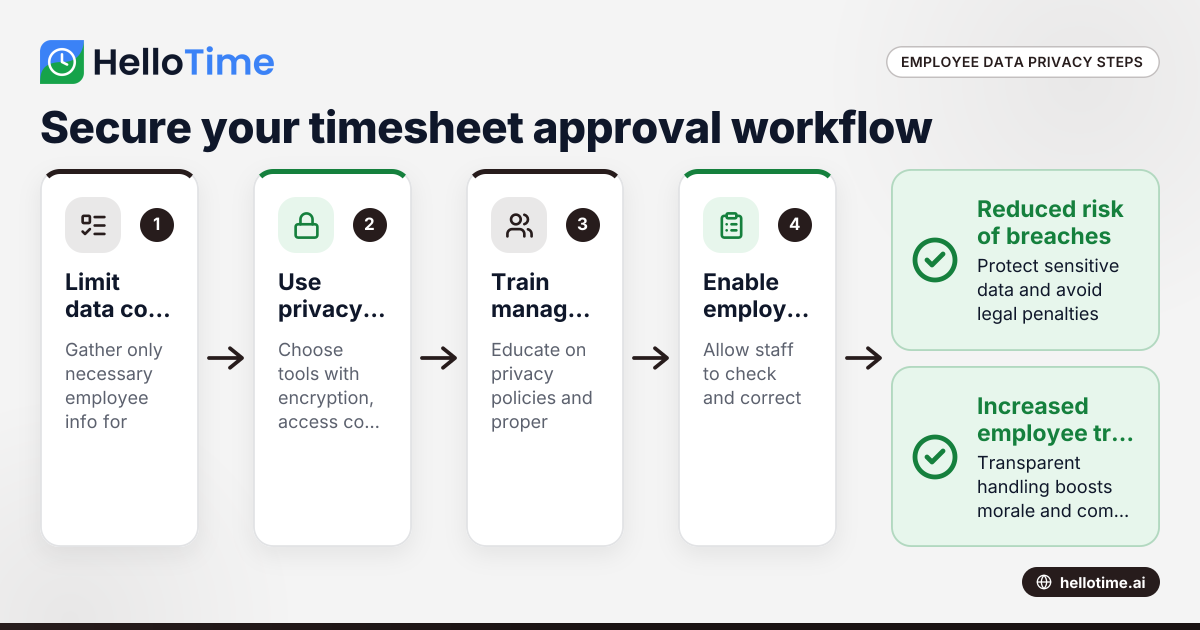
Navigating Employee Data Privacy Under United States Laws in Timesheet Approval Workflows
Navigating employee data privacy in timesheet approval workflows requires careful attention to US laws, as well as awareness of international.
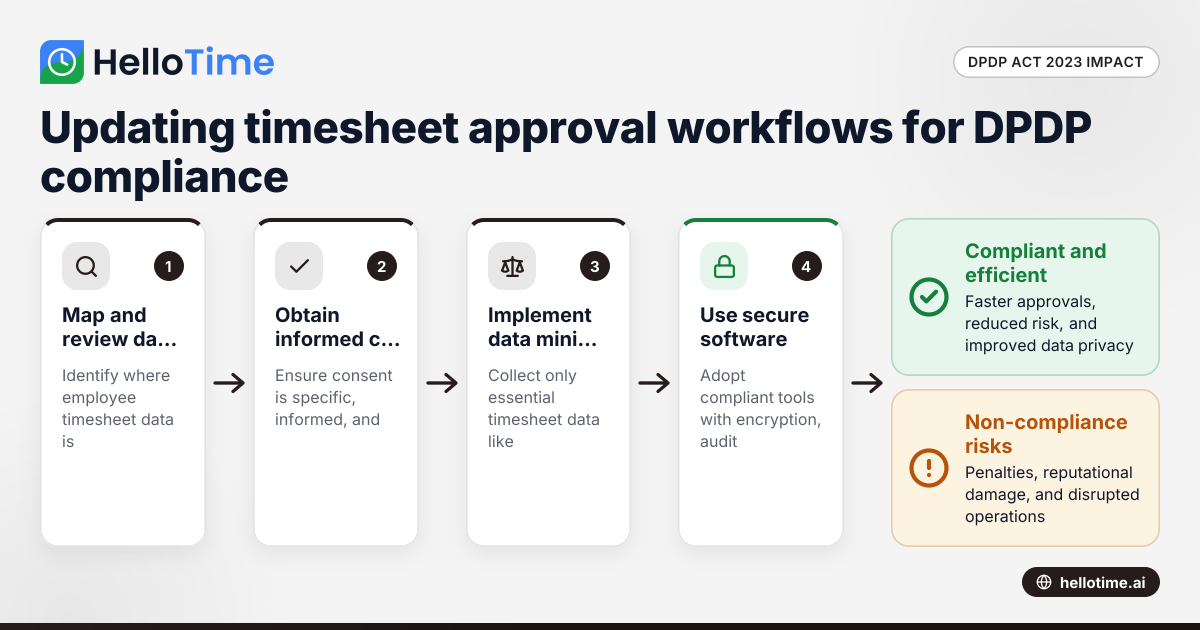
How the DPDP Act 2023 Affects Timesheet Approval Workflow for Manufacturers in Maharashtra, India
How the DPDP Act 2023 Affects Timesheet Approval Workflow for Manufacturers in Maharashtra, India The Digital Personal Data Protection (DPDP) Act 2023
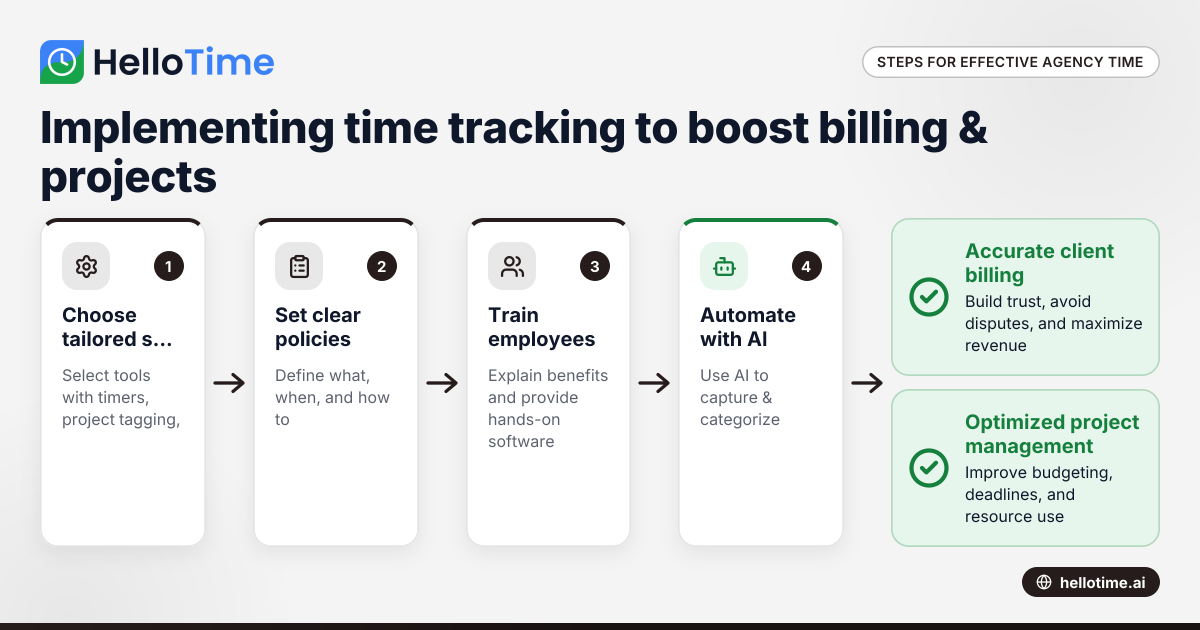
Effective Time Tracking Strategies for United States Agencies to Enhance Client Billing and Project Management
Effective time tracking is essential for agencies in the United States to improve client billing accuracy and optimize project management. With.