HelloTime vs QuickBooks Time in the United States: Which Is Better for Small Business Time Tracking, Scheduling, and Attendance?
If you are comparing HelloTime vs QuickBooks Time in the United States, the better fit depends on how your team works day to day. HelloTime is.
The HelloTime team
12 min read
On this page
If you are comparing HelloTime vs QuickBooks Time in the United States, the better fit depends on how your team works day to day. HelloTime is stronger when you need one place for time tracking, shift scheduling, leave, attendance, approvals, invoicing, and project profitability, while QuickBooks Time is often considered by businesses already centered on the QuickBooks ecosystem.
Key takeaways
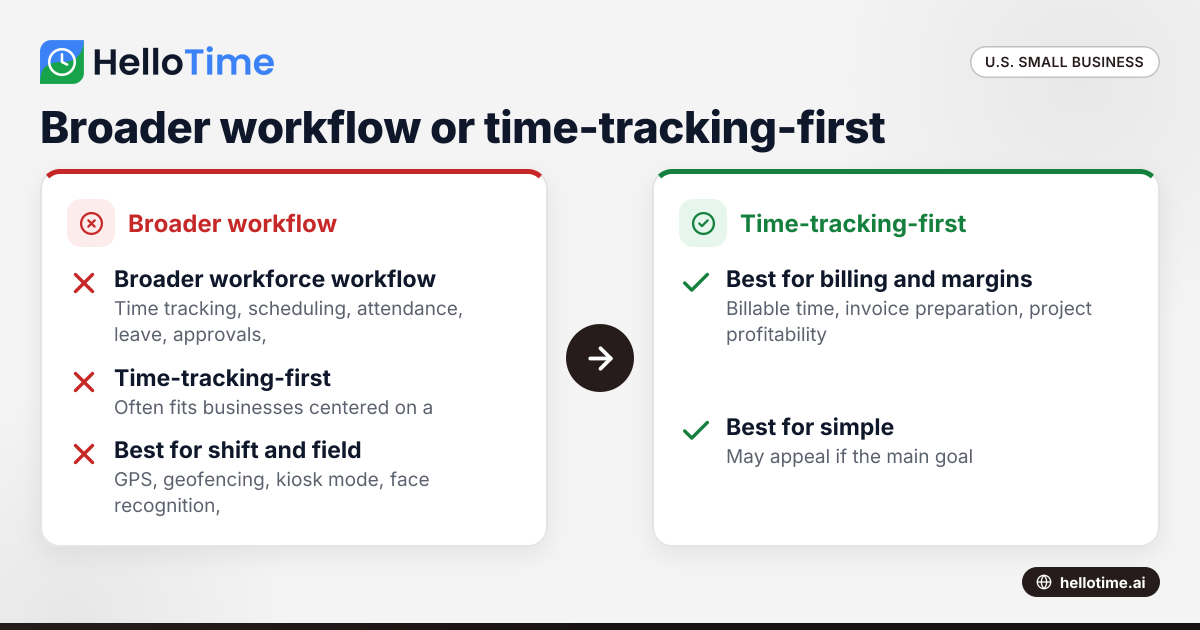
- HelloTime vs QuickBooks Time is really a choice between a broader workforce workflow and a time-tracking-first tool.
- Small businesses with shift work, field staff, or tablet-based attendance often need more than simple clock-in and timesheets.
- Agencies and professional services teams may benefit from built-in billable hours, invoicing workflows, and profitability visibility.
- Attendance controls like GPS, geofencing, kiosk mode, and face recognition matter when buddy punching or location fraud is a concern.
- Your best choice should match your payroll process, approval flow, scheduling needs, and reporting habits today, not just your accounting stack.
Why compare HelloTime vs QuickBooks Time in the United States?
Small businesses in the United States often start with a simple goal. They want accurate hours. Then the real needs show up.
Managers need schedules. Employees request leave. Supervisors approve timesheets. Owners want to invoice clients faster. Operations teams need to know who showed up, where they clocked in, and whether labor is profitable.
That is why the search for hellotime vs quickbooks time matters. This is not just a software comparison. It is a workflow decision.
For a Chicago agency, time tracking may be tied to billable work and client invoicing. For a Houston field service company, the real pain may be GPS-verified attendance. For a Detroit manufacturer, shift coverage and kiosk attendance may matter more than accounting syncs.
The right tool is the one that reduces admin work while improving accuracy. That means looking beyond timer buttons and weekly timesheets.
Which is better for small business time tracking?
HelloTime is better for small businesses that want time tracking plus scheduling, attendance, leave, approvals, and billing workflows in one system. QuickBooks Time may fit businesses that mainly want time capture inside a QuickBooks-centered process.
Time tracking sounds simple, but small business reality is messy. Employees forget to clock in. Managers chase approvals. Hours need edits. Billable and non-billable work must be separated. Some teams work at desks. Others move between job sites.
A useful evaluation should cover these questions:
- How easy is it for employees to clock in?
- How fast can managers review and approve hours?
- Can you handle both office staff and frontline workers?
- Does the system support scheduling and leave?
- Can approved hours move into invoicing or reporting?
- Will the tool still fit as your headcount grows?
This is where HelloTime often stands out for small businesses that have already outgrown spreadsheets or paper.
What is the biggest difference between HelloTime and QuickBooks Time?
HelloTime aims to run more of your workforce workflow in one place, including scheduling, attendance, leave, billable time, invoicing, and profitability. QuickBooks Time is commonly evaluated first for time tracking, especially by businesses already using QuickBooks.
That short answer matters because many buyers compare tools as if they solve the same problem. They overlap, but the decision usually comes down to scope.
If your business only needs employees to start and stop a timer, either option may seem close at first. But once you need schedule publishing, shift assignments, location-aware clock-ins, kiosk attendance, leave balances, or invoice-ready billable hours, the gap becomes more important.
In practice, small businesses rarely stay with basic time tracking for long. Growth adds complexity. A team of six can manage exceptions by email. A team of thirty cannot.
Where HelloTime fits best
HelloTime is often a strong fit for businesses that need multiple workforce functions without stitching together several tools. That includes:
- agencies and studios billing by the hour
- consulting and professional services teams
- retail and hospitality businesses with shifts
- field service companies with on-site clock-ins
- construction and trade businesses tracking crew attendance
- manufacturing teams using shared devices at entry points
For these teams, one-click tracking is only part of the job. The rest is making sure the hours are accurate, approved, and usable.
Where QuickBooks Time may still appeal
QuickBooks Time may appeal if your main goal is to capture hours within a QuickBooks-driven back office process. That can be attractive to small businesses that are already committed to QuickBooks and do not need broader attendance or scheduling controls right away.
Still, it is worth checking whether the tool handles your actual day-to-day process, not just your accounting preference.
Time tracking: what small businesses should actually compare
A proper comparison should focus on the moments that create admin work. Here are the areas that matter most.
1. Clock-in simplicity
Employees use time tracking only if it is easy. If clock-in takes too many taps, people delay it or skip it.
HelloTime focuses on one-click time tracking. That matters for busy teams that move quickly between tasks, shifts, or job sites.
2. Timesheet building
Manual timesheets create mistakes. They also consume manager time every pay period.
Auto-built timesheets reduce cleanup work. Managers can spend less time assembling records and more time reviewing exceptions.
3. Approvals
Approvals are where many systems slow down. A good process should let supervisors review quickly, approve confidently, and fix issues without back-and-forth messages.
4. Billable versus non-billable time
For service businesses, this distinction affects revenue. If your team bills clients by the hour, you need accurate project time and easy invoice preparation.
5. Mobile and field use
Desk-based teams and field teams do not behave the same way. A contractor crew in Houston needs a very different experience than an accounting team in an office.
That is why buyers often search broad phrases like ai hellotime vs when they want a fast summary, but the real answer still depends on the work environment.
Scheduling and rosters: where many comparisons miss the real issue
Time tracking alone does not tell you who was supposed to work. Scheduling does.
This is one of the biggest practical differences in a real small business operation. If an employee clocks in late, managers need to compare actual attendance with the published shift. If someone calls out, supervisors need a roster view to fill coverage quickly.
HelloTime includes shift scheduling and rosters. That can remove the need for separate scheduling spreadsheets or group text chains.
Why scheduling matters beyond attendance
Scheduling affects:
- labor planning
- overtime risk
- coverage gaps
- manager communication
- employee accountability
- customer service levels
For example, a restaurant group in Chicago might not care only about hours worked. It also cares whether the opening shift was fully staffed at 6:00 a.m. A manufacturer in Detroit may need to confirm who was assigned to line coverage before overtime starts. A field service company may need to assign crews by job location and date.
A time tracker without scheduling can still record hours. But it may not help you prevent staffing problems.
How important are GPS, geofencing, and kiosk attendance?
They matter a lot if employees work on site, move between locations, or share devices. For office-only teams, they may be less important than approvals and billable reporting.
GPS and geofenced clock-in
Location-aware attendance is useful when employees should only clock in at approved places. That is common in field service, construction, retail, and multi-site operations.
GPS and geofencing help answer practical questions:
- Did the employee clock in at the job site?
- Was the clock-in outside the approved area?
- Are managers spending time investigating disputed attendance?
These controls are not just about trust. They reduce preventable disputes.
Tablet kiosk attendance with face recognition
Shared-device attendance can be valuable for shift businesses. A kiosk at the entrance or break room gives employees a consistent way to check in.
Face recognition can help reduce buddy punching. That is especially useful where many workers begin shifts at the same location and where personal device use is inconsistent.
If your workforce is mostly hourly and location-based, this may matter more than deeper accounting connections.
Leave management and approvals: the hidden admin cost
Leave management often lives outside time tracking. That creates problems fast.
Employees submit leave by email or text. Managers approve it in chat. HR updates a spreadsheet later. Then payroll or attendance teams try to reconcile what really happened. Errors become almost inevitable.
HelloTime includes leave management alongside attendance and scheduling. That means approved time off can be part of the same operating workflow.
Why this matters in the United States
Small businesses in the United States often deal with a mix of company policy, state rules, local requirements, and manager discretion. Those rules vary, and they change. This article is general information, not legal or tax advice.
Even if your policy is simple, leave still affects scheduling and timesheets. A disconnected process creates avoidable confusion.
A better setup helps managers answer basic questions quickly:
- Was this absence approved?
- Was the employee scheduled that day?
- Should the time be unpaid, paid, or excluded from attendance exceptions?
- Does the team need replacement coverage?
Invoicing and profitability: a major reason service businesses switch
For billable teams, time tracking should not stop at payroll prep. It should support revenue.
HelloTime includes invoicing from billable hours and project profitability reporting. That is especially useful for agencies, consultancies, design firms, and other service businesses that need clean client billing.
Why billable teams should care
If your team logs time but finance still rebuilds invoices manually, your process is leaking margin.
A better workflow looks like this:
- Employees track time to projects or clients.
- Managers review and approve hours.
- Billable hours feed invoicing.
- Owners review profitability by project.
This is where broader workforce software becomes operational software. It helps you answer questions such as:
- Which clients are over-consuming time?
- Which projects are profitable?
- Which teams are underutilized?
- Are write-offs happening because time was entered late?
For a small agency, that may be more valuable than a narrow time-tracking feature list.
What should agencies, field teams, and shift businesses choose?
Agencies often need billable hours, approvals, invoicing, and profitability. Field and shift businesses often need scheduling, GPS controls, kiosk attendance, and leave management. The best choice is the one that matches your daily operations, not just your accounting setup.
For agencies and professional services
Choose based on:
- billable time capture
- client or project tagging
- invoice preparation
- approval workflow
- profitability reporting
If your team sells hours, tracked time must connect to revenue.
For retail, hospitality, and manufacturing
Choose based on:
- shift scheduling
- attendance visibility
- kiosk use
- late and missed clock-ins
- leave and replacement coverage
If your team works shifts, the schedule is as important as the timesheet.
For field service and construction
Choose based on:
- mobile clock-in
- GPS and geofencing
- crew attendance
- site-based tracking
- supervisor approvals
If your team moves between locations, location-aware attendance matters.
How to decide between HelloTime and QuickBooks Time
The fastest way to choose is to map your current process, then test each system against it.
A simple 5-step evaluation
List your real workflows. Write down how time, shifts, leave, approvals, and invoicing happen today.
Identify your biggest admin pain. Is it missed clock-ins, schedule confusion, delayed approvals, billing delays, or attendance disputes?
Check frontline usability. Ask whether employees can use the system with minimal training.
Review manager workload. Focus on timesheet review, exception handling, and schedule changes.
Look one year ahead. Choose the system that still works if your team doubles.
Questions to ask during a demo
Use practical questions, not generic ones:
- Can a manager approve timesheets in minutes, not hours?
- Can employees clock in from a phone and a shared kiosk?
- Can I tie time to jobs, projects, or clients?
- Can I publish schedules and manage leave in one place?
- Can I see attendance exceptions quickly?
- Can approved billable hours support invoicing?
- Can I track profitability by project?
These questions usually reveal whether you need a broader operations tool or a narrower time-tracking tool.
Bottom line on HelloTime vs QuickBooks Time
For many small businesses in the United States, HelloTime will be the better choice when time tracking is only one part of a larger workforce process. That is especially true if you need scheduling, attendance controls, leave, approvals, billable workflows, and profitability reporting together.
QuickBooks Time may still make sense for businesses that want a more accounting-centered time tracking setup and do not need those broader workforce features yet. But if your current system includes spreadsheets, texts, paper sheets, or multiple disconnected tools, it is smart to evaluate whether a broader platform will save more time overall.
If you want to see how HelloTime supports time tracking, scheduling, attendance, and billable workflows for U.S. teams, explore the features page or learn more about HelloTime in the US. You can also compare plans on the pricing page.
Frequently asked questions
Is HelloTime a replacement for QuickBooks Time?
It can be, depending on your needs. If you need time tracking plus scheduling, attendance, leave, approvals, and billing-related workflows, HelloTime may cover more of your operation in one place.
Is HelloTime better for hourly employees?
It can be, especially for hourly teams that work shifts or on site. Features like scheduling, GPS and geofenced clock-in, kiosk attendance, and approvals are often more important for hourly teams than simple timer entry alone.
Is QuickBooks Time better if I already use QuickBooks?
It may feel like the obvious first option if your finance process is built around QuickBooks. But you should still compare it against your scheduling, attendance, leave, and manager approval needs before deciding.
Can HelloTime help service businesses that bill clients by the hour?
Yes. HelloTime supports billable hours, invoicing from billable time, and project profitability reporting. That can help agencies and other service businesses reduce manual billing work and see margins more clearly.
Does HelloTime include payroll in the United States?
No live U.S. payroll is described as available. If payroll matters in your evaluation, focus on time capture, approvals, attendance, scheduling, and how approved hours fit into your current payroll process.
What is the best way to compare HelloTime vs QuickBooks Time?
Run the comparison against your real workflow. Look at how each tool handles clock-ins, timesheets, approvals, scheduling, leave, attendance controls, and billable reporting, then choose the one that removes the most manual work.
Read next
This article covers one part of a bigger topic. For the complete picture, read our guide to hellotime vs.
Keep reading
Related articles
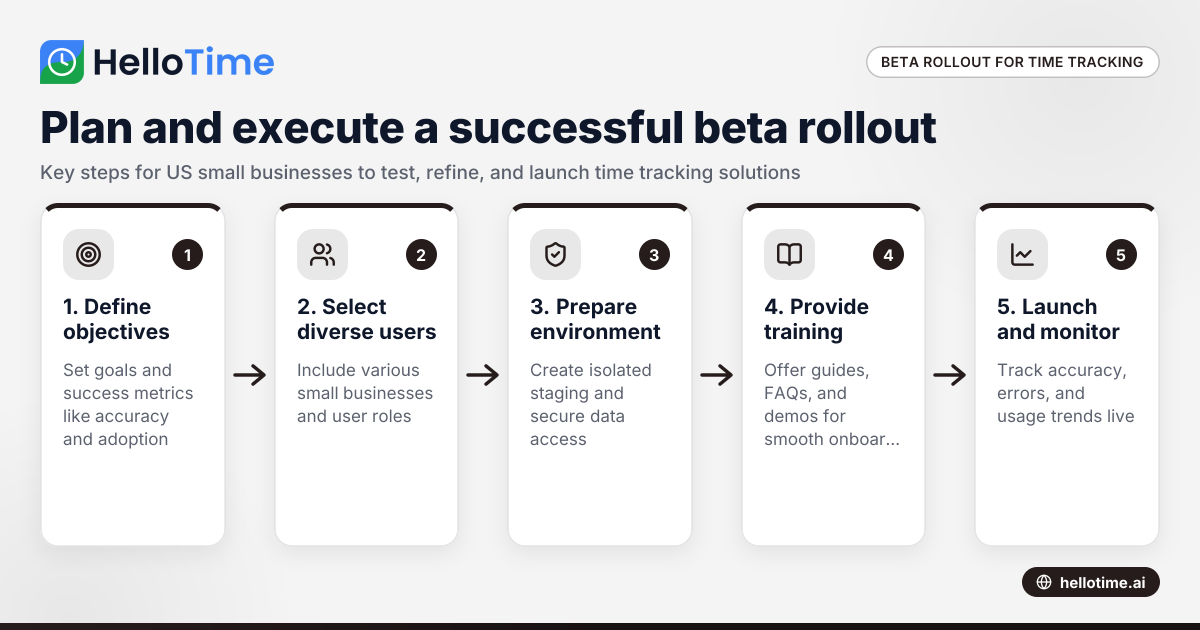
How to Plan and Execute a Successful Beta Production Rollout for Time Tracking Software in United States Small Businesses
Launching a beta production rollout means releasing your time tracking software to a limited group of real users in live conditions before full.
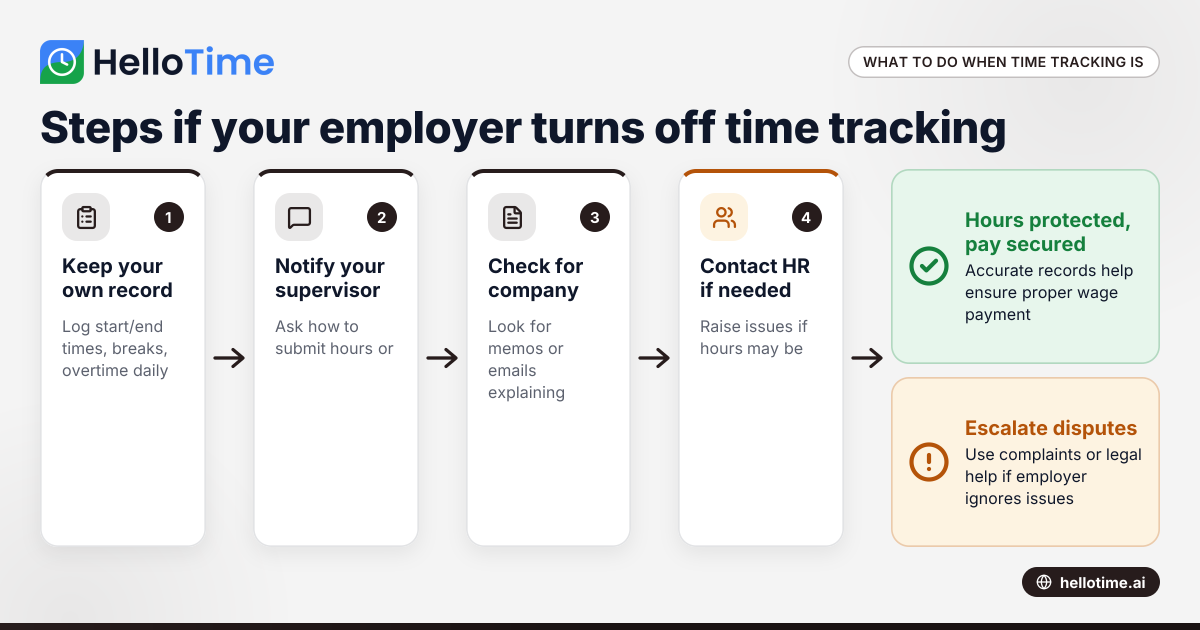
What to Do When an Employer Has Turned Off Your Time Tracking in the United States
When an employer has turned off time tracking, employees lose a key method to log their hours accurately. This can disrupt payroll, affect wage.
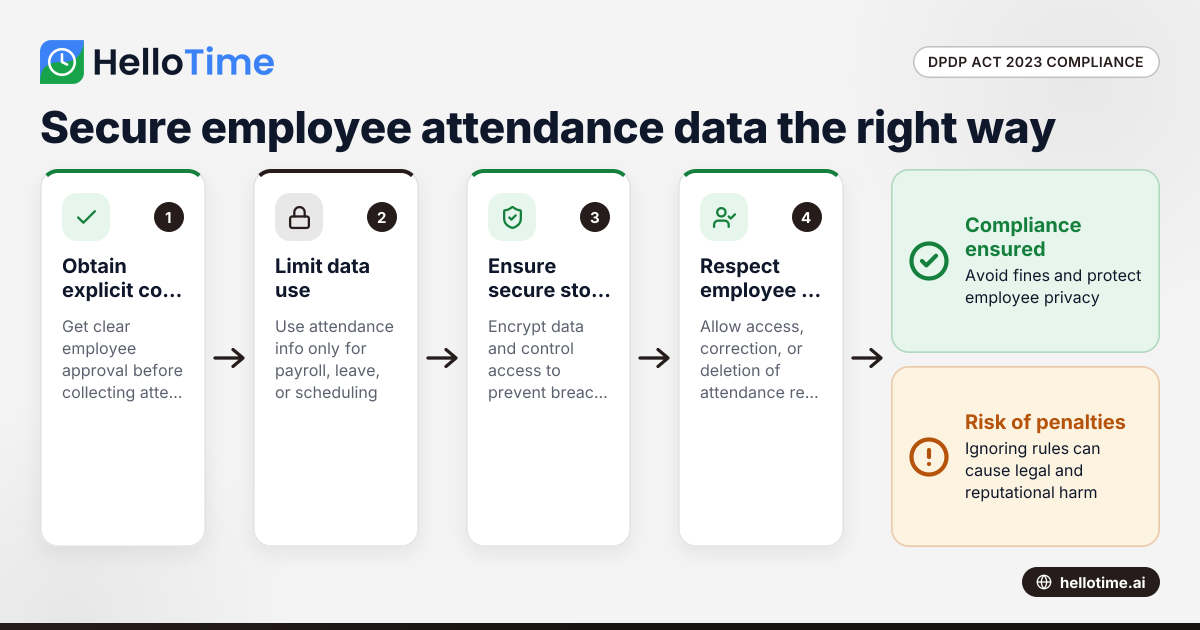
How the DPDP Act 2023 Impacts Employee Attendance and Timesheet Data Management in Indian SMEs
The Digital Personal Data Protection (DPDP) Act 2023 is India’s law regulating how personal data, including employee attendance information, must be.