HelloTime vs Time Clock Apps in the United States: What Small Businesses Should Compare for Attendance, Approvals, and Scheduling
If you are comparing HelloTime vs time clock apps in the United States, the biggest difference is scope. Basic time clock apps record punches, while.
The HelloTime team
12 min read
On this page
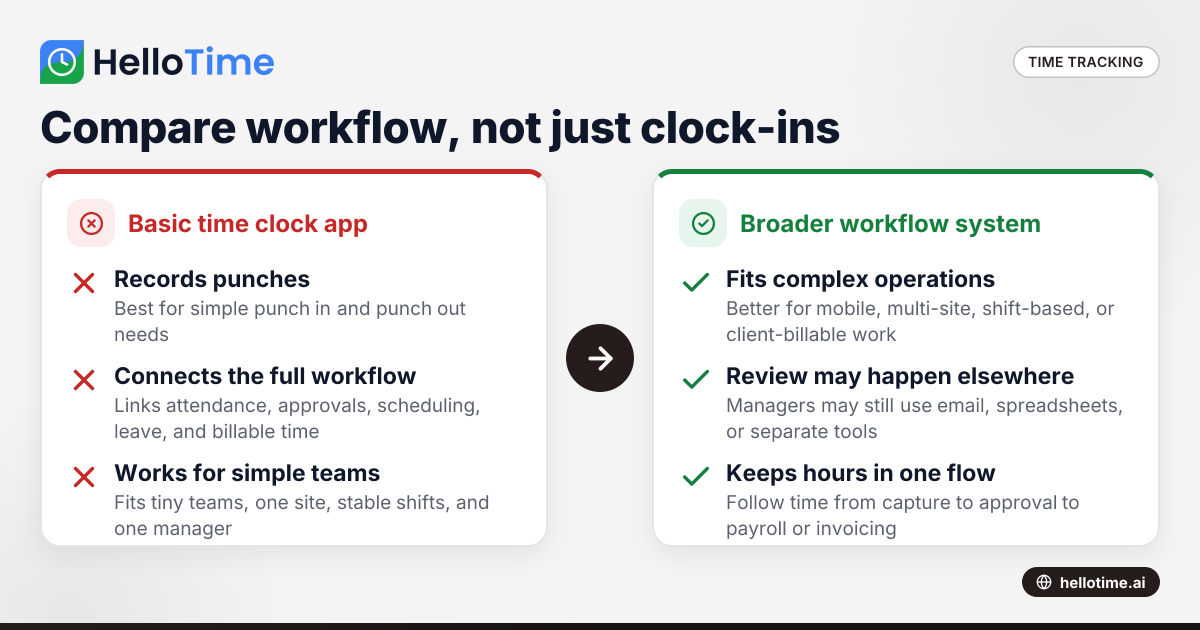
If you are comparing HelloTime vs time clock apps in the United States, the biggest difference is scope. Basic time clock apps record punches, while HelloTime is built to connect attendance, approvals, scheduling, leave, billable time, invoicing, and workforce visibility in one workflow.
For a small business, that matters because lost time often comes from handoffs. If your team clocks in on one tool, managers approve hours in email, and schedules live in spreadsheets, you still have manual work and avoidable errors.
Key takeaways
- Compare more than clock-in and clock-out. Look at approvals, scheduling, leave, and reporting together.
- Small businesses in the United States often outgrow basic time clock apps when teams become mobile, shift-based, or client-billable.
- HelloTime is a stronger fit when you need one system for attendance, rosters, project time, and manager approvals.
- Basic time clock apps can still work for very small teams with simple shifts and one location.
- Focus your evaluation on daily workflows, not feature lists alone. Ask how hours move from capture to approval to payroll or invoicing.
- If buyers ask about data handling and security practices, operational clarity matters as much as features.
What does “HelloTime vs time clock apps” really mean?
Most buyers are not choosing between two identical products. They are choosing between two approaches.
A time clock app usually solves one narrow problem. It lets employees punch in and out. It may track breaks, basic overtime, and attendance history. That can be enough for a small retail shop with one manager and a stable weekly schedule.
HelloTime is broader. It handles time tracking, attendance, shift scheduling, leave, approvals, GPS and geofenced clock-in, kiosk attendance, billable hours, invoicing, and project profitability reporting. For many small and mid-sized businesses, that reduces the need to move data between spreadsheets, email threads, and separate point tools.
That difference becomes clear when your business has any of these conditions:
- More than one location
- Field or mobile workers
- Team leads who approve time
- Frequent shift changes
- Leave requests that affect schedules
- Client work billed by the hour
- A need to understand labor cost by project or site
In those cases, the real comparison is not just “which app records time.” It is “which system helps us run attendance and scheduling with less admin.”
Which is better for a small business in the United States?
If you only need simple punch in and punch out for a tiny team, a basic time clock app may be enough. If you also need approvals, schedules, leave, location controls, or billable time in one place, HelloTime is usually the better fit.
The reason is operational fit. A coffee shop in Chicago with one location may only need basic attendance. A cleaning company in Houston with mobile crews, shift swaps, and site-based clock-ins needs more structure. A design agency in Detroit that bills clients by the hour needs approved timesheets tied to projects and invoicing.
That is where basic apps start to feel incomplete. They capture hours, but they do not always support the full workflow around those hours.
When a basic time clock app is enough
A simple app may work well if:
- You have fewer than 10 employees
- Everyone works at one site
- Schedules rarely change
- One manager reviews all hours
- You do not bill clients by the hour
- You do not need detailed reporting by project, department, or location
For these teams, ease of use matters most. Fast setup can be more important than broader functionality.
When HelloTime makes more sense
HelloTime is often the stronger option if:
- You run shifts across locations
- Employees work in the field
- You need GPS or geofenced clock-in
- Managers approve time before payroll or invoicing
- Leave requests affect staffing coverage
- You bill labor to projects or clients
- You want to track profitability, not just attendance
A lot of “hellotime vs time clock apps” searches come from businesses that have already hit these limits.
Compare the full workflow, not just the clock
Many buyers compare tools by looking at the home screen. That is not enough. The better test is to follow one hour of work from start to finish.
Ask these questions:
- How is time captured?
- How is time reviewed?
- How is time approved?
- How are schedule changes handled?
- How does leave affect staffing?
- How do approved hours move into invoicing or payroll prep?
- How quickly can a manager spot errors?
A basic time clock app may do step one well. HelloTime is designed to support the whole chain.
Attendance capture
This is where most products look similar at first. Employees clock in. Employees clock out. Managers see hours worked.
But the details matter:
- Can employees clock in from a phone?
- Can you limit punches to a job site with geofencing?
- Can a shared tablet work for shift teams?
- Can face recognition reduce buddy punching on a kiosk?
- Can you review missing or unusual punches quickly?
For shift-based teams in retail, hospitality, field service, construction, and manufacturing, these controls can save real time every week.
Approvals and exceptions
A weak approval workflow creates hidden admin work. Managers end up checking paper notes, Slack messages, text threads, and spreadsheets just to confirm who worked.
HelloTime helps by organizing timesheets and approvals in one system. That matters when supervisors need to review missed punches, late arrivals, overtime, or location issues before final approval.
A basic app may still export hours. But if the review process lives elsewhere, managers spend more time chasing corrections.
Scheduling and rosters
Scheduling is where many attendance tools fall short. They track who showed up, but they do not help decide who should have been there.
For many small businesses, scheduling and attendance are tightly linked. A manager needs to:
- Build shifts
- Publish rosters
- Handle changes
- See who is absent
- Keep coverage intact
HelloTime brings scheduling into the same workflow. That reduces duplicate entry and makes attendance easier to manage in context.
How does HelloTime compare for approvals and scheduling?
HelloTime is stronger when attendance is tied to manager approvals, shift planning, and leave. Basic time clock apps often record hours well, but they may leave approvals, schedules, and exception handling spread across separate tools.
That difference matters most in businesses where hours are not predictable. Think of a restaurant with call-outs, a field service team with route changes, or a warehouse with rotating shifts. If schedules change often, attendance software needs to keep up.
Why approvals matter more than many buyers expect
Approvals are not just a final checkbox. They are your control point.
Without a clear approval step, you risk:
- Paying for unreviewed time
- Billing clients from unverified hours
- Missing break or punch corrections
- Losing accountability between employee and manager
A simple punch report is not the same as an approved timesheet. If your current process ends with “someone exports the hours and checks them later,” that is a sign to look deeper.
Why scheduling belongs in the same conversation
A lot of software comparisons separate time tracking from scheduling. In practice, managers do not.
If an employee is missing, late, on leave, or moved to another shift, the impact shows up in both attendance and staffing. Using separate systems can create delays and confusion.
This is one reason searches like ai hellotime vs are becoming more common. Buyers want a faster way to compare not just features, but whole workflows across attendance, approvals, and scheduling.
The most useful comparison criteria for US small businesses
Do not judge tools only by the number of features. Judge them by the business problems they remove.
1. Ease of adoption for employees
If the app is slow or confusing, employees will resist it. That leads to missed punches and manager cleanup.
Look for:
- Fast clock-in
- Simple mobile use
- Clear prompts
- A kiosk option for shared devices
- Minimal training needs
This matters even more for hourly teams with turnover or seasonal hiring.
2. Control over where people can clock in
For field and multi-site teams, location controls are important. GPS and geofencing help verify that attendance happens at the right place.
That can help reduce disputes and improve accountability, especially for cleaning, landscaping, maintenance, home services, and construction teams.
3. Manager visibility
Managers should be able to spot issues quickly. Look for clear views of:
- Late arrivals
- Missed punches
- Overtime patterns
- Absences
- Unapproved timesheets
- Schedule gaps
If the manager needs three exports and two spreadsheets to answer a simple attendance question, the tool is not saving enough time.
4. Leave and attendance together
Leave requests should not live in a separate silo if they affect staffing. A manager should be able to see approved leave while building schedules and reviewing attendance.
This is a practical workflow issue, not just a feature preference.
5. Billable time and invoicing needs
Professional services teams have a different requirement. They need more than attendance. They need approved project time that can support invoicing and profitability analysis.
For an agency, consultancy, or service business, this is often the line between a time clock app and a broader operations platform.
6. Reporting that helps decisions
Good reporting should answer questions like:
- Which location has the most lateness?
- Which project is consuming the most labor?
- Which shifts regularly run overtime?
- Which clients are profitable after labor cost?
Basic attendance logs may not answer those questions well. HelloTime is more useful when labor insight matters as much as labor capture.
What should you test in a free trial or demo?
Test one real weekly workflow from start to finish. Clock in, edit a missed punch, approve hours, handle a leave request, publish a schedule, and review one report before deciding.
That short test reveals more than a long feature checklist. It shows where managers will spend time, where employees may get stuck, and whether the software fits your actual operation.
A practical 7-step evaluation checklist
Use this process during a trial or demo:
Set up one real team Add a department, location, or crew that reflects your normal operation.
Create actual shifts Build a schedule for one week, including one change or swap.
Run clock-ins the way your team would Test mobile, GPS, geofence, or kiosk use based on your environment.
Create a few common exceptions Add a missed punch, a late arrival, and one unplanned absence.
Review the manager approval flow See how long it takes to find and resolve those exceptions.
Check reporting Pull a summary you would actually use for operations or billing.
Measure admin effort Count how many manual steps still happen outside the system.
This is the fastest way to see the real difference between HelloTime and a basic time clock app.
Common mistakes when comparing HelloTime vs time clock apps
Small businesses often make the same three mistakes during software selection.
Choosing for today’s size only
A tool that works at 8 employees may break down at 25. If you expect growth, more locations, or more supervisors, choose for the next stage too.
Ignoring the manager workflow
Employees may clock in for a few seconds each day. Managers deal with attendance problems every week. If the manager workflow is weak, your savings disappear.
Treating scheduling as separate
For shift businesses, scheduling and attendance are connected. Separate tools can still work, but they often add friction and duplicate effort.
HelloTime vs time clock apps for different business types
The right choice depends on how your business operates.
Retail and hospitality
If you run one site with simple shifts, a basic app may be enough. If you manage rotating schedules, shared devices, no-shows, and frequent changes, HelloTime will usually provide more control.
Field service and construction
These teams often need GPS, geofencing, mobile clock-ins, and manager visibility across sites. HelloTime is generally the stronger fit here.
Manufacturing and warehouse operations
If attendance is tied to shift coverage, supervisors, and shared kiosk use, broader workforce tools matter. Manufacturers may also care about how labor data fits into existing ERP processes, even if exports are still manual.
Agencies and professional services
A basic time clock app is often too narrow. These teams need project time, approvals, billable hours, invoicing support, and profitability reporting.
Compliance and recordkeeping considerations in the United States
US employers should review attendance, meal and rest break practices, overtime handling, and recordkeeping carefully. Rules can vary by federal, state, and local law, so this is general information, not legal or tax advice.
This does not mean you need software that gives legal answers. It means you need software that helps you keep clean records, review hours, and reduce manual errors.
For many buyers, that includes:
- Clear time entries
- An approval trail
- Consistent attendance records
- A practical way to investigate exceptions
- Reliable exports for payroll preparation
If your business sells into larger companies, buyers may also ask how your systems and processes are managed. Strong internal controls and documented workflows can support those conversations.
Final decision: when to choose HelloTime
Choose HelloTime when you need attendance to connect with approvals, schedules, leave, and labor visibility. Choose a basic time clock app when all you need is simple punch tracking for a small, stable team.
That is the clearest answer to “hellotime vs time clock apps.” It is less about who has more features and more about whether the software removes real admin work across the week.
If your business is still juggling spreadsheets, texts, paper notes, and separate tools, a broader platform will usually create more value than a standalone clock.
If you want to see how that looks in practice, explore HelloTime’s features or compare options on the pricing page.
Frequently asked questions
Is HelloTime only for shift-based businesses?
No. HelloTime works for both shift-based teams and professional services teams. It can support attendance, scheduling, approvals, and also project-based time for billable work.
Can HelloTime replace spreadsheets for attendance and scheduling?
For many small businesses, yes. It is designed to move attendance, leave, approvals, and scheduling into one workflow so managers do less manual updating and cross-checking.
Are basic time clock apps cheaper to operate?
They can be simpler to start with, but total operating cost includes manager time and error correction. A narrower tool may cost less upfront while creating more admin work later.
Does HelloTime include payroll for US businesses?
US payroll is not described as available. If you are evaluating HelloTime in the United States, focus on time tracking, attendance, scheduling, approvals, leave, invoicing, and reporting. You can also review HelloTime in the US.
Read next
This article covers one part of a bigger topic. For the complete picture, read our guide to hellotime vs.
Keep reading
Related articles
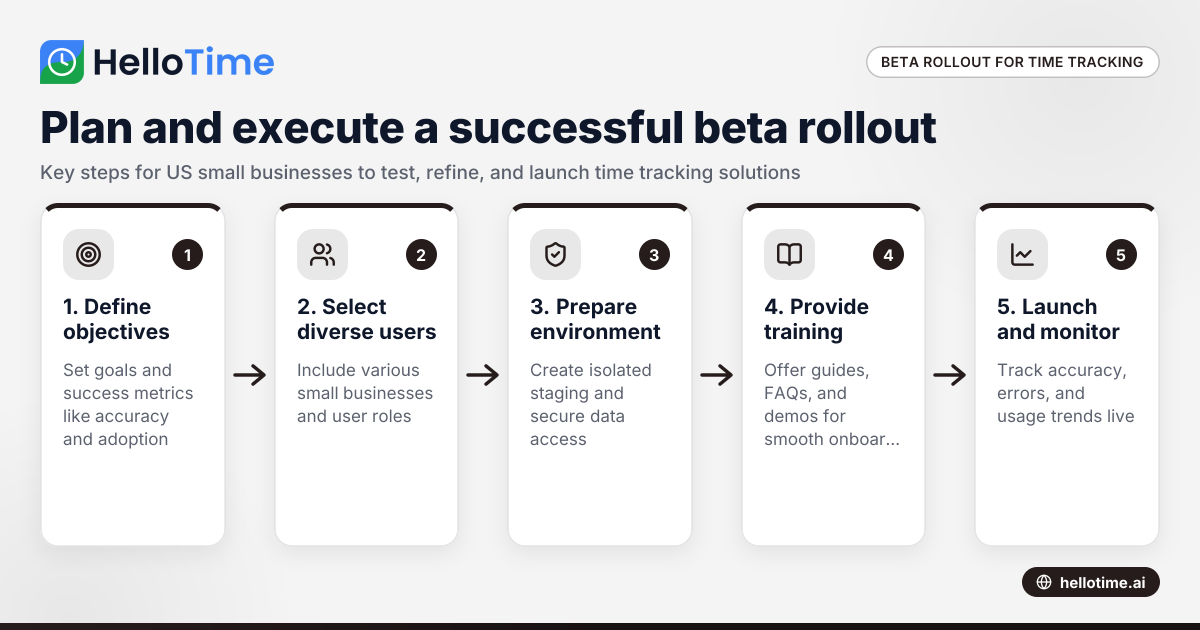
How to Plan and Execute a Successful Beta Production Rollout for Time Tracking Software in United States Small Businesses
Launching a beta production rollout means releasing your time tracking software to a limited group of real users in live conditions before full.
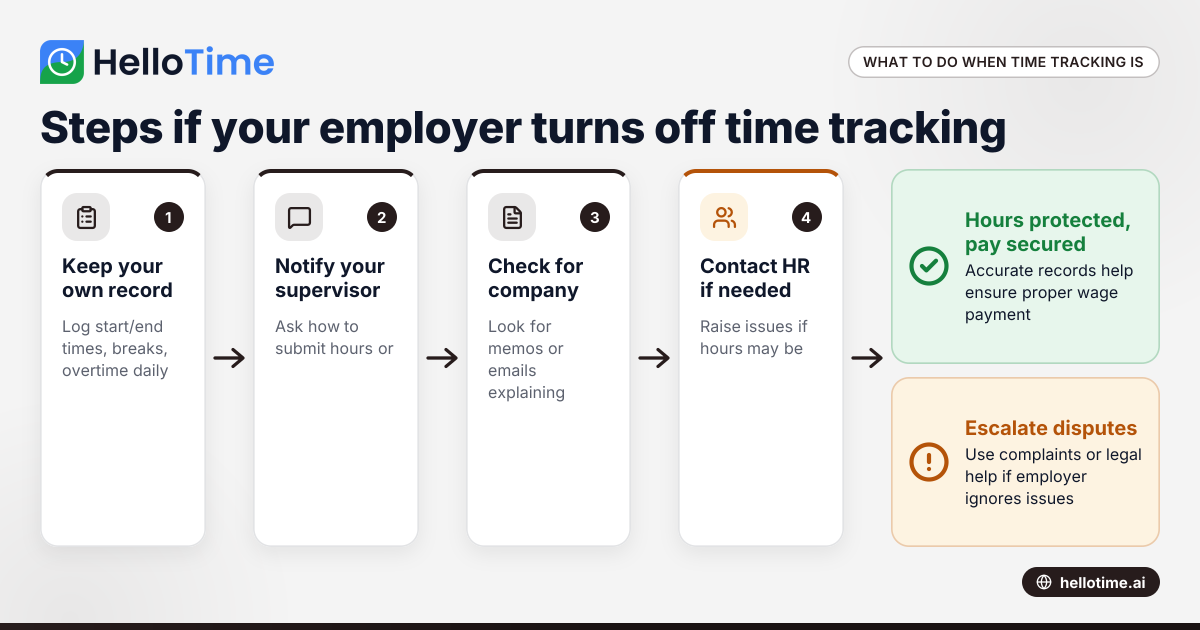
What to Do When an Employer Has Turned Off Your Time Tracking in the United States
When an employer has turned off time tracking, employees lose a key method to log their hours accurately. This can disrupt payroll, affect wage.
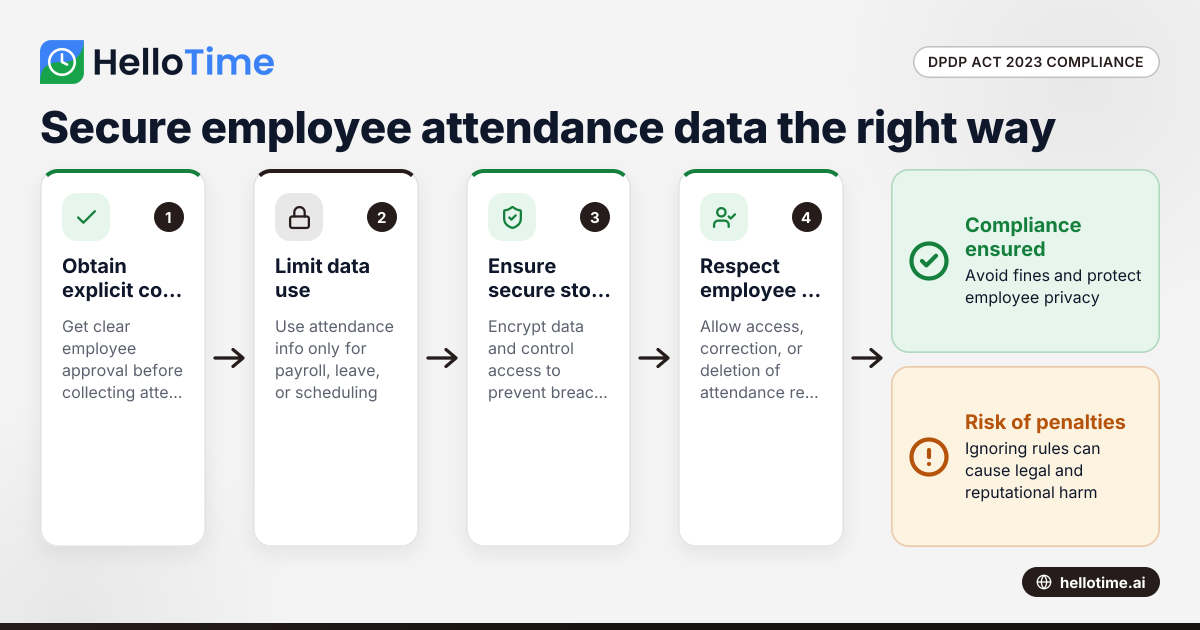
How the DPDP Act 2023 Impacts Employee Attendance and Timesheet Data Management in Indian SMEs
The Digital Personal Data Protection (DPDP) Act 2023 is India’s law regulating how personal data, including employee attendance information, must be.