HelloTime vs Timesheet Spreadsheets in the United States: When Small Businesses Should Switch to Approval Workflows and Real-Time Hours
If your team still tracks time in spreadsheets, the breaking point usually comes when hours need approvals, edits happen after payroll closes, or.
The HelloTime team
12 min read
On this page
If your team still tracks time in spreadsheets, the breaking point usually comes when hours need approvals, edits happen after payroll closes, or managers cannot see labor costs until the week is over. HelloTime helps small businesses in the United States switch from static timesheets to real-time hours, approval workflows, and cleaner records without adding admin work.
Key takeaways
- Spreadsheets work for very small teams, but they break when approvals, overtime checks, and shift visibility matter.
- Real-time time tracking gives managers live hours, missed clock-ins, and faster payroll prep.
- Approval workflows reduce back-and-forth, late edits, and disputes over who changed what.
- HelloTime fits businesses that need one-click tracking, attendance, scheduling, leave, and billable-hour reporting in one place.
- The right time to switch is usually when errors, delays, or compliance risk cost more than the habit of using spreadsheets.
Why small businesses compare HelloTime vs timesheet spreadsheets
When people search for hellotime vs timesheet spreadsheets, they are usually not asking whether a spreadsheet can hold hours. It can. They are asking when that simple tool stops being reliable enough for payroll, client billing, attendance, and labor control.
A spreadsheet is familiar. It is cheap to start. Most teams already know how to type hours into rows and columns. That is why so many businesses in Chicago, Houston, and Detroit begin there.
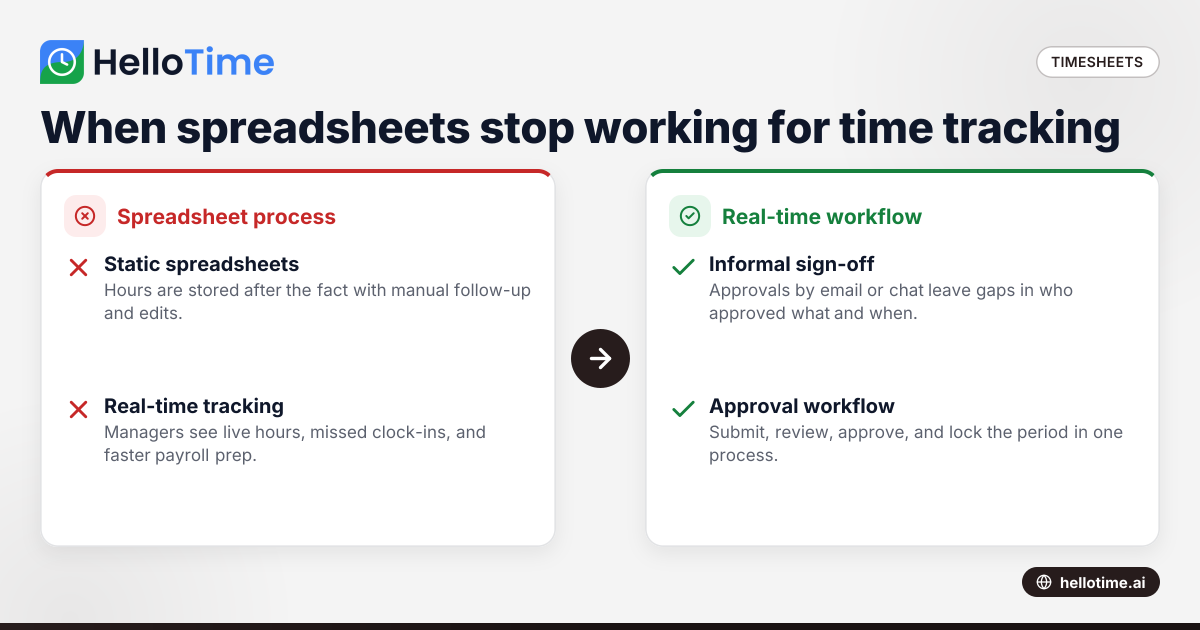
But spreadsheets have one big weakness. They store time after the fact. They do not capture work as it happens.
That difference matters more as your team grows. A five-person creative studio might survive with a weekly sheet for a while. A 25-person field service team, restaurant group, retail operation, or manufacturing shop usually cannot. Once multiple managers, job sites, locations, and pay periods are involved, spreadsheets become a process problem.
The issue is not only data entry. It is control.
With spreadsheets, managers often ask questions like these:
- Who approved these hours?
- Were these entries changed after the deadline?
- Did someone forget to submit a shift?
- Are we seeing overtime risk today or next Friday?
- Which hours are billable and ready to invoice?
- Which employees are on leave this week?
Those questions are hard to answer from emailed files, shared sheets, and manual formulas. A system built for workforce management answers them faster.
HelloTime is designed for teams that want one-click time tracking, timesheets, approvals, scheduling, leave, attendance, and billable-hour workflows in one place. That is the real comparison in hellotime vs timesheet spreadsheets. It is not software versus a file. It is workflow versus manual patchwork.
When should a small business stop using timesheet spreadsheets?
Switch when spreadsheets create payroll delays, billing errors, approval confusion, or no live view of hours. If managers chase timesheets every pay period, or labor costs are only visible after the week ends, a real-time system usually saves more time than it takes to adopt.
There is a simple test here. Ask whether your spreadsheet process still works without heroics.
If one office manager keeps the whole thing together by sending reminders, fixing formulas, checking totals, and reconciling late edits, the process is already too fragile. It may function, but it does not scale.
Common signs your spreadsheet process is breaking
1. Timesheets arrive late every pay period
Manual submission depends on memory. Employees forget. Supervisors follow up. Payroll waits. That delay creates stress and rushed corrections.
2. Managers approve hours by email or chat
Approval outside the timesheet itself creates gaps. There is no clean record showing who approved what and when.
3. You cannot see labor costs until the week is over
This is a big issue for shift-based businesses. If a location is running over budget on Wednesday, a spreadsheet reviewed on Monday is too late.
4. Billable hours need cleanup before invoicing
Professional-services teams often lose revenue in this step. Hours sit in spreadsheets by employee instead of by project, client, or task.
5. Attendance is disconnected from schedules and leave
If one sheet holds schedules, another tracks leave, and a third tracks hours worked, mistakes become more likely.
6. Edits are hard to trace
A changed cell rarely explains itself. Without a clear history, disputes take longer to resolve.
These are the moments when many businesses begin searching for better features, even if they do not think of the problem as a software problem yet.
What changes when you move from spreadsheets to real-time hours?
Real-time hours let managers see who is working, who missed a clock-in, and how labor is tracking before the pay period ends. Approval workflows then turn that live data into a cleaner payroll and billing process with fewer edits and fewer surprises.
That short answer matters because the biggest gain is not only speed. It is timing.
Spreadsheets are retrospective
Most spreadsheet workflows start after work is done. Employees fill in hours from memory. Managers review totals at the end of the week. Payroll catches exceptions after submission.
This creates a lag between labor happening and labor being managed.
Real-time systems are operational
HelloTime captures time as people work. That helps managers act during the pay period, not after it. For example:
- A supervisor sees a missed clock-in during the shift.
- A project manager sees billable hours building against a client budget.
- An operations lead sees an employee nearing overtime.
- An HR manager sees attendance and approved leave together.
This is where the phrase ai hellotime vs can show up in search conversations. People are often comparing not just two tools, but two operating models: manual entry later versus visibility now.
Approval workflows create a stronger record
Approval workflows matter because they define responsibility. Employees submit. Managers review. Exceptions are corrected before payroll or invoicing moves forward.
That sequence is much cleaner than this common spreadsheet chain:
- Employee fills sheet.
- Manager replies “approved” in email.
- Payroll copies values into another file.
- Someone notices an issue later.
- The original file gets edited again.
When approvals live with the time data, the process is easier to trust.
Approval workflows vs spreadsheet sign-off
A spreadsheet sign-off is often informal. It may be an initial in a column, an email, or a message in Slack or text. That can feel good enough until there is a disagreement.
Approval workflows are better because they are structured.
What a proper approval workflow does
A useful approval process should help you:
- set a submission deadline
- route time to the right approver
- flag missing or unusual entries
- record the approval action
- limit late edits or make them visible
- keep payroll and billing from moving ahead with unreviewed time
This does not mean every business needs a complex chain of approvals. Most small businesses need something simpler: submit, review, approve, and lock the period.
Why this matters in the United States
In the United States, time and pay records matter for wage and hour issues. Rules depend on federal, state, and local law, and they can vary by job type and location. This is general information, not legal advice. The practical point is simple: cleaner records reduce risk and make disputes easier to investigate.
If your current process relies on memory, handwritten notes, and spreadsheet edits without a clear trail, you are making recordkeeping harder than it needs to be.
Where spreadsheets still work
Not every company needs to switch today. Spreadsheets can still work in a narrow set of cases.
Good use cases for spreadsheets
You may be fine with spreadsheets if all of these are true:
- the team is very small
- everyone works similar hours
- there is one manager reviewing all time
- payroll is simple
- no one bills clients by the hour
- there are no multiple sites or shifts
- leave tracking is minimal
- changes are rare
For example, a three-person design studio in Austin with one weekly client project and a single reviewer might manage fine in a spreadsheet for a while.
When “good enough” becomes expensive
The hidden cost of spreadsheets is rarely the spreadsheet itself. It is the time spent maintaining trust in the numbers.
That cost shows up as:
- manager follow-up time
- payroll corrections
- late invoices
- overtime surprises
- attendance disputes
- manual reporting work
The file may be free. The process is not.
Where HelloTime is a better fit
HelloTime is a better fit when your business needs live time data, approvals, scheduling, leave, attendance, or billable-hour tracking in one place. It is especially useful when spreadsheets are forcing managers to chase updates instead of managing work.
Professional-services teams
Agencies, consultancies, and service firms often need:
- one-click tracking
- project and client hours
- billable versus non-billable separation
- invoicing from approved hours
- profitability reporting
These teams usually outgrow spreadsheets when invoicing gets delayed or project margins become unclear.
Shift-based teams
Retail, hospitality, field service, construction, and manufacturing teams often need:
- shift scheduling and rosters
- attendance records
- GPS or geofenced clock-in
- kiosk-based attendance
- leave visibility
- fast supervisor approvals
These teams usually switch when attendance errors, missed punches, and multi-location complexity start creating payroll issues.
Multi-manager teams
A business with one owner can sometimes hold a spreadsheet process together. A business with department leads, site supervisors, and HR usually needs a system that routes work cleanly.
That is where HelloTime can help organizations looking at HelloTime in the US and asking whether one platform can replace separate spreadsheets for time, schedules, leave, and approvals.
How to decide if the switch will pay off
Do a simple before-and-after review. You do not need a complicated software buying process.
Step 1: Measure your current admin time
For one pay period, track:
- Time spent reminding employees to submit hours
- Time spent correcting entries
- Time managers spend approving
- Time payroll spends reconciling changes
- Time finance spends preparing client invoices from hours
Add it up in hours and convert it into dollars using your actual labor cost.
Step 2: Count avoidable errors
Look at the same pay period and count:
- late submissions
- missing punches
- changed totals after approval
- payroll corrections
- delayed invoices
- disputes about time worked
Even a few recurring issues can justify a move.
Step 3: Identify your highest-risk workflow
Find the one process where spreadsheet failure hurts most. It is usually one of these:
- payroll close
- overtime visibility
- attendance tracking
- job-site accountability
- billable hour invoicing
Start there.
Step 4: Decide what “better” must mean
Your switch should solve specific problems. For example:
- managers can approve by deadline
- hours are visible in real time
- leave and attendance are in one view
- billable hours feed invoicing faster
- edits are easier to trace
If you cannot define the result, you will struggle to judge the tool.
How should a small business switch from spreadsheets without chaos?
Start with one pay group or location, keep the approval path simple, and run one short parallel period. The goal is not a perfect rollout. It is to prove that submissions, approvals, and exports are cleaner than your spreadsheet process.
A practical rollout plan
1. Pick one workflow first
Do not migrate every process at once. Start with the workflow causing the most pain.
Examples:
- weekly timesheets for one client services team
- attendance for one retail location
- field technician clock-ins for one region
2. Clean up your approval rules
Decide:
- who submits time
- who approves it
- what the deadline is
- who handles exceptions
- when the period is locked
Keep this simple at first.
3. Train people on the action, not the platform
Most employees need only a few behaviors:
- clock in and out correctly
- review their hours
- submit on time
- correct exceptions quickly
Managers need a similarly short process for reviewing and approving.
4. Run one parallel pay period
Keep the spreadsheet for reference during the first cycle. Compare totals and catch process issues early.
5. Review results after two cycles
Ask:
- Were approvals faster?
- Were there fewer errors?
- Did managers get live visibility?
- Did payroll and invoicing get easier?
That review tells you whether to expand.
What owners and managers often underestimate
The biggest benefit is often not payroll speed. It is management clarity.
When time data is live, approved, and connected to schedules or projects, managers make better decisions earlier. They can spot no-shows, adjust staffing, watch overtime, and review client work before revenue leaks out.
Spreadsheets blur that picture because they are snapshots. They tell you what people wrote down later. A real-time system shows what is happening now.
For many small businesses, that is the true reason to switch. It is not because spreadsheets are impossible. It is because they keep labor data trapped in admin work instead of turning it into useful operations data.
A simple rule for choosing HelloTime vs timesheet spreadsheets
If your business depends on approved hours for payroll, attendance, scheduling, or billing, spreadsheets are usually only a temporary solution. Once missing submissions, manual approvals, and late edits become routine, a real-time system is the safer and more efficient choice.
If your team is still tiny and your process is stable, a spreadsheet may still be enough for now. But if you are asking the question, there is a good chance the strain is already showing.
You can explore HelloTime’s pricing or see the full set of workflow and tracking features at /features.
Frequently asked questions
Is HelloTime only for billable-hour teams?
No. It works for both billable-hour teams and shift-based teams. Agencies and consultancies can track project time, while retail, hospitality, field service, construction, and manufacturing teams can manage attendance, schedules, and approvals.
Can spreadsheets still work for a business with under 10 employees?
Yes, sometimes. If your team is very small, has simple hours, and one person reviews all timesheets, spreadsheets may still be manageable. The issue is less headcount alone and more whether approvals, edits, and visibility are becoming messy.
Do approval workflows really make payroll easier?
Usually, yes. They create a clear submit-review-approve process before payroll begins. That cuts down on late changes, side conversations, and manual checking.
Is real-time time tracking useful if we already know our schedule?
Yes. A schedule shows what should happen. Real-time tracking shows what actually happened, including missed punches, late starts, overtime buildup, and attendance exceptions.
How do I know if switching is worth the effort?
Measure the time and errors in your current process for one pay period. If reminders, corrections, approvals, and payroll cleanup are taking meaningful manager time, the switch is often worth it. The cost of staying manual is usually higher than it looks.
Read next
This article covers one part of a bigger topic. For the complete picture, read our guide to hellotime vs.
Keep reading
Related articles
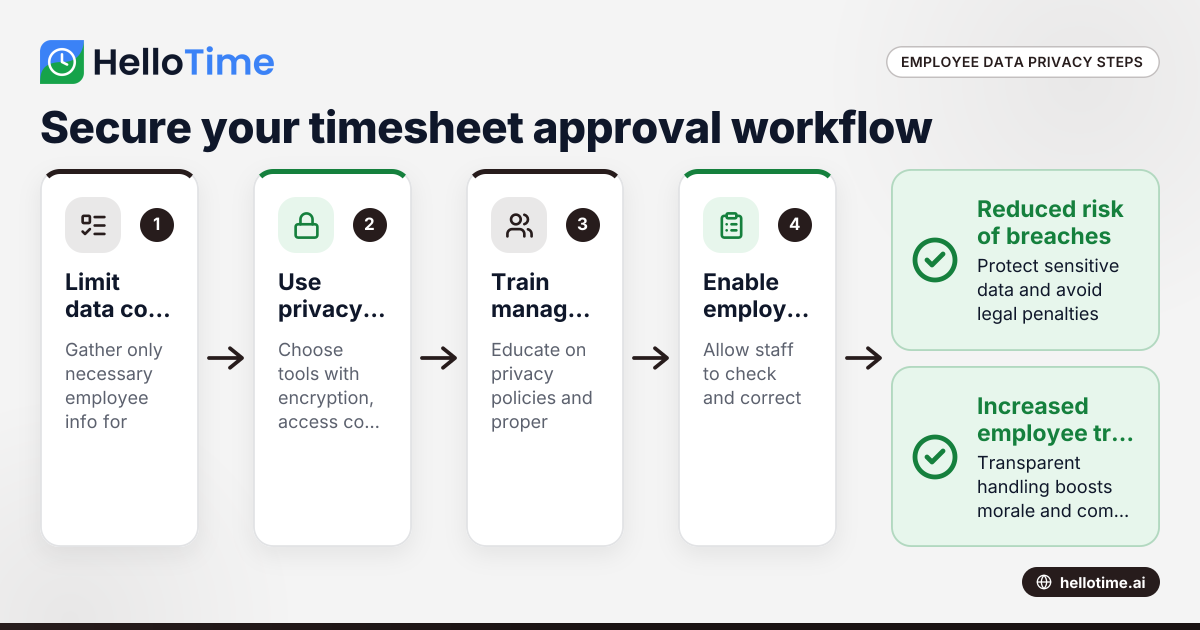
Navigating Employee Data Privacy Under United States Laws in Timesheet Approval Workflows
Navigating employee data privacy in timesheet approval workflows requires careful attention to US laws, as well as awareness of international.
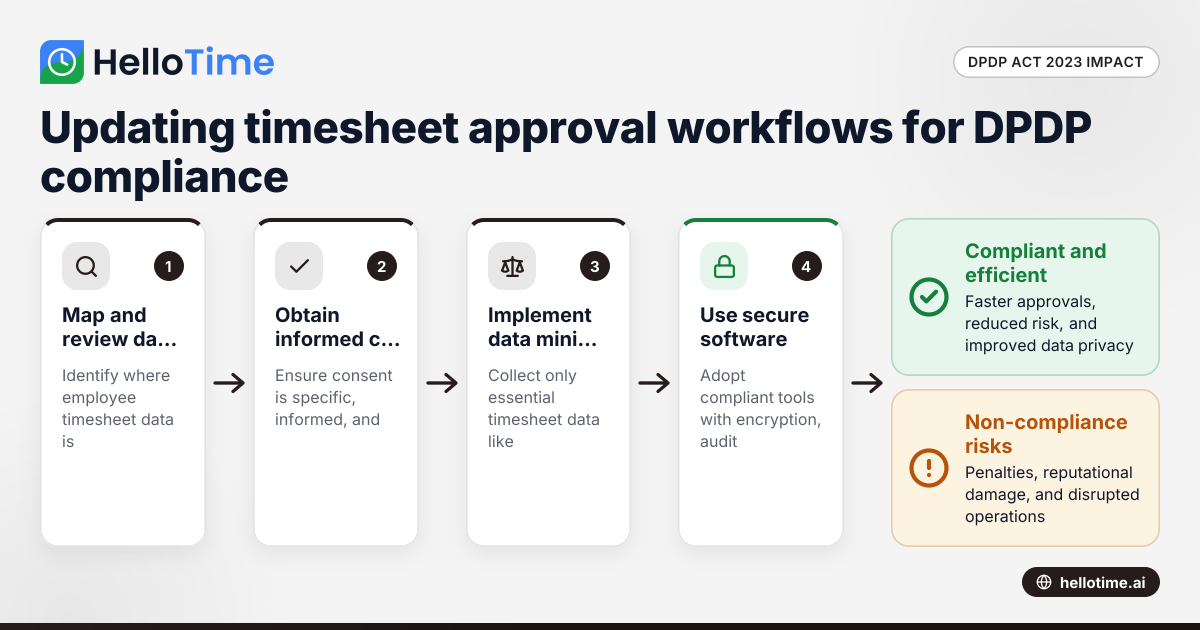
How the DPDP Act 2023 Affects Timesheet Approval Workflow for Manufacturers in Maharashtra, India
How the DPDP Act 2023 Affects Timesheet Approval Workflow for Manufacturers in Maharashtra, India The Digital Personal Data Protection (DPDP) Act 2023
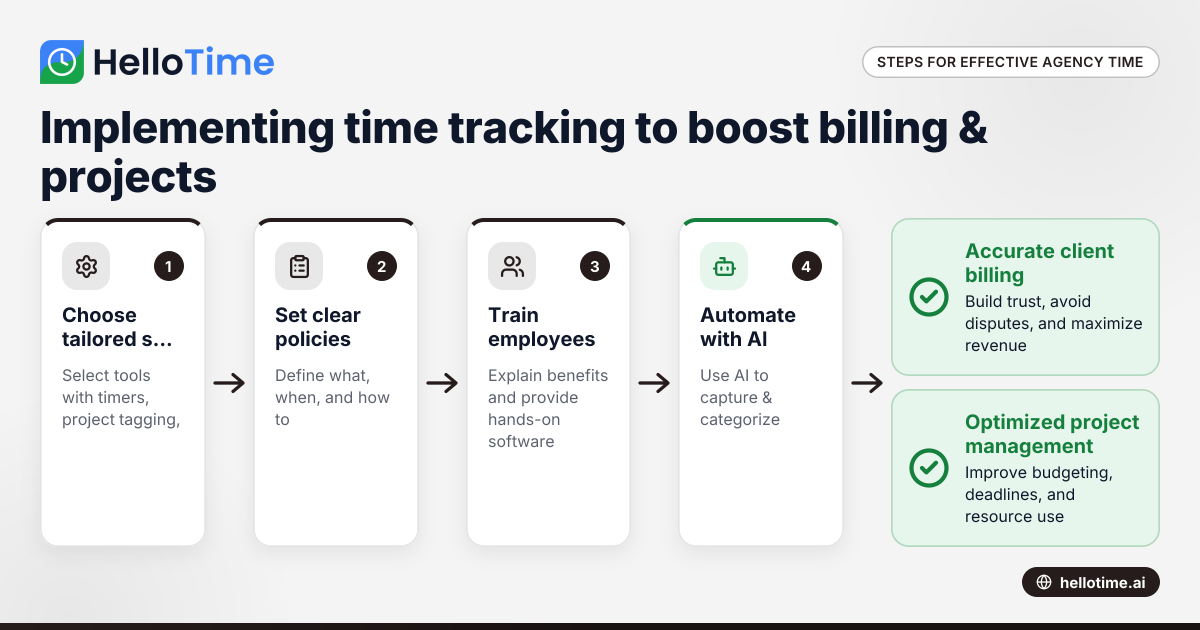
Effective Time Tracking Strategies for United States Agencies to Enhance Client Billing and Project Management
Effective time tracking is essential for agencies in the United States to improve client billing accuracy and optimize project management. With.