HelloTime vs Traditional Timesheet Approval Systems: Advantages for United States Small Businesses
HelloTime vs Traditional Timesheet Approval Systems: Advantages for United States Small Businesses When comparing HelloTime vs traditional timesheet.
The HelloTime team
10 min read
On this page
HelloTime vs Traditional Timesheet Approval Systems: Advantages for United States Small Businesses
When comparing HelloTime vs traditional timesheet approval workflow, HelloTime provides a streamlined, automated solution designed for small businesses in the United States. It reduces paperwork, enhances accuracy, speeds up approvals, and integrates with payroll and invoicing, unlike manual or spreadsheet-based methods that consume time and increase error risk.
Key takeaways
- HelloTime automates timesheet approvals, cutting manual errors and time delays.
- Traditional systems rely on paper or spreadsheets, which are error-prone and inefficient.
- HelloTime enables GPS and geofenced clock-ins, ideal for field and shift-based teams.
- Automated approvals and alerts improve compliance with US labor laws and overtime tracking.
- Integration with invoicing and project profitability supports agencies and service businesses.
- HelloTime’s mobile and tablet kiosk options fit modern workforces requiring flexible attendance solutions.
What are the main drawbacks of traditional timesheet approval systems for US small businesses?
Traditional timesheet approval systems in many US small businesses involve paper forms, spreadsheets, or disconnected digital files. These methods face multiple challenges:
Manual Data Entry Errors: Manually entering employee hours into spreadsheets or paper timesheets often results in mistakes such as miskeyed times, omitted breaks, or duplicated entries. These errors can lead to inaccurate payroll, causing both overpayments and underpayments.
Lost or Delayed Submissions: Paper timesheets or emailed spreadsheets can get lost, delayed, or stuck in inboxes. This slows payroll processing and disrupts cash flow cycles, especially when payroll deadlines are tight.
Bottlenecks in Approval: Managers may receive bulky paper stacks or multiple email attachments, making it difficult to review and approve timesheets promptly. This can prevent payroll from closing on time and cause frustration among employees awaiting pay.
Version Control Problems: With spreadsheets, changes may be saved over older versions accidentally, or multiple versions may circulate without a clear “final” one. This lack of audit trail complicates dispute resolution or labor law compliance.
Limited Compliance Tracking: Traditional tools offer little support for tracking overtime, breaks, or state-specific labor laws. Ensuring compliance with laws like the Fair Labor Standards Act (FLSA) or differing state overtime rules becomes challenging.
No Real-Time Attendance Validation: Mobile or field employees cannot reliably verify their hours or locations. This lack of real-time data increases risks of buddy punching, time fraud, and inaccurate project costing.
For example, a retail business in Chicago using paper timesheets to track dozens of part-time associates across multiple stores may constantly deal with late submissions and payroll corrections. Similarly, a Houston-based field service company might struggle to verify technician hours without GPS or geofence clock-ins, leading to billing disputes.
How does automated timesheet approval benefit US businesses?
Automated timesheet approval systems like HelloTime offer several concrete benefits:
Immediate Data Capture and Validation Employees log hours digitally via mobile apps or kiosks. The system automatically checks for missing clock-ins, overlapping shifts, or invalid entries. This reduces errors compared to manual tracking.
One-Click Manager Approvals Managers receive notifications and can approve timesheets directly from their phone or desktop with a single click. Automated reminders nudge approvers when deadlines approach, avoiding payroll delays.
Automated Overtime Calculations HelloTime applies federal and state labor rules to calculate overtime and double-time hours accurately. Supervisors are alerted before costly compliance issues arise.
Audit Trails and Reporting Each timesheet entry and approval is logged with timestamps and user IDs. This is essential during Department of Labor audits or internal reviews.
Improved Payroll Integration Timesheet data exports cleanly into payroll or accounting systems like QuickBooks and Stripe, reducing manual re-entry and errors.
Enhanced Employee Experience Workers appreciate easy-to-use apps, real-time visibility of their hours, and faster reimbursement for overtime or expenses.
Worked Example: Speeding Payroll in a Small Agency in Detroit
Consider a Detroit creative agency billing clients hourly. Traditionally, employees fill spreadsheets, email them weekly, and supervisors manually approve and forward them to payroll. This process could take 3-5 days each cycle with frequent errors.
With HelloTime, timesheets are auto-generated from clock-in data. Managers approve alerts about overtime with one click on mobile. Timesheet reports export directly for billing client projects. Payroll submits on time weekly without chasing paper forms. The agency reduces administrative hours by 60% and eliminates paycheck errors, improving employee satisfaction.
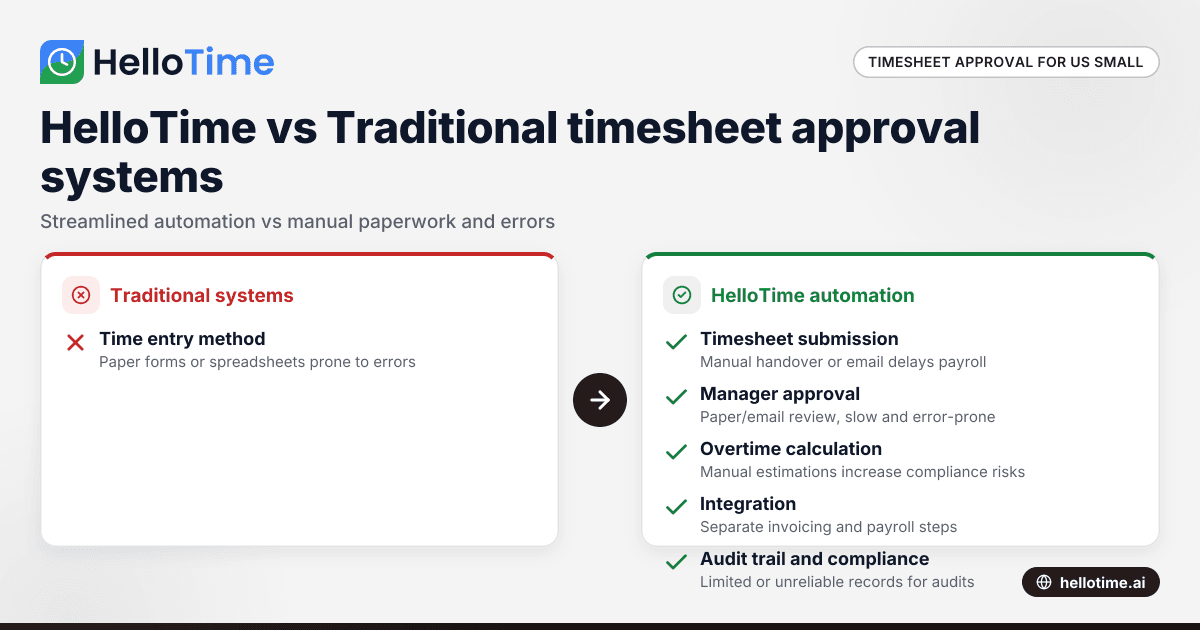
What exactly is the difference between HelloTime and traditional timesheet approval workflow?
The core difference is digitization and automation:
| Aspect | Traditional Workflow | HelloTime Automation |
|---|---|---|
| Time Entry | Paper forms or spreadsheets | Mobile app, tablet kiosk, GPS clock-in |
| Timesheet Submission | Manual handover or email | Auto-generated, instantly available |
| Manager Approval | Paper or email review, manually tracked | One-click digital approval, reminders |
| Overtime Calculation | Manual estimation or spreadsheet formulas | Automated, compliant with laws |
| Integration | Separate invoicing and payroll steps | Direct export to payroll and accounting |
| Audit Trail | Limited or absent | Full digital log |
| Compliance Alerts | Rarely enforced or manual | Automated overtime and absence notifications |
| Scalability | Difficult with growing teams | Supports multiple locations and devices |
For instance, a construction company in Houston traditionally juggling paper timesheets for multiple crews can switch to tablet kiosks with face recognition. Supervisors instantly review and approve the shift hours on their smartphones, receiving alerts if clock-ins occur outside designated geofenced zones, which helps prevent fraudulent punch-ins.
How does AI HelloTime vs traditional systems improve accuracy and efficiency?
HelloTime incorporates AI techniques to enhance accuracy beyond typical automation:
Anomaly Detection: AI flags unusual patterns, such as an employee clocking in unusually early or working excessive hours over several days. This early warning helps managers investigate potential errors or misuse.
Shift Optimization: AI learns recurring shift patterns and recommends schedules or alerts when conflicts arise. This reduces human scheduling errors and overtime costs.
Auto-Classification: For professional services, AI can assign hours to projects based on historical data or task categories, minimizing manual rewrites.
Consistent Rule Enforcement: AI applies business-specific labor policies consistently, unlike a human who might overlook rules due to workload or familiarity.
Efficiency Gain through AI Automation
Say a marketing consultancy in Chicago with 30 staff uses spreadsheets where managers spend hours weekly reviewing timesheets for overtime. AI in HelloTime automatically computes overtime, detects missing entries, and escalates inconsistent timesheets to managers. This reduces review time by half and virtually eliminates missed overtime pay or compliance errors.
How does HelloTime support compliance with US labor laws during timesheet approval?
Compliance is a major concern for US small businesses, given varying federal and state regulations:
Overtime Rules: HelloTime automatically calculates overtime hours based on the federal Fair Labor Standards Act (FLSA), plus state-specific rules in places like California or New York that may have stricter overtime thresholds.
Break and Rest Period Tracking: In states requiring meal or rest breaks, HelloTime can enforce clock-out requirements and alert managers when breaks are missed.
Accurate Record-Keeping: Digitally captured timestamps, GPS location data, and biometric clock-ins provide a solid audit trail that stands up under Department of Labor scrutiny.
Leave and Absence Management: The system tracks PTO, sick leave, and unpaid leave, ensuring timesheets accurately reflect time off in accordance with company policy and law.
Alerts for Compliance Risks: For example, if an employee is approaching maximum allowable work hours, supervisors receive notifications to adjust schedules.
Pitfalls of Traditional Systems in Compliance
Without automated alerts, companies risk underpaying overtime or missing meal break compliance, leading to costly lawsuits or back pay awards. Manual systems also struggle to provide reliable proof of attendance or accurate hours worked in audits.
How does HelloTime integrate with invoicing and project profitability?
For US small businesses billing clients by time, such as consulting, law, or creative agencies, tracking hours accurately is essential to maximize profitability.
HelloTime offers:
Direct Client Billing: Approved timesheets generate invoice-ready reports, formatted for QuickBooks or Stripe. This reduces manual reconciliation errors.
Project Cost Tracking: Managers see real-time labor costs versus budgets, enabling adjustment of resources before projects run over.
Billable vs Non-Billable Hours: The system distinguishes client-billable hours from internal work, improving profitability analysis.
Multi-Project Management: Staff can allocate hours across multiple projects with detailed notes, supporting accurate client invoicing.
Example: An Agency in Houston Improving Cash Flow
A Houston digital marketing firm uses spreadsheets to log hours, then a bookkeeper manually compiles invoices. This delays billing by a week and risks missed billable time.
Switching to HelloTime automates timesheet approval and exports precise billable hours directly to invoicing. Faster billing accelerates cash flow and improves client trust through transparent reporting.
What setup options does HelloTime offer for shift and attendance management?
HelloTime caters well to the diverse US workforce, especially in industries like retail, hospitality, construction, and field services:
Shift Scheduling and Rostering: Create shift templates, rotations, and recurring schedules. Automated alerts help manage late arrivals or absences.
Flexible Clock-In Methods: Employees clock in using mobile apps with GPS geofencing or at tablet kiosks equipped with face recognition to prevent buddy-punching.
Multiple Locations and Departments: Supports businesses spanning multiple time zones with location-specific settings for compliance.
Absence and Leave Management: Integrates leave requests and approvals with attendance records for accurate payroll.
Real-Time Attendance Dashboards: Managers monitor live attendance, allowing quick shift adjustments during unexpected absences.
Pitfalls to Avoid
Poorly Defined Geofences: If geofence zones are too wide, employees can clock in from unintended locations. Define precise boundaries to avoid errors.
Ignoring Employee Training: Staff must be trained on clock-in procedures to prevent confusion, especially when introducing biometric kiosks.
Overlooking Data Privacy: Ensure employee consent and explain how attendance data is used and protected, complying with workplace privacy norms.
Frequently asked questions
Does HelloTime comply with US data security and privacy standards?
HelloTime is designed for robustness with cloud security protocols and encrypted data storage. While specific certifications like SOC 2 are not guaranteed, the software supports compliance with US data protection expectations for workforce information. Always verify compatibility with your own IT policies.
Can I customize timesheet approval workflows in HelloTime?
Yes. HelloTime allows configuration of multi-level approval chains, automatic escalation if managers don’t respond, and custom alerts tailored to your business rules. This flexibility adapts well to diverse small business structures in the US.
Can HelloTime replace my existing payroll software?
HelloTime currently does not offer integrated payroll for the United States. US small businesses use HelloTime primarily for time tracking, attendance, and approvals, exporting data to QuickBooks, ADP, or other payroll systems used domestically.
How mobile-friendly is HelloTime for remote or field workers?
Very mobile-friendly. HelloTime’s app enables remote clock-ins with GPS tracking and offline entries synced later. This suits mobile teams in construction, field services, or hospitality who can’t rely on desktop-based time capture.
Is HelloTime suitable for businesses with multiple US locations?
Yes. HelloTime supports multiple locations and departments, with centralized management and location-specific settings such as time zones and state labor rules. This scalability helps growing businesses.
Does HelloTime help reduce time theft and buddy-punching?
Yes. Features like GPS geofencing and tablet kiosks with face recognition strongly reduce time theft and buddy-punching. These validations ensure recorded hours truly reflect employee presence, protecting payroll budgets.
To explore the timesheet approval and workforce management features that can transform your small business, visit our features page. For plan options suited to your needs, see our pricing details.
Read next
This article covers one part of a bigger topic. For the complete picture, read our guide to hellotime vs.
Keep reading
Related articles
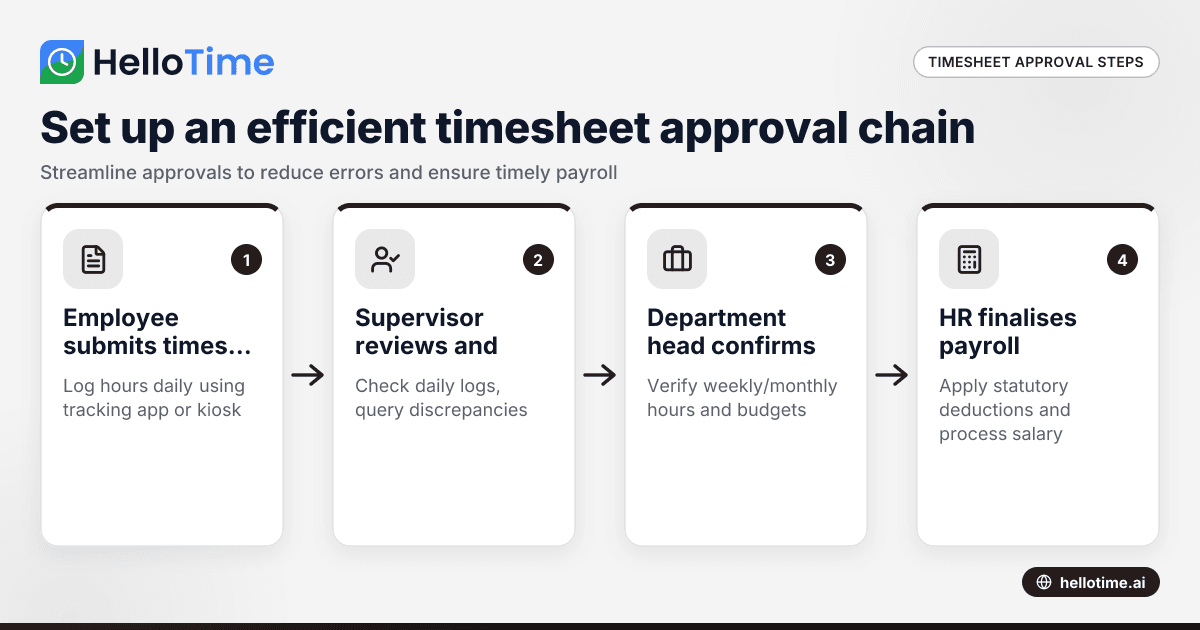
How to Set Up an Efficient Timesheet Approval Chain for Indian SMEs
How to Set Up an Efficient Timesheet Approval Chain for Indian SMEs This guide is for owners, HR, and operations managers at Indian small and.
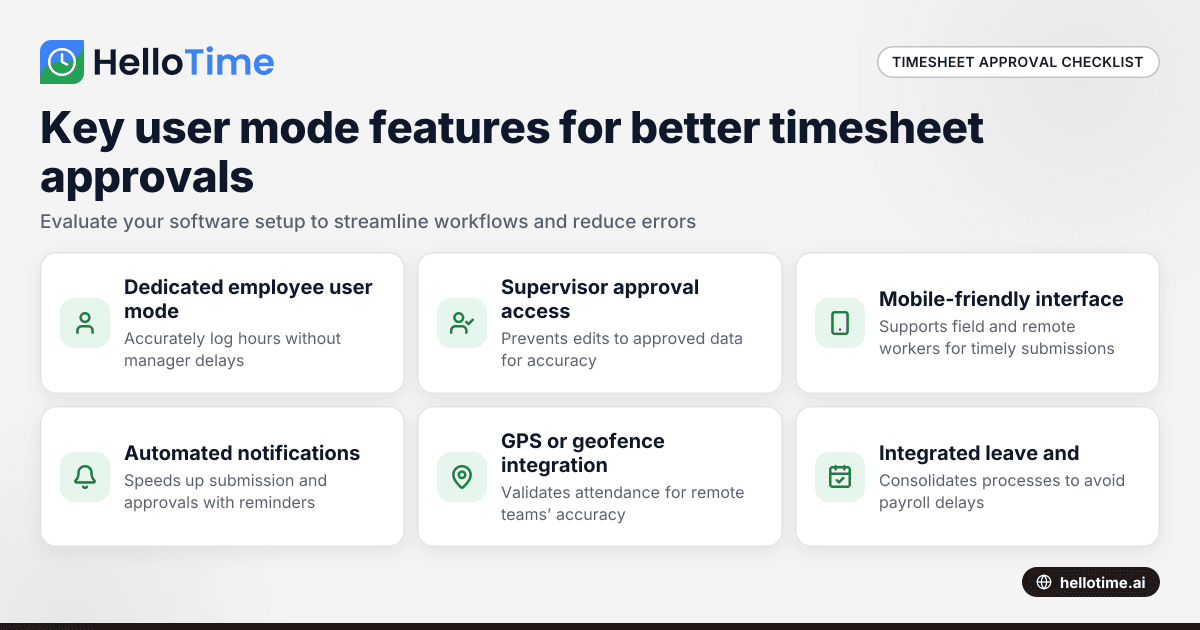
How User Mode Enhances Timesheet Approval Workflow for Indian Small Businesses
How User Mode Enhances Timesheet Approval Workflow for Indian Small Businesses.
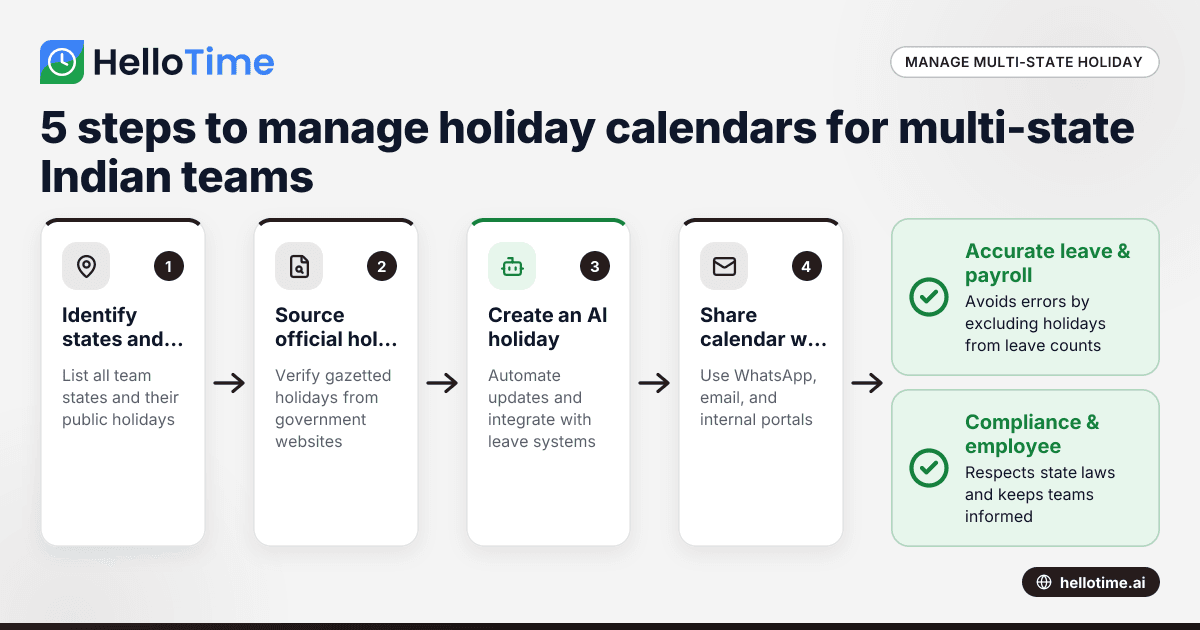
How to Manage Holiday Calendars for Multi-State Teams in India
Managing holiday calendars for multi-state teams in India can be complex due to different state-specific holidays and observances. By the end of this.