How to Calculate Employer Payroll Taxes on Hourly Wages in United States Small Businesses
Employer payroll taxes on hourly wages in the United States are the taxes a business pays on top of gross pay. In most small businesses, that means.
The HelloTime team
12 min read
On this page
Employer payroll taxes on hourly wages in the United States are the taxes a business pays on top of gross pay. In most small businesses, that means calculating Social Security tax, Medicare tax, federal unemployment tax, and any required state unemployment tax based on each employee’s taxable wages and the current wage limits.
Key takeaways
- Employer payroll taxes are separate from employee withholding and increase the real cost of every hourly worker.
- The core federal employer taxes are Social Security, Medicare, and FUTA, with state unemployment taxes often added.
- You need accurate hourly time records, overtime calculations, and taxable wage definitions before you calculate taxes.
- Wage caps matter. Some payroll taxes stop after a wage base limit, while others continue on all taxable wages.
- A simple employer payroll tax calculator for hourly employees in the United States starts with gross wages, then applies each tax in order.
- This article is general information, not legal or tax advice. Tax rates, wage bases, and state rules can change.
Why employer payroll taxes matter for hourly teams
If you run a small business with hourly staff, payroll tax is not just a back-office detail. It directly affects labor cost, job pricing, staffing plans, and cash flow. A restaurant in Chicago, a cleaning company in Houston, or a machine shop in Detroit can all underprice work if they budget only for hourly wages and forget the employer tax load.
That is why many owners search for an employer payroll tax calculator hourly employees United States. They want a reliable way to turn time worked into a true labor cost. The math is not hard, but the inputs must be right.
For hourly teams, small errors can stack up fast. Missed overtime, unpaid training time, rounding mistakes, or wrong taxable wage treatment can all distort your payroll taxes. If you use paper timesheets or spreadsheets, those errors often show up late, after payroll is already processed.
Which employer payroll taxes apply to hourly wages in the United States?
In most cases, employers in the United States pay Social Security tax, Medicare tax, and unemployment taxes on hourly wages. The exact result depends on taxable wages, annual wage limits, your state, and whether reduced FUTA rates or state unemployment rates apply.
The main employer payroll taxes
For most small businesses, the main employer payroll taxes on hourly wages are:
Social Security tax
- Employers pay the employer share on taxable wages up to the annual wage base.
- Once an employee reaches that wage base for the year, this tax stops for that employee.
Medicare tax
- Employers pay the employer share on taxable wages.
- There is generally no wage base cap for the employer share of Medicare tax.
Federal Unemployment Tax Act tax
- FUTA is an employer-paid tax.
- It usually applies only up to a federal wage base per employee for the year.
- Your effective FUTA rate may depend on credit reductions and whether your state unemployment taxes were paid properly and on time.
State unemployment tax
- Most states require employers to pay state unemployment tax.
- The wage base and rate vary by state and sometimes by employer experience.
Some employers may also face local payroll-related taxes or industry-specific requirements, depending on where they operate. If a rule is unclear, confirm it with your payroll provider, accountant, or the relevant state agency.
What counts as taxable hourly wages?
Taxable hourly wages usually start with gross earnings that are subject to payroll tax. That often includes regular hours, overtime pay, some bonuses, and other taxable compensation.
Before you calculate employer taxes, calculate gross hourly wages correctly. That sounds basic, but it is where many mistakes begin.
Common wage components for hourly employees
Your taxable payroll often starts with:
- Regular hours worked
- Overtime wages
- Shift differentials
- Non-discretionary bonuses
- Some taxable reimbursements or fringe benefits
The exact taxable treatment can vary. For example, some reimbursements may not be taxable if they are handled under an accountable plan. Because tax treatment depends on facts, do not assume every payment is taxable or non-taxable without checking.
Why overtime affects payroll tax
Hourly payroll tax starts with wages, and wages increase when overtime applies. If a field service business in Houston undercounts overtime, it does not just underpay wages. It also understates employer payroll taxes.
Good time records matter here. One-click tracking, approved timesheets, and clear overtime totals reduce the chance of using the wrong wage figure. If you want to see what that looks like in practice, HelloTime’s features page shows how businesses track hours, attendance, and approvals in one place.
How do you calculate employer payroll taxes on hourly wages?
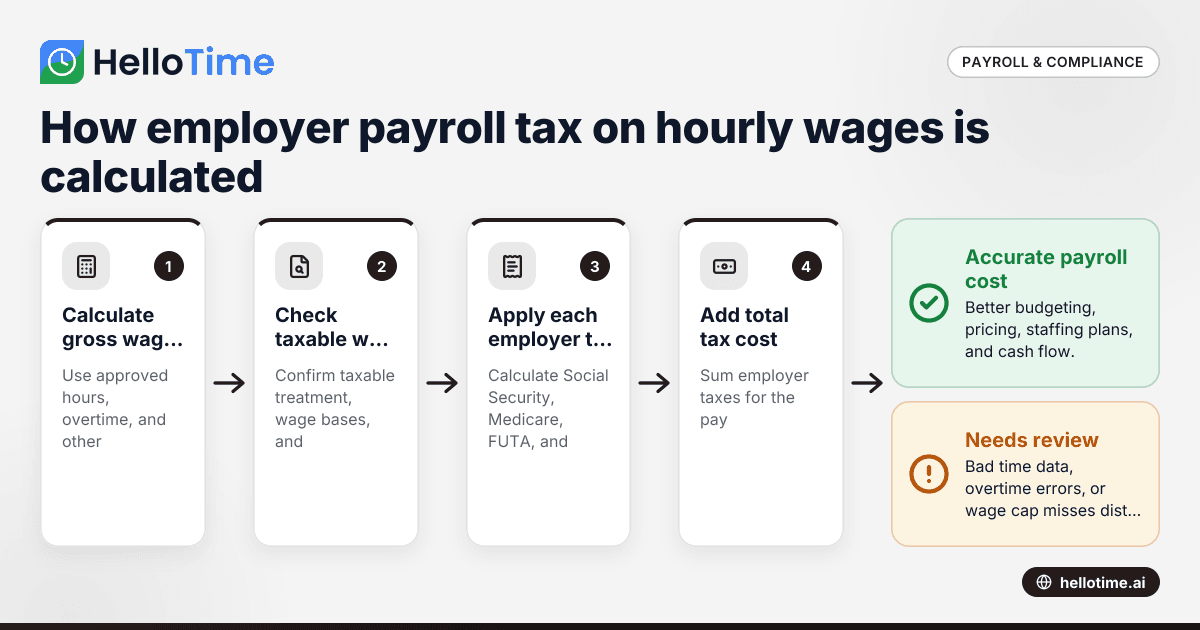
Start with taxable gross wages for the pay period. Then apply each employer tax separately, using the current rates and wage bases for Social Security, Medicare, FUTA, and your state unemployment tax.
Step 1: Calculate gross hourly pay
Use the employee’s approved time records.
For example:
- 38 regular hours at $22 per hour
- 6 overtime hours at time and a half
The calculation is:
- Regular pay: 38 × $22 = $836
- Overtime rate: $22 × 1.5 = $33
- Overtime pay: 6 × $33 = $198
- Gross wages: $1,034
If other taxable earnings apply in the pay period, add them.
Step 2: Confirm taxable wages for each tax
Not every tax uses the exact same annual limit. Before applying a rate, check:
- Whether the wages are taxable for that specific tax
- Whether the employee has already reached the wage base for the year
- Whether any part of the current paycheck crosses the wage limit
This matters most for Social Security, FUTA, and state unemployment tax because wage caps often apply.
Step 3: Apply the employer share of Social Security tax
Apply the employer Social Security rate to taxable wages up to the annual wage base. If the employee is below the wage base, the entire taxable amount for that period may be subject to tax. If the employee crosses the wage base in that payroll, only the wages up to the limit are taxed.
Step 4: Apply the employer share of Medicare tax
Apply the employer Medicare rate to taxable wages. In general, the employer share does not stop at a wage cap the way Social Security does.
Step 5: Apply FUTA
Apply the effective FUTA rate to taxable wages up to the FUTA wage base for the year. If the employee already exceeded the FUTA wage base earlier in the year, no FUTA may be due on current wages.
Step 6: Apply state unemployment tax
Apply your state unemployment rate to taxable wages up to the state wage base. This rate depends on your state and often your business’s experience rating.
Step 7: Add the employer taxes
Add all employer payroll taxes for the pay period to get the tax cost for that employee.
Then add:
- Gross wages
- Employer payroll taxes
- Any workers’ compensation or benefits costs you include in labor burden
That gives you a more realistic hourly labor cost.
Example: a simple payroll tax calculation for one hourly employee
Let’s use a simple example for a small business in the United States. We will not insert fixed tax rates or wage bases here, because those can change. Instead, use the current federal and state figures for your payroll year.
Assume:
- Gross hourly wages for the week: $1,034
- All wages are still below the annual Social Security wage base
- All wages are still below the FUTA wage base
- All wages are still below the state unemployment wage base
The structure looks like this:
- Gross wages: $1,034
- Employer Social Security tax: $1,034 × current employer Social Security rate
- Employer Medicare tax: $1,034 × current employer Medicare rate
- Employer FUTA tax: $1,034 × effective FUTA rate
- Employer state unemployment tax: $1,034 × your current state unemployment rate
- Total employer payroll tax: add items 2 through 5
- Total direct payroll cost: gross wages + total employer payroll tax
This is the core logic behind any employer payroll tax calculator for hourly employees in the United States. The hard part is not the formula. The hard part is keeping current rates, wage caps, and wage classifications accurate every pay period.
What mistakes cause payroll tax errors for hourly employees?
The most common payroll tax mistakes come from bad time data, wrong overtime calculations, and outdated tax settings. If gross wages are wrong, every employer tax that follows is wrong too.
Mistake 1: Using unapproved hours
If managers send payroll hours by text message or email at the last minute, corrections are common. That leads to off-cycle adjustments and amended tax reporting.
Mistake 2: Forgetting overtime premiums
Overtime changes gross taxable wages. If your spreadsheet calculates overtime inconsistently, employer tax totals will also be inconsistent.
Mistake 3: Ignoring wage bases
Social Security, FUTA, and state unemployment taxes often stop after a wage threshold. If you keep taxing wages past the limit, you overstate payroll cost.
Mistake 4: Missing taxable add-ons
Shift differentials, non-discretionary bonuses, and some fringe benefits can affect taxable wages. If those are handled outside your payroll workflow, they can be missed.
Mistake 5: Tracking state unemployment poorly
State unemployment tax is one of the biggest variables for small businesses. New employer rates, experience rates, and state wage bases need regular review.
Can a spreadsheet work as an employer payroll tax calculator?
Yes, but only if you update it constantly. A spreadsheet can calculate payroll taxes for hourly employees in the United States, but it becomes risky when rates, wage bases, overtime rules, or employee counts change.
A spreadsheet usually works at first because it feels flexible. Then the business grows from 8 employees to 28 employees. One location becomes three. One shift becomes two. A few employees work in the field. Another few split time across projects. Suddenly, the spreadsheet is doing too much.
When spreadsheets usually break
Spreadsheets tend to fail when you need to manage:
- Multiple hourly rates
- Overtime by workweek
- State unemployment tracking
- Job costing by customer or project
- Timesheet approvals
- Corrections after payroll is processed
- Attendance records from mobile staff or kiosks
This is where better time capture helps. Payroll tax accuracy starts with correct hours. If your source data is messy, tax calculations will always feel harder than they should.
How can time tracking reduce employer payroll tax errors?
Better time tracking improves payroll tax accuracy because it gives you cleaner gross wage data. When hours, breaks, overtime, and approvals are captured consistently, employer tax calculations become much easier to trust.
Time data is the first payroll control
Think of payroll tax as the second calculation, not the first. The first calculation is time into wages. If that first step is wrong, tax math cannot fix it.
For hourly businesses, useful controls include:
- Employees clocking in and out on time
- GPS or geofenced records for field teams
- Tablet kiosks for shared work sites
- Clear manager approvals before payroll closes
- Automatic timesheet totals for regular and overtime hours
That is why some small businesses now look for ai employer payroll workflows. In practice, that usually means using software to reduce manual entry, flag unusual hours, and move approved time into payroll-ready reports with fewer handoffs.
Where HelloTime can help
HelloTime is not a tax advisory service, and US payroll is not live yet. But it can help upstream by tracking hours, overtime, attendance, leave, and approvals so your payroll inputs are cleaner. For US teams reviewing fit, the HelloTime in the US page gives a simple overview.
Building a simple employer payroll tax calculator for hourly employees in the United States
If you want a practical template, build your calculator in this order.
Inputs to include
For each employee, track:
- Hourly rate
- Regular hours
- Overtime hours
- Overtime multiplier
- Other taxable earnings
- Year-to-date taxable wages
- Year-to-date wages subject to Social Security
- Year-to-date wages subject to FUTA
- Year-to-date wages subject to state unemployment
- Current employer tax rates
- Current federal and state wage bases
Formula flow
- Calculate regular pay.
- Calculate overtime pay.
- Add other taxable earnings.
- Calculate gross taxable wages for the pay period.
- Apply employer Social Security tax, limited by the annual wage base.
- Apply employer Medicare tax.
- Apply FUTA, limited by the FUTA wage base.
- Apply state unemployment tax, limited by the state wage base.
- Sum all employer taxes.
- Add taxes to gross wages for total employer payroll cost.
Add review checks
Before finalizing payroll, review:
- Employees with unusually high overtime
- Employees reaching annual wage bases
- Manual pay adjustments
- Missing punches
- New state unemployment rates
- Quarter-end reconciliation totals
These checks matter more than most people expect. A missed wage-base threshold can distort payroll tax cost for the rest of the year.
How should small businesses budget employer payroll taxes?
A good rule is to budget employer payroll taxes as a separate labor burden line, not as a hidden part of wages. That helps you price jobs, set billable rates, and understand margin by employee or crew.
For example:
- A creative agency billing hourly work should include employer payroll taxes in its cost per billable hour.
- A cleaning company should include them in crew labor budgets by site.
- A construction subcontractor should include them in job cost estimates before submitting bids.
If you use project profitability reporting or invoice from billable hours, labor burden becomes even more important. Wage cost alone does not show the full cost of delivering work.
A practical monthly payroll tax checklist
Use this checklist to stay organized.
Every pay period
- Approve all hourly time records.
- Confirm overtime calculations.
- Review taxable wage adjustments.
- Update year-to-date wage totals.
- Calculate employer taxes by employee.
- Reconcile totals before payroll is finalized.
Every month or quarter
- Review tax deposit schedules with your payroll provider or accountant.
- Check unemployment tax notices and rate changes.
- Reconcile payroll expense to your accounting system.
- Confirm wage bases are being applied correctly.
- Store payroll reports and supporting time records.
If your accounting stack includes QuickBooks, make sure payroll totals and payroll tax expense accounts match the payroll reports you are relying on. Reconciliation catches issues earlier.
Choosing software for hourly payroll inputs
Even if you do not switch your payroll provider, you can still improve payroll tax accuracy by improving how you collect time. For many small businesses, that is the biggest opportunity.
Look for tools that help you:
Keep reading
Related articles
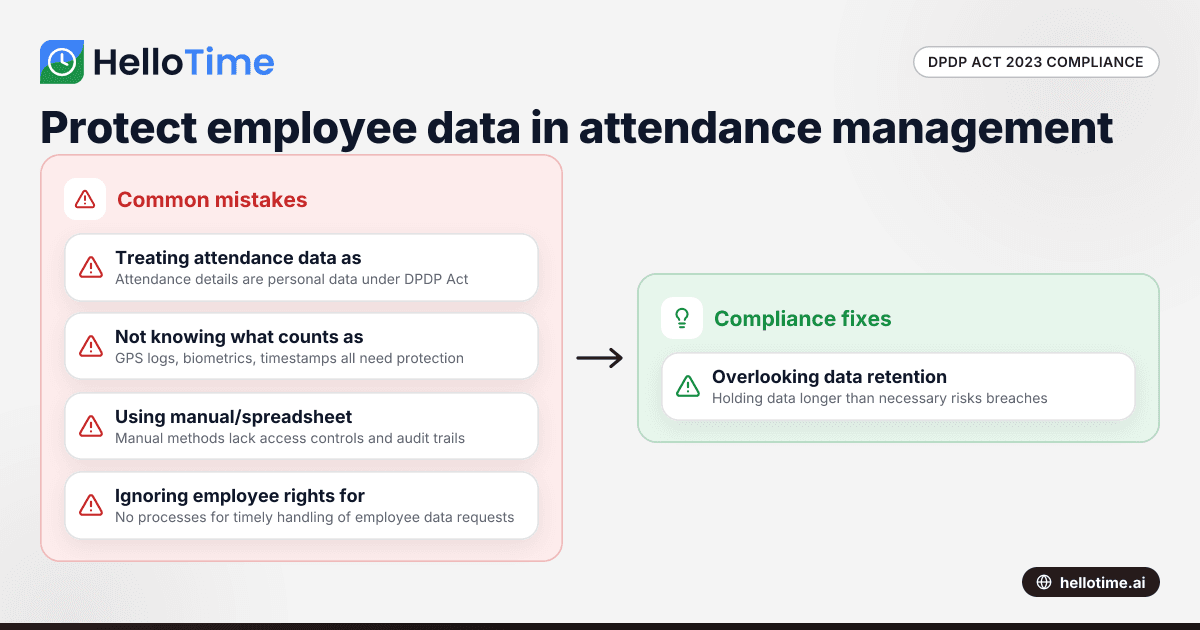
What Indian Businesses Need to Know About Data Protection Under the DPDP Act 2023 When Managing Attendance and Timesheets
Businesses tracking employee attendance and timesheets in India face growing risks if they overlook the DPDP Act 2023’s mandate for protecting.
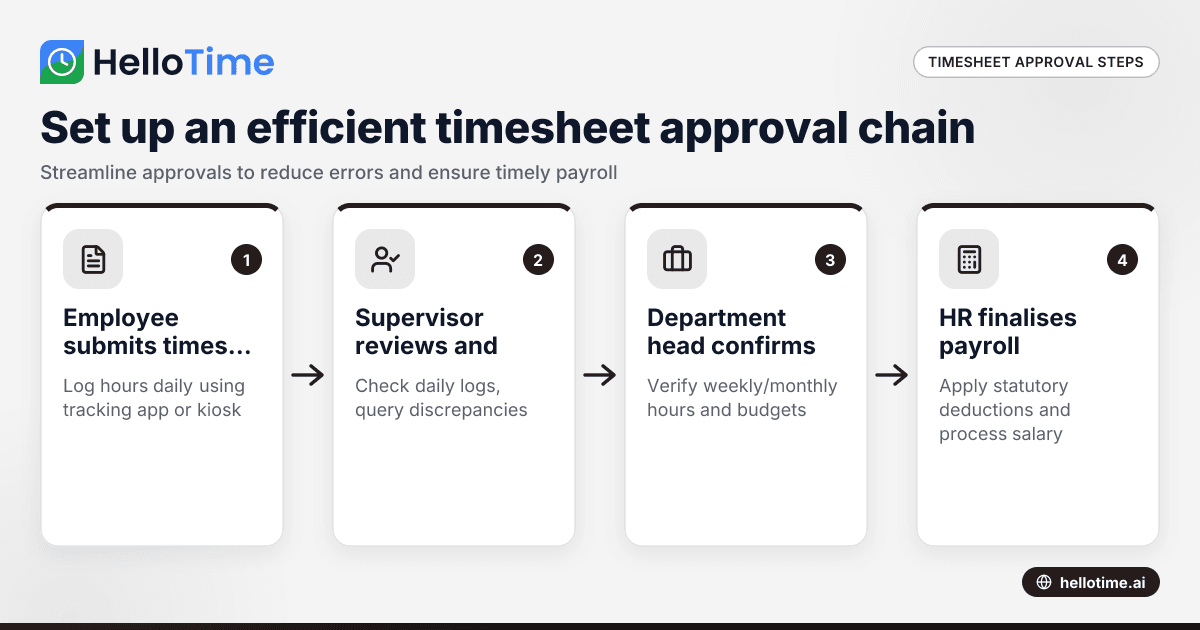
How to Set Up an Efficient Timesheet Approval Chain for Indian SMEs
How to Set Up an Efficient Timesheet Approval Chain for Indian SMEs This guide is for owners, HR, and operations managers at Indian small and.

How to Manage Holiday Calendars for Multi-State Teams in India
Managing holiday calendars for multi-state teams in India can be complex due to different state-specific holidays and observances. By the end of this.