How to Convert and Use Decimal Hours for Accurate Timesheets in United States Small Businesses
Converting and using decimal hours makes time tracking and timesheet management simpler and more accurate for US small businesses. Decimal hours.
The HelloTime team
10 min read
On this page
Converting and using decimal hours makes time tracking and timesheet management simpler and more accurate for US small businesses. Decimal hours represent work time in fractions of an hour (e.g., 1.5 hours instead of 1 hour 30 minutes) to ease calculations and payroll processes. This improves billing, reporting, and labor cost management.
Key takeaways
- Decimal hours express time as a fractional hour, simplifying calculations for payroll and billing.
- Converting standard hours and minutes to decimal hours reduces errors in timesheets.
- AI decimal hours tools automate the conversion to improve accuracy and save time.
- Small businesses in the US benefit from decimal hours for clearer invoicing and project billing.
- Workforce management software can auto-build timesheets with decimal hours for faster approvals.
- Decimal hours streamline handling shift work and overtime for accurate pay compliance.
What are decimal hours and why should US small businesses use them?
Decimal hours show time worked as a decimal fraction of one hour instead of hours and minutes. For example, 2 hours and 45 minutes becomes 2.75 hours (since 45 minutes is 0.75 or three-quarters of an hour).
Using decimal hours makes it easier to:
- Calculate total hours worked,
- Calculate wages based on hourly rates,
- Generate invoices accurately,
- Prepare timesheets and reports without manual conversions.
By expressing time solely as a decimal, businesses avoid the common confusion and mistakes that happen when adding or multiplying hours and minutes separately.
For US small businesses, especially those billing clients by the hour or managing shift workers in industries like retail, hospitality, or professional services, switching to decimal hours saves time and improves payroll accuracy. It also simplifies project profitability analysis, because labor costs connect directly to the decimal hour values.
The problem with standard hours and minutes
Most time tracking starts as "hours:minutes" (e.g., 7:45). However, adding these for payroll or billing requires converting minutes into a fraction of an hour. Failing to do this can produce mistakes like treating 7:45 as 7.45 hours, which equals 7 hours 27 minutes — causing payroll underpayments or overcharges.
The decimal hours method fixes this by converting minutes into hundredths of hours, so calculations are straightforward multiplication and addition.
How do you convert standard hours and minutes into decimal hours?
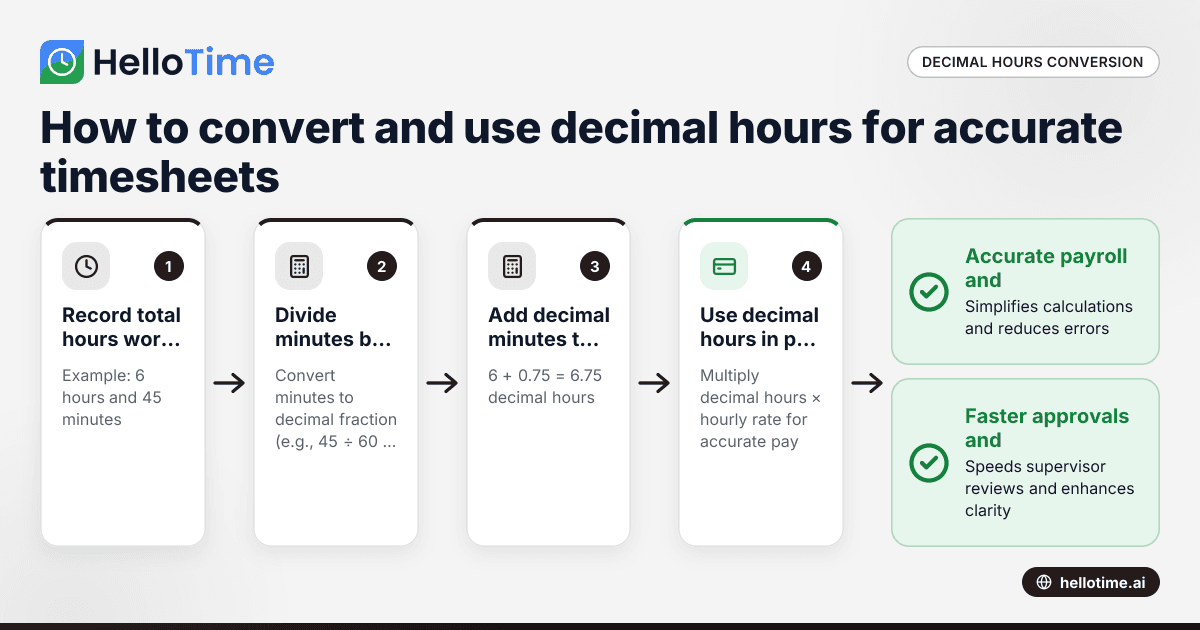
Converting standard time (hours:minutes) into decimal hours involves dividing the minutes by 60 and adding that result to the total hours.
Step-by-step method for conversion:
- Record the total hours worked (e.g., 3 hours).
- Divide the minutes by 60 to convert them into decimal form. For instance, 15 minutes ÷ 60 = 0.25.
- Add the decimal minutes to the hours: 3 + 0.25 = 3.25 decimal hours.
Example:
Suppose an employee worked 6 hours and 45 minutes.
- 45 ÷ 60 = 0.75
- 6 + 0.75 = 6.75 decimal hours
This decimal number, 6.75, can now be used directly in payroll calculations or invoicing.
Common pitfalls when converting manually
- Ignoring the conversion step: Treating 6:45 as 6.45 hours instead of 6.75 hours results in underreporting work time by 18 minutes.
- Rounding too early: Rounding the decimal fraction before calculations can cause inaccuracies.
- Mixing formats in spreadsheets: Sometimes, employees enter time inconsistently, mixing decimals and standard time formats, leading to confusion.
To avoid these, many US small businesses use formulas in spreadsheets or invest in software that performs these conversions automatically (more on that below).
How does AI decimal hours conversion work?
Today, AI-powered time tracking software can automatically convert hours and minutes into decimal hours, eliminating manual conversion errors and saving administrative work.
How AI decimal hours automation helps:
- Automatically reads raw clock-in/clock-out data or timesheet entries.
- Converts standard time into decimal format instantly.
- Applies business rules such as rounding intervals (e.g., nearest 6 minutes for payroll compliance).
- Integrates converted decimal hours into timesheets, payroll, and invoicing workflows.
AI tools analyze patterns to prevent errors such as overlapping shifts or inconsistent break deductions. This means US small businesses pay employees accurately, bill clients correctly, and generate timely reports without manual data cleaning.
Example: Using AI decimal hours in a professional services agency in Houston
- Employees log start and end times for client projects.
- AI converts these into decimal hours in real time.
- Managers review and approve digital timesheets through the software.
- Billable hours are used to generate clean invoices where decimal hours match client agreements precisely.
This process reduces administrative delays and payroll disputes. Instead of spending hours each week reconciling timesheets and calculations, firms focus on project delivery.
What are the benefits of using decimal hours for payroll and invoicing?
Decimal hours bring clarity and accuracy to payroll and invoicing processes, especially for US businesses billing by the hour or managing shift-based staff.
Benefits include:
- Simplified wage calculation: Calculating total pay uses straightforward multiplication — decimal hours × hourly rate.
- Reduced errors: Avoid mistakes like treating 3 hours 45 minutes as 3.45 hours.
- Easy billing: Agencies and consultants can invoice clients for exact hours worked, improving client trust.
- Consistent reporting: Payroll, invoicing, and labor reports align with each other for easy cross-checking.
- Faster approvals: Automated decimal timesheets speed supervisor sign-off.
Worked payroll example:
An employee in Chicago worked 3 hours and 45 minutes at $20/hour.
- Convert 3:45 → 3 + (45/60) = 3.75 hours
- Total pay = 3.75 × $20 = $75
If this had been logged as 3.45 hours, the pay calculation would have been:
- 3.45 × $20 = $69
A $6 underpayment that can cause employee dissatisfaction and errors in tax reporting.
Billing example:
A marketing consultant in Detroit tracks time daily using decimal hours:
| Date | Hours (decimal) | Project A | Project B |
|---|---|---|---|
| 01/10/2024 | 4.50 | 3.25 | 1.25 |
| 01/11/2024 | 5.75 | 3.50 | 2.25 |
Invoices can be generated with precise decimal hours for each project, aiding client clarity and ensuring no billable time is missed.
How do decimal hours improve project profitability tracking?
Project managers need to understand labor costs precisely to spot inefficiencies and maximize profitability.
Using decimal hours supports:
- Accurate allocation of labor costs to projects or cost centers.
- Clear comparisons between budgeted hours and actual hours worked.
- Alignment with accounting systems such as QuickBooks, avoiding discrepancies in financial reports.
- Easy calculation of utilization rates and overhead absorption.
Example: Manufacturing in Detroit
A plant manager tracks time spent on phases of product assembly:
| Phase | Hours (decimal) | Cost Per Hour | Total Cost |
|---|---|---|---|
| Assembly | 150.75 | $30 | $4,522.50 |
| Quality Control | 25.50 | $28 | $714.00 |
| Packaging | 40.25 | $25 | $1,006.25 |
Using decimal hours simplifies formulas for calculating the total labor expense accurately. This clear data helps identify if stages exceed budgets, allowing timely adjustments or workflow improvements.
How can US small businesses easily convert and track decimal hours?
Many companies still rely on manual methods using spreadsheets, which risk errors unless carefully managed.
Practical ways to convert and track decimal hours:
Automate in spreadsheets
- Use formulas like
=A2+(B2/60)where A2 is hours and B2 minutes. - For example, if employee 1 worked 7 hours and 45 minutes:
=7 + (45/60)results in 7.75 hours.
- This works well but depends on correct data entry.
- Use formulas like
Adopt digital time tracking
- Tools capture time electronically (clock-in/out, timer apps).
- Software converts time entries into decimal hours automatically.
- Eliminates manual calculation errors and lost data.
Use workforce management software
- Features include one-click tracking, shift scheduling, leave management.
- Timesheets build automatically in decimal hours for fast approval.
- Often integrates with payroll and invoicing systems.
HelloTime offers all these capabilities—one-click time tracking, automated decimal hours conversion, and timesheets—helping US businesses speed approvals and improve accuracy.
How to handle shift work and overtime using decimal hours?
Shift-based businesses in retail, hospitality, field service, and manufacturing regularly deal with complex schedules including overtime, breaks, and differential pay.
Why decimal hours help:
- Simplifies totaling hours worked per shift.
- Clearly separates regular hours vs overtime (e.g., 8 regular + 2 overtime).
- Easier to apply varying overtime rates per state or business rules.
- Reduces errors in payroll calculations and ensures compliance with labor laws.
Step-by-step overtime tracking using decimal hours:
- Record total hours worked (e.g., 9.25 hours).
- Identify regular hours (usually 8 hours).
- Calculate overtime hours (9.25 - 8.00 = 1.25 hours).
- Calculate pay:
- Regular = 8 × base rate
- Overtime = 1.25 × overtime rate (typically 1.5× base rate)
Worked example: Retail worker in Houston
- Shift: 9 hours 15 minutes = 9 + 15/60 = 9.25 decimal hours.
- Regular hours = 8.0, overtime = 1.25.
- Hourly pay = $15, overtime rate = $22.50.
- Pay = (8 × 15) + (1.25 × 22.50) = $120 + $28.13 = $148.13.
Using decimal hours makes this calculation clear and minimizes disputes.
How to convert decimal hours back to hours and minutes?
Sometimes managers or employees want time displayed in standard "hours:minutes" format.
Conversion steps:
- Take the integer part as hours (e.g., 2.75 → 2 hours).
- Multiply the decimal part by 60 to get minutes (0.75 × 60 = 45 minutes).
- Combine as "hours:minutes" (2:45).
Example:
Decimal hours: 5.50
- Hours = 5
- Minutes = 0.50 × 60 = 30
- Time = 5:30
This helps communicate schedules and timesheets with staff unfamiliar with decimal format.
What statutory or labor compliance considerations relate to decimal hours?
There are no US federal laws requiring the use of decimal hours specifically. However, employers must comply with the Fair Labor Standards Act (FLSA) and state labor laws by maintaining accurate records of hours worked.
Key compliance points:
- Timesheets must reflect actual hours worked, including overtime.
- Employers must pay overtime correctly, often after 40 hours/week or as state law requires.
- Decimal hours are a best practice to ensure accuracy but are not legally mandated.
- Payroll systems need to correctly interpret and calculate wages from decimal timesheets.
- For 1099 contractors, accurate work duration records improve billing transparency.
Using decimal hours aligns well with FLSA compliance by reducing errors and ensuring clear time documentation.
Decimal hours bring precision and simplicity to time tracking, payroll, and invoicing for US small businesses. They reduce manual errors and speed up workforce management, especially when automated by AI decimal hours tools or integrated software solutions. Exploring features like one-click tracking and auto-building decimal timesheets can streamline your business processes effortlessly.
Interested? Check out our features to see how decimal hours can work for your business, or compare plans on our pricing page to get started.
Frequently asked questions
What does "decimal hours" mean in timesheets?
Decimal hours express worked time as a fraction of an hour. For example, 1 hour 15 minutes becomes 1.25 hours. This simplifies calculations for payroll and billing by using a single numeric format.
How do I convert minutes to decimal hours manually?
Divide the number of minutes by 60 to get the decimal fraction, then add it to the hours. For example, 45 minutes ÷ 60 = 0.75. So, 2 hours 45 minutes = 2 + 0.75 = 2.75 decimal hours.
Can I use decimal hours for overtime calculations?
Yes, decimal hours allow clear separation of regular and overtime worked hours, simplifying pay calculations. Make sure your payroll software supports decimal time formats for compliance and accuracy.
Is decimal hours conversion automated in workforce software?
Many modern time tracking and workforce management tools, including AI-powered platforms, perform automatic decimal hours conversion. This saves time and reduces human error in payroll and invoicing.
Are decimal hours legally required in the US?
No, decimal hours are not legally required by US labor laws. However, using decimal hours is a best practice because it improves accuracy and helps maintain compliant timesheets under FLSA and state regulations.
How do decimal hours integrate with invoicing?
Decimal hours enable precise billing based on exact time worked, avoiding estimation errors on invoices. This clarity helps agencies and consultants maintain client trust and ensures you get paid accurately for billable hours.
Read next
This article covers one part of a bigger topic. For the complete picture, read our guide to decimal hours.
Keep reading
Related articles
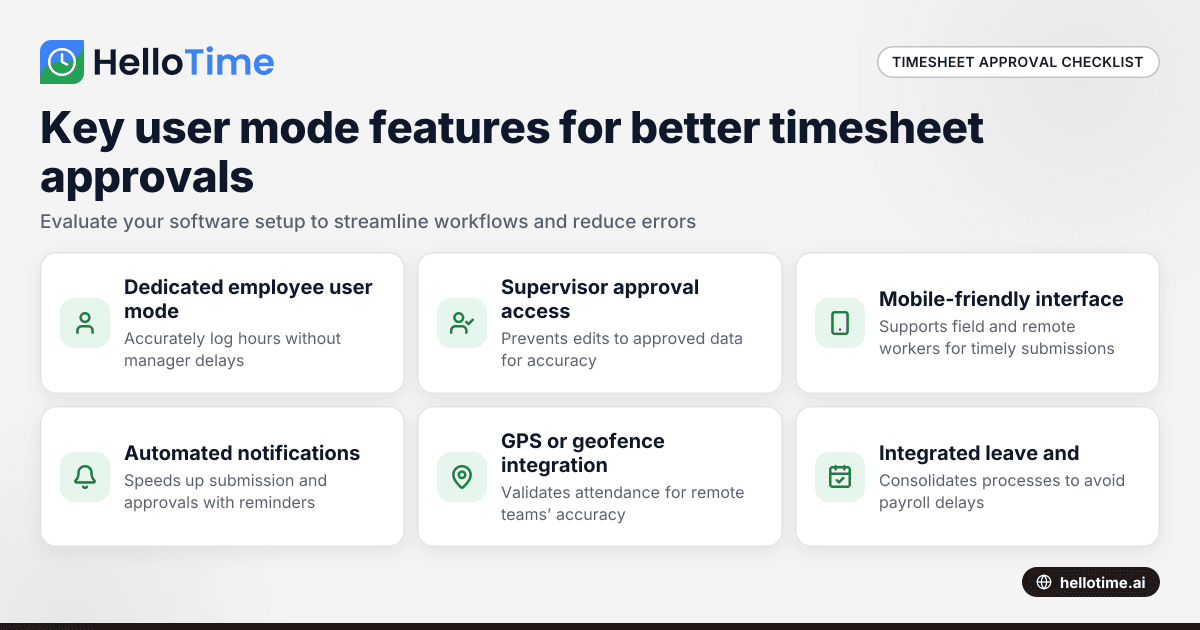
How User Mode Enhances Timesheet Approval Workflow for Indian Small Businesses
How User Mode Enhances Timesheet Approval Workflow for Indian Small Businesses.
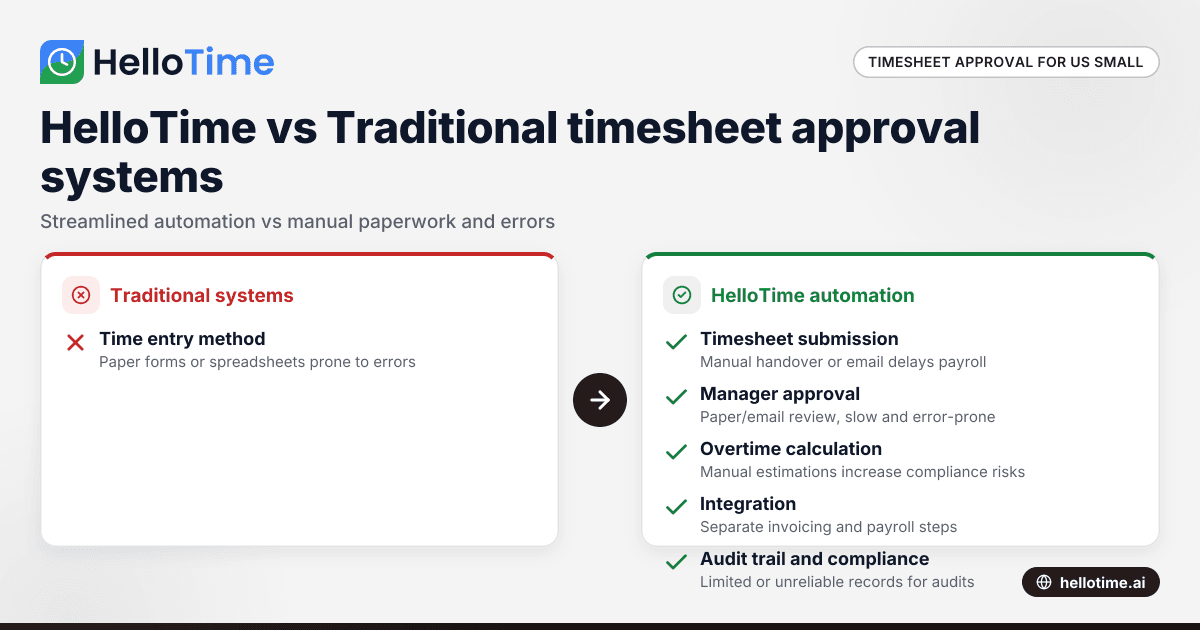
HelloTime vs Traditional Timesheet Approval Systems: Advantages for United States Small Businesses
HelloTime vs Traditional Timesheet Approval Systems: Advantages for United States Small Businesses When comparing HelloTime vs traditional timesheet.
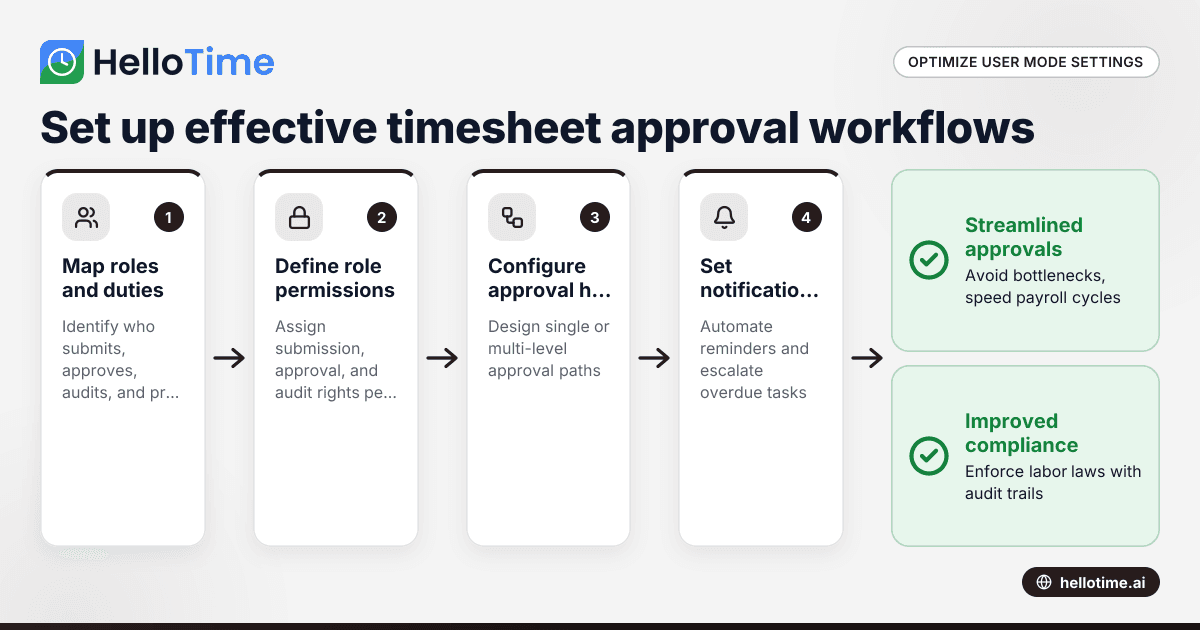
How United States Small Businesses Can Optimize User Mode Settings to Streamline Timesheet Approval Workflows
In timesheet approval workflows, user mode customizes access and approval steps based on employee roles, allowing roles like employees, managers, and.