How to Set Up User Access Levels in Timesheet Approval Workflows for US Small Businesses
Setting user access levels in timesheet approval workflows helps US small businesses control who can view, edit, submit, and approve timesheets. This.
The HelloTime team
5 min read
On this page
Setting user access levels in timesheet approval workflows helps US small businesses control who can view, edit, submit, and approve timesheets. This ensures payroll accuracy, legal compliance, and accountability. Tailored access and AI user mode features optimize operational efficiency and protect sensitive workforce data.
Key takeaways
- User mode timesheet approval assigns roles like employees, supervisors, and admins with specific permissions.
- Proper access levels support compliance with US labor laws and internal policies.
- Automated approval workflows reduce errors and speed payroll and billing processes.
- Customizable access fits team structures from professional services to shift-based operations.
- Clear hierarchies prevent bottlenecks and improve audit trails.
- AI-enhanced user mode features help flag anomalies and enforce rules automatically.
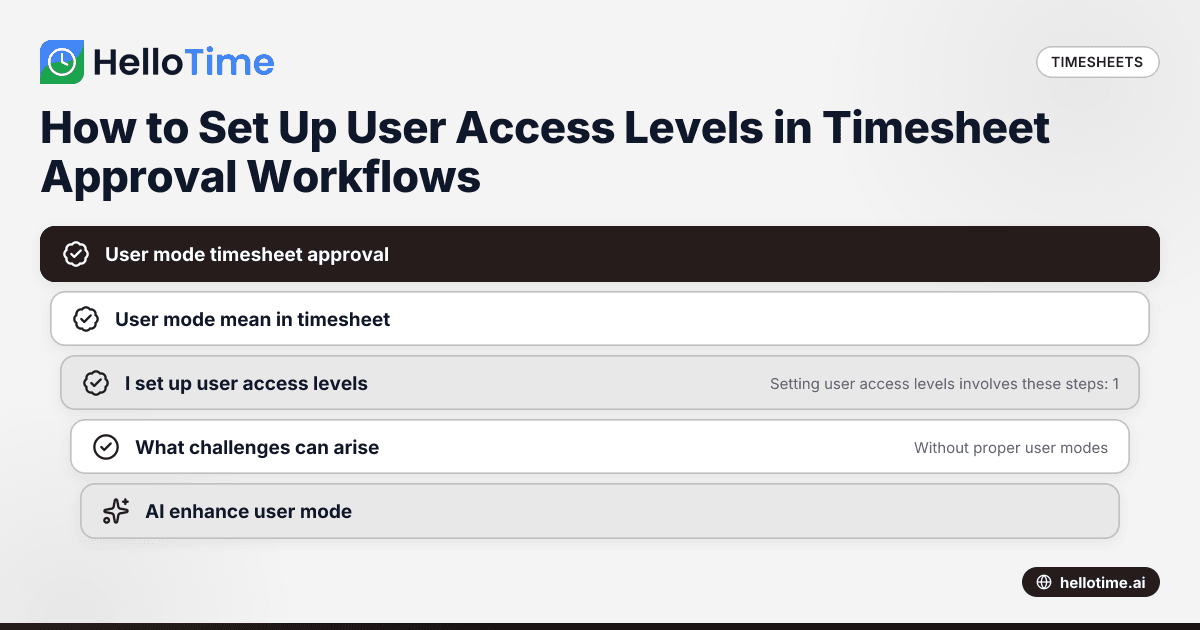
Why is user mode timesheet approval important for US small businesses?
User mode timesheet approval lets you assign exact permissions for employees, managers, and HR. This control prevents unauthorized changes or errors, crucial for compliance with wage and hour laws enforced by the US Department of Labor. Accurate approvals maintain data integrity to avoid payroll mistakes, audits, and costly legal issues.
Small businesses in cities like Chicago, Houston, and Detroit that bill clients hourly rely on validated timesheets for accurate invoicing. Shift-based teams also benefit from clear access levels, making attendance and leave management more reliable.
What does user mode mean in timesheet approval?
User mode in timesheet approval defines each user’s level of access and their allowed actions. For example, employees may enter and submit time, supervisors can approve or edit, and admins oversee settings and reports.
Integrating ai user mode features uses artificial intelligence to detect unusual entries or policy violations, streamlining approval workflows and reducing manual reviews.
How do I set up user access levels for timesheet approval?
Setting user access levels involves these steps:
- Define roles: Identify who enters time, approves timesheets, handles payroll, and oversees the system.
- Set permissions: Decide who can submit, edit, approve, and generate reports.
- Configure user modes: Assign each user to a mode matching their permissions.
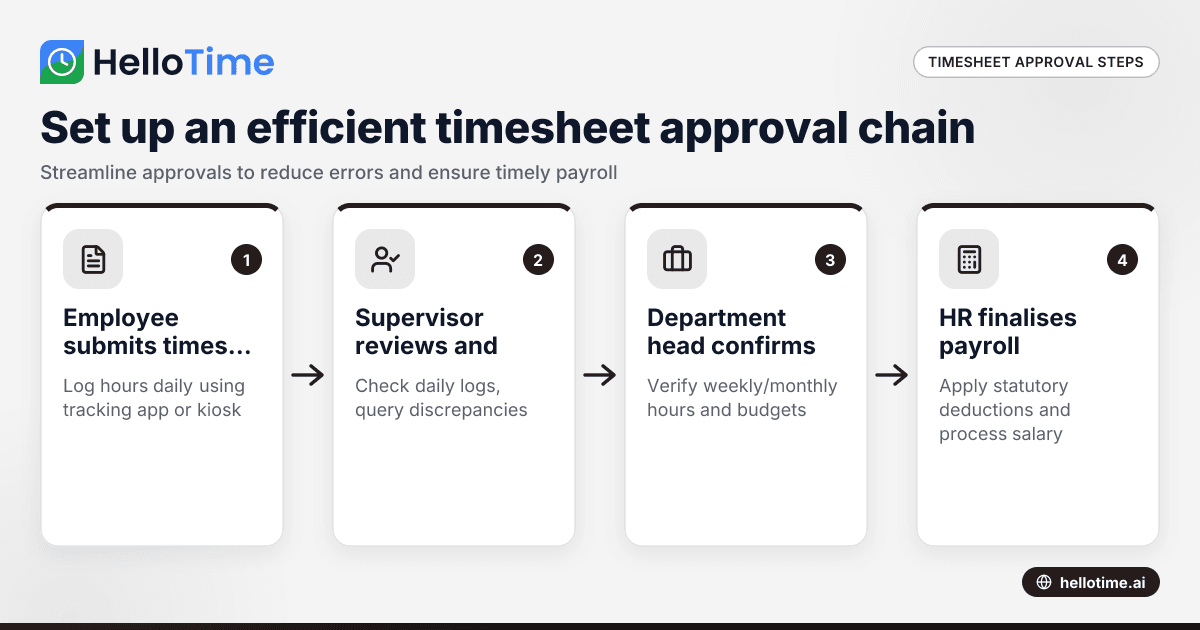
- Create approval workflows: Design hierarchies requiring supervisor review before payroll.
- Test thoroughly: Run sample timesheets to confirm roles and notifications work.
- Train staff: Explain responsibilities and how to use the software.
Software like HelloTime makes this process simple with easy role configuration and approval paths tailored to US business needs.
What challenges can arise without proper access control?
Without proper user modes, employees might alter timesheets after approval, supervisors could miss pending approvals, and HR might overlook errors violating the Fair Labor Standards Act (FLSA). These lapses cause payroll delays, incorrect billing, and legal risks.
Also, inadequate access increases exposure of private payroll data. Lack of audit trails linked to user modes complicates dispute resolution and damages business reputation.
How does AI enhance user mode timesheet approval?
AI enhances timesheet approval by automatically flagging unusual patterns, such as overtime beyond limits or missing breaks mandated by law. This ai user mode feature lets managers focus on exceptions instead of manually reviewing all timesheets, speeding approval and improving accuracy.
For small US businesses managing remote or field teams, AI-powered workflows reduce administrative overhead and help ensure labor law compliance without complex manual oversight.
What types of user access levels are best for small businesses?
A practical hierarchy includes:
- Employee mode: Enter hours and submit timesheets.
- Supervisor mode: Review, edit, and approve team timesheets.
- HR/Payroll mode: Access all records, generate reports, and manage payroll.
- Administrator mode: Configure system settings and user permissions.
Too many roles can complicate workflows; too few risk errors. Start simple and adapt as your business grows.
How can I ensure compliance with US labor laws in timesheet approvals?
Set access rules to track all work hours, including overtime and breaks. Supervisors should verify timesheets against actual hours. HR needs to audit approvals regularly.
Use software that locks approved timesheets to prevent backdating, timestamps approvals, and provides detailed reports for compliance audits. Stay up to date with federal and state laws, which can vary on overtime rules and meal breaks.
What should I look for in time tracking software to support access control?
Ideal software offers:
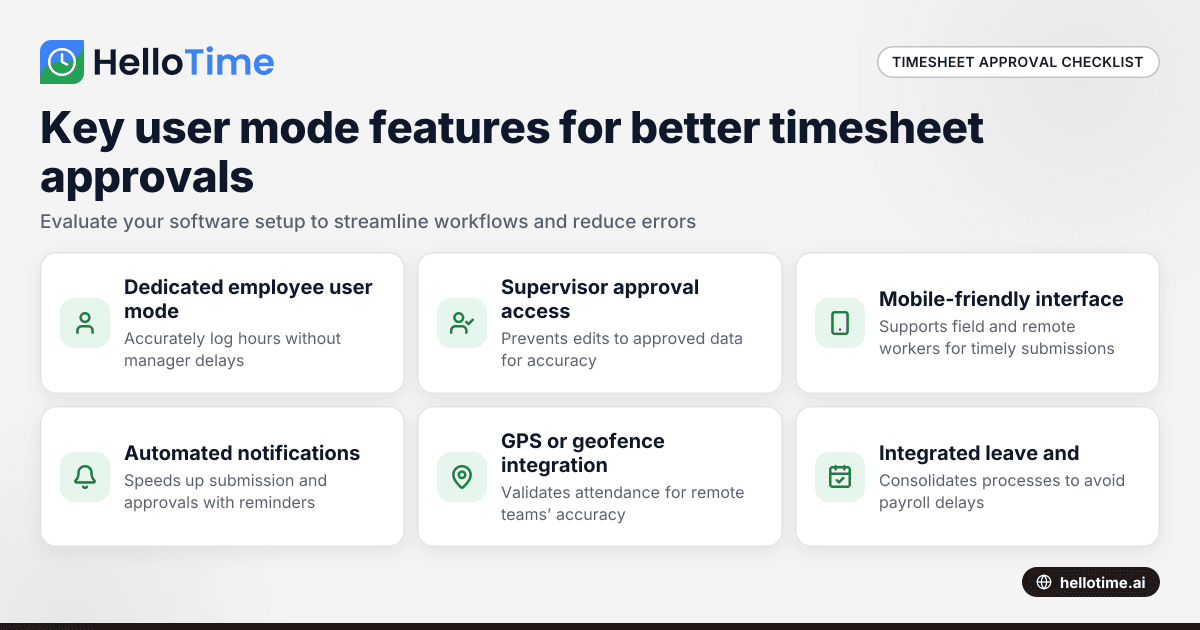
- Custom roles and permissions you can tailor
- Multi-level approval workflows with alerts
- Visibility restrictions so users see only relevant data
- Audit trails recording edits and approvals
- Integration with payroll and billing tools like QuickBooks and Stripe
HelloTime’s features include these to suit small businesses in the US with sophisticated but simple user mode timesheet approval.
How do I train my team on new timesheet approval roles?
Train by providing:
- Clear guides on each user mode’s responsibilities
- Live or recorded demos for hands-on software use
- Email reminders for timesheet submission deadlines
- Easy access to support during rollout
Emphasize how compliance benefits everyone by preventing payroll mistakes and audits.
Conclusion
User mode timesheet approval protects your small business by controlling timesheet access and approval roles. This strengthens payroll accuracy, legal compliance, and team accountability. Combining clear roles with AI enhancements and robust software like HelloTime simplifies time tracking management. Explore HelloTime’s features and compare plans at pricing to find the best fit.
Frequently asked questions
What is user mode timesheet approval?
It assigns access levels within the timesheet system to regulate who submits, views, edits, and approves time records, ensuring accuracy and compliance.
Can multiple supervisors approve timesheets?
Yes. You can configure systems to require multiple approvals or escalate pending timesheets automatically.
How does AI help with timesheet approvals?
AI flags irregularities like unusual hours or missed breaks, reducing manual errors and helping managers focus on exceptions.
Is user access control important for compliance?
Absolutely. It restricts sensitive payroll handling to authorized staff, supporting adherence to the Fair Labor Standards Act and state laws.
Can I customize user roles in HelloTime?
Yes. HelloTime lets you tailor user roles to fit your team's timesheet and approval workflows.
How long does it take to set up timesheet approval workflows?
Basic setup usually takes a few hours; training and integration duration depends on your team size and complexity.
Read next
This article covers one part of a bigger topic. For the complete picture, read our guide to user mo.
Keep reading
Related articles
How to Set Up an Efficient Timesheet Approval Chain for Indian SMEs
How to Set Up an Efficient Timesheet Approval Chain for Indian SMEs This guide is for owners, HR, and operations managers at Indian small and.
How User Mode Enhances Timesheet Approval Workflow for Indian Small Businesses
How User Mode Enhances Timesheet Approval Workflow for Indian Small Businesses.
HelloTime vs Traditional Timesheet Approval Systems: Advantages for United States Small Businesses
HelloTime vs Traditional Timesheet Approval Systems: Advantages for United States Small Businesses When comparing HelloTime vs traditional timesheet.