How to Use Payroll Software for Accurate Timesheet Approval in Small US Businesses
Using payroll software like HelloTime for accurate timesheet approval is essential for small US businesses. It streamlines payroll, reduces errors.
The HelloTime team
6 min read
On this page
Using payroll software like HelloTime for accurate timesheet approval is essential for small US businesses. It streamlines payroll, reduces errors, and ensures compliance with labor laws. HelloTime’s AI tools help managers quickly approve hours, detect anomalies, and integrate timesheets with payroll systems.
Key takeaways
- Payroll software automates timesheet approvals, reducing errors and saving time.
- HelloTime supports US businesses with features like GPS clock-in and project-based time tracking.
- Accurate timesheet approval ensures compliance with the Fair Labor Standards Act (FLSA).
- Managers can use HelloTime to review, edit, and approve timesheets with ease.
- Automated notifications and audit trails improve transparency and accountability.
- Integrating time tracking with payroll software like HelloTime speeds up pay runs and minimizes disputes.
Why is accurate timesheet approval critical for small US businesses?
Accurate timesheet approval ensures employees are paid correctly and on time, preventing costly errors and legal issues under the Fair Labor Standards Act (FLSA). It maintains trust among staff and supports compliance by tracking regular and overtime hours precisely.
Manual approval processes are often error-prone and time consuming. Small businesses using spreadsheets or paper risk overpaying or underpaying employees, which can cause disputes and dissatisfaction. Payroll software like HelloTime automates and accelerates this process, making timesheet approval more reliable and efficient.
How does AI hellobooks payroll improve timesheet approval?
AI hellobooks payroll software uses artificial intelligence to detect unusual patterns and errors in employee time entries, such as missing clock-ins or excessive overtime. This helps managers focus on exceptions and approve timesheets faster.
HelloTime integrates AI-driven insights in its timesheet approval features, alerting managers to discrepancies and suggesting corrective actions. This reduces manual workload and improves compliance with labor laws.
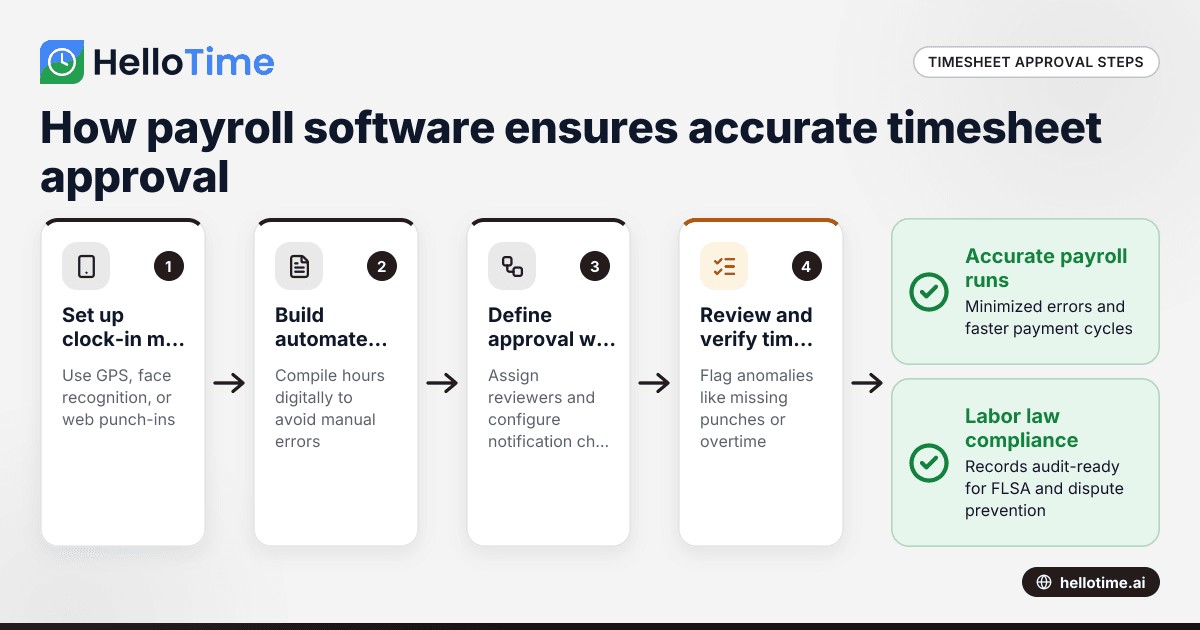
Step-by-step guide: Using payroll software for accurate timesheet approval
1. Set up clear clock-in and clock-out methods
Ensure employees use consistent and secure methods for recording hours. HelloTime offers GPS mobile clock-ins, tablet kiosks with face recognition, and web punch-in options to capture reliable time data.
2. Build automated timesheets
HelloTime compiles recorded hours into digital timesheets automatically, eliminating manual data entry errors common in spreadsheets or paper logs.
3. Define approval workflows
Assign who reviews and approves timesheets, whether a single manager or multiple levels. HelloTime lets you configure approval chains and sends automatic notifications to remind approvers.
4. Review and verify timesheets
Managers review submitted hours via HelloTime, which flags anomalies like missing punches or suspicious overtime. They confirm hours align with scheduled shifts or projects.
5. Approve or request corrections
With one click, managers approve timesheets or request employee edits if discrepancies are found. Employees receive prompt notifications to correct errors.
6. Integrate with payroll processing
Approved timesheets automatically feed into payroll software or reports, minimizing duplication and payroll errors. HelloTime supports exports compatible with systems like QuickBooks and ADP.
What features should small US businesses look for in payroll software with timesheet approvals?
Effective payroll software for timesheet approval should include:
- Mobile GPS clock-in for remote or field workers
- Automated digital timesheet creation
- Customizable approval workflows
- AI-based alerts for inconsistencies and overtime
- Full audit trails and approval logs
- Easy export to US payroll or accounting systems
- User-friendly dashboards for quick manager review
HelloTime delivers these features, serving businesses like agencies, retail, hospitality, and field service teams in cities such as Chicago, Houston, and Detroit.
How can small businesses ensure compliance with US labor laws during timesheet approval?
Compliance with the Fair Labor Standards Act (FLSA) requires accurate records of hours worked, including overtime, breaks, and paid leave. Records must be retained for at least three years.
Payroll software like HelloTime helps by calculating overtime automatically and maintaining audit trails. Managers should train employees on proper clock-in protocols and regularly audit timesheets. Automated alerts prevent processing hours that could violate labor rules.
Why should small businesses automate timesheet approvals?
Automating timesheet approvals reduces manual errors, improves payroll accuracy, and saves time in busy offices. It speeds up payroll runs, reduces payroll disputes, and enhances transparency with robust audit logs.
How do notifications and audit trails improve timesheet accuracy?
Notifications alert managers and employees about pending approvals or required corrections, reducing delays and forgotten entries. Audit trails keep a tamper-proof record of who submitted, edited, or approved timesheets and when, aiding compliance and dispute resolution.
HelloTime records every timesheet change and approval with timestamps. This detailed log supports audits and fosters accountability in US small businesses.
Common challenges with manual timesheet approval and how software solves them
- Lost or illegible paper records: Digital timesheets remove this risk.
- Errors in overtime calculations: Automated math flags discrepancies.
- Delayed approvals: Automatic reminders speed up the process.
- Lack of audit history: Software logs every change.
- Inconsistent time capture for mobile workers: GPS clock-ins ensure correct location tracking.
Using HelloTime addresses these challenges to reduce payroll bottlenecks.
Summary
Accurate timesheet approval is critical for small US businesses to ensure correct pay, legal compliance, and efficient payroll. AI-powered software like HelloTime automates approvals, flags exceptions, and provides audit trails. Managers can verify hours quickly, fix errors, and export data to popular payroll systems for smooth pay cycles. Discover more workforce management features and find the right plan on the pricing page.
Frequently asked questions
What is AI payroll software, and how does it help small businesses?
AI payroll software uses artificial intelligence to find errors and anomalies in time tracking, speeding up timesheet approval. It helps managers approve accurate hours while maintaining compliance with labor laws.
Can HelloTime handle multiple approval levels for timesheets?
Yes. HelloTime supports customizable workflows that let you set single or multi-level timesheet approvals tailored to your team’s structure.
How does automated timesheet approval save time?
Automatic timesheet creation and AI-driven anomaly detection reduce manual reviews. Managers get reminders and can approve timesheets with one click, accelerating payroll.
Is the timesheet data exportable to US payroll software?
Yes. Timesheet data exports smoothly to popular US payroll and accounting systems like QuickBooks and ADP, enabling easy payroll processing.
What compliance issues can be prevented with payroll software?
Payroll software enforces accurate hour tracking and overtime calculations to comply with the Fair Labor Standards Act. It maintains audit logs required for audits and wage disputes.
Can GPS-based clock-in systems enhance timesheet accuracy for mobile employees?
Absolutely. GPS clock-ins ensure employees record working hours at the correct locations, preventing buddy punching and improving accuracy in field or retail operations.
Read next
This article covers one part of a bigger topic. For the complete picture, read our guide to hellobooks payroll.
Keep reading
Related articles
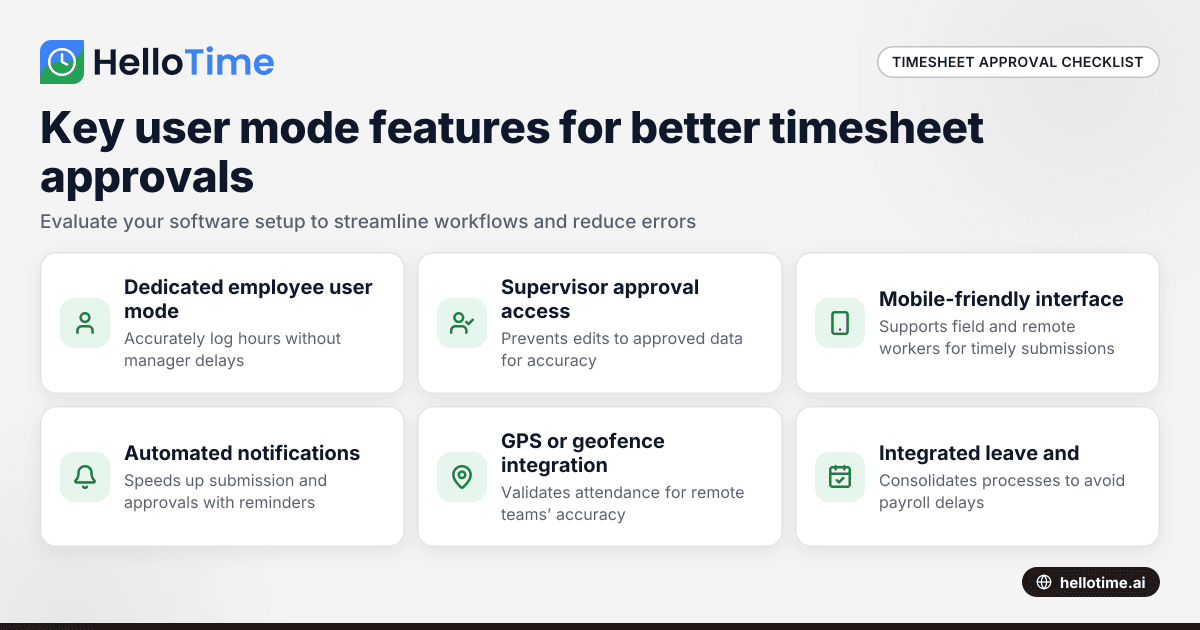
How User Mode Enhances Timesheet Approval Workflow for Indian Small Businesses
How User Mode Enhances Timesheet Approval Workflow for Indian Small Businesses.
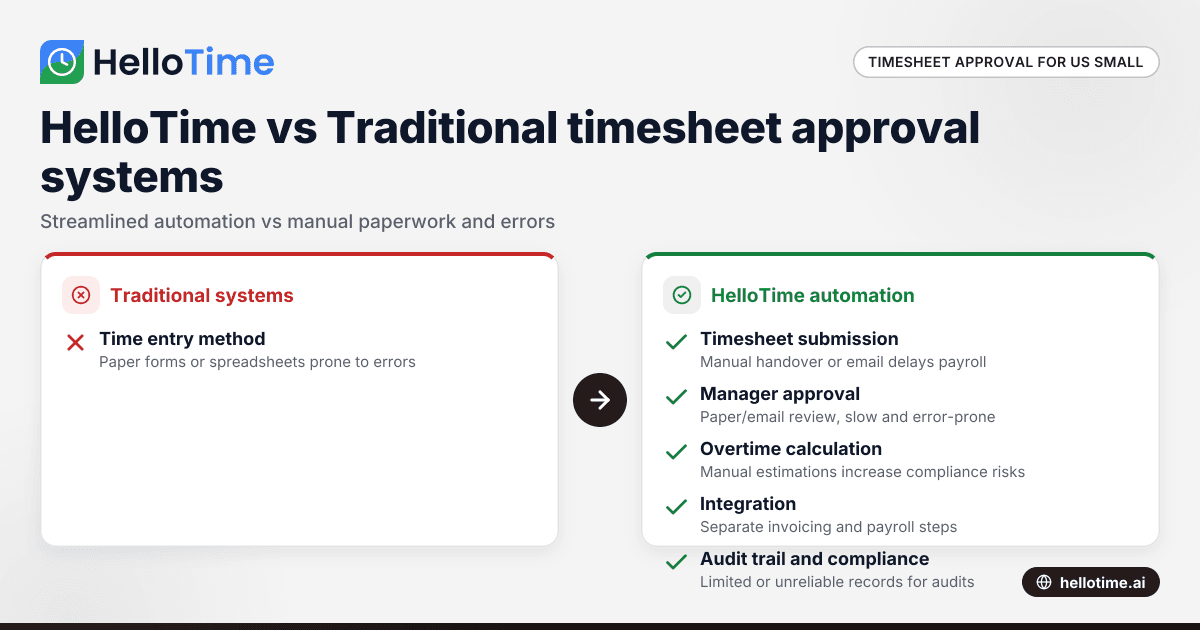
HelloTime vs Traditional Timesheet Approval Systems: Advantages for United States Small Businesses
HelloTime vs Traditional Timesheet Approval Systems: Advantages for United States Small Businesses When comparing HelloTime vs traditional timesheet.
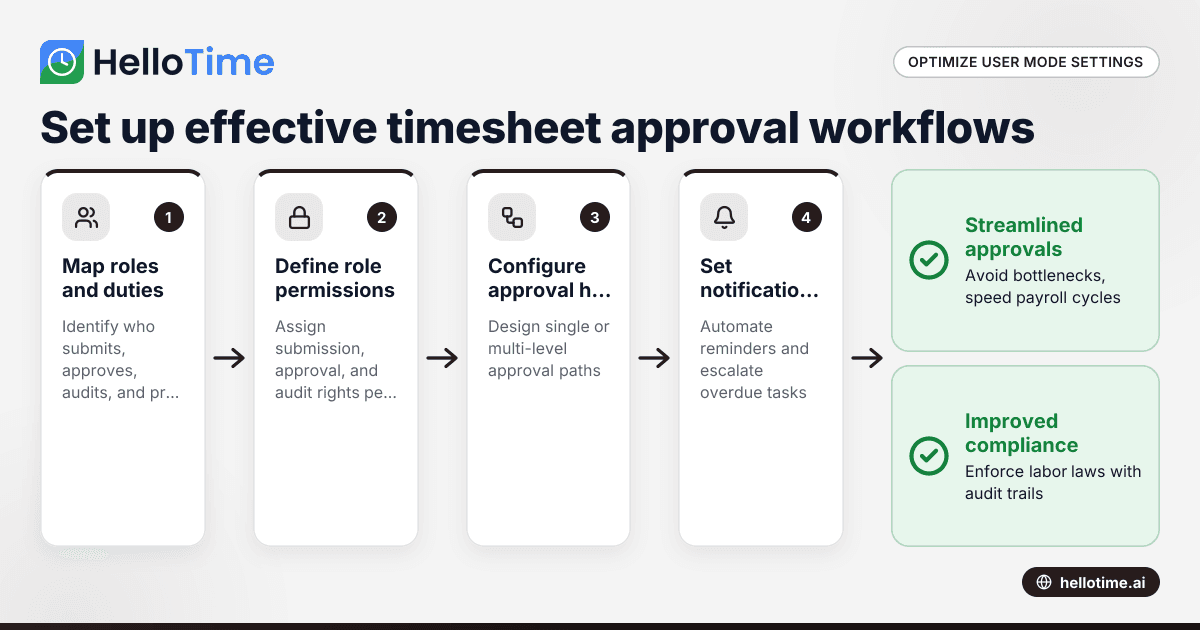
How United States Small Businesses Can Optimize User Mode Settings to Streamline Timesheet Approval Workflows
In timesheet approval workflows, user mode customizes access and approval steps based on employee roles, allowing roles like employees, managers, and.