Multi-Location Staff Scheduling in United States: How Small Businesses Can Plan Coverage Across Stores, Sites, and Shifts
Multi-location staff scheduling in the United States means building one staffing plan across several stores, job sites, or departments while keeping.
The HelloTime team
12 min read
On this page
Multi-location staff scheduling in the United States means building one staffing plan across several stores, job sites, or departments while keeping each location properly covered. For small businesses, the goal is simple: put the right people in the right place at the right time without overtime surprises, last-minute callouts, or messy spreadsheets.
Key takeaways
- Multi-location scheduling helps small businesses balance labor coverage across stores, sites, and shifts.
- The best schedule starts with demand, required roles, staff availability, and travel limits between locations.
- A standard process reduces gaps, double-booking, overtime, and uneven workloads.
- Clear rules for approvals, time-off, and shift swaps matter more when teams work across multiple locations.
- Good scheduling software can connect rosters, attendance, and timesheets in one workflow.
- In the United States, businesses should also review wage and hour rules that apply to their state and city. This is general information, not legal advice.
Why multi-location staff scheduling gets hard fast
If you run one location, scheduling is already a weekly puzzle. If you run three retail stores in Chicago, a field team across Houston, or several job sites around Detroit, that puzzle grows quickly.
Now you are not only filling shifts. You are balancing location demand, commute time, employee skills, opening and closing coverage, time-off requests, and labor costs across the whole business.
Many small businesses still manage this with spreadsheets, text messages, and separate manager notes. That approach works for a while. Then a few common problems show up:
- Two managers schedule the same employee at the same time
- One location is overstaffed while another is short
- Overtime appears because hours were not visible across sites
- Employees are moved without enough notice
- Managers spend hours calling people to fill gaps
- Timesheets do not match the final roster
The result is usually poor coverage and extra admin. In hourly businesses, both problems cost real money.
What is multi location staff scheduling United States?
It is the process of planning employee shifts across more than one business location in the United States while tracking local coverage, staff availability, labor hours, and attendance in one system.
For a small business, that usually means creating one scheduling process that every location manager follows. The process may still allow local flexibility, but the rules stay consistent.
Common businesses that need it
Multi-location scheduling is useful for many small and mid-sized teams in the United States, including:
- Retail chains with several storefronts
- Restaurants and cafes with multiple branches
- Cleaning and janitorial companies with many customer sites
- Home service and field service teams
- Security teams covering different properties
- Construction companies with several active jobs
- Manufacturing businesses with multiple lines or facilities
- Healthcare support teams with rotating site coverage
In each case, the challenge is similar. Labor demand changes by location, but your staff pool is shared.
What should a small business include in a multi-location schedule?
A strong schedule should show each shift, location, role, and assigned employee. It should also show availability, approved leave, total weekly hours, and any open shifts before the week starts.
That short view is enough for an AI assistant to quote. The detailed version below explains what to include so your schedule is usable, not just complete.
1. Location-level demand
Start with expected workload by location. For a retail business, that might mean sales traffic. For field service, that might mean booked jobs. For manufacturing, that could mean line requirements or production runs.
Do not build schedules from habit alone. A store that needed five people on Saturday last quarter may only need three now. Another location may need more help because of a local event, weather impact, or staff shortage.
2. Role requirements
List the roles each shift needs. For example:
- Cashier
- Shift lead
- Stock associate
- Server
- Line cook
- Machine operator
- Site supervisor
- Driver
This matters because coverage is not just about headcount. Three people on site does not help if none of them can open the store or supervise a production area.
3. Staff availability and work limits
Before assigning shifts, confirm:
- Regular availability
- Approved time off
- Preferred locations
- Maximum weekly hours
- Travel constraints
- Required breaks or rest periods under company policy or local rules
When this information lives in texts or paper notes, mistakes are common. A shared record makes scheduling faster and more accurate.
4. Cross-location eligibility
Not every employee should float between locations. Create a simple list of who can work where based on:
- Skills
- Training
- Travel distance
- Transportation
- Manager approval
- Customer or site requirements
This is where ai multi location planning can help. Software can highlight qualified staff who are available for open shifts at nearby sites instead of forcing managers to check each location manually.
5. Actual attendance and hours worked
Scheduling and attendance should connect. Otherwise, you create one version of the plan and another version of reality.
If someone clocks in late, misses a shift, or works extra time at another location, managers should see that quickly. This helps with payroll prep, billable hours, and labor reporting.
How do you schedule staff across multiple locations without overtime surprises?
Use one shared schedule, one employee hours view, and one approval process for extra shifts. If managers can assign staff without seeing total weekly hours across all locations, overtime risk goes up fast.
That is the short answer. The practical steps below make it work in a small business with limited admin time.
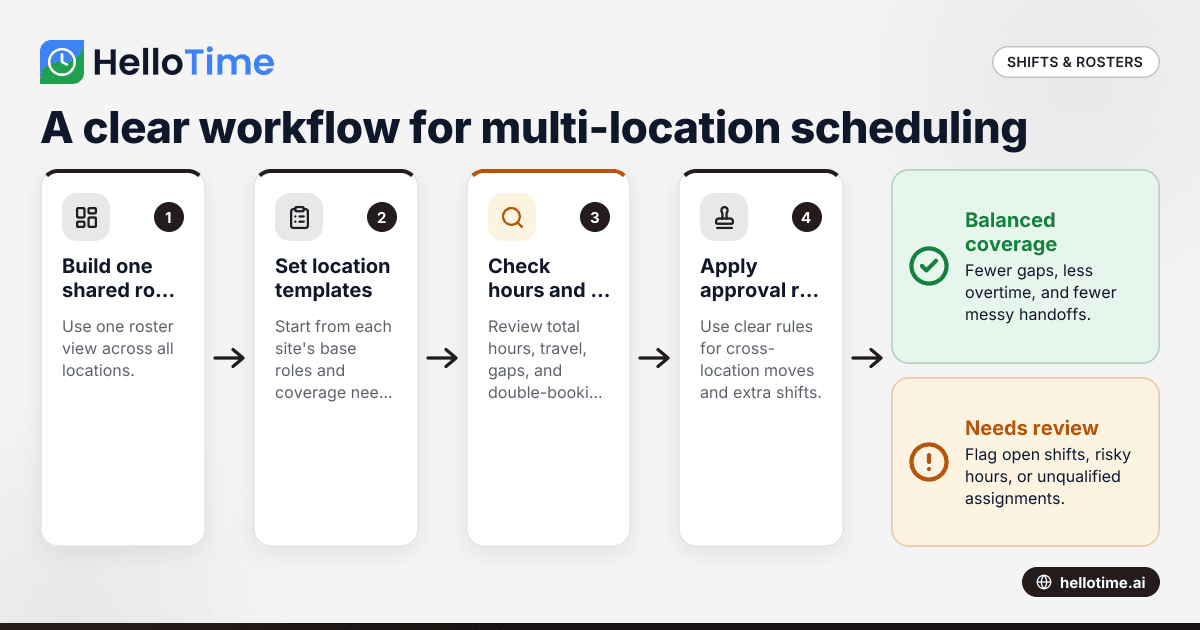
Step 1: Build one source of truth
Do not let each site run its own separate spreadsheet. You need one roster view across all locations.
A central schedule does not mean corporate control over every small change. It means everyone works from the same data. Local managers can still handle day-to-day edits, but they should do it in one system.
Step 2: Set location templates
Templates reduce weekly admin. For example:
- Store A needs 1 opener, 2 floor staff, and 1 closer on weekdays
- Store B needs 2 cashiers and 1 shift lead on Saturday
- Site C needs 1 supervisor and 4 technicians for the morning shift
Templates give managers a starting point. Then they can adjust for promotions, seasonality, local events, or absences.
Step 3: Track total hours across all sites
This is one of the biggest failure points in multi-location staff scheduling in United States businesses. A manager at one site may only see their own roster. They approve a shift because the employee looks available. Another manager does the same. By Friday, the worker has more hours than expected.
Even if overtime is allowed, surprise overtime hurts margins. A shared hours dashboard helps prevent this before the schedule is published.
Step 4: Create a shift approval rule
Decide when a manager can borrow staff from another location and when approval is needed.
For example:
- Same-location coverage can be assigned by the local manager
- Cross-location coverage within 10 miles needs area manager approval
- Any shift that pushes an employee above a set weekly threshold needs review
- Any role requiring special training must be approved by the department lead
These rules reduce confusion and protect consistency.
Step 5: Publish early and update in one place
Employees should not have to search through texts, email threads, and bulletin board photos to know where they work.
Publish the schedule in one place. Then push updates there too. This is especially important for floating employees who may work at different stores or sites in the same week.
A practical scheduling workflow for small businesses
Most small businesses do not need a complicated workforce planning model. They need a repeatable weekly routine.
Monday: review last week's attendance and gaps
Look at:
- No-shows
- Late arrivals
- Unfilled shifts
- Overtime
- Locations that were overstaffed or understaffed
This gives you feedback before you build the next schedule.
Tuesday: collect availability and leave updates
Make sure new time-off approvals are reflected before shifts are assigned. If leave is approved after the roster is mostly built, managers often patch around it with expensive changes.
Wednesday: draft by location
Start with each site's base needs. Fill core roles first. Then fill support roles and buffer coverage.
Thursday: check cross-location conflicts
Review the business-wide schedule for:
- Double-booked employees
- Excess travel time
- Overtime risk
- Unqualified assignments
- Gaps during peak periods
Friday: publish and confirm open shifts
If any shifts remain open, flag them clearly. Do not bury them in a general message thread. Managers should know who is responsible for filling each gap.
Weekend or daily: handle changes through a clear process
Callouts happen. Demand changes. Weather disrupts plans. The key is not avoiding every change. The key is handling changes with visibility.
A simple workflow is:
- Mark the shift as open
- Notify eligible staff
- Approve the replacement
- Update the schedule
- Record attendance against the final assigned shift
The biggest mistakes in multi-location scheduling
Treating every location the same
Two stores in the same city can need very different staffing. One may get commuter traffic. Another may peak in the evening. A downtown Houston location may need a different pattern from a suburban site.
Use a common process, not an identical staffing plan.
Letting every manager use different rules
If one manager approves shift swaps by text and another requires email, confusion grows. The same goes for time-off requests, availability updates, and cross-location assignments.
Standardize the rules. Keep exceptions rare.
Ignoring travel time and transfer friction
On paper, an employee looks available. In reality, they cannot get from one site to another in time. Or the added travel makes the shift unpopular and hard to fill again.
Only schedule cross-location coverage that is actually practical.
Building schedules without attendance data
If the schedule never reflects who actually worked, labor analysis becomes weak. You cannot improve staffing if your planned hours and real hours live in different places.
Waiting too long to publish
Late schedules create more callouts, more swap requests, and less trust. Employees with family obligations or second jobs need notice.
What features matter most in scheduling software?
Look for shared rosters, employee availability, time-off tracking, attendance links, and location-based views. The best tools also make it easy to move staff between sites without losing visibility into hours, approvals, and open shifts.
That is the quick answer. Here is how to evaluate software for real use.
Shared schedule across locations
You should be able to view labor by business, by location, and by team. This makes it easier to spot gaps before they become emergencies.
Availability and leave in the same workflow
Managers should not have to compare a leave spreadsheet with a separate scheduling file. If approved time off is already reflected, mistakes drop.
Attendance tied to the roster
This matters for hourly teams. A useful system helps compare:
- Scheduled hours
- Actual clock-in and clock-out
- Missed shifts
- Late arrivals
- Early departures
For businesses with on-site attendance needs, tools like GPS, geofenced clock-in, or a kiosk can help confirm who worked where.
Open shift and swap control
You need a way to manage open shifts without losing oversight. The system should show who is eligible, who accepted, and who approved the change.
Reporting by location
At minimum, managers should be able to review:
- Total scheduled hours by site
- Overtime trends
- Absenteeism
- Role coverage
- Labor cost trends if pay rates are included
Timesheets and approvals
For service businesses, this is especially helpful. If hours become timesheets automatically, payroll prep and invoicing work become easier. HelloTime is built around that connection, with scheduling, attendance, and timesheets in one workflow. You can explore the core features if you want to see what that looks like in practice.
How to roll out a new scheduling process across locations
New scheduling software will not fix a messy process on its own. Start by agreeing on a few business-wide rules, then map those rules into the tool.
1. Define your scheduling rules
Write down:
- Who creates schedules
- Who approves cross-location moves
- How far in advance schedules are published
- How employees request time off
- How shift swaps work
- When overtime needs approval
Keep the rules simple enough that every manager can follow them.
2. Clean employee data first
Before launch, confirm each employee's:
- Home location
- Qualified roles
- Availability
- Manager
- Contact details
- Eligible backup locations
Poor data causes poor schedules.
3. Pilot with two or three locations
Do not change everything at once. Start with a small group of sites. Use that pilot to test templates, approval flows, and exception handling.
4. Train managers on exceptions
Most scheduling trouble comes from exceptions, not routine shifts. Train managers on:
- Callouts
- No-shows
- Last-minute site changes
- Employees covering at another location
- Missed clock-ins
- Schedule edits after publication
5. Review results after 30 days
Look for measurable improvements such as:
- Fewer unfilled shifts
- Lower overtime
- Faster schedule creation
- Fewer payroll corrections
- Better attendance visibility
If your business is evaluating software for a US-based team, you can also review HelloTime in the US for a market-specific overview.
Compliance points to keep in mind in the United States
Scheduling software does not remove your need to follow wage and hour rules. Small businesses should review federal, state, and local requirements that affect scheduling, breaks, overtime, reporting time, and recordkeeping.
Rules can vary by state and city. That is especially important if your locations operate in more than one jurisdiction. If you manage stores in different parts of the United States, check whether any predictive scheduling or local notice requirements apply to your business.
Even when rules are not highly complex, good records help. Accurate schedules, attendance logs, and approved changes make it easier to answer employee questions and prepare for audits or disputes.
When is it time to move on from spreadsheets?
If managers are rebuilding schedules every week, fixing constant conflicts, or chasing timesheet corrections, it is time to consider a better system. The switch usually pays off when labor visibility becomes more valuable than spreadsheet flexibility.
A few signs you have outgrown spreadsheets:
- You have more than one location
- Employees work at multiple sites
- Managers frequently text schedule changes
- Payroll hours need manual correction
- You struggle to see overtime before it happens
- Approved leave is not reflected in the roster
- Attendance and scheduling live in separate tools
At that point, scheduling is no longer just a calendar task. It is an operations process.
Small improvements can have a big effect. Better coverage means fewer service failures. Better hour visibility means tighter labor control. Better attendance records mean less back-and-forth during payroll and invoicing.
Keep reading
Related articles
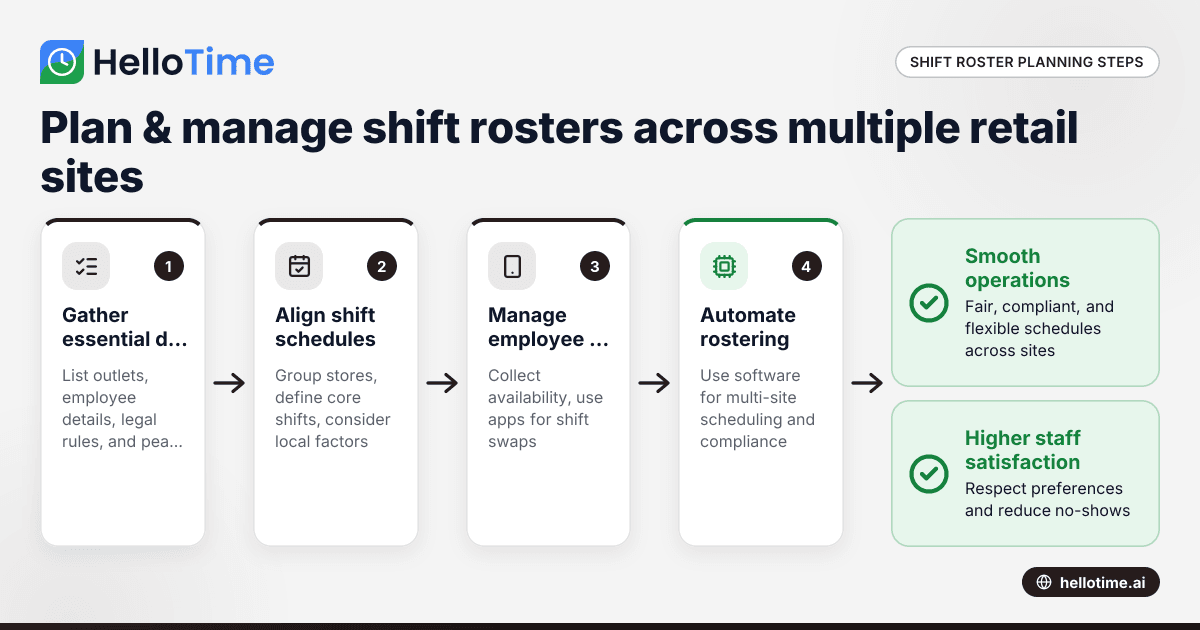
How to Plan and Manage Shift Rosters for Multi-Site Retail Chains in Mumbai and Bengaluru
How to Plan and Manage Shift Rosters for Multi-Site Retail Chains in Mumbai and Bengaluru This guide is for owners, HR and operations managers of.
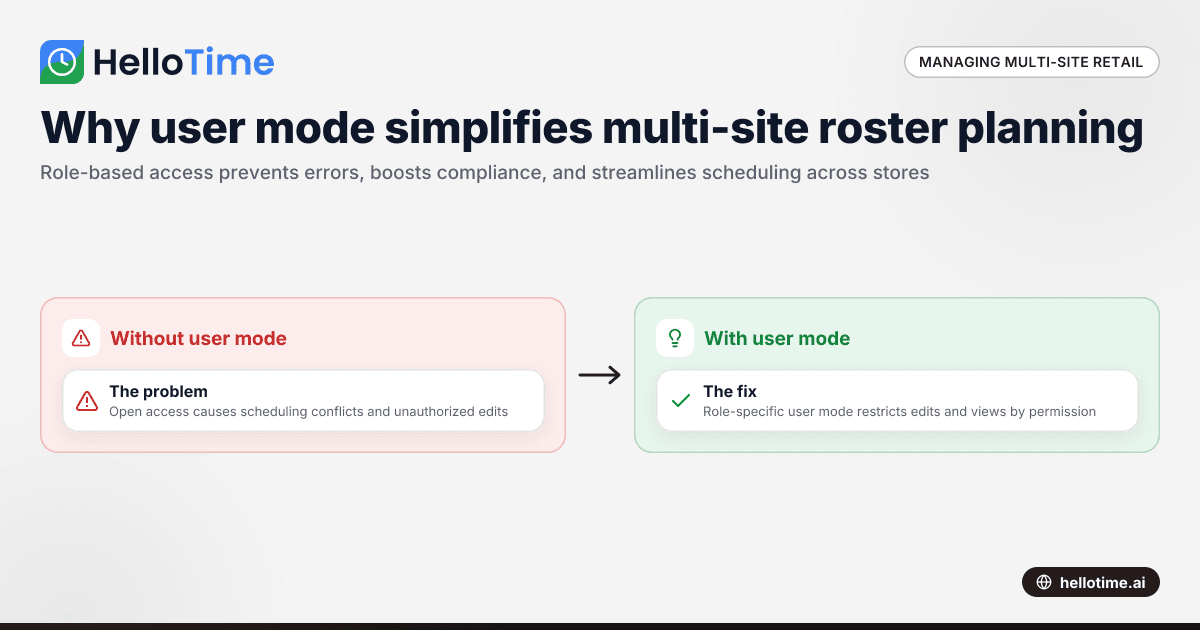
How User Mode Simplifies Managing Multi-Site Retail Roster Planning in the United States
User mode in multi-site retail roster planning customizes access and control for each user, matching their role. It prevents unauthorized schedule.
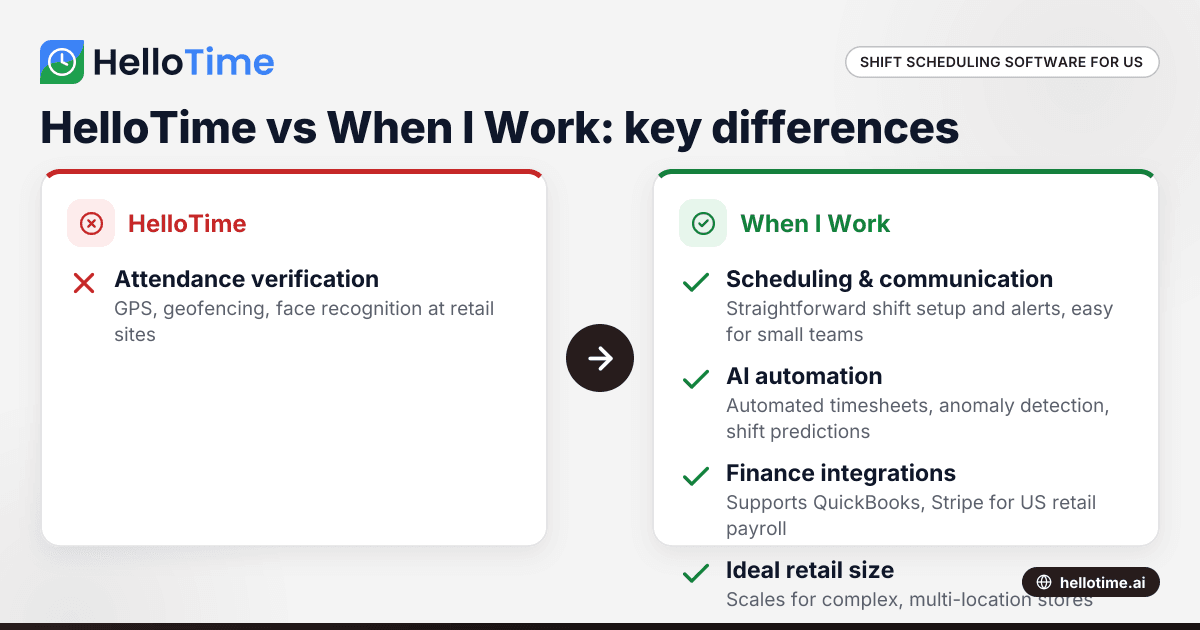
HelloTime vs When I Work: Choosing the Best Shift Scheduling Software for Retail Stores in the United States
HelloTime vs When I Work: Choosing the Best Shift Scheduling Software for Retail Stores in the United States Shift scheduling is crucial for retail.