Project Profitability from Timesheets in the United States: How Small Businesses Can Track Labor Cost, Billable Hours, and Margin by Client
Project profitability from timesheets means using tracked hours to measure what each client, project, or job actually earns after labor cost. For.
The HelloTime team
12 min read
On this page
Project profitability from timesheets means using tracked hours to measure what each client, project, or job actually earns after labor cost. For small businesses in the United States, it is one of the simplest ways to move from “we’re busy” to “we know which work makes money.”
Key takeaways
- Timesheets can do more than support payroll or invoicing. They can show margin by client, project, service line, and employee role.
- The core calculation is simple: revenue minus labor cost minus other direct project costs equals project profit.
- Billable hours alone can be misleading. A project with high utilization can still have low margin if labor cost or rework is too high.
- Consistent time tracking matters more than perfect detail. Clear project codes, approval rules, and weekly reviews make reports more useful.
- Small businesses in the United States often start with labor cost first, then add expenses, software costs, and subcontractor spend later.
- Tools like features help teams turn tracked hours into timesheets, approvals, invoicing inputs, and profitability reports in one place.
Why project profitability from timesheets matters
If you run an agency, consulting firm, field service company, or any service-heavy business, labor is often your biggest cost. That makes timesheets one of the most important data sources in the business.
Many small businesses already collect timesheets. They need them for payroll, client billing, job costing, or attendance. But they stop there. They do not use those same hours to answer better questions.
Questions like:
- Which clients are most profitable?
- Which projects look good on revenue but lose money on labor?
- Which service lines have the best gross margin?
- Where is too much non-billable time going?
- Which fixed-fee jobs are drifting out of scope?
That is why project profitability from timesheets matters. It helps you connect daily work to financial outcomes without building a complex finance system first.
For a Chicago marketing agency, this might mean seeing that a $12,000 monthly retainer looks healthy until account management and revision hours are included. For a Houston field service business, it might mean finding that one customer’s emergency calls produce revenue but hurt margin because of overtime and travel time. For a Detroit engineering firm, it may reveal that one project manager consistently keeps projects within labor budgets while another does not.
What should you track in a timesheet to measure project profitability?
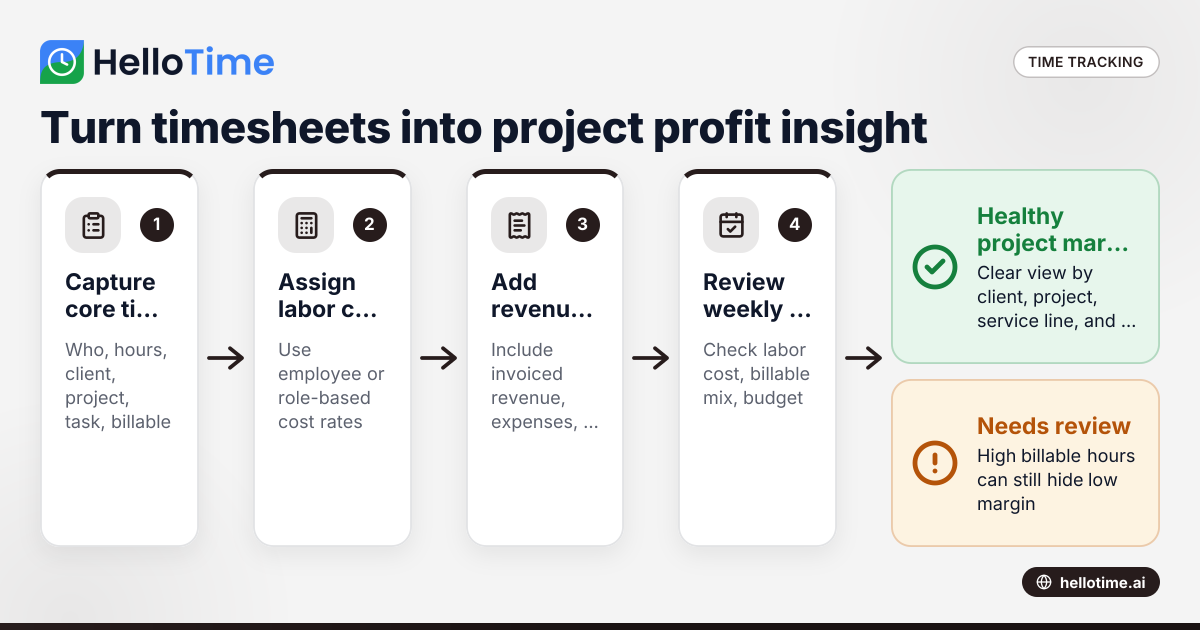
Start with four things: who worked, how long they worked, what project they worked on, and whether the time is billable. If possible, also track task type, employee role, location, and notes on exceptions like rework or client-requested changes.
That is enough to calculate labor cost, billable value, utilization, and margin trends. You do not need a complicated setup on day one. You need data that is clean, consistent, and approved.
The minimum data you need
For each time entry, capture:
- Employee name
- Date worked
- Total hours
- Client
- Project or job
- Task or work type
- Billable or non-billable status
- Approval status
If you bill by the hour, add the bill rate. If you want true labor cost, add the employee’s internal cost rate or labor cost per hour.
Add role-based rates, not just employee names
A common mistake is tracking hours by person but not by role. Role-based reporting helps you compare work mix across projects.
For example:
- Senior designer: cost rate $55/hour
- Account manager: cost rate $45/hour
- Technician: cost rate $38/hour
- Project manager: cost rate $60/hour
This matters because 10 hours is not just 10 hours. The cost depends on who did the work.
Separate billable, non-billable, and non-chargeable time
These terms are often mixed together. Keep them distinct.
- Billable time can be invoiced to the client.
- Non-billable time supports the business but is not invoiced, such as internal meetings.
- Non-chargeable project time may be client-related work you choose not to invoice, such as write-offs, training time on a client system, or rework.
This distinction helps you see margin pressure more clearly.
How do you calculate project profitability from timesheets?
Use this simple formula: project profit = project revenue - direct labor cost - other direct project costs. If you want gross margin percentage, divide project profit by project revenue.
That gives you a practical profitability view from timesheet data. It is not full accounting profit, but it is enough for staffing, pricing, and client decisions.
The basic formulas
Here are the numbers most small businesses need first.
Labor cost Tracked hours × internal labor cost rate
Billable value Billable hours × client bill rate
Project revenue Amount invoiced or earned on the project
Project profit Revenue - labor cost - direct expenses - subcontractor cost
Gross margin % Project profit ÷ revenue × 100
A simple example
A web design project for a client in Chicago includes:
- 80 total tracked hours
- 60 billable hours
- Revenue invoiced: $9,000
- Designer labor cost: 40 hours × $50 = $2,000
- Developer labor cost: 30 hours × $65 = $1,950
- Project manager labor cost: 10 hours × $60 = $600
- Stock image expense: $150
Total labor cost = $4,550 Total direct project cost = $4,700 Project profit = $9,000 - $4,700 = $4,300 Gross margin = 47.8%
That project looks strong. But if another 25 hours of rework are logged later and cannot be billed, margin drops quickly. That is why weekly review matters.
Fixed-fee projects need close attention
Hourly projects are easier. Revenue usually rises with billable time. Fixed-fee projects are riskier.
With fixed-fee work, every extra hour reduces margin unless you issue a change order, reduce scope, or improve delivery efficiency. Timesheets help you catch that early.
Look for:
- Labor cost climbing faster than project completion
- Heavy revision cycles
- Too much senior staff time on low-complexity work
- Unapproved scope changes
- High non-billable support tied to one client
Why billable hours alone are not enough
Many businesses focus on utilization and billed hours. Those metrics matter, but they do not tell the whole story.
A project can have high billable hours and still perform poorly. Here is why:
- The team doing the work may be more expensive than planned.
- Discounts may lower realized revenue.
- Rework may be high.
- The client may consume extra admin time.
- Travel, materials, or subcontractor costs may reduce margin.
A client that generates $20,000 in monthly billings may look valuable. But once labor cost is assigned properly, the margin may be lower than a smaller, smoother client.
This is where ai project profitability discussions are becoming more common. The value is not magic. The value is faster pattern detection. If your system flags projects with falling margin, growing non-billable time, or labor overruns, managers can act sooner.
Common blind spots in small businesses
Small teams often miss these costs:
- Pre-sales work that turns into delivery work
- Internal project management time
- Client communication outside scoped hours
- Overtime premiums
- Supervisor time spent fixing quality issues
- Return visits in field service
- Time spent waiting on site or traveling between jobs
You do not need to track every minute forever. But you do need enough detail to understand where time goes.
What reports should a small business review every week?
Review five reports: project labor cost, billable versus non-billable hours, project margin by client, budget versus actual hours, and unapproved timesheets. A weekly review helps you catch overspend, scope creep, and delayed billing before they become monthly surprises.
1. Project labor cost by client
This report shows how much labor each client consumed in a week or month. It helps you compare labor cost to invoiced revenue.
2. Billable vs. non-billable hours
This report shows whether time is going toward revenue-generating work or internal work. It also helps you spot teams overloaded with admin tasks.
3. Budget vs. actual hours
If a project was scoped for 120 hours and is already at 105 hours halfway through, you need to act now.
4. Margin by project
This is the clearest profitability report. It shows which jobs are earning healthy margin and which are drifting.
5. Timesheet completion and approval status
Incomplete or unapproved timesheets hurt every downstream report. They also delay invoicing.
How can you improve project margin without cutting quality?
Improve scope control, assign the right labor mix, reduce rework, and review time data weekly. Better margin usually comes from better delivery discipline, not from forcing people to work faster.
Tighten project setup before work starts
Profitability problems often begin before the first hour is logged.
Do these things at kickoff:
- Set a project budget in hours and dollars.
- Define billable and non-billable work clearly.
- Assign labor by role, not just by availability.
- Agree on revision limits and change approval rules.
- Create task codes that match the estimate.
This makes later reporting more useful.
Catch scope creep early
Scope creep is one of the biggest margin killers in fixed-fee work.
Use timesheet notes and task codes to identify:
- Extra revision rounds
- Client requests outside scope
- Emergency work added mid-project
- Long status meetings not included in the estimate
Once you can see the extra work, you can make a decision. Bill it, approve it internally, or stop it.
Match the work to the right cost level
Do not let senior staff handle work that a mid-level or junior employee can do well. Labor mix affects margin just as much as total hours.
That does not mean lowering standards. It means using expensive hours where they create value.
Reduce rework and handoff issues
If one team keeps producing work that another team must redo, profitability will suffer. Time data helps you identify where that happens.
Track time against task categories like:
- Initial work
- Revisions
- Quality fixes
- Client change requests
- Travel
- Waiting time
That creates a better operational picture than one broad “project work” bucket.
Setting up a simple project profitability process
You do not need a finance team or a complicated ERP rollout to start. Most small businesses can build a practical workflow in a few steps.
1. Standardize your project and client codes
Use one naming format across time tracking, invoicing, and reporting. If one system says “Acme Q1 Campaign” and another says “Acme Marketing Spring,” your reports will break.
2. Assign cost rates carefully
Set internal labor cost rates for each role or employee. Include wages and, if helpful, a reasonable labor burden approach that your business uses consistently. This article is general information, not legal, tax, or accounting advice.
3. Require weekly timesheet approval
Weekly review is usually enough for most small businesses. Daily review can feel heavy. Monthly review is often too late.
4. Compare tracked hours to project budgets
Do not wait until invoicing day. Compare actual hours to estimated hours each week.
5. Review margin before sending the next proposal
Project profitability is not just a reporting exercise. It should change pricing, staffing, and scope rules for future work.
Using time tracking software instead of spreadsheets
Spreadsheets can work when you have a very small team. But they become hard to trust as the business grows.
Problems show up quickly:
- Duplicate project names
- Missing hours
- Late approvals
- Formula errors
- No audit trail
- Weak visibility across managers
- Slow invoice preparation
Software helps because the workflow stays connected. People track time. Managers approve it. Finance uses approved hours for billing and reporting. Operations can review project cost and profitability without rebuilding the data every month.
For teams that bill by the hour or manage labor-heavy projects, HelloTime in the US can help centralize time tracking, approvals, billable hours, and project profitability reporting. That is especially useful when you want one system for office teams and shift-based staff.
Signs you have outgrown spreadsheets
You likely need a better system if:
- Timesheets arrive by email
- Project managers keep separate trackers
- Finance rebuilds invoices manually
- You cannot explain margin changes quickly
- Employees log time to the wrong client often
- Labor cost reports take hours to prepare
Where AI can help with project profitability
AI will not replace disciplined time tracking. But it can make reporting faster and more useful.
For example, ai project profitability tools can help surface patterns such as:
- Projects likely to exceed hour budgets
- Clients with rising non-billable support time
- Teams with unusual rework levels
- Margin decline by service line
- Missing time entries that affect project cost
The real benefit is speed. A manager who sees a risk midweek can correct scope, staffing, or scheduling before the month closes.
That said, good inputs still matter most. If time data is incomplete or project codes are messy, even smart reporting will be weak.
Common mistakes to avoid
Treating billable time as profit
Billable time creates revenue potential. It does not guarantee healthy margin.
Ignoring non-billable client work
Client support, revisions, and meetings often consume more time than expected. If you ignore that time, your margin report will be too optimistic.
Reviewing projects too late
A project reviewed only at closeout cannot be rescued. Weekly review gives you a chance to act.
Not separating overtime or premium labor
If certain jobs rely on overtime, that cost should be visible in project profitability reporting.
Using too many categories
Track enough detail to make decisions. Do not create 40 task codes nobody understands.
Turning timesheets into better decisions
The point of project profitability from timesheets is not more reporting. It is better decisions.
When you know which clients, projects, and work types produce strong margin, you can:
- Price new work with more confidence
- Staff projects more effectively
- Reduce unbilled work
- Tighten scope control
- Improve invoicing speed
- Focus sales on healthier service lines
That creates a stronger business over time. You move from guessing to knowing.
If you want to see how one-click tracking, timesheets, approvals, billable hours, and profitability reports fit together, explore the features or compare plans at pricing.
Frequently asked questions
Is project profitability from timesheets accurate enough for small businesses?
Yes, if your time data is consistent and approved weekly. It may not replace full accounting, but it is often accurate enough for pricing, staffing, and client management decisions.
Should we track profitability by employee, project, or client?
Start with project and client. Those views are easiest to use for pricing and account decisions. Employee-level reporting can help with staffing and labor mix, but it should support management, not create pressure to over-measure individuals.
What if we work on both hourly and fixed-fee projects?
Track both in the same system, but report them differently. Hourly work is usually compared against billed hours and realization. Fixed-fee work should be monitored against labor budget, scope changes, and margin trends.
Keep reading
Related articles
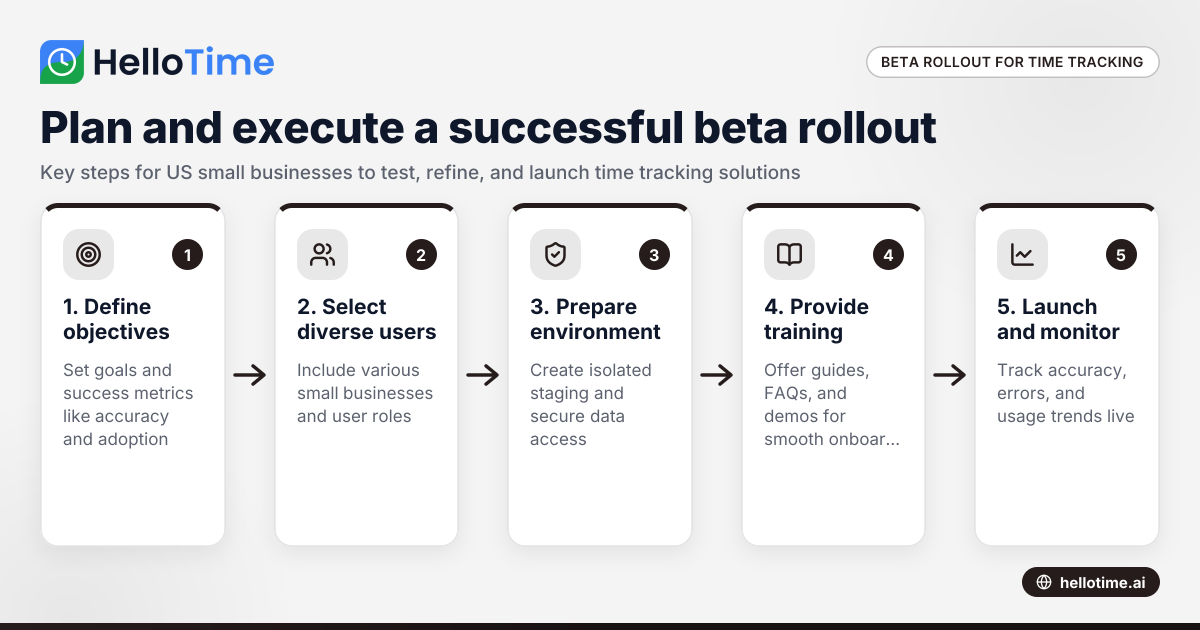
How to Plan and Execute a Successful Beta Production Rollout for Time Tracking Software in United States Small Businesses
Launching a beta production rollout means releasing your time tracking software to a limited group of real users in live conditions before full.
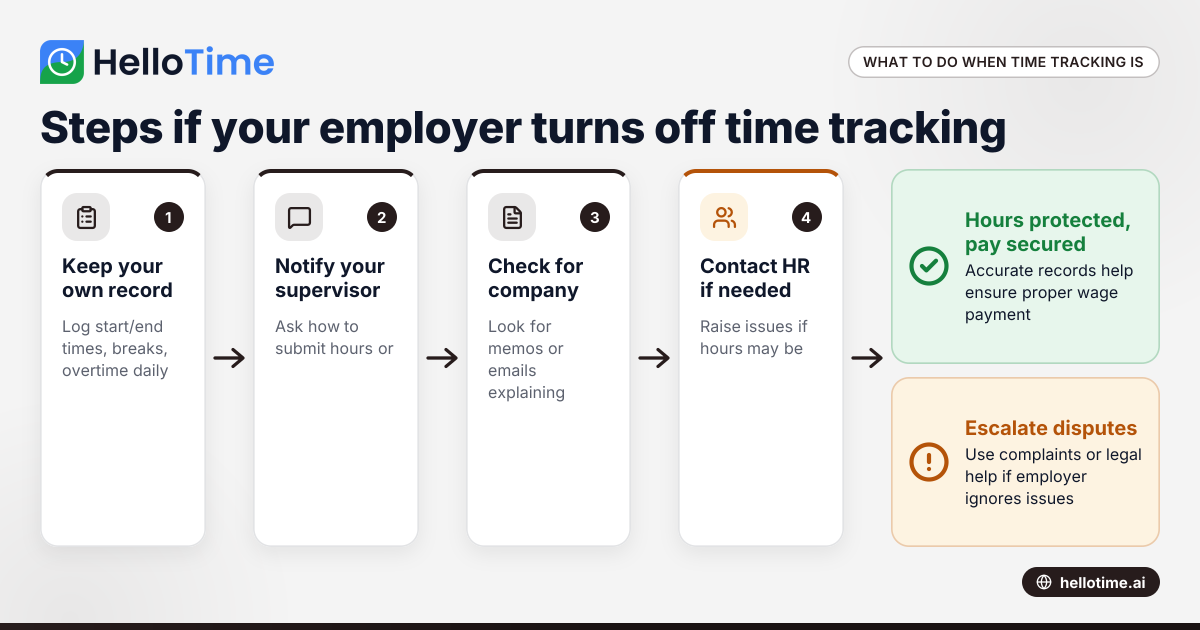
What to Do When an Employer Has Turned Off Your Time Tracking in the United States
When an employer has turned off time tracking, employees lose a key method to log their hours accurately. This can disrupt payroll, affect wage.
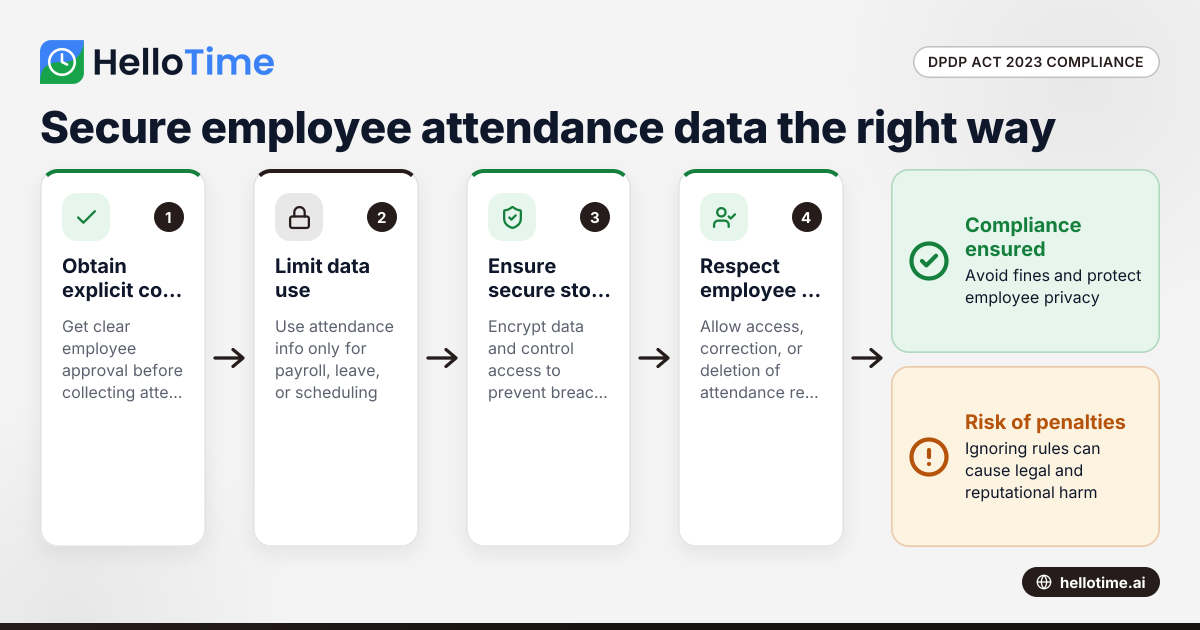
How the DPDP Act 2023 Impacts Employee Attendance and Timesheet Data Management in Indian SMEs
The Digital Personal Data Protection (DPDP) Act 2023 is India’s law regulating how personal data, including employee attendance information, must be.