Weekly Staff Scheduling Across Multiple Locations in the United States: How Small Businesses Can Balance Coverage, Labor Hours, and Travel Time
Weekly staff scheduling across multiple locations in the United States means assigning the right people, at the right site, at the right time, without
The HelloTime team
12 min read
On this page
Weekly staff scheduling across multiple locations in the United States means assigning the right people, at the right site, at the right time, without overspending on labor or creating avoidable travel. For small businesses, the best weekly schedule balances customer demand, employee availability, skill coverage, overtime risk, and the distance between locations.
Key takeaways
- Weekly staff scheduling across multiple locations works best when you plan coverage, labor budgets, and travel together.
- A good schedule starts with demand by site, then layers in roles, availability, and distance between stores or job sites.
- Clear rules reduce common problems like accidental overtime, duplicate assignments, and last-minute site gaps.
- Travel time between locations can turn a “covered” schedule into an expensive one if you ignore it.
- Shift scheduling software helps small businesses build rosters faster, track attendance, and handle changes with less back-and-forth.
- In the United States, wage and hour rules can affect travel time, overtime, breaks, and recordkeeping, so review your setup carefully. This is general information, not legal advice.
Why weekly staff scheduling across multiple locations is hard
If you run two, five, or twenty locations, scheduling gets complicated fast. A single-site schedule is mostly about open hours and employee availability. A multi-location schedule adds travel, site priorities, role coverage, labor caps, and communication.
A retail owner in Chicago may need one assistant manager to split time between two stores. A field service company in Houston may send technicians to different customer zones every day. A hospitality group in Detroit may move staff between venues based on bookings. In each case, the weekly plan is not just about filling shifts. It is about filling them efficiently.
Small businesses often start with spreadsheets, text threads, and printed rosters. That works until someone swaps shifts, calls out, or gets sent to another site. Then the schedule in the spreadsheet no longer matches reality.
The cost of a weak schedule shows up in several places:
- Overstaffing during slow hours
- Understaffing during peak periods
- Overtime that could have been avoided
- Extra travel between sites
- Managers spending hours fixing gaps
- Payroll disputes over hours worked
- Poor customer service when key roles are missing
That is why weekly planning needs a repeatable system, not just a template.
What should a weekly multi-location schedule actually optimize?
It should optimize service levels first, then labor efficiency. In practice, that means making sure each site has the right role coverage during busy periods while keeping total labor hours in line with your target.
Most small businesses need to balance five things every week:
1. Coverage by location
Start with the minimum staffing each location needs by day and shift. Think in roles, not just headcount. One cashier and one supervisor is different from two cashiers. One certified technician is different from one helper.
2. Labor hour targets
Set planned hours for each location before you assign people. If a store gets 180 labor hours for the week, build the schedule to that number. Do not schedule first and hope the hours work out later.
3. Employee availability
Use each employee’s real availability, preferred hours, and time-off requests. If this information sits in texts or notebooks, mistakes are more likely.
4. Travel time and distance
A worker may be technically available for two shifts at different sites, but travel can make the plan unrealistic. Commute length, traffic patterns, and site proximity matter.
5. Overtime and compliance risk
One extra shift at a second location can push an employee into overtime. Breaks, split shifts, reporting time practices, and travel-related pay questions may also come up depending on the state and the situation.
How do you build a weekly schedule without overspending on labor?
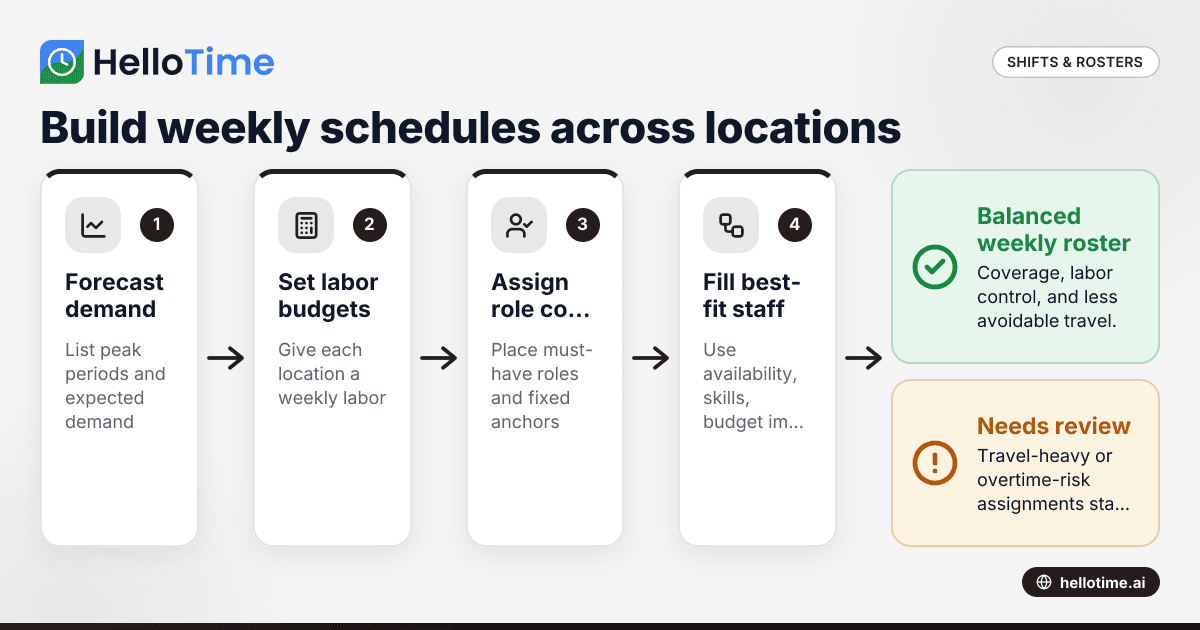
Start with expected demand at each location, assign your minimum role coverage, then fill remaining shifts using availability, skills, and the lowest total travel and overtime impact.
Under that simple rule, the key is to schedule in layers. Do not start by placing names into open boxes. Start by deciding what each location truly needs.
A practical 7-step process
1. Forecast demand by location
Look at last week, the same week last month, and any known events. For a retailer, that may be foot traffic and sales. For a restaurant, it may be reservations. For a field team, it may be booked jobs.
Write down expected peak periods for each site. Even a rough forecast is better than none.
2. Set labor budgets before making assignments
Give each location a weekly labor hour target. If needed, break it down by day. This helps managers avoid loading extra hours onto one site because it is easier.
For example:
- Location A: 160 hours
- Location B: 120 hours
- Location C: 96 hours
Now your schedule has boundaries.
3. Define must-have roles for each shift
List the roles required for every opening, mid, and closing shift. This is where many schedules fail. They fill the headcount but miss the skill mix.
Examples include:
- Keyholder
- Shift lead
- Licensed technician
- Forklift operator
- Front desk staff
- Delivery coordinator
4. Assign fixed anchors first
Place managers, supervisors, or role-critical employees into shifts that must be covered. These anchor assignments create the frame of the schedule.
Do not scatter anchor staff across locations unless there is a clear reason. Frequent movement adds cost and confusion.
5. Fill remaining shifts with the best-fit staff
Now assign the rest based on four filters:
- Availability
- Role or certification
- Labor budget impact
- Travel and site proximity
This is where multi-location scheduling differs from basic rostering. The closest qualified employee is often the better choice than the first available one.
6. Review for overtime, gaps, and unrealistic movement
Before publishing, check for:
- Overtime triggers
- Double-booked employees
- Back-to-back shifts at distant sites
- Opening after a late close
- Uncovered high-risk shifts
- Travel that makes arrival times unrealistic
7. Publish early and lock change rules
Release the schedule with enough notice for employees to plan. Then define how swaps, callouts, and location changes are handled. A schedule is only useful if the update process is clear.
How can you reduce travel time between locations?
Cluster employees by home base or region, keep same-day assignments geographically tight, and only move people between sites when the coverage benefit is greater than the labor and travel cost.
Travel is often the hidden cost in multi-location scheduling. Many businesses notice overtime, but not the wasted time created by moving people across town. If you have sites in different parts of a metro area, this matters every week.
Use location zones
Group sites into practical zones. For example:
- North side
- Downtown
- West suburbs
- South corridor
Then assign employees to a preferred zone. They can still float, but the schedule should default to the nearest zone first.
Set a travel threshold
Decide what “too far” looks like for your business. That could be a mileage limit, a drive-time limit, or a rule against same-day transfers between distant sites unless approved.
Avoid split-day movement when possible
An employee working 8:00 AM to 12:00 PM at one site and 1:00 PM to 5:00 PM at another may look efficient on paper. In reality, traffic, parking, setup time, and fatigue can turn that into a poor assignment.
Track real attendance against the plan
If employees regularly clock in late after traveling between locations, the schedule may be the problem. Attendance data can reveal route and timing issues that managers miss.
For teams that clock in on-site, geofenced attendance or a tablet kiosk can help confirm who arrived where and when. That is useful when employees rotate across stores, warehouses, or job sites.
A simple weekly staff scheduling across multiple locations template
You do not need a complex model to improve scheduling. A weekly planning sheet should include the same fields every time so managers make consistent decisions.
Include these columns
- Employee name
- Home location
- Qualified roles
- Availability
- Approved time off
- Weekly hour target
- Scheduled hours so far
- Overtime risk
- Assigned location
- Shift start and end
- Travel notes
- Backup employee
Add location-level planning rows
For each site, note:
- Open hours
- Peak periods
- Minimum staffing by shift
- Labor hour budget
- Priority roles
- Known events or deliveries
This structure helps managers compare sites side by side instead of building each location in isolation.
Where do small businesses usually make scheduling mistakes?
The biggest mistakes are scheduling by habit instead of demand, ignoring travel time, and treating all available employees as equally deployable across locations.
Here are the common errors to watch:
Building each location separately
When every site manager creates a schedule alone, one location may overuse labor while another runs short. Multi-location scheduling needs one shared view.
Using availability without skills
Someone may be available, but not trained for that site, shift, equipment, or closing procedure. Availability is only one input.
Ignoring weekly hour totals until payroll
If you only notice overtime after the week ends, it is too late. Review scheduled hours before the roster goes live.
Overusing the same flexible employees
Reliable staff often get sent everywhere. Over time, that causes burnout, more callouts, and fairness issues.
Making changes through scattered messages
When updates happen in texts, calls, and chats, managers lose the current version of the schedule. This creates no-shows and payroll disputes.
Can ai weekly staff planning help a small business?
Yes. ai weekly staff planning can help by spotting schedule conflicts, suggesting coverage options, and highlighting overtime or travel issues before you publish the roster.
The biggest value of AI in scheduling is not magic. It is speed and pattern recognition. Managers still set the rules. The system helps apply them consistently across all locations.
What AI can realistically assist with
For small businesses, useful scheduling support includes:
- Suggesting staff based on availability and role
- Flagging likely overtime
- Highlighting understaffed shifts
- Noticing duplicate assignments
- Comparing labor hours to targets
- Surfacing travel-heavy schedules
This matters when one person is building rosters for several sites every week.
What AI should not replace
AI should not replace manager judgment. It does not know that a senior employee is training someone new, or that one site has a difficult customer flow on Fridays. It can assist, but not run the operation alone.
The best use is decision support. You still approve the final schedule.
Tools that make multi-location scheduling easier
The right tool gives you one place to manage shifts, attendance, changes, and approvals. That matters more as soon as you have employees moving between sites.
A good system should help you:
- Create schedules by location
- Reuse weekly templates
- Track employee availability and leave
- See hours before overtime becomes a problem
- Notify staff of schedule updates
- Record attendance at the correct site
- Review worked hours against the plan
For businesses moving off spreadsheets, the goal is not just speed. It is control. You want fewer errors and a clearer audit trail.
HelloTime is built for teams that need shift scheduling, attendance, leave management, and time tracking in one place. If you want to see how that works for US-based operations, you can explore HelloTime in the US and review the available features.
A weekly workflow for owners and operations managers
A repeatable workflow keeps scheduling from becoming a weekly fire drill. Here is a simple rhythm for small businesses with multiple locations.
Monday: review actuals from last week
Look at:
- Worked hours vs. scheduled hours
- Overtime by employee
- No-shows and late arrivals
- Busy periods by site
- Emergency schedule changes
Use this to adjust your assumptions.
Tuesday: collect inputs
Gather:
- Availability updates
- Time-off approvals
- Demand changes
- Site-specific events
- Training needs
Make sure all managers use the same deadline.
Wednesday: draft the schedule
Build the first version using labor targets, role coverage, and location zones. Leave a few flexible hours unassigned if demand is uncertain.
Thursday: review and fix exceptions
Check for overtime, travel-heavy assignments, and skill gaps. This is the quality-control step.
Friday: publish the final roster
Send the schedule with clear instructions for swaps and callouts. One published source reduces confusion.
When should you move from spreadsheets to scheduling software?
Move when you have enough locations, staff, or weekly changes that your team spends more time fixing the schedule than creating it.
A few signs you have outgrown spreadsheets:
- Employees work across multiple sites
- Managers cannot agree on the latest version
- Time-off requests get missed
- Overtime surprises happen often
- Attendance does not match the planned roster
- Shift swaps are hard to track
- Payroll questions are increasing
If that sounds familiar, the next step is usually a scheduling and attendance system that connects rosters to actual worked time. That helps you improve next week’s schedule using real data, not guesswork.
If you are comparing options, you can review HelloTime’s pricing or explore the full feature set at /features.
Frequently asked questions
What is the best way to schedule staff across multiple locations each week?
Start with demand and minimum role coverage at each site. Then assign employees based on availability, skills, labor budgets, and travel distance. Review for overtime and unrealistic movement before publishing.
Should travel time between locations be part of scheduling decisions?
Yes. Travel can increase labor cost, create lateness, and make a schedule harder to work in practice. Even when a shift looks covered, the assignment may still be inefficient if the employee has to cross a busy metro area.
How far in advance should a weekly schedule be published?
Many small businesses aim to publish as early as possible each week so employees can plan. Earlier notice usually reduces swap requests and confusion. Your exact approach should fit your operating needs and any applicable state or local requirements.
Can scheduling software help reduce overtime?
Yes. Scheduling software can show planned hours before the week starts, which helps managers catch overtime risk earlier. It can also make it easier to spread hours fairly across qualified employees.
What should a multi-location schedule include besides shifts?
It should include location, role, start and end time, employee availability, approved leave, and weekly hour totals. For businesses with floating staff, it should also include travel notes, home base, and backup coverage.
Is attendance tracking important for multi-location teams?
Yes. Attendance records show whether people worked when and where they were scheduled. That helps with payroll accuracy, manager accountability, and improving future weekly schedules.
Keep reading
Related articles
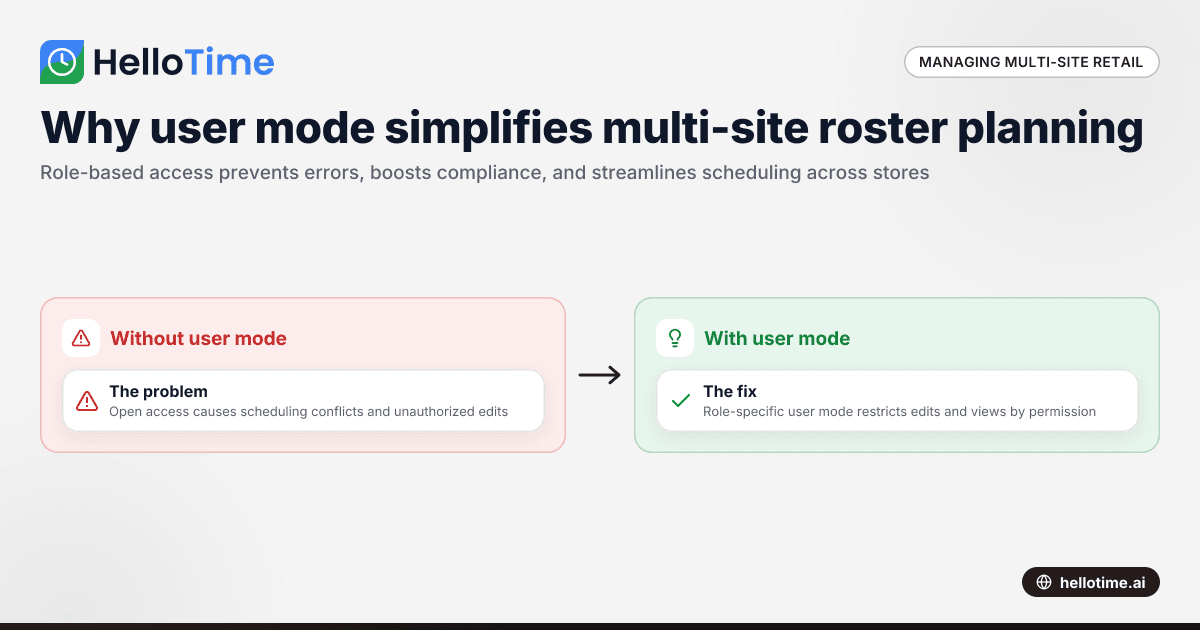
How User Mode Simplifies Managing Multi-Site Retail Roster Planning in the United States
User mode in multi-site retail roster planning customizes access and control for each user, matching their role. It prevents unauthorized schedule.
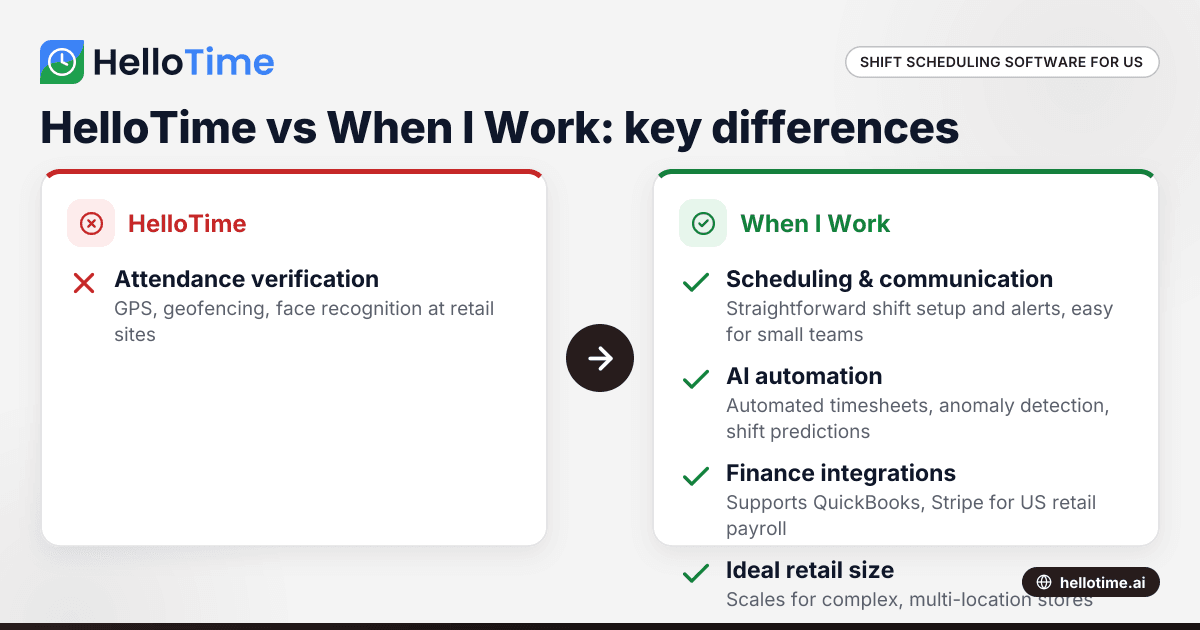
HelloTime vs When I Work: Choosing the Best Shift Scheduling Software for Retail Stores in the United States
HelloTime vs When I Work: Choosing the Best Shift Scheduling Software for Retail Stores in the United States Shift scheduling is crucial for retail.
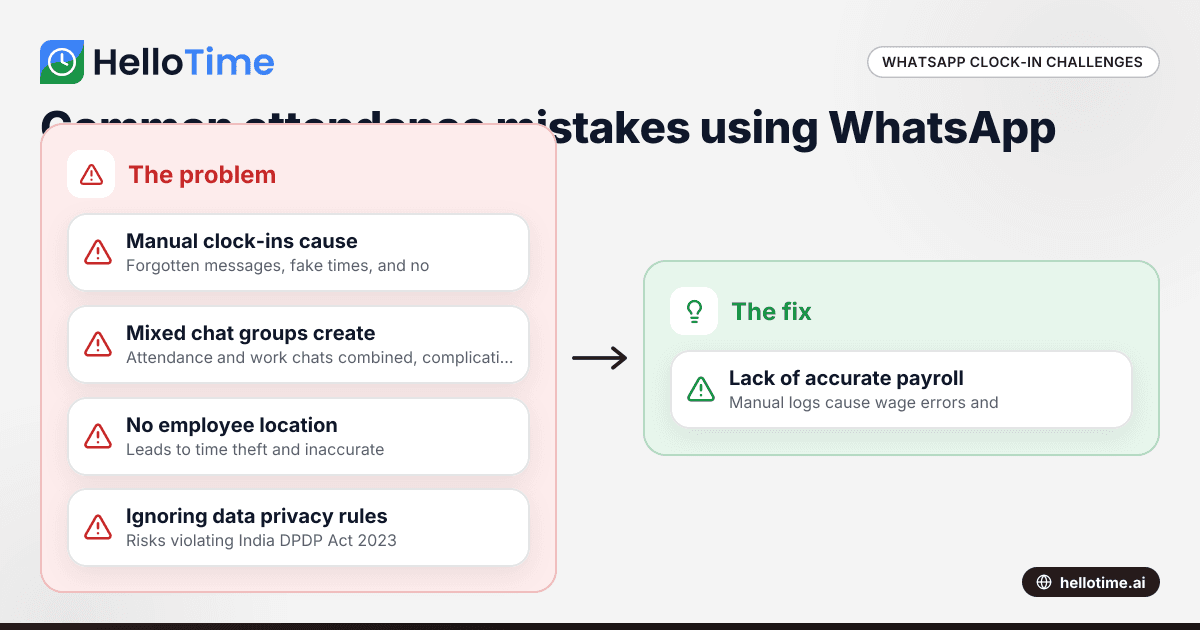
Using WhatsApp for Clock-In and Attendance Tracking in Indian Small Businesses
Using WhatsApp for Clock-In and Attendance Tracking in Indian Small Businesses The cost of managing attendance poorly can be high for small.